Most people looking for free flipbook software expect a compromise. They brace for watermarks stamped across every page, export limits that kick in after 3 documents, and page-turn animations that feel like something from 2009. But that expectation is increasingly wrong. A new generation of browser-based tools has quietly changed what "free" means in digital publishing, and some of them genuinely feel like you're using a $300/year platform.
Flipbooks AI is one of the platforms redefining what a free tier can actually deliver. But it's not alone. This article breaks down the best free flipbook software available right now, what separates the good from the barely functional, and which tool gives you the most premium output without touching your credit card.
What "Premium Feel" Actually Means
Before comparing tools, it helps to define what premium even looks like in flipbook software. It's not just about aesthetics.
Smooth Page-Turn Animations
The single biggest differentiator between a polished flipbook and a cheap one is the page-turn physics. Premium tools render realistic page-curl with shadow, slight paper texture response, and smooth frame rates even on mobile. Low-quality tools use flat CSS transitions that look like a PowerPoint slide change.
No Watermarks, Ever
This one is non-negotiable. A watermark in the corner of every page tells your audience the document isn't professional. The best free tools have moved away from this model entirely because they understand that a clean output is their best marketing.
Mobile-Responsive by Default
Over 60% of digital content is consumed on mobile. A truly premium flipbook adapts to screen size without breaking layout, losing interactive elements, or requiring pinch-zoom navigation.
Fast Load Times
Nobody waits more than 3 seconds for content to load. Premium platforms use HTML5 instead of Flash, compress assets intelligently, and deliver via CDN for instant rendering anywhere in the world.
Here's a look at the platforms worth your attention, including what their free tiers actually offer.
Flipbooks AI Free Plan
Flipbooks AI gives you access to their core platform with no watermarks on free publications. The interface is clean and modern, the page-turn animation is smooth and realistic, and you can publish and share immediately after uploading a PDF. The free plan is genuinely useful for individuals, educators, and small businesses testing the waters.
What makes it stand out is the depth of available tools. You're not just converting PDFs. You can create product catalogs, restaurant menus, real estate brochures, digital portfolios, and more, all with specialized templates for each use case.
Publuu
Publuu offers a free plan with a single flipbook and a Publuu branding badge in the corner. The interface is clean and the animations are solid, but the one-flipbook limit is restrictive for anyone managing multiple documents.
Issuu
Issuu has been around for years and is well-known in the digital publishing world. Their free tier includes basic flipbook creation but adds Issuu branding and limits downloads. Their strength is in discovery, since they have a large reader community, but as a pure flipbook tool the free tier feels dated compared to newer platforms.
FlipHTML5
FlipHTML5 provides a free plan with watermarks on published flipbooks. The editor offers decent customization, but the watermark problem makes it unsuitable for professional use cases without upgrading.
Yumpu
Yumpu has a free tier primarily designed for magazines. The page-turn effect is good, but the platform pushes third-party ads on your publications in the free version, which is a significant downside for business use.

Free Plan Feature Comparison
| Feature | Flipbooks AI | Publuu | Issuu | FlipHTML5 | Yumpu |
|---|
| Watermark-Free | ✅ | ❌ | ❌ | ❌ | ✅ |
| Multiple Flipbooks | ✅ | ❌ (1 only) | Limited | ✅ | ✅ |
| Mobile Responsive | ✅ | ✅ | ✅ | ✅ | ✅ |
| Custom Domain | ❌ | ❌ | ❌ | ❌ | ❌ |
| Password Protection | ❌ | ❌ | ❌ | ❌ | ❌ |
| Embed on Website | ✅ | ✅ | ✅ | ✅ | ✅ |
| Third-Party Ads | ❌ | ❌ | ❌ | ❌ | ✅ |
| Analytics | ❌ | ❌ | Limited | ❌ | Limited |
| Specialized Templates | ✅ | ❌ | ❌ | Limited | ❌ |
💡 The most important columns are "Watermark-Free" and "Third-Party Ads." A tool that shows competitor ads or stamps your branding destroys the professional credibility of your document.
The pattern is familiar: sign up excited, upload your first PDF, and then discover a "FREE TRIAL" watermark across every page, or a forced upgrade prompt the moment you try to share. These practices exist because many platforms treat the free tier as a funnel, not a product.
The better approach, which platforms like Flipbooks AI have adopted, is to make the free tier genuinely useful. When users accomplish something meaningful with the free plan, they naturally upgrade when they hit real limits like needing password protection, analytics, or offline downloads.
The Watermark Trap
Watermarks are the most visible sign of a predatory free tier. They signal to your audience that you're using a tool you haven't paid for. For a personal project, that might be fine. For a business brochure, a restaurant menu, or a sales presentation, it's a dealbreaker.
The One-Flipbook Limit
Single-document limits on free plans are designed to frustrate. If you're creating a catalog for one product line, you might get by. But most real-world use cases involve multiple documents, and hitting a hard wall after the first one wastes your time and goodwill toward the platform.
Export and Sharing Restrictions
Some platforms create the flipbook for free but charge for the share link or embed code. This means the tool is technically free to use but practically useless without a subscription. Always check whether sharing and embedding are included in the free tier before committing time to a platform.
How to Create a Professional Flipbook for Free
If you want to test what genuinely premium output looks like on a free plan, here's how to do it on Flipbooks AI.
Step 1: Create Your Account
Head to flipbooksai.com/account and sign up. The process takes under a minute and doesn't require a credit card for the free plan.
Step 2: Upload Your PDF
Click "New Flipbook" and upload your PDF. The PDF to Flipbook Converter processes your document and renders each page with crisp resolution. Most standard documents process in under 30 seconds.
Step 3: Customize Your Flipbook
Use the editor to set your branding colors, choose a background, and adjust the page-turn style. You can add a custom logo and configure the reader interface, including table of contents, fullscreen mode, and mobile layout settings.
Step 4: Add Multimedia
Embed links, videos, or audio directly into pages. This is where a flipbook goes from "just a PDF online" to a genuinely interactive experience. A real estate agent, for example, can embed a virtual tour video directly inside a property brochure page.
Step 5: Publish and Share
Hit publish and get your shareable link instantly. You can also grab the embed code to embed your flipbook directly on your website. The published flipbook is mobile-responsive and loads fast via CDN with no additional setup required.
✅ Before sharing, test your flipbook on mobile by opening the link on your phone. Check that all pages render correctly and interactive elements are tappable.

Real-World Use Cases by Industry
The value of premium-quality free flipbook software varies by context. Here are the sectors where the difference between a polished and a sloppy flipbook matters most.
For Businesses and Marketing Teams
A sales team presenting a product catalog via a flipbook link needs that document to look flawless. A watermarked catalog from a free tool communicates the wrong thing about the brand. With tools like the Digital Catalog Maker or the Sales Presentation Flipbook, businesses can maintain brand integrity even on free plans.
For Restaurants and Hospitality
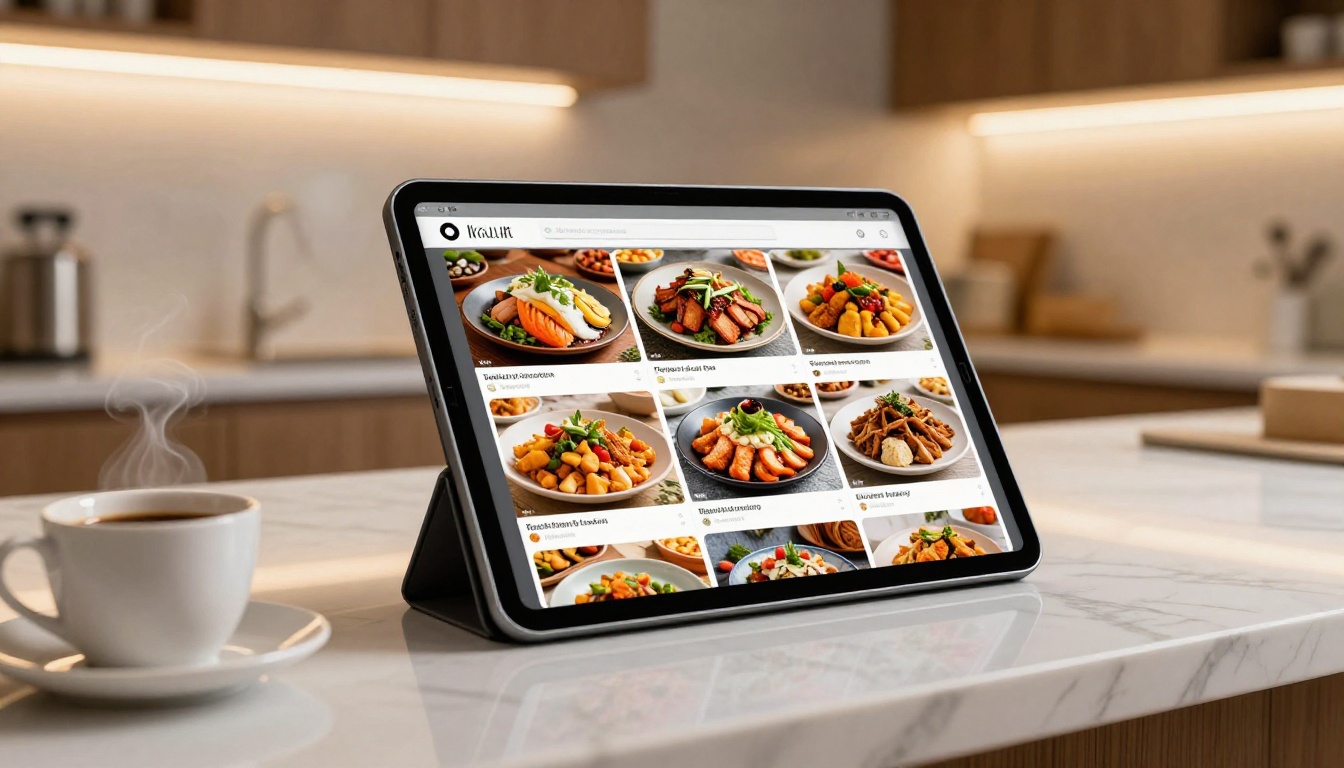
A restaurant sharing its menu online via a QR code needs a clean, fast-loading flipbook. The Restaurant Menu Creator and Spa and Wellness Menu tools provide specialized templates that make food photography pop and navigation feel natural.
For Educators and Schools
Teachers creating interactive course materials or school newsletters benefit enormously from free flipbook tools. The Course Material Publisher, Training Manual Flipbook, and School Newsletter Creator offer templates built specifically for education contexts.
For Creative Professionals
Photographers and designers showing portfolios, lookbooks, and wedding albums need pixel-perfect rendering. Watermarks and third-party ads destroy that impression immediately. The Photography Portfolio Flipbook, Interactive Lookbook Designer, and Wedding Album Flipbook are built for creatives who cannot afford to look cheap.
When to Upgrade and What You Actually Get
Free plans have real limits. Knowing where those limits are helps you decide if and when paying makes sense.
Features That Require a Paid Plan
| Feature | Free | Standard | Professional |
|---|
| Watermark-Free | ✅ | ✅ | ✅ |
| Unlimited Flipbooks | Limited | ✅ | ✅ |
| Password Protection | ❌ | ✅ | ✅ |
| Custom Branding | Basic | Full | Full |
| Analytics Dashboard | ❌ | ❌ | ✅ |
| Lead Generation Forms | ❌ | ❌ | ✅ |
| Offline Downloads | ❌ | ✅ | ✅ |
| Custom Domain | ❌ | ❌ | ✅ |
| Priority Support | ❌ | ❌ | ✅ |
⚠️ Password protection is a Standard plan feature. If you're sharing confidential documents like internal reports or private price lists, you need at least the Standard tier. Check the pricing plans before publishing sensitive content on a free account.
Starting Free Is Still the Right Call
The smartest move for most users is to start on the free plan, create a few flipbooks, and evaluate whether additional features justify the cost. Because Flipbooks AI doesn't put watermarks on free-tier publications, your free output is still client-ready. You can test the platform completely risk-free before spending anything.

The SEO and Sharing Advantage of Quality Flipbooks
A flipbook that loads slowly, looks broken on mobile, or shows competitor watermarks doesn't just look unprofessional. It affects actual engagement metrics. Bounce rates increase when page-flip animations lag or content doesn't render correctly on a phone. For documents embedded on websites, these signals matter for how long visitors stay.
High-quality flipbooks built on reliable infrastructure load fast, render consistently across devices, and create the kind of viewing experience where people read the whole document rather than closing it after two pages.
💡 Use the embed code to place your flipbook directly on your website or landing page. This keeps visitors on your site, extends time-on-page, and makes the document feel like a native part of your content rather than an external link.
Not everyone needs the same thing. Here's a quick decision framework.
| If you need... | Best option |
|---|
| Multiple flipbooks on a free plan | Flipbooks AI free tier |
| Zero watermarks | Flipbooks AI free tier |
| Large reader community | Issuu |
| Simple one-off document | Any basic free tool |
| Specialized templates (menus, catalogs) | Flipbooks AI |
| Password-protected documents | Flipbooks AI Standard plan |
| Analytics and lead capture | Flipbooks AI Professional plan |
| E-books and digital magazines | E-Book Flipbook Generator |
| Annual reports and corporate docs | Annual Report Creator |

The flipbook software market has consolidated around a few genuinely strong options, and the quality gap between the leaders and the rest has widened. The tools that get it right share a few common traits: they treat their free users with respect, they invest in the page-turn experience, and they make sharing effortless.
Flipbooks AI earns its place at the top of this list because it covers all three. The free plan is substantive, the animations are smooth, the output is watermark-free, and the tool library is deep enough to serve almost any use case, from interactive e-books to corporate annual reports to event programs.
For anyone who needs more volume or features like analytics and lead generation, the Professional plan adds meaningful capabilities without requiring you to rebuild your workflow.
What the best free flipbook software has in common:
- Clean, modern interface that doesn't require a tutorial to use
- Realistic page-turn animation with proper physics and shadow
- No watermarks on published output
- Shareable links and embed codes on the free plan
- Mobile-responsive viewing without a separate mobile version
- Fast load times via CDN hosting
What separates Flipbooks AI specifically:

Stop Settling for Less Than Premium
The best free flipbook software is not the one with the most feature bullets on a pricing page. It's the one you can use right now, without a watermark, without a credit card, and without a free tier designed to frustrate you into paying immediately.
Ready to see what that looks like? Create your first flipbook for free on Flipbooks AI and publish something today.
If you're already producing regular content and want access to password protection, offline downloads, or reader analytics, take a look at the pricing plans to find the tier that fits your volume and workflow.
And if you want to browse every available tool by use case, the full tools directory is a good starting point whether you're creating menus, catalogs, portfolios, or publications.



