Converting a static PDF into a page-flipping digital publication used to require expensive desktop software and a steep learning curve. In 2026, that has changed completely. A handful of powerful online tools now let you do this in minutes, many of them free. Whether you are publishing a product catalog, a school newsletter, a restaurant menu, or a real estate brochure, the right converter makes the difference between a document people click away from and one they actually read.
Flipbooks AI sits at the top of this space, offering one of the cleanest, most feature-rich free experiences available right now. But it is not the only option worth knowing. This article breaks down the best free PDF to flipbook converters in 2026, compares their limits and features honestly, and walks you through exactly how to use the best one.

What to Look for in a Free Converter
Not all free plans are equal. Some slap a watermark on every page. Others cap you at five flipbooks before locking you out entirely. Before signing up for anything, these are the factors that actually matter when choosing a PDF to flipbook tool in 2026.
File Size and Page Limits
Most free tiers cap uploads somewhere between 10 MB and 100 MB, with page counts ranging from 15 to 500. If your PDF is a 200-page annual report, you need to verify this before committing to any platform. Tools that allow larger files on free plans are rare and worth noting when you find them.
Watermark Policies
This is where many "free" tools quietly disappoint. A prominent platform watermark on every page of your client-facing catalog is not a professional option. The best converters give you clean, watermark-free output even on their free tiers, or they are at least upfront about where watermarks appear and what it costs to remove them.
Sharing and Embedding Options
A flipbook that lives only inside a platform's dashboard is not useful to anyone outside it. You want a shareable link, an embed code for your website, and ideally some access control such as password protection or private links. The question is which of these are free and which are locked behind a paywall.
Mobile Responsiveness
In 2026, more than half of all digital content is consumed on mobile devices. An interactive flipbook that breaks on a 6-inch screen is worse than a plain PDF. Every tool on this list produces mobile-responsive output, but the quality of the mobile reading experience varies significantly.
The Top Free PDF to Flipbook Converters in 2026

Here is an honest ranking of the tools worth your time this year, evaluated against real-world publishing needs.
1. Flipbooks AI
Flipbooks AI is the strongest option for teams and individuals who want professional results without watermarks or page-count anxiety. The platform converts your PDF to a smooth HTML5 flipbook in seconds, complete with realistic page-turn physics, mobile-responsive design, and a clean shareable link you can send to anyone.
What makes it stand out:
- No watermarks on any plan, including free
- Unlimited flipbooks on the Standard plan and above
- Password protection for private publications
- Embed code compatible with any website or CMS
- Built-in analytics and lead generation on Professional plans
- Support for video and audio embedding directly inside pages
- Offline downloads available on higher-tier plans
The platform has purpose-built tools for specific use cases, which is a significant advantage over generic converters. If you are creating a restaurant menu, the Restaurant Menu Creator pre-optimizes layout and navigation for food service. For real estate, the Real Estate Brochure Creator handles property listing formats out of the box. For quick one-off conversions, the PDF to Flipbook Converter gets you from file to published link in under two minutes.
💡 Pro tip: Flipbooks AI is the only platform on this list that offers offline downloads on its higher-tier plans, which is critical for sales teams operating in areas with unreliable internet connectivity.
2. FlipHTML5
FlipHTML5 has been around long enough to feel like a legacy tool, and in some ways it is. The free plan allows uploads up to 500 MB, which is genuinely generous, and the output quality is solid. The page-turn animation is smooth and the HTML5 output performs well across devices.
The friction points are real, though. The interface feels dated compared to newer tools, and the free plan adds a FlipHTML5 watermark to the top of your publication. You also get limited storage at 1 GB free and no custom domain option without upgrading. For casual personal use it works well, but it falls short for business or client-facing publishing.
3. Heyzine
Heyzine is a newer entrant that has earned a strong reputation quickly. The free plan gives you three flipbooks with up to 30 pages each, and the interface is clean and modern. Critically, there are no watermarks on the free tier, which separates it from most competitors at this price point.
The limitation is the flipbook count. Three publications is not enough for any ongoing publishing workflow. Once you exceed that, you are looking at a paid upgrade. For a single one-off project or a quick client presentation, Heyzine is excellent and the output looks polished. For regular publishing, plan on needing a subscription.
4. Yumpu
Yumpu positions itself more as a digital publishing platform than a simple conversion tool. Free users can upload PDFs and publish them to the Yumpu content network, which adds some discoverability to your publications. The conversion quality is adequate and the platform has been around long enough to be reliable.
The downsides on the free plan are significant for business use: ads appear on your publications, and a Yumpu watermark is present throughout. This model works if you want your content discovered by new audiences on the platform. It does not work for branded or private business publications where ads and watermarks would undermine the professional image you are trying to project.
5. Issuu
Issuu is one of the most recognized names in digital publishing and has been a standard in the industry for over a decade. The free plan allows one publication per month, which is extremely restrictive for any real publishing workflow. Output quality is high and the platform has built-in analytics, but the free tier is more of a product trial than a genuinely usable free plan.
If you are evaluating whether to invest in a paid Issuu subscription, the free plan is a fair way to test the output quality. As a free tool in its own right, it is not competitive with the others on this list.
Side-by-Side Feature Comparison

| Feature | Flipbooks AI | FlipHTML5 | Heyzine | Yumpu | Issuu |
|---|
| Free flipbooks | Free tier included | Unlimited | 3 | Unlimited | 1 per month |
| Watermark-free | ✅ Yes | ❌ No | ✅ Yes | ❌ No | ✅ Yes |
| Max upload (free) | Standard limits | 500 MB | 30 pages | 100 MB | 500 MB |
| Shareable link | ✅ | ✅ | ✅ | ✅ | ✅ |
| Embed code | ✅ | ✅ | ✅ | ✅ | ✅ |
| Password protection | ✅ (paid) | ✅ (paid) | ✅ (paid) | ❌ | ✅ (paid) |
| Analytics | ✅ (Professional) | ✅ (paid) | ✅ (paid) | ✅ (paid) | ✅ (paid) |
| Offline download | ✅ (Professional) | ❌ | ❌ | ❌ | ❌ |
| Mobile responsive | ✅ | ✅ | ✅ | ✅ | ✅ |
| Custom branding | ✅ | ✅ (paid) | ✅ (paid) | ❌ | ✅ (paid) |
| Video/audio embed | ✅ | ✅ (paid) | ❌ | ❌ | ❌ |
| Lead generation | ✅ (Professional) | ❌ | ❌ | ❌ | ❌ |
⚠️ Note: Free plan features change frequently. Always verify current limits on each platform's pricing page before building a workflow around them.
How to Convert a PDF to Flipbook with Flipbooks AI
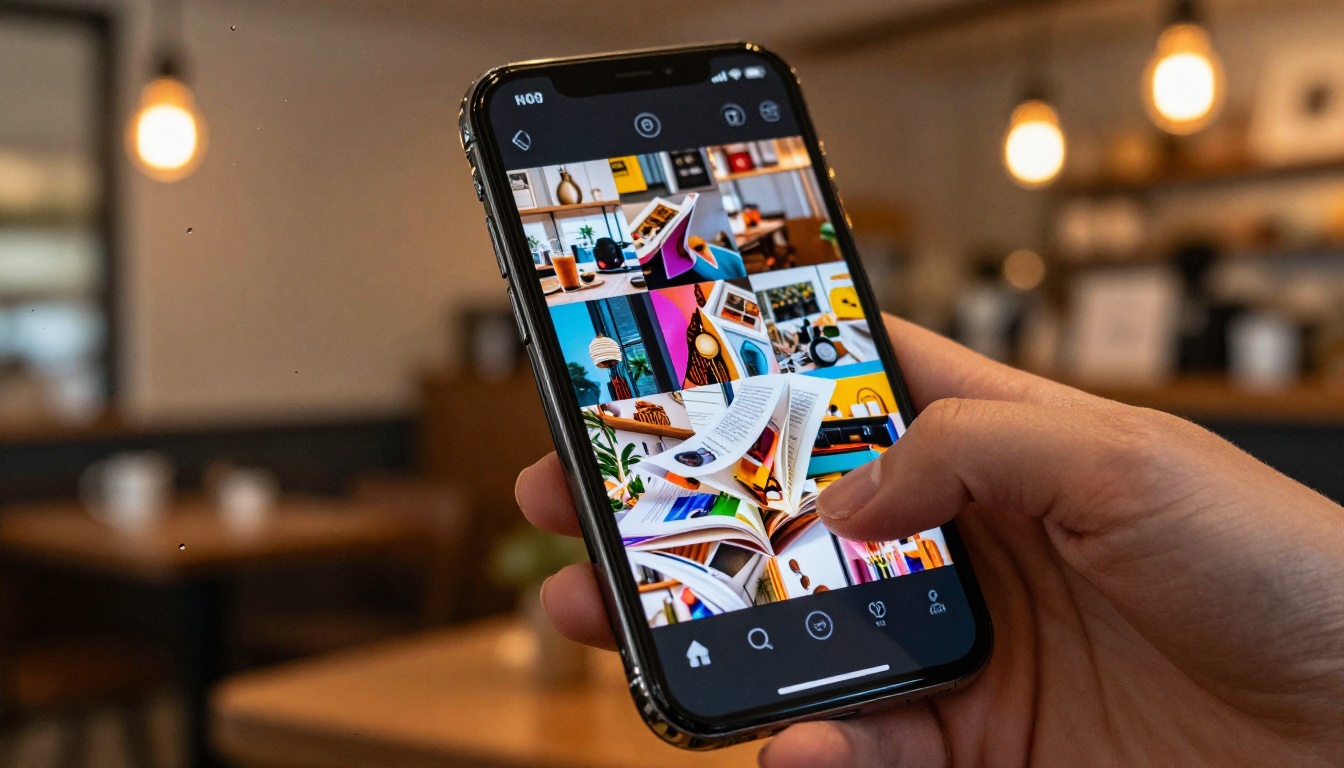
This is the fastest route to a professional flipbook published online in 2026. The full process takes about five minutes from PDF file to live shareable link.
Step 1: Create your account
Go to Flipbooks AI and sign up for free. No credit card is required for the free tier. Your dashboard loads immediately with a clean drag-and-drop interface and no onboarding friction.
Step 2: Upload your PDF
Click the upload button or drag your PDF directly onto the dashboard. The platform accepts standard PDFs including multi-page documents, image-heavy files, and text-based layouts. The conversion engine processes each page individually, preserving your original formatting, embedded fonts, and image quality at full resolution.
Step 3: Customize your flipbook
Once uploaded, you have several customization options available:
- Add your brand colors and logo to the viewer frame
- Choose your page-turn animation style from realistic flip, slide, or fade
- Set a custom background color or texture behind the pages
- Embed video and audio files directly into specific pages
- Configure a table of contents automatically if your PDF uses bookmarks
The Embed Flipbook on Website tool also generates a responsive embed snippet compatible with WordPress, Webflow, Squarespace, Wix, or any HTML-based site. Copy, paste, done.
Step 4: Configure sharing and access
Choose who can view your flipbook:
- Public link: Anyone with the URL can view it, no login required
- Password protected: Share privately with clients, team members, or subscribers (Standard plan and above)
- Embed only: Accessible only when someone visits the specific page on your website where it is embedded
Step 5: Publish and distribute
Hit publish. Your flipbook receives a clean shareable link instantly. On Professional plans, you also unlock:
- Analytics dashboard: See who viewed your flipbook, how long they read, and which pages held attention
- Lead capture forms: Collect emails from readers before granting access to your content
- Offline downloads: Let readers save a local copy for reading without internet access
✅ Best practice: If your PDF is a product catalog, use the Digital Catalog Maker instead of the generic converter. It adds category navigation and product filtering on top of the standard flipbook experience, which significantly improves how buyers browse your inventory.

PDF to flipbook converters have become standard across a wider range of industries than most people realize. Here is where they show up most consistently.
Restaurants and Hospitality
A restaurant can use the Restaurant Menu Creator to convert a standard PDF menu into a scannable, embeddable digital publication that updates in real time. No reprinting costs when prices change, no QR codes linking to static files. Customers on mobile get a smooth, magazine-style browsing experience. Hotels benefit from the same approach for amenity guides, spa menus using the Spa and Wellness Menu Creator, and in-room service materials.
Real Estate
Real estate agents share property brochures that load fast on mobile and embed directly into listing pages. The Real Estate Brochure Creator is built specifically for property listing layouts, with support for floor plans, photography galleries, and neighborhood summaries. Clients receive a polished link instead of a bulky email attachment.
Education and Training
Schools and online course creators publish interactive textbooks, course material packets, and newsletters as flipbooks. The Course Material Publisher, School Newsletter Creator, and Training Manual Flipbook tools handle these formats with pre-built page structures suited to educational content.
E-Commerce and Retail
Product catalogs as flipbooks perform better than static PDFs because they feel browsable and shoppable. The Product Catalog Generator and Fashion Catalog Creator are purpose-built for retail use cases, with support for product grids, variant displays, and integrated ordering links.
Corporate Publishing
HR teams use flipbooks for onboarding manuals. Finance teams publish annual reports. Marketing teams share press kits and sales presentations. The Annual Report Creator, Press Kit Designer, and Sales Presentation Flipbook tools are all available and pre-configured for professional corporate publishing standards.
Free vs. Paid: What Actually Changes
Most users start on a free plan and upgrade when publishing volume grows or when specific features become necessary. Here is what the tiers on Flipbooks AI actually look like side by side.
| Capability | Free | Standard | Professional |
|---|
| Flipbooks | Limited | Unlimited | Unlimited |
| Watermarks | None | None | None |
| Password protection | ❌ | ✅ | ✅ |
| Custom branding | Basic | Full | Full |
| Video and audio embed | ❌ | ✅ | ✅ |
| Analytics | ❌ | Basic | Advanced |
| Lead generation forms | ❌ | ❌ | ✅ |
| Offline downloads | ❌ | ❌ | ✅ |
| Priority support | ❌ | ❌ | ✅ |
| Custom domain | ❌ | ❌ | ✅ |
The upgrade from Free to Standard makes sense the moment you need more than a handful of flipbooks or want to embed video inside your pages. The jump to Professional makes sense for sales teams, marketing departments, or anyone using flipbooks as an active lead generation channel. See full pricing details to match a plan to your actual volume and feature requirements.
💡 Pro tip: If you publish one or two flipbooks per month and your content is public-facing, the free tier on Flipbooks AI or Heyzine is genuinely sufficient. Save the upgrade budget for when your volume grows or when a specific paid feature, such as analytics or lead capture, directly impacts your revenue.
Making Your Flipbook Worth Reading

The converter is only part of the equation. A flipbook is only as good as the PDF you put into it. Three things consistently separate the flipbooks people read from the ones they abandon after two pages.
1. Design for mobile first
More than half of flipbook views happen on a phone. If your PDF uses small text in three-column layouts, it will be unreadable on a 6-inch screen. Redesign for single-column or two-column layouts before converting. Use a minimum font size of 14pt for body text. Test your flipbook on your own phone before sending it to anyone.
2. Make every page visual
Text-heavy pages lose readers quickly in a digital browsing format. Add images, infographics, callout boxes, and whitespace on every spread. The more your pages resemble magazine layouts, the longer people stay and the deeper they read into your publication.
3. Match the tool to the specific use case
A generic PDF converter gives you a generic flipbook. If you are building a photography portfolio, use the Photography Portfolio Flipbook, which optimizes image display and gallery navigation. For travel content, the Travel Guide Flipbook pre-configures map integration and destination sections. For event programs, the Event Program Maker handles schedules and speaker layouts automatically. Matching the tool to the job saves hours of manual formatting adjustment.
4. Use password protection for valuable content
If your flipbook contains pricing information, internal training materials, or exclusive content for paid subscribers, password protection is not optional. It is a basic requirement for professional distribution. This feature is available on Standard plans and above at Flipbooks AI.
5. Add a call to action on your last page
Too many flipbooks end with the final page of the PDF and nothing else. Add a dedicated last page with a clear next step: a link, a contact form, a discount code, or an email signup. On the Professional plan, you can embed a lead capture form directly inside the flipbook so readers never have to leave to convert.


Static PDFs still have their place, but for anything meant to be read, shared, or browsed by an audience, the interactive flipbook format has become the standard expectation. It is faster to consume, works better on mobile, feels more engaging in email and social contexts, and on the right platform gives you real data on what readers actually engage with.
The best free PDF to flipbook converters in 2026 make this shift accessible to anyone, from a solo freelancer sending client proposals to a corporate marketing team publishing quarterly reports for thousands of readers. The technology is fast, the output is professional, and the barrier to entry is now genuinely zero.
Start with Flipbooks AI for the cleanest free experience. Use Heyzine for quick one-off projects with a tight page count. Avoid any tool that watermarks your content before you have even decided to upgrade.
When you are ready to move your documents off static PDF and into interactive digital format, create your free account on Flipbooks AI and upload your first PDF today. Browse the full tools directory to find the right template for your specific use case, and compare plans when you are ready to publish at scale.



