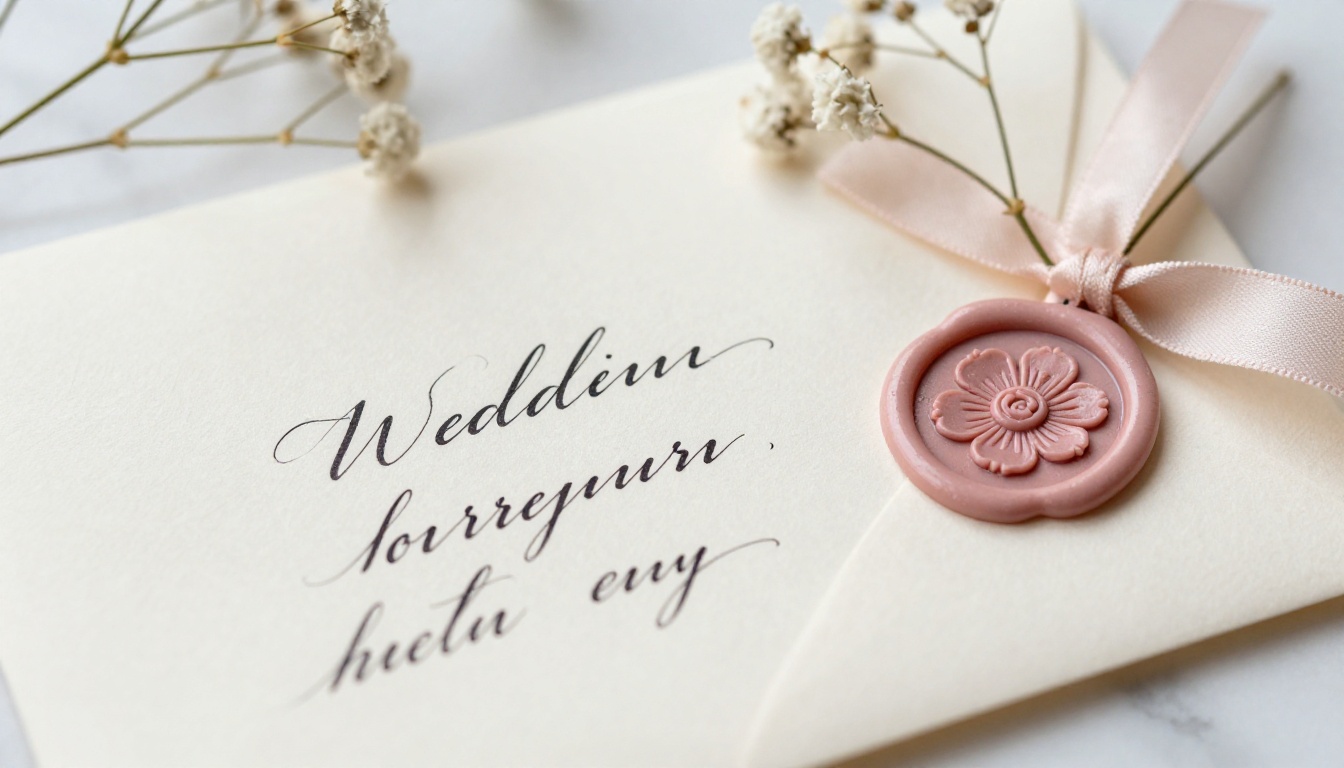
Your wedding invitation is the first impression guests get of your celebration. Before the venue, the flowers, or the first dance, there's that moment when someone opens your invitation and feels the tone you've set for everything that follows. If you're still relying on flat PDFs or paper cards dropped in the mail, you're missing a real chance to genuinely wow the people who matter most. Creating a digital flipbook for your wedding invitations through Flipbooks AI gives you something paper simply cannot offer: pages that actually turn, content that's instantly shareable, and a presentation that feels as special as the day itself.
Why Paper Invitations Fall Short
The Real Cost of Printed Cards
Printing, envelopes, calligraphy, postage, wax seals, tissue paper inserts. By the time you've sent 150 paper invitations, you've spent hundreds, sometimes thousands of dollars on something guests will likely recycle within the week. The average wedding invitation suite with printing, professional addressing, and postage runs between $3 and $9 per guest. For 200 guests, that's up to $1,800 before a single centerpiece is arranged.
Digital flipbooks eliminate printing costs entirely. Your invitation arrives the moment you send the link, looks polished and intentional on any screen, and can hold far more detail than a folded card ever could. Maps, accommodation links, dress code galleries, wedding website embeds, even a music playlist can all live inside a single flipbook.
What Your Guests Actually Prefer
Modern guests live on their phones. When your invitation arrives as a tap-to-open link that they can flip through, they don't need to find an envelope opener or squint at small print in dim light. They can share it with family members immediately, screenshot specific details like the venue address, and add the date to their calendar in seconds.
💡 A digital flipbook is also incredibly easy to update after sending. If your venue details change or you need to add a late addition to the guest list, you edit once and every shared link reflects the update instantly. No reprinting, no re-mailing, no awkward correction cards.
Wedding guests traveling from other cities or countries especially appreciate the depth a flipbook offers. Instead of a single card with an address, they receive an entire pre-wedding experience in their hands.
What Goes Inside a Wedding Invitation Flipbook
The Pages Every Couple Needs
A well-built wedding flipbook is not just one page. It's a curated suite of content that tells your story and answers every question a guest might have before they even think to ask. Here's what belongs inside:
- Cover Page: Your names, the date, and a hero image from your engagement shoot or venue
- Invitation Page: The formal invitation text with ceremony time, location, and officiant name
- Details Page: Reception venue address, dinner time, dress code specifics, parking information
- RSVP Page: A clean link to your RSVP form or wedding website with a firm deadline
- Accommodation Page: Hotel blocks, nearby options with booking links, discount codes for traveling guests
- Day-of Schedule: A timeline of events, particularly useful for weddings with multiple locations or ceremonies
- Registry Page: Tastefully presented gift registry links with a short personal note

Pages That Separate Good from Exceptional
Beyond the essentials, couples who go further include pages that turn an invitation into an experience:
- Our Story: A photo timeline of your relationship from first date through the proposal, with short captions
- Meet the Wedding Party: Photos and fun facts about bridesmaids, groomsmen, and flower girls
- Local Attractions: Restaurant recommendations, things to do, and hidden gems for out-of-town guests spending extra days
- FAQ Page: Clear answers to "Is this child-friendly?", "Are plus-ones included?", "What happens if it rains?"
- Dietary & Accessibility Notes: Information about meal options and venue accessibility for guests with special needs
These additions transform a simple invitation into a full pre-wedding experience. Guests arrive already feeling informed, welcomed, and genuinely excited.
How to Create Your Wedding Invitation Flipbook
Flipbooks AI makes this process straightforward. You don't need professional design software experience or technical knowledge. You need a PDF and a clear vision for what you want your guests to feel when they open it.
Step 1: Design Your Invitation PDF
Start in any design tool you're comfortable with. Canva, Adobe Express, and Google Slides all export clean PDFs that work perfectly. Create your invitation suite as a multi-page document where each page becomes one spread in your flipbook.
Use consistent fonts throughout. Pick one heading font and one body font, then stick with them across every page. Carry your wedding color palette from the cover to the final page. If you're working with blush and gold, that combination should appear on every spread in some form.
✅ Best Practice: Design at 1920x1080px (16:9 ratio) for the sharpest flipbook viewing experience. This resolution displays beautifully on both desktop screens and mobile devices without any cropping or letterboxing.
Use real photographs wherever possible. Your engagement photos, a professional shot of your venue, or even a candid moment from your relationship tells a story that stock imagery never can.
Step 2: Upload to Flipbooks AI
Head to Flipbooks AI and create your account. Once inside your dashboard:
- Click "New Flipbook" in the upper right of your dashboard
- Select "Upload PDF" and choose your completed invitation file
- Wait for the automatic conversion, which typically completes in under 60 seconds
- Your flipbook is immediately live with a unique shareable link
You can also use the PDF to Flipbook Converter tool directly for a streamlined single-step upload experience.
Step 3: Personalize Every Detail
This is where your flipbook separates itself from any plain PDF. Inside the Flipbooks AI editor, you can:
- Set a custom branded URL such as
yournames.flipbooksai.com
- Add a password to keep the flipbook exclusive to confirmed guests only
- Embed a background audio track that plays softly when guests open the flipbook
- Customize the toolbar and interface with your wedding colors and monogram
- Enable realistic page-turning sounds for a tactile, book-like experience
- Set the opening page so guests land directly on your invitation text
💡 Password-protecting your flipbook and sharing the password in a personal handwritten note or text message adds an intimate, intentional layer that guests genuinely notice and appreciate.
Step 4: Share It with Every Guest
Once your flipbook is polished and ready, sharing options give you full flexibility:
- Direct link: Paste into WhatsApp groups, email, or your wedding website's invitation section
- QR code: Print on physical save-the-date cards that point guests directly to the digital flipbook
- Embed code: Use Flipbooks AI's embed tool to place the flipbook directly inside your wedding website
- Social sharing: Post a preview clip or screenshots on Instagram Stories or a private Facebook group for your guests
Digital Flipbook vs. Traditional Invitation
Here's an honest side-by-side comparison so you can weigh what matters most for your specific wedding:
| Feature | Paper Invitation | Digital Flipbook |
|---|
| Cost per guest | $3 to $9 or more | Nearly zero after setup |
| Delivery time | 5 to 10 business days | Instant |
| Update after sending | Full reprint required | Edit once, updates everywhere |
| Guest experience | Static, single-use card | Interactive, multi-page flipbook |
| RSVP tracking | Manual reply card sorting | Automated via digital link |
| Environmental impact | High paper and shipping use | Zero waste |
| Accessibility | Physical only | Any device, anywhere |
| Content capacity | 1 to 3 folded pages | Unlimited pages |
| Multi-language | Separate print run required | Easy text layer additions |
| Analytics | None | Page views, open rates (Pro plan) |
The numbers make a compelling case. For couples who want both beauty and practicality, digital flipbooks deliver both without compromise.
Flipbooks AI Plans for Couples
Choosing the right plan depends on the scale of your wedding and which features matter most to your situation.
| Plan | Starting Price | Best For | Standout Features |
|---|
| Free | $0/month | Testing and previewing | 1 flipbook, basic sharing link |
| Standard | From $9/month | Most couples | Unlimited flipbooks, no watermarks, custom branding, password protection |
| Professional | From $19/month | Large or destination weddings | Full analytics, lead capture forms, offline downloads, priority support |
⚠️ The Free plan includes a Flipbooks AI watermark visible to every guest who opens your invitation. For a wedding, the Standard plan is the minimum worth considering. Your guests deserve a clean, personal experience with no third-party branding in the way.
You can review every plan feature and compare what's included at the Flipbooks AI pricing page before making any decision. No long-term contract is required, and you can upgrade or downgrade at any time.

Wedding Flipbook Ideas That Actually Work
Destination Weddings
If you're getting married in Tuscany, Santorini, or Bali, your guests need far more than a date and address. A destination wedding flipbook can include:
- Flight windows with recommendations for the best booking timing
- Weather expectations by month at the destination
- Currency and tipping customs for international guests unfamiliar with the location
- Packing suggestions tailored to the season and ceremony style
- A visual tour of the venue and surrounding area with real photography
This turns your invitation into something closer to a travel brochure that guests actively save and refer back to. The Travel Guide Flipbook tool provides a layout structure that works particularly well for this kind of multi-section destination content.
Intimate Backyard Ceremonies
Smaller weddings benefit from a more personal, warm tone. A flipbook for an intimate gathering might feature:
- Handwritten-style typography and candid personal photography
- A "how we met" story illustrated with real photos from your relationship
- Specific parking instructions paired with a custom map image
- A detailed preview of the menu if you're hosting a seated dinner afterward
Luxury Celebrations
For black-tie events or venue-heavy weddings, a premium flipbook sets the right expectation from the moment guests receive the link. Think:
- Full-bleed venue photography on opening spreads
- Detailed dress code guidance with visual inspiration examples
- A dedicated page crediting your wedding designer, florist, and photographer
- A preview of the evening's entertainment or surprise elements
💡 For any wedding style, the Wedding Album Flipbook tool provides purpose-built templates that make your invitation suite feel cohesive and professionally crafted from the very first page.

Pro Tips for a Stunning Flipbook
Design Choices That Actually Matter
Typography communicates before words do. Your font choices signal your wedding's personality the moment a page loads. Serif fonts feel formal and heritage-rich. Script fonts feel romantic and personal. Sans-serif fonts signal modern and minimal. Mixing one serif with one script is the classic wedding combination for a reason.
Limit your palette ruthlessly. Choose two to three colors and hold that line across every page. Couples who try to include every color they love end up with a result that feels chaotic rather than curated.
White space is intentional, not empty. A page crowded with text and images feels stressful to read. Give each element room. The less that competes on any given page, the more impact each individual element has.
Real photos over stock, always. Stock imagery on wedding invitations feels disconnected and impersonal. Use your engagement shoot, your venue walkthrough shots, or candid moments from your relationship.
| Design Element | Strong Choice | Weak Choice |
|---|
| Font pairing | One serif + one script | Three decorative display fonts |
| Color palette | 2 to 3 complementary tones | 6 or more competing colors |
| Photography | Personal engagement or venue shots | Generic stock photos |
| Page count | 6 to 10 well-designed pages | 20 rushed or thin pages |
| Logo or monogram | Consistent placement and sizing | Random sizing per page |
| Text density | Generous spacing, scannable lines | Wall of text paragraphs |
Sharing Timing That Gets Responses
Timing your send matters as much as the design itself:
- Save the date flipbook: 6 to 12 months before for destination weddings, 4 to 6 months for local events
- Formal invitation flipbook: 6 to 8 weeks before the wedding date
- RSVP deadline: Set it 3 to 4 weeks before the wedding, giving yourself time to finalize catering counts
- Gentle reminder: A follow-up one week before the RSVP deadline is completely standard and expected
✅ Best Practice: Before sending to any guest, test your flipbook link on at least three different devices. Open it on iPhone Safari, Android Chrome, and a desktop browser. Check that every page loads, every link works, and the reading experience feels smooth across all three.
If you love the flipbook format for your invitation, several other tools in the Flipbooks AI suite are worth bookmarking for other moments around your wedding:
- Event Program Maker: Create an interactive ceremony program guests can follow on their own phones during the service, no printed booklets needed
- Wedding Album Flipbook: After the day, share your wedding photos in a beautifully organized, page-turning flipbook instead of a static gallery link
- Digital Portfolio Creator: For photographers, planners, or vendors looking to showcase their wedding work to future clients
- Interactive Lookbook Designer: Build a visual mood board or style reference for your wedding party to align on the look and feel before the day
Each of these tools follows the same upload, personalize, and share workflow. Once you've built your invitation flipbook, every other tool in the platform feels immediately familiar.

Your Wedding Story Starts Here
Every element of your wedding communicates something to the people you've invited. The venue says where you want to celebrate. The menu says how you want to nourish the people you love. The invitation says how thoughtfully you've approached every detail of this experience, starting from the very first moment they hear about your day.
A beautifully crafted digital flipbook says: we thought about your experience before you even arrived.
Flipbooks AI gives you everything you need to build something genuinely special without a design degree or a large budget. You upload a PDF, personalize it with your colors and content, and share a link that works on any device in the world.
Ready to build yours? Create your free account and have your first flipbook ready in under 30 minutes. Need to weigh your options first? Browse the pricing plans to find what fits your budget and your guest count. And when the wedding is over, use the same account to share your album, send your thank-you notes, and capture every chapter that comes next.
Your invitation is ready to be built. Start now on Flipbooks AI.



