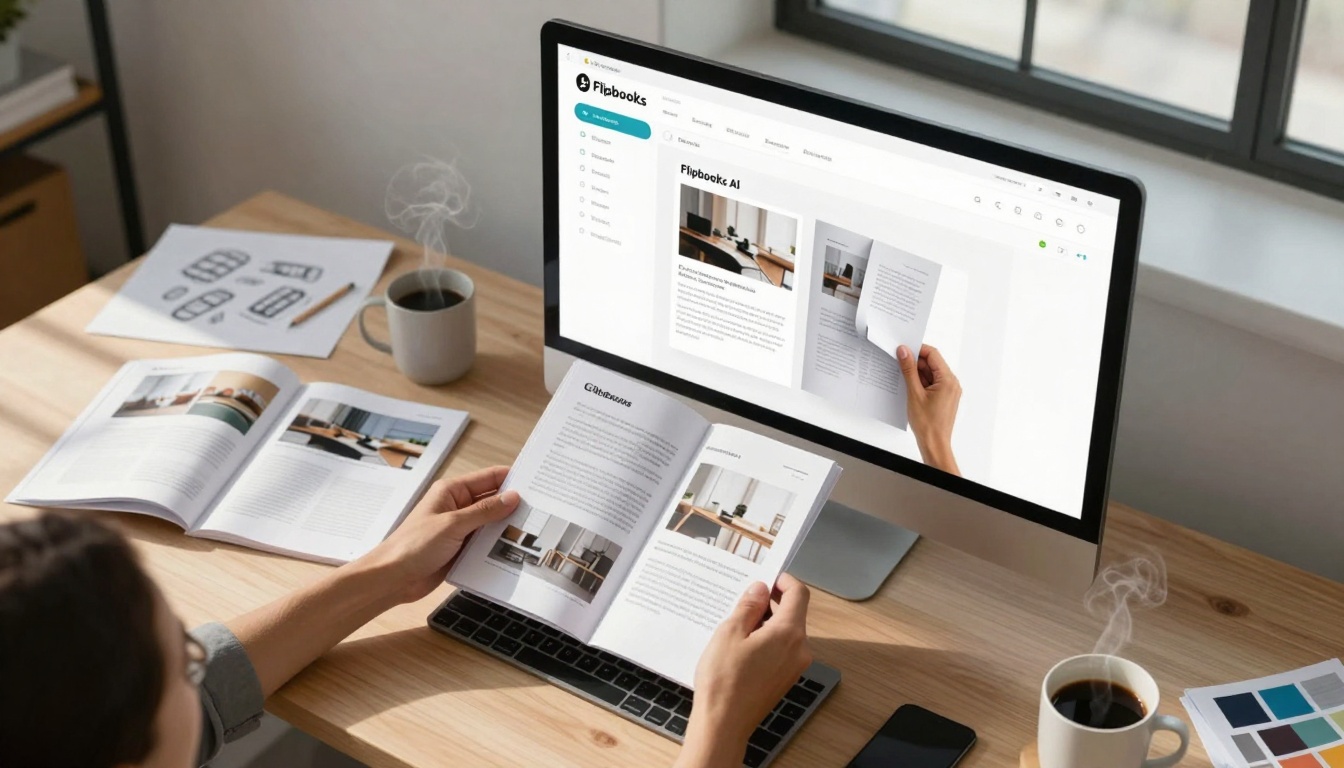
The marketing landscape shifted when interactive content emerged as the dominant format for audience engagement. Static PDF brochures, once the standard for business communication, now face limitations in a digital-first world where users expect dynamic experiences, instant accessibility, and measurable interactions. The transformation from simple PDFs to interactive brochures represents more than just a format change—it's a fundamental shift in how businesses communicate value, capture attention, and convert interest into action.
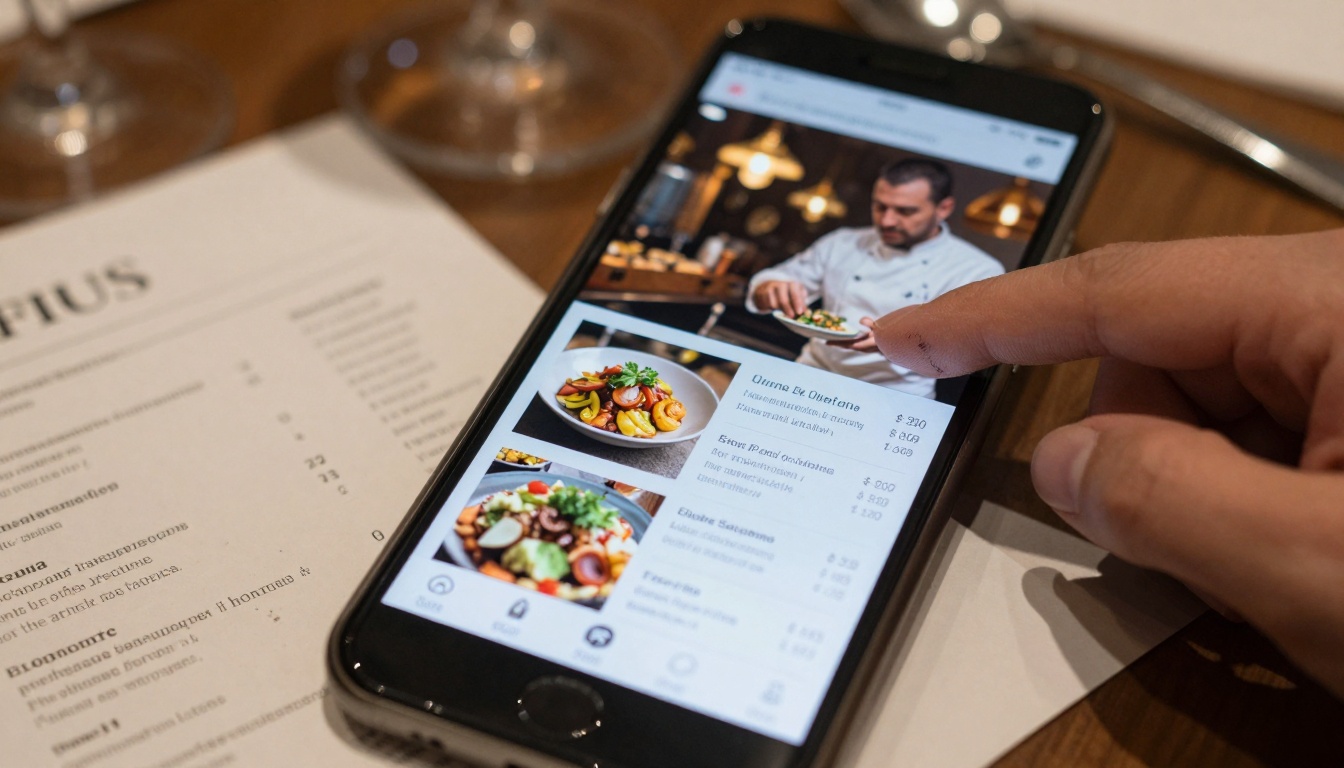
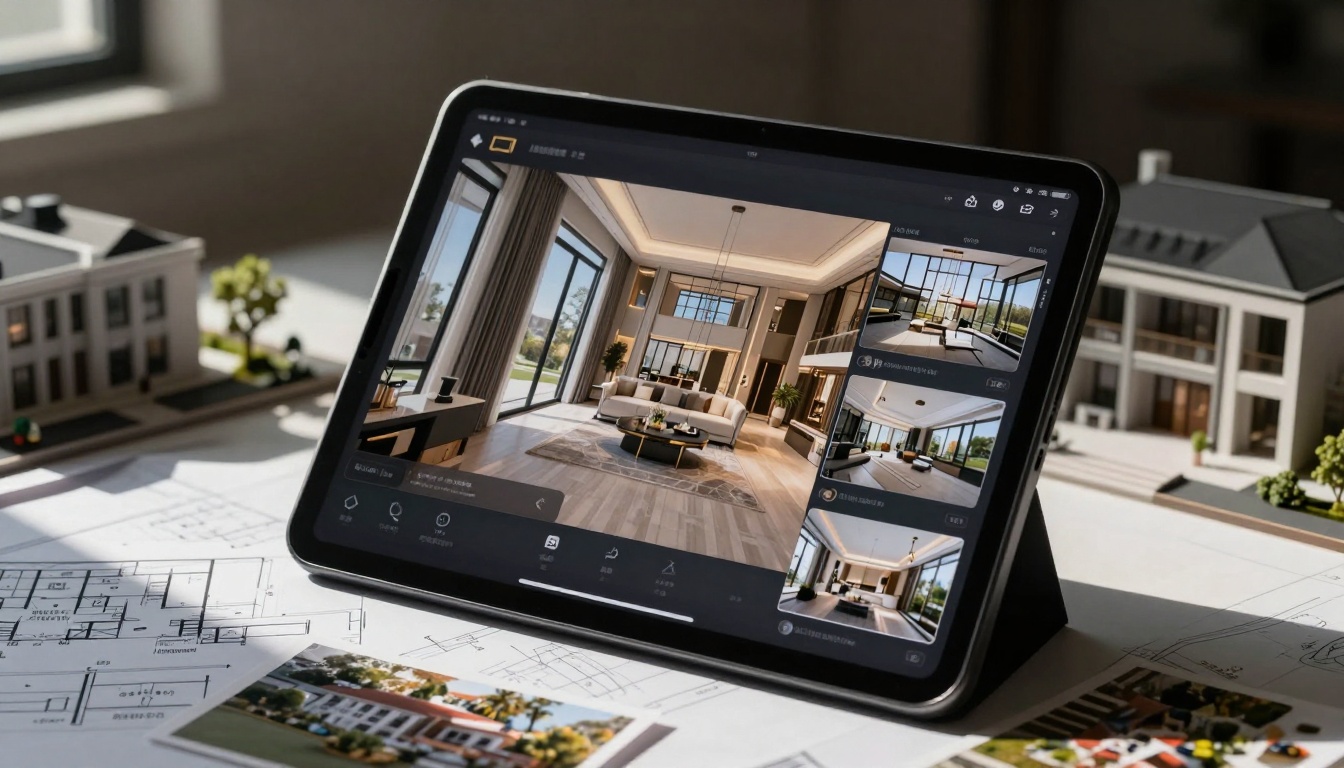
Consider the restaurant industry: a printed menu tells customers what's available, but an interactive digital menu shows them how dishes are prepared, reveals ingredient sources through embedded videos, and allows customization with real-time pricing updates. This evolution from passive reading to active engagement changes the entire dining experience. Similarly, real estate agencies transition from paper brochures to immersive property showcases where potential buyers can virtually walk through spaces, examine floor plans interactively, and schedule viewings directly from the digital brochure interface.
💡 The most successful digital transformations begin with existing assets. Your current PDF brochures contain valuable content—structured information, professional imagery, and brand messaging. The interactive conversion process enhances these elements rather than replacing them.
The data reveals consistent patterns across industries: interactive content generates 3-5x higher engagement rates than static documents. Users spend 40% more time with interactive brochures, click-through rates increase by 60%, and conversion rates typically double when content becomes participatory rather than passive.
Engagement Metrics Comparison
| Metric | Traditional PDF | Interactive Brochure | Improvement |
|---|
| Average Time Spent | 45 seconds | 3.2 minutes | 326% increase |
| Click-Through Rate | 2.1% | 8.7% | 314% increase |
| Share Rate | 0.3% | 4.2% | 1300% increase |
| Return Visits | 12% | 38% | 217% increase |
| Conversion Rate | 1.8% | 4.3% | 139% increase |
These numbers matter because they translate directly to business outcomes. A hotel with interactive brochures sees more direct bookings. A car dealership experiences higher test drive requests. A furniture retailer records increased online purchases. The interactive format turns brochure viewing from a passive activity into an active exploration process.
Industry-Specific Applications
Different sectors benefit from interactive brochures in unique ways. The technology adapts to specific business needs while maintaining core interactive advantages.
Hospitality & Hotels
Hotel brochures transform into virtual tour experiences where guests can explore rooms, view amenities through embedded videos, check real-time availability, and book directly. The Hotel Brochure Designer tool specializes in creating these immersive experiences that reduce booking friction and increase direct reservations.
Real Estate
Property listings become interactive showcases with 360-degree virtual tours, floor plan exploration tools, neighborhood information layers, and instant contact forms. The Real Estate Brochure Creator enables agents to present properties as dynamic experiences rather than static documents.
Restaurants & Hospitality
Menus evolve into multimedia dining guides featuring chef video introductions, ingredient sourcing stories, wine pairing suggestions, and online ordering integration. With the Restaurant Menu Creator, establishments can showcase their culinary offerings in ways that printed menus cannot match.
Automotive
Car brochures become interactive specification explorers where customers can configure colors, compare models, view detailed feature videos, and schedule test drives. The Automotive Brochure Generator caters specifically to dealership needs.
Retail & Catalogs
Product catalogs transform into shoppable experiences with zoom functionality, product comparison tools, customer reviews integration, and direct purchase links. Tools like the Product Catalog Generator and Fashion Catalog Creator enable retailers to create engaging digital shopping experiences.

The Technical Conversion Process
Converting PDFs to interactive brochures follows a structured workflow that maintains content integrity while adding interactive capabilities. The process works with any PDF format—whether created in Adobe InDesign, Microsoft Word, Canva, or any other design tool.
Step 1: PDF Assessment & Preparation
Before conversion, evaluate your PDF for optimal interactive adaptation:
- Image Quality: Ensure images are high-resolution (minimum 150 DPI for print conversion)
- Text Structure: Use proper heading hierarchy for interactive navigation
- Layout Considerations: Identify elements that benefit from interactivity (images that could zoom, text that could expand, sections that could link)
- Brand Elements: Confirm logo placement, color schemes, and typography consistency
⚠️ PDFs with complex vector graphics or unusual fonts may require minor adjustments. Most modern PDFs convert seamlessly without modification.
Step 2: Platform Selection & Setup
Choosing the right conversion platform determines the final result's quality and functionality. Flipbooks AI provides specialized tools for different brochure types while maintaining consistent interactive capabilities across all formats.
Platform Comparison Table:
| Feature | Basic PDF Converters | Specialized Tools | Flipbooks AI |
|---|
| Conversion Quality | Basic page rendering | Good quality | Professional-grade rendering |
| Interactive Elements | Limited clickable links | Some multimedia | Full multimedia integration |
| Customization | Minimal branding options | Template-based | Complete brand control |
| Analytics | Basic page views | Limited metrics | Comprehensive engagement tracking |
| Mobile Optimization | Responsive but basic | Mobile-friendly | Device-specific optimization |
| Support & Updates | Community forums | Email support | Direct technical assistance |
| Pricing Transparency | Hidden costs common | Clear tier pricing | No hidden fees |
Step 3: Upload & Conversion
The actual conversion process involves uploading your PDF to the chosen platform. With Flipbooks AI, this happens through a simple drag-and-drop interface that automatically processes the document while preserving all original design elements.
Conversion Time Factors:
- File Size: Larger files (100+ pages) take 2-5 minutes
- Image Density: Heavy imagery increases processing slightly
- Complex Layouts: Multi-column designs maintain structure
- Interactive Elements: Added during or after conversion
Step 4: Interactive Enhancement
This stage transforms the converted document from a digital replica to an interactive experience. Key enhancements include:
Multimedia Integration:
- Embedded Videos: Add product demonstrations, testimonials, or tutorials
- Audio Elements: Include voiceovers, background music, or sound effects
- Image Galleries: Create zoomable, swipeable image collections
- Interactive Maps: Insert location maps with clickable points
Navigation Improvements:
- Table of Contents: Auto-generated from document headings
- Search Functionality: Full-text search within the brochure
- Bookmark System: Users can save positions for later return
- Page Thumbnails: Visual navigation through mini page previews
User Interaction Features:
- Clickable Links: Internal navigation and external website links
- Form Integration: Contact forms, booking forms, or feedback forms
- Social Sharing: One-click sharing to social platforms
- Download Options: PDF export or offline viewing
Step 5: Brand Customization
Maintaining brand consistency across digital formats requires precise control over visual elements. The customization interface allows adjustments to:
Visual Identity Elements:
- Color Schemes: Match corporate brand colors exactly
- Typography: Apply brand fonts consistently
- Logo Placement: Strategic positioning throughout
- Background Patterns: Custom textures or images
Layout Adjustments:
- Page Margins: Control white space and breathing room
- Element Spacing: Adjust distances between text and images
- Interactive Hotspots: Define clickable areas precisely
- Animation Timing: Control transition speeds and effects
Step 6: Testing & Optimization
Before publication, thorough testing ensures the interactive brochure performs correctly across all scenarios:
Device Testing Matrix:
| Device Type | Testing Focus | Common Issues | Solutions |
|---|
| Desktop Computers | Full feature functionality | Plugin conflicts | HTML5 fallbacks |
| Laptops | Touchpad navigation | Scroll inconsistencies | Custom scroll handlers |
| Tablets | Touch interaction | Tap target sizes | Minimum 44px targets |
| Smartphones | Mobile optimization | Loading speed | Image compression |
| Large Screens | Scaling quality | Pixelation at zoom | Vector elements |
| Print Output | PDF export quality | Formatting shifts | Print CSS stylesheets |
Performance Optimization Checklist:
- ✅ Image compression applied (average 60% size reduction)
- ✅ Lazy loading enabled for below-fold content
- ✅ Cache headers configured properly
- ✅ CDN distribution activated
- ✅ JavaScript minimized and bundled
- ✅ CSS optimized for rendering speed
Step 7: Publication & Distribution
The final interactive brochure reaches audiences through multiple channels simultaneously:
Primary Distribution Methods:
- Website Integration: Embed directly into existing webpages using the Embed Flipbook on Website tool
- Email Campaigns: Include as interactive content within marketing emails
- Social Media: Share via platforms with preview generation
- QR Codes: Physical materials link directly to digital version
- Direct Links: Shareable URLs for immediate access
Access Control Options:
- Public Access: Open to anyone with the link
- Password Protection: Secure access for private content
- Domain Restrictions: Limit to specific websites
- Time-Limited Access: Expire after set period
- Download Controls: Allow or prevent PDF exports
Advanced Features & Capabilities
Beyond basic interactivity, modern brochure platforms offer sophisticated features that deliver measurable business value.
Analytics & Performance Tracking
Interactive brochures provide detailed insights into how audiences engage with content:
Key Metrics Tracked:
- Page-by-Page Engagement: See which sections receive most attention
- Time Spent Analysis: Identify engaging vs. skipped content
- Click Heatmaps: Visualize interactive element usage
- Device Breakdown: Understand audience technology preferences
- Geographic Distribution: See where viewers are located
- Return Visitor Rates: Measure content stickiness
Analytics Implementation Table:
| Analytics Level | Data Collected | Business Applications | Platform Requirement |
|---|
| Basic | Page views, time spent | Content effectiveness | All plans |
| Intermediate | Click tracking, device info | UX optimization | Standard plan |
| Advanced | User journeys, conversion paths | Sales funnel analysis | Professional plan |
| Enterprise | Custom events, API integration | Business intelligence | Custom solutions |
Lead Generation Integration
Interactive brochures become conversion tools when integrated with lead capture systems:
Lead Capture Methods:
- Embedded Forms: Contact forms within brochure pages
- Click-to-Call: Direct phone number connections
- Email Links: Pre-filled email composition
- Meeting Schedulers: Calendar integration for appointments
- Chat Integration: Live chat widget inclusion
Lead Quality Improvements:
- Contextual Information: Brochure content provides qualification context
- Interest Indication: Page engagement shows specific interests
- Timing Optimization: Contact when engagement is highest
- Personalization Data: Content interaction informs personalization
Multimedia Content Strategies
The most engaging interactive brochures strategically incorporate different media types:
Media Integration Framework:
| Media Type | Best Use Cases | Production Requirements | Engagement Impact |
|---|
| Explainer Videos | Product demonstrations, tutorials | 60-90 seconds, clear audio | 40% time increase |
| Testimonial Videos | Customer stories, case studies | Authentic, well-lit interviews | 25% trust increase |
| 360° Views | Product exploration, virtual tours | Specialized photography | 300% interaction time |
| Interactive Images | Product details, feature highlights | High-resolution originals | 50% click-through |
| Background Audio | Atmosphere creation, branding | Professional mixing | 15% memorability |
| Animation Sequences | Process explanations, data visualization | Smooth, purposeful motion | 35% comprehension |
Accessibility Considerations
Interactive brochures must remain accessible to all users, including those with disabilities:
Accessibility Implementation:
- Screen Reader Compatibility: Proper HTML structure and ARIA labels
- Keyboard Navigation: Full functionality without mouse dependence
- Color Contrast: WCAG 2.1 AA compliance for text visibility
- Text Alternatives: Descriptive alt text for all images
- Motion Controls: Option to reduce or disable animations
- Font Scaling: Support for browser text size adjustments
✅ Accessibility isn't just compliance—it's expanded audience reach. Accessible interactive brochures perform better in search rankings and reach wider demographic segments.
Cost Analysis & ROI Calculation
The investment in interactive brochure conversion delivers measurable returns across multiple business dimensions.
Platform Pricing Comparison
Different business needs match with different platform tiers. Flipbooks AI pricing offers transparent options:
| Plan | Monthly Cost | Best For | Key Features | Value Proposition |
|---|
| Basic | Free | Testing & Evaluation | 5 flipbooks, basic features | Risk-free experimentation |
| Standard | €3/month | Small Business | Unlimited flipbooks, no watermarks | Professional presentation |
| Professional | €7/month | Marketing Teams | Analytics, lead generation | Data-driven optimization |
| Lifetime | €200 one-time | Long-term Users | All features forever | Maximum value over time |
Return on Investment Calculation
Interactive brochures generate value through multiple channels:
Direct Revenue Impact:
- Increased Conversions: Higher engagement leads to more sales
- Reduced Printing Costs: Digital distribution eliminates print expenses
- Extended Reach: Digital sharing expands audience beyond physical limits
- Upsell Opportunities: Interactive features showcase premium offerings
Indirect Value Creation:
- Brand Perception: Modern, tech-forward image enhancement
- Customer Satisfaction: Better information access improves experience
- Competitive Differentiation: Stand out from static brochure competitors
- Data Collection: Audience insights inform future strategies
ROI Calculation Example (Restaurant Scenario):
- Initial Investment: €7/month (Professional plan)
- Printing Cost Savings: €120/month (menu updates)
- Increased Average Order: €3.50 (better menu presentation)
- Additional Daily Orders: 8 (from improved engagement)
- Monthly Revenue Increase: €840 (8 orders × €3.50 × 30 days)
- Monthly ROI: 11,900% (€840 ÷ €7 × 100)
Implementation Timeline
The conversion process fits into existing workflows without disruption:
Typical Project Timeline:
- Day 1: Platform setup and PDF upload (30 minutes)
- Day 2: Interactive enhancements and customization (2-3 hours)
- Day 3: Testing and quality assurance (1 hour)
- Day 4: Publication and distribution setup (30 minutes)
- Day 5: Analytics review and optimization (ongoing)
Resource Requirements:
- Technical Skills: Basic computer literacy (no coding needed)
- Design Skills: Understanding of brand guidelines helpful
- Content Preparation: Existing PDF brochure required
- Time Commitment: 4-6 hours for first brochure, 1-2 hours for subsequent
Common Implementation Challenges
Despite the straightforward process, some situations require specific approaches:
Challenge 1: Complex PDF Layouts
Situation: Brochures with intricate designs, overlapping elements, or custom typography
Solution: Use the platform's advanced layout preservation options. Test conversion with sample pages first, adjust settings if needed, and utilize the manual adjustment tools for fine-tuning.
Challenge 2: Large File Sizes
Situation: PDFs with hundreds of pages or high-resolution images
Solution: Implement batch processing for multi-page documents. Use the platform's image optimization features to reduce file size while maintaining quality. Consider splitting extremely large documents into thematic sections.
Challenge 3: Legacy Content Formats
Situation: Older PDFs created with outdated software or unusual settings
Solution: Most platforms handle legacy formats automatically. For problematic files, consider recreating the PDF from original source files or using intermediate conversion tools before the interactive process.
Challenge 4: Integration with Existing Systems
Situation: Need to connect interactive brochures with CRM, email marketing, or analytics platforms
Solution: Utilize the platform's API capabilities or third-party integration tools. Most professional plans include integration options for popular business systems.
⚠️ The most common issue isn't technical—it's organizational resistance to change. Address this by starting with a small pilot project that demonstrates quick wins before expanding to broader implementation.
Future Developments & Trends
Interactive brochure technology continues evolving with emerging digital trends:
Artificial Intelligence Integration
Future platforms will incorporate AI for:
- Automated Content Enhancement: AI suggests interactive elements based on content analysis
- Personalized Experiences: Brochures adapt to individual viewer preferences
- Predictive Analytics: AI identifies which content variations perform best
- Automated Optimization: Continuous improvement based on engagement data
Augmented Reality Integration
AR transforms interactive brochures into mixed reality experiences:
- Product Visualization: 3D product models in physical space
- Virtual Try-On: Apparel or accessory preview on user image
- Space Planning: Furniture placement in room contexts
- Interactive Instructions: Step-by-step guides overlaid on physical objects
Blockchain & Digital Ownership
Emerging technologies enable:
- Authenticated Content: Verifiable original brochure versions
- Limited Editions: Digital collectible brochure variants
- Ownership Tracking: Transparent content attribution
- Royalty Management: Automated compensation for shared content
Getting Started with Your First Conversion
The transition from PDF to interactive begins with simple steps:
- Select Your Test PDF: Choose a current brochure that represents typical content
- Create Your Account: Sign up for Flipbooks AI to access conversion tools
- Upload Your PDF: Use the drag-and-drop interface for immediate processing
- Apply Basic Customization: Adjust colors and branding to match your identity
- Add One Interactive Element: Start with something simple like a video embed
- Test on Multiple Devices: Verify performance across phone, tablet, and computer
- Share with Small Group: Get feedback from colleagues or trusted customers
- Review Initial Analytics: See how your test audience engages with content
- Plan Broader Implementation: Based on results, schedule additional conversions
- Explore Advanced Features: Gradually incorporate analytics, lead capture, and integration
Initial Success Indicators:
- 50% increase in time spent compared to PDF version
- Positive feedback on interactive elements
- Technical performance across all test devices
- Clear understanding of analytics dashboard
- Identification of at least 3 additional use cases
When evaluating interactive brochure platforms, consider these essential factors:
Core Requirements Checklist:
- ✅ No watermarks on any plan (professional presentation)
- ✅ Unlimited flipbooks (Standard plan and above)
- ✅ Responsive design (automatic device optimization)
- ✅ Brand customization (complete visual control)
- ✅ Analytics capabilities (engagement tracking)
- ✅ Multimedia support (video, audio, interactive images)
- ✅ Technical support (responsive assistance)
- ✅ Regular updates (feature improvements)
Advanced Features Evaluation:
- Lead Generation Tools: Forms, contact integration, CRM connectivity
- Analytics Depth: Page-level tracking, user journey mapping, conversion attribution
- Security Options: Password protection, domain restrictions, access controls
- Integration Capabilities: API access, webhook support, platform connectors
- Performance Optimization: CDN distribution, caching strategies, loading speed
- Accessibility Compliance: WCAG standards, screen reader support, keyboard navigation
The digital transformation of marketing materials represents one of the most accessible yet impactful changes businesses can implement today. Interactive brochures bridge the gap between traditional print excellence and modern digital expectations, creating experiences that engage audiences, deliver measurable results, and position brands as forward-thinking leaders in their industries.
Ready to transform your PDF brochures? Get started for free with Flipbooks AI and experience the difference interactive content makes. Explore the complete tools directory to find specialized solutions for your specific industry needs, or compare pricing plans to select the option that matches your business requirements and growth objectives.



