If you still email PDFs to prospects, customers, or students in 2026, you are leaving serious value on the table. A static PDF that nobody scrolls past page two is not a content strategy, it is a missed opportunity. The fastest way to go from PDF to flipbook in 2026 does not require design skills, a developer, or an enterprise budget. It takes minutes when you use the right tool, and the results are night-and-day compared to a flat file attachment.
This article walks through the actual process, compares the top platforms available today, and includes a hands-on tutorial using Flipbooks AI so you can publish your first flipbook before you finish your coffee.
Why PDFs Fail in 2026
The Problem with Static Files
PDFs were designed for printing. They work fine on a desktop, but on a phone they require pinching, zooming, and scrolling in two directions. Analytics are non-existent. You cannot track who opened which page, how long they spent, or whether they bounced after page one. No interactivity, no embedded video, no clickable links that open naturally inside the document flow.
In a world where 60 percent of digital content is consumed on mobile, a static PDF is a friction machine. Sales teams sending product catalogs, educators distributing course materials, marketers sharing annual reports — all face the same wall.
⚠️ A PDF not optimized for mobile will lose roughly half your audience before they reach page three.
What a Flipbook Actually Gives You
A digital flipbook solves every one of those problems. It renders as an HTML5 publication that works on any device without downloads. Pages turn with a realistic animation. You can embed video, audio, and hyperlinks directly into the content. Analytics show you exactly which pages hold attention and which ones cause drop-off.
The business case is straightforward:
- Higher retention: Visual page-turning keeps readers engaged far longer than static scrolling
- Mobile-first design: Renders perfectly on phones, tablets, and desktops
- Shareable via link: No attachment needed, just send a URL
- Embeddable: Drop it into any website or landing page with a single code snippet
- Trackable: See open rates, time on page, and click behavior
The Fastest Conversion Process
This workflow from PDF to published flipbook takes under five minutes when you follow this sequence.
Step 1: Prepare Your PDF
Before uploading, make sure your PDF is print-ready quality. The conversion tool will render it exactly as-is. Common issues to fix first:
- Resolution: Use at least 150 DPI. 300 DPI is ideal for image-heavy documents.
- Fonts: Embed all fonts so they display correctly after conversion.
- File size: Compress images inside the PDF. Tools like Smallpdf or Adobe Acrobat can reduce a 50MB file to under 10MB without visible quality loss.
- Page size: Standard A4 or Letter works best. Non-standard dimensions can cause layout shifts.
💡 A well-prepared source file makes every other step faster. Garbage in, garbage out applies to flipbook conversion just as much as anywhere else.
Step 2: Choose Your Platform and Upload
This is where the time difference between platforms becomes obvious. The best tools in 2026 accept PDF uploads via drag-and-drop and begin rendering within seconds. No software to install. No account verification delays.
Upload and conversion time depends on file size:
| File Size | Typical Upload Time | Conversion Time |
|---|
| Under 5MB | Under 10 seconds | 15-30 seconds |
| 5MB to 20MB | 15-30 seconds | 30-60 seconds |
| 20MB to 50MB | 30-60 seconds | 1-2 minutes |
| Over 50MB | 1-2 minutes | 2-5 minutes |
The total end-to-end time from upload to published link: under five minutes for most documents.
Step 3: Customize and Publish
Once conversion is done, a preview of your flipbook appears. At this point, the platform lets you:
- Set a custom domain or subdomain
- Add your brand colors and logo
- Set a background (solid color, gradient, or image)
- Enable or disable page sound effects
- Add a password if the content is private
- Choose sharing settings (public link, embed code, or password-protected)
After customization, hit publish. You get a shareable link instantly.

How to Do It with Flipbooks AI
Flipbooks AI is one of the fastest platforms available in 2026 for this exact workflow. Here is the step-by-step process from account creation to published flipbook.
1. Create Your Account
Go to flipbooksai.com/account and sign up. The free plan is available immediately with no credit card required. You will land on your dashboard in under a minute.
2. Upload Your PDF
From the dashboard, click "New Flipbook" and drag your PDF into the upload zone. The platform supports files up to 500MB. Processing starts immediately and a live preview renders as soon as conversion is done.
3. Customize Your Flipbook
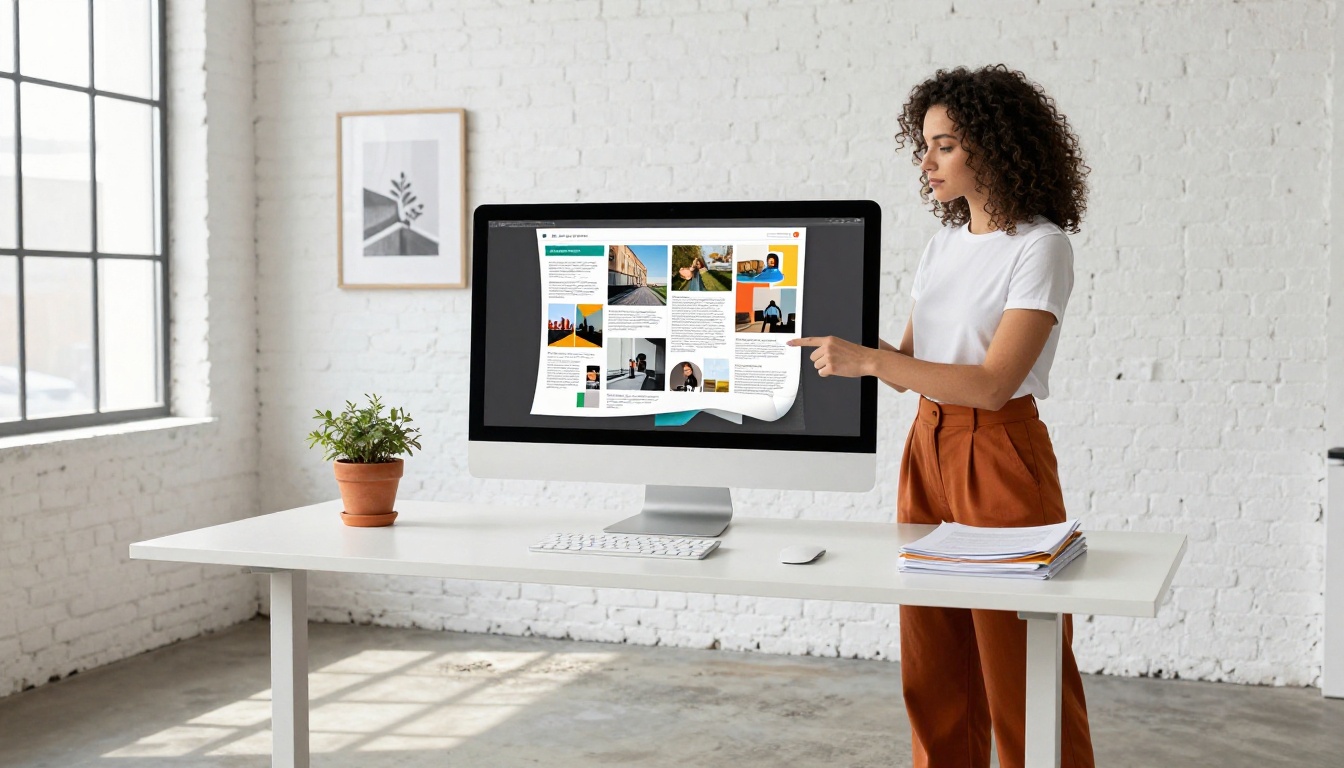
The editor gives you control over every visual detail:
- Branding: Upload your logo and set brand colors so the flipbook matches your identity
- Background: Choose from solid colors, gradients, or custom background images
- Page effects: Enable realistic page-turn sound and shadow depth
- Multimedia: Embed YouTube or Vimeo videos, audio clips, and external links on any page
- SEO settings: Set a custom title, description, and social share image for your flipbook URL
✅ Adding your logo takes 30 seconds and makes the flipbook look professionally produced. Do not skip this step.
4. Set Sharing Options
Before publishing, decide how you want to distribute the flipbook:
- Public link: Anyone with the URL can view it
- Password protection: Share privately with clients, students, or team members
- Embed code: One-line
<iframe> snippet to drop into any website. Use the Embed Flipbook on Website tool for custom sizing options.
- QR code: Auto-generated for print materials and event presentations
5. Publish and Share
Hit publish. Your flipbook is live. The URL is ready to share via email, social media, or messaging apps. On the Professional plan, you also get:
- Detailed analytics showing opens, page views, and time spent per page
- Lead capture forms embedded directly into the flipbook
- Offline download for readers with no internet connection
- Custom domain mapping
✅ No watermarks, ever, on Standard plans and above. Unlimited flipbooks included.
The market in 2026 has several solid options. Here is an honest comparison of the most-used platforms based on conversion speed, features, and value.
| Tool | Conversion Speed | Watermark-Free | Unlimited Flipbooks | Analytics | Price Range |
|---|
| Flipbooks AI | Under 60 seconds | Yes (paid plans) | Yes (Standard+) | Yes (Professional) | Free to paid |
| Issuu | 1-3 minutes | No (free plan) | No | Yes (paid) | Free to $$$ |
| FlipHTML5 | 1-2 minutes | No (free plan) | Limited | Basic only | Free to $$$ |
| Yumpu | 2-4 minutes | No | No | Limited | Free to $$ |
| Calameo | 2-5 minutes | No (free plan) | Limited | Yes (paid) | Free to $$$ |
💡 Speed matters during live presentations and client demos. A tool that takes 3-5 minutes to render puts you in an awkward position when a client is watching.
Best Use Cases by Industry
The PDF-to-flipbook conversion workflow solves real problems across dozens of industries. Here are the most common use cases and what each one actually needs.
| Industry | Document Type | What They Need Most | Recommended Tool |
|---|
| Marketing | Product catalogs, brochures | Fast sharing, no watermark, analytics | Digital Catalog Maker |
| Real Estate | Property brochures, listings | Mobile-first, lead capture | Real Estate Brochure Creator |
| Hospitality | Menus, hotel brochures | Visual richness, easy updates | Restaurant Menu Creator |
| Education | Course materials, newsletters | Password protection, easy distribution | Course Material Publisher |
| Finance | Annual reports, investor decks | Professional branding, offline access | Annual Report Creator |
| Fashion | Lookbooks, catalogs | High image quality, embedded video | Interactive Lookbook Designer |
| Events | Programs, invitations | Quick turnaround, QR code sharing | Event Program Maker |
Browse all available flipbook tools for the full list by industry and use case.
Not all conversion tools are built the same. The difference between a 30-second conversion and a 5-minute one comes down to infrastructure and optimization.
| Feature | Why It Matters | Impact on Speed |
|---|
| Cloud rendering | No local processing required | Converts instantly on their servers |
| Batch upload | Handle multiple PDFs at once | Saves time on large projects |
| Progress indicator | See real-time conversion status | No need to refresh or wait blindly |
| Auto-compression | Optimizes images during conversion | Smaller output, faster load times |
| CDN delivery | Content served from global edge servers | Flipbooks load fast anywhere in the world |
| Mobile preview | See mobile rendering during setup | Catch layout issues before publishing |
The platforms that skip CDN delivery or use shared rendering queues are the ones where you end up waiting. Flipbooks AI uses cloud-based rendering with CDN delivery, which is why conversion stays under a minute regardless of file size (within normal limits).
3 Mistakes That Slow You Down
Low-Resolution Source Files
Uploading a 72 DPI PDF built for screen will produce a flipbook where images look soft and text looks blurry when zoomed. The conversion tool does not improve your source material. Always work from the highest-quality PDF you have access to. When in doubt, export again from the original design file at 300 DPI.
Ignoring Mobile Preview
Most readers will view your flipbook on a phone. If you publish without checking the mobile preview, you may discover that your two-column layout becomes illegible on a 375px screen. Spend 60 seconds in the mobile preview before hitting publish. It is the most common oversight among first-time users.
Skipping Branding Settings
A default flipbook background with no logo looks like a draft. It takes under two minutes to add your logo and set brand colors. The difference in perceived quality is significant, especially when sharing with clients or prospects who are evaluating your professionalism alongside your content.
Who Gets the Most Value
Marketing and Sales Teams
A sales rep can convert a new product catalog, add a lead capture form via the Professional plan, and send a personalized link to a prospect in under ten minutes. When the prospect opens it, the rep gets a notification. When the prospect spends three minutes on the pricing page, the rep knows which objection to address in the follow-up call. That is a fundamentally different dynamic than emailing a PDF and waiting.
Relevant tools: Product Catalog Generator, Brochure Flipbook Maker, Sales Presentation Flipbook.
Real Estate Professionals
Property listings that include a flipbook version of the brochure get shared far more than plain PDF attachments. An agent can create a password-protected version for qualified buyers and a public version for social media. The Real Estate Brochure Creator handles conversion and lets agents add a lead capture form directly inside the flipbook.
Educators and Trainers
Course materials in flipbook format are easier to distribute, impossible to accidentally print (saving costs), and can include embedded video explanations on any page. The Training Manual Flipbook and Course Material Publisher tools are purpose-built for this workflow. Password protection keeps content accessible only to enrolled students.
✅ Education institutions using interactive flipbooks report higher material completion rates because the format holds attention far longer than a flat scroll.
Restaurant and Hospitality Businesses
A restaurant that updates its menu seasonally no longer needs to reprint physical copies. Upload the new PDF, convert in under a minute, and the QR code on the table already points to the updated flipbook. No reprinting, no delay. The Restaurant Menu Creator and Spa & Wellness Menu tools are built specifically for this use case.
What the Fastest Workflow Looks Like
To put it plainly: the fastest way to go from PDF to flipbook in 2026 is a five-step process that takes under five minutes for most documents.
- Prepare your PDF (correct resolution, embedded fonts, compressed file size)
- Upload to a cloud-based conversion tool with fast rendering
- Set branding (logo, colors, background)
- Configure sharing options (public, password-protected, or embed)
- Hit publish and share the link
The process requires zero technical knowledge. No coding. No design software. No waiting for a developer to build something custom.
The tools exist. The workflow is proven. The only remaining question is whether you are still sending flat PDFs when you do not have to be.
Ready to publish your first flipbook? Create your free account on Flipbooks AI and convert your first PDF today. No credit card required.
Want to see all the specific tools for your industry? Browse the full tools directory or check pricing plans to find the right fit for your workflow.



