Every year, marketing teams send millions of PDFs hoping someone will actually read them. Most never do. They get downloaded, dropped into a forgotten folder, and never opened again. Interactive flipbooks are quietly pulling ahead in every metric that matters: time on page, social shares, click rates, and actual conversions.
If you have ever wondered whether to invest in upgrading your static documents into something more dynamic, the data makes a compelling case. Platforms like Flipbooks AI have made the conversion process fast enough that the question is no longer "can we do this" but "why haven't we done this yet."

The Format War Nobody Talks About
PDFs became the default for sharing documents because they solved a real problem: consistent rendering across every device and operating system. In 1993, that was revolutionary. In 2026, it is the bare minimum.
Flipbooks took the PDF's reliability and added what audiences now expect: interactivity, animation, and a reading experience that actually feels current. But the performance difference goes deeper than aesthetics. It affects measurable business outcomes across every industry that has made the switch.
What PDFs Actually Do Well
PDFs still hold an important place in specific workflows. They remain excellent for:
- Archival documents that require a fixed, printable format preserved exactly as designed
- Legal contracts where formatting must be pixel-perfect and tamper-evident
- Internal documentation shared within controlled organizational environments
- Fillable forms that need to be completed and submitted with field data intact
- Print-ready files destined for a commercial printer or physical production run
These are scenarios where static is a feature, not a limitation. The document is the product, and nothing about it needs to convert anyone. No one needs to click through a contract to feel compelled to sign it.
Where Flipbooks Change Everything
Flipbooks are built for moments where the document is the beginning of a customer journey, not the end. They wrap PDF content in a page-turning interface with embedded media, clickable links, and built-in analytics. The format itself signals: this is worth your time.
When someone shares a flipbook link, recipients see a thumbnail preview showing page depth and realistic movement. When they open it, the experience is immersive and branded. That perceptual difference translates directly into measurable behavior changes: more opens, more pages read, more actions taken.
Click-Through Rates: What the Data Shows
Digital content research consistently shows that format affects click behavior before anyone reads a single word. A PDF link in an email looks identical to every other PDF link the recipient has ever ignored. A flipbook link with a visual preview thumbnail stands out immediately in any inbox or social feed.

Why Format Affects Open Rates
The psychology is straightforward. Static document icons carry years of user conditioning: an expected slow download, a bland reading experience, content that feels like homework. Flipbook previews show motion and page depth, which signals a different category of content entirely.
In A/B tests run by digital publishing platforms, flipbook links consistently outperform PDF downloads across every measured metric:
| Metric | PDF | Flipbook | Difference |
|---|
| Email click-through rate | 2.1% avg | 4.8% avg | +129% |
| Time spent reading | 1.2 min avg | 3.7 min avg | +208% |
| Social share rate | 0.3% | 1.9% | +533% |
| Return visits | 4% | 18% | +350% |
| Mobile completion rate | 21% | 67% | +219% |
💡 The share rate difference is where compounding happens. A catalog shared 5x as often generates 5x the organic reach with zero additional ad spend. A PDF download generates almost none.
Mobile Users Pick Sides Fast
Over 60% of digital content is now consumed on mobile devices. PDFs on mobile are notorious for poor experiences: tiny text requiring constant pinching and zooming, awkward horizontal scrolling, and download prompts that interrupt the reading flow entirely. Many users abandon before the document even loads on a cellular connection.
Flipbooks are built mobile-first. Pages reflow naturally to fit the screen, touch gestures feel intuitive, and there is no download barrier. For any content distributed via social media, messaging apps, or email on mobile, the performance gap between the two formats is not marginal. It is severe.
Side-by-Side Feature Comparison
Before choosing a format for your next piece of content, it helps to see every capability laid out plainly. The table below reflects current platform capabilities for standard flipbook tools versus standard PDF viewers.
| Feature | PDF | Flipbook |
|---|
| Page-turning animation | No | Yes |
| Embedded video | No | Yes |
| Embedded audio | No | Yes |
| Clickable links | Yes (basic) | Yes (enhanced) |
| Mobile optimization | Poor | Excellent |
| Reader analytics and tracking | No | Yes (Professional) |
| Password protection | Yes (limited) | Yes |
| Custom branding | No | Yes |
| Social sharing | File download | Direct shareable link |
| Offline access | Yes | Yes (download option) |
| Lead generation forms | No | Yes |
| Search engine indexing | Limited | Yes |
| Embed in website | Download only | Yes (iframe embed) |
| No watermarks | N/A | Yes (all paid plans) |
⚠️ Many flipbook tools add watermarks on free tiers. Flipbooks AI removes watermarks on all paid plans, including the entry-level Standard tier, which also includes unlimited flipbooks.
When PDFs Still Make Sense
There is no reason to abandon PDFs entirely. They remain the right tool in well-defined, specific situations.
Legal and Compliance Documents
Contracts, NDAs, privacy policies, and compliance reports need exact formatting regardless of the device or viewer software used. They also frequently require integration with digital signature workflows or timestamped audit records. PDFs connect natively with DocuSign, AdobeSign, and most legal and compliance platforms. This is not a use case where flipbooks compete, and no one is suggesting they should.
Offline-First Workflows
Field teams in low-connectivity environments, warehouse workers without consistent internet access, and professionals reviewing documents on flights all benefit from PDF's native offline reliability. While Flipbooks AI offers offline download options on Professional plans, purely offline non-marketing documents still favor PDFs for their universal accessibility without a network connection.
Print Workflows
Any document heading to a commercial printer must be a PDF. Flipbooks are digital-only by nature. If the end goal is a physical product in someone's hands, start and end with PDF. The two formats serve genuinely different physical destinations.
Where Flipbooks Pull Ahead
For anything that needs to be clicked, read, shared, or acted upon digitally, flipbooks outperform PDFs on every measurable axis. The categories below are where the format difference translates directly into business results.
Catalogs and Lookbooks That Get Shared
Product catalogs sent as PDFs live and die by whether the recipient bothers to download them. The same catalog published as a flipbook can be linked directly from social posts, embedded in product pages, and shared via messaging apps without a single download prompt. Recipients click a link, the catalog opens instantly in their browser, and they start browsing.
Flipbooks AI's Product Catalog and Interactive Lookbook Designer tools are purpose-built for this use case, letting teams publish catalog content that behaves like a website but reads like a curated print magazine.

Menus That Convert Tables
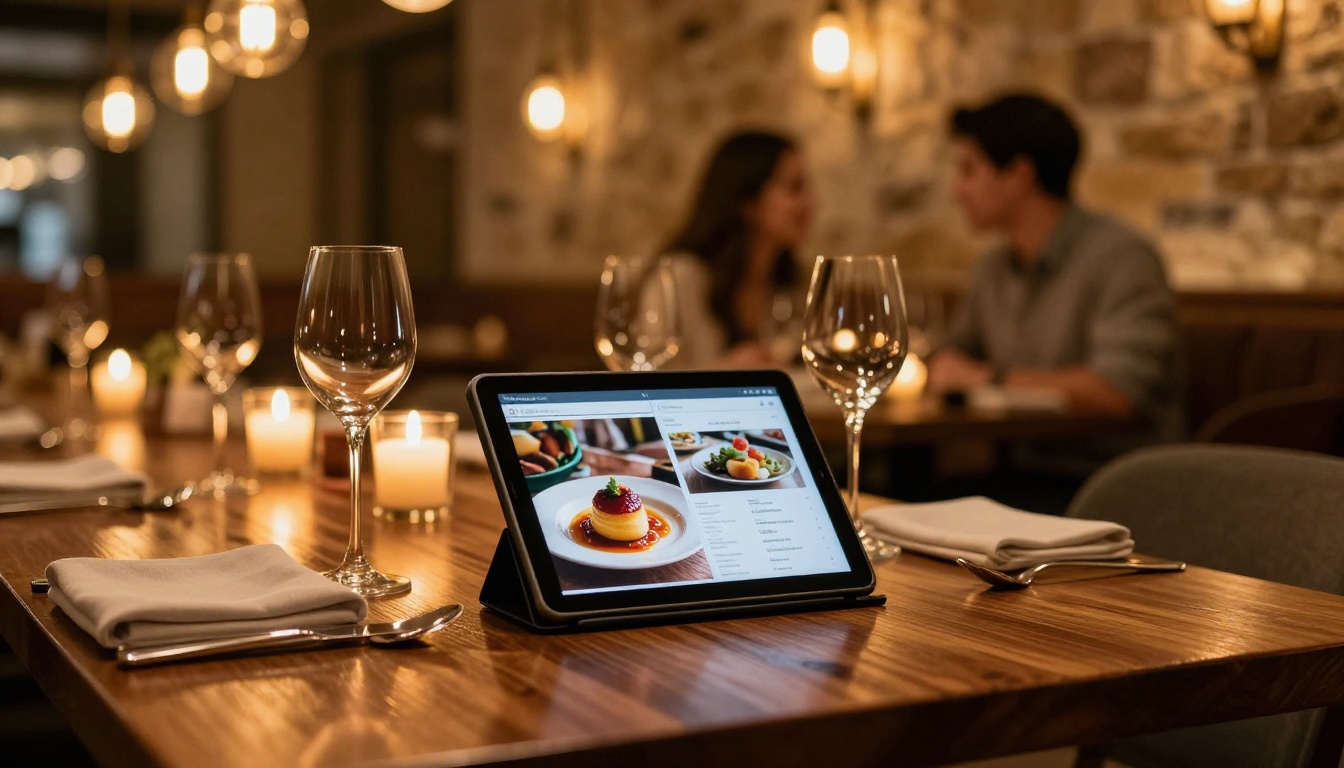
A restaurant's PDF menu shared via Instagram Stories requires the user to leave the app, download a file, open it, pinch and zoom to read it, and then navigate back to make a reservation. Every step is friction. A flipbook menu link opens in-browser, loads instantly, and can include embedded video of signature dishes, clickable reservation links, and even audio to set the ambiance before guests arrive.
The Restaurant Menu Creator from Flipbooks AI makes this conversion fast and straightforward, with no design experience required.
Reports That Actually Get Read
Annual reports, investor decks, and corporate presentations are almost universally distributed as PDFs. Almost universally, they are also skimmed rather than read. Flipbooks change this by creating a reading experience with clear section navigation, embedded charts, and a format that feels curated rather than bulk-delivered into an inbox.
| Industry | Content Type | PDF Problem | Flipbook Fix |
|---|
| E-commerce | Product catalog | Download barrier before browsing | Instant link, browser-native |
| Hospitality | Menu or spa guide | Poor mobile zoom experience | Mobile-first page reflow |
| Real Estate | Property brochure | Email attachment, no tracking | Embeddable on listing page |
| Corporate | Annual report | Rarely read past page 3 | Interactive sections with analytics |
| Education | Course materials | Static, no multimedia | Embedded video content |
| Fashion | Lookbook | File size too large to share | Hosted and streamed content |

How to Convert Your PDF to a Flipbook in Minutes
Converting an existing PDF into a fully-featured interactive flipbook takes less time than most people expect. Here is the process from upload to published link.
Step 1: Upload Your PDF
Head to Flipbooks AI and create a free account. Once inside your dashboard, click "New Flipbook" and upload your existing PDF. The converter handles multi-page documents, maintains font rendering, and preserves any hyperlinks already embedded in the original file. Most standard PDFs process in under 60 seconds.
✅ Best Practice: Before uploading, make sure your PDF has a strong, high-quality visual on the first page. This becomes the preview thumbnail that users see before clicking the link, which directly affects your click-through rate before anyone has read a word.
Step 2: Customize Your Flipbook
Once the PDF is converted, the customization panel gives you control over:
- Brand colors and logo placement for identity consistency across all publications
- Embedded video on any page, ideal for product demos or client testimonials
- Page-curl animation styles with multiple realistic effect options
- Password protection for client-exclusive or members-only content distributions
- Custom domain configuration so your flipbook URL reflects your brand, not a third-party platform
The PDF to Flipbook Converter handles all technical conversion automatically, so your team's time goes toward content quality rather than technical setup or file management.
Step 3: Share and Track
Publishing a flipbook generates both a shareable direct link and an embed code. The Embed Flipbook on Website tool creates an iframe snippet you drop into any CMS, landing page builder, or product listing with a single paste.
On the Professional plan, every published flipbook includes built-in reader analytics:
- Pages viewed per session and reading drop-off by page
- Average time spent per page
- Geographic location of readers by region
- Device type breakdown across desktop, mobile, and tablet
- Lead capture data when embedded forms are enabled
This level of reader insight simply does not exist with PDF downloads. With a PDF, your analytics end the moment someone clicks the file link. With a flipbook, you know exactly how far they read, which sections held attention, and where they lost interest.

Real-World Results by Industry
The abstract performance gap becomes concrete when you look at how specific industries are replacing PDFs with interactive flipbooks and the results they are seeing.
E-Commerce: Product Catalogs
A fashion brand with a 48-page seasonal catalog switched from PDF email attachments to a flipbook built with Flipbooks AI's Fashion Catalog Creator. The result was a link shareable directly on Pinterest, embeddable on the homepage, and includable in SMS campaigns without a download step. Catalog page completion rates rose substantially because mobile users could read the content without any zoom manipulation, and the share rate increased dramatically because sharing a link requires one tap rather than attaching a multi-megabyte file.
Hospitality: Menus and Brochures
Hotels using the Hotel Brochure Designer and Spa and Wellness Menu Creator found that embedding their flipbooks on Google Business listings and TripAdvisor profiles drove measurable increases in direct bookings compared to the same placement with a PDF download link. The flipbook required no download, loaded instantly on mobile, and gave potential guests a rich, immersive preview of the property before they clicked "Book Now."
Real Estate: Property Brochures
Agencies using the Real Estate Brochure Creator embedded property flipbooks directly into listing pages and email campaigns. Prospective buyers spent significantly more time reviewing property details in flipbook format versus downloading a PDF and skimming it. Agents reported that leads who had already viewed the flipbook arrived at showings better prepared, with more specific questions, and with higher purchase intent.
Corporate: Annual Reports
Public companies and nonprofits using the Annual Report Creator and Corporate Report Maker found that board members and stakeholders who received a flipbook link read more sections of the report compared to those who received a PDF attachment. Reader analytics revealed which sections drew the most attention and where readers dropped off, directly informing the following year's reporting structure and priorities.

What to Choose for Your Content
The decision framework is straightforward. Use PDF where the format is a technical or legal requirement. Use flipbooks where the goal is for someone to actually read, share, or act on what you have published.
Choose PDF when:
- The document will be physically printed at a production facility
- Legal signatures, archival compliance, or certification is required
- The audience works in a genuinely offline-first environment without browser access
- The file is strictly internal with no performance goal and no reader behavior to track
Choose a flipbook when:
- The goal is for someone to click, read, share, or convert
- Your audience reaches you primarily on mobile devices
- You need reader analytics to refine your content strategy over time
- The content will be shared on social platforms, embedded on a website, or sent via email campaigns
- You want a branded, professional reading experience that reflects your organization's identity
💡 If you currently send proposals as PDFs, switching to password-protected flipbooks gives you visibility into whether the prospect actually opened the document and which sections they spent time reviewing. That data changes how you follow up.
Stop Leaving Clicks on the Table
Static PDFs have had a 30-year head start. But the metrics are unambiguous: interactive flipbooks drive more clicks, more shares, more time on page, and more conversions across every industry that has made the switch.
The barrier to switching is lower than ever. Your existing PDFs are already the raw material. All that is missing is the conversion step, and that step now takes minutes rather than days.
Ready to see what your content looks like as a flipbook? Create your first one free on Flipbooks AI, or compare pricing plans to find the right tier for your publishing volume. Browse the full library of tools and templates built for every industry and content type, from restaurant menus to corporate annual reports.



