Picking between two tools when both claim to do the same thing is frustrating. Flipbooks AI and FlippingBook are both established platforms for turning PDFs into interactive digital flipbooks, but calling them equals would be misleading. They target different users, charge very differently, and handle customization in ways that matter a lot depending on your specific workflow. This comparison cuts through the noise and shows you exactly what each platform delivers in 2026.

Both tools convert PDFs into HTML5 flipbooks with smooth page-turn animations. That's where the similarities mostly end. The philosophy behind each product shapes everything from pricing to feature availability to who actually gets value from the subscription.
FlippingBook's Approach
FlippingBook has been around since 2009 and positions itself as a premium B2B solution. Their focus is on polish, enterprise-grade features, and hosting reliability. The platform gives you a dedicated flipbook viewer, branded domains, and detailed analytics. It's built for teams that publish frequently and need a stable, professional infrastructure.
The catch: FlippingBook charges monthly subscription fees that can feel steep for solo creators or small businesses that only publish a few flipbooks per year. Their entry tier limits how many publications you can have active simultaneously, and features like lead forms and offline access are locked behind higher plans. Archiving a published flipbook to stay within your publication cap means breaking any existing links to that content.
Flipbooks AI's Approach
Flipbooks AI takes a fundamentally different angle. The platform is built to be accessible without sacrificing professional output. You upload a PDF, and within seconds you have a shareable, mobile-responsive flipbook with realistic page-flip animation, custom branding, and embed options. No watermarks on paid plans. No limits on how many flipbooks you can publish.
What truly differentiates the platform is the breadth of specialized tools available. Whether you're building a product catalog, a restaurant menu, or a real estate brochure, there are purpose-built tools for specific industries rather than one generic converter adapting to every context. This specificity results in faster workflows and more polished output for each content type.

Pricing Reality Check
Pricing is where the two platforms diverge most dramatically. Before comparing features, you need to know what you're actually paying for each use case.
FlippingBook Pricing
FlippingBook operates on a tiered monthly subscription model. Their plans as of 2026 are:
- Starter: ~$14/month (2 active publications, basic features)
- Optimal: ~$41/month (10 active publications, custom logo)
- Advanced: ~$99/month (30 active publications, lead forms, offline access)
- Team plans: $200+/month (multiple users, 100+ publications)
The per-publication limit on lower tiers is a real operational constraint. When you reach your cap, you must archive older flipbooks to publish new ones, and archived content becomes inaccessible via its original link. For businesses with ongoing content needs, this creates continuous management overhead.
Flipbooks AI Pricing
Flipbooks AI pricing is structured around unlimited creation rather than publication caps:
- Free: Limited flipbooks with watermarks
- Standard: Unlimited flipbooks, no watermarks, custom branding
- Professional: Everything in Standard plus analytics, lead generation, offline downloads, and password protection
The Professional plan covers every practical business need at a price that undercuts FlippingBook's equivalent tier by a significant margin.
| Feature | FlippingBook Starter | Flipbooks AI Standard | Flipbooks AI Professional |
|---|
| Monthly Cost | ~$14 | Affordable | Best value |
| Active Publication Limit | 2 | Unlimited | Unlimited |
| Watermarks | No | No | No |
| Custom Branding | Partial | Yes | Yes |
| Analytics | No | No | Yes |
| Lead Generation | No | No | Yes |
| Offline Downloads | No | No | Yes |
| Password Protection | No | No | Yes |
| Video and Audio Embed | No | Yes | Yes |
💡 If you publish more than 10 flipbooks per year, Flipbooks AI's unlimited model will almost always cost less over 12 months than FlippingBook's equivalent tier, even before factoring in the Professional plan's additional features.

Feature Face-Off
Pricing aside, features determine which platform actually fits your day-to-day needs. Here's how they compare across the dimensions that matter most for real publishing workflows.
Upload and Conversion Speed
Both platforms handle PDF-to-flipbook conversion reliably. FlippingBook processes PDFs and renders them with sharp fidelity, particularly on text-heavy documents. Flipbooks AI handles conversion quickly and maintains image quality across high-resolution PDFs, which matters significantly for catalogs and brochures with full-bleed photography and tight color requirements.
Neither platform currently supports direct PowerPoint or Word upload without first converting to PDF. Build your PDF first, then import.
Customization Options
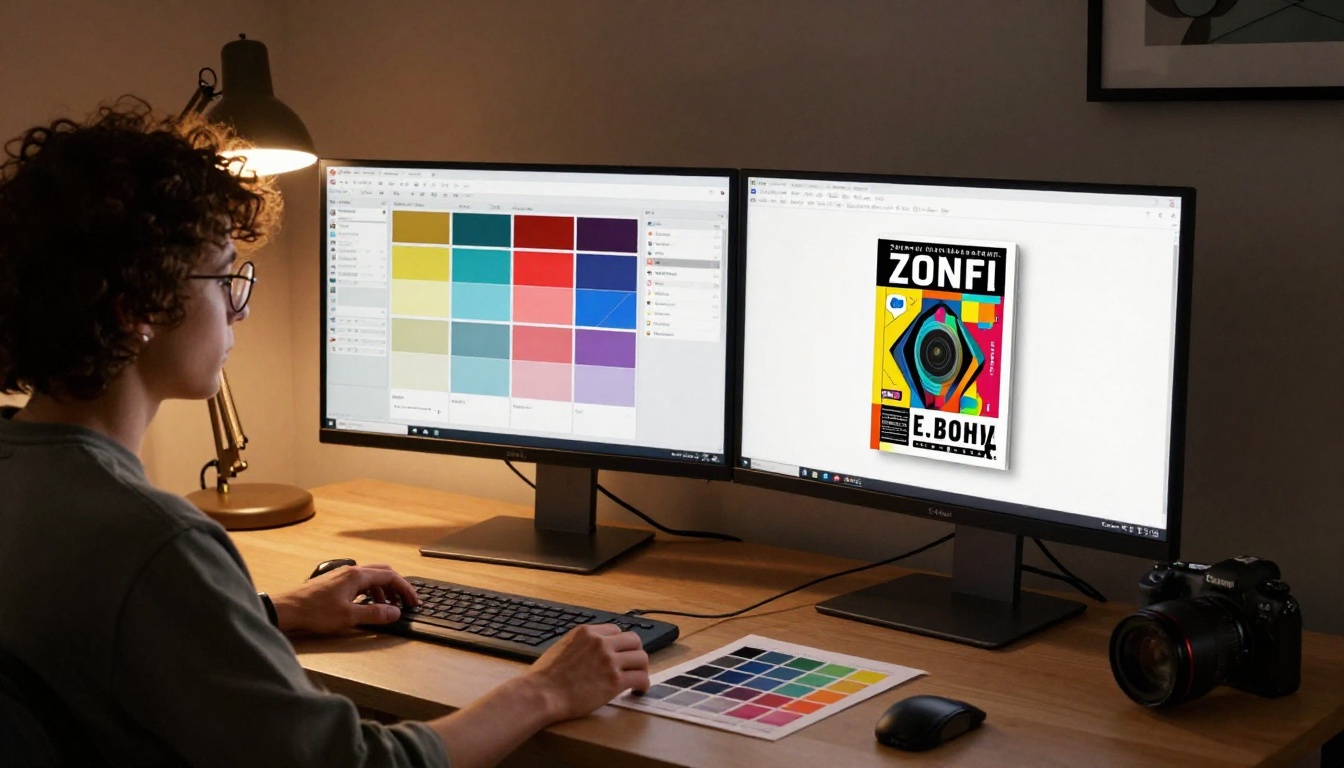
FlippingBook gives you control over the viewer skin, background color, logo placement, and a custom domain. Customization is solid but relatively contained within a single product paradigm.
Flipbooks AI offers comparable branding options, including custom colors, logos, and domain support, and layers on top of that a set of industry-specific tools. The interactive lookbook designer, digital portfolio creator, and e-magazine publishing tool each have purpose-built interfaces tailored to their content type rather than forcing you to adapt a generic template to a specialized use case.
Analytics and Tracking
FlippingBook's analytics are detailed: page-level views, time-on-page, link clicks, and geographic data. These are genuinely useful for content marketing teams trying to identify which pages of a publication drive the most reader attention.
Flipbooks AI's analytics, available on the Professional plan, cover the core metrics: total views, page interaction data, and lead capture through integrated forms. For most small-to-midsize businesses, this covers every practical reporting need without the premium enterprise price tag attached.
Sharing and Distribution
Both platforms generate shareable links and embed codes. FlippingBook's embed options are clean and well-documented. Flipbooks AI's embed tool produces responsive embed codes that work in any web builder, CMS, or HTML page without additional configuration.
Password protection on Flipbooks AI (Professional plan) means you can share private documents, internal reports, or client-facing proposals without making them publicly accessible. This is particularly valuable for agencies sharing work-in-progress materials with clients or HR teams distributing internal documentation.
⚠️ FlippingBook only offers password protection on their higher-tier plans. If this is a non-negotiable requirement, compare the exact plan costs before committing to either platform.
Feature Comparison at a Glance
| Feature | FlippingBook | Flipbooks AI |
|---|
| HTML5 Page-Flip Animation | Yes | Yes |
| Mobile-Responsive Viewer | Yes | Yes |
| No Watermarks (paid plans) | Yes | Yes |
| Custom Branding | Yes (paid) | Yes (paid) |
| Unlimited Publications | No (capped by tier) | Yes (Standard+) |
| Embed Codes | Yes | Yes |
| Password Protection | Higher tiers only | Professional plan |
| Analytics | Yes (paid) | Professional plan |
| Lead Generation Forms | Yes (paid) | Professional plan |
| Offline Downloads | Higher tiers | Professional plan |
| Video and Audio Embed | Yes | Yes |
| Industry-Specific Tools | No | 30+ purpose-built tools |
| Custom Domain | Yes (paid) | Yes (paid) |

How to Create a Flipbook with Flipbooks AI
Since Flipbooks AI delivers strong value for most users, here's how to go from a PDF to a published, shareable flipbook in minutes.
Step 1: Create your account
Head to flipbooksai.com/account and sign up. The free plan lets you test the platform before committing to a paid tier. No credit card required at signup.
Step 2: Upload your PDF
From your dashboard, click "Create New Flipbook" and drag your PDF into the upload area. The platform converts it automatically, preserving your fonts, images, and layout with page-flip animation applied. Most PDFs convert in under 60 seconds.

Step 3: Customize your branding
Set your logo, choose your color scheme, and configure the viewer background and page effects. On Standard and Professional plans, all Flipbooks AI branding is removed. You can also connect a custom domain to match your company's web presence.
Step 4: Add multimedia (optional)
Embed YouTube videos, audio clips, or hyperlinks directly into specific pages. This works particularly well for interactive e-book publishers and magazine-style content where multimedia context adds real value to the reading experience.
Step 5: Publish and share
Copy your shareable link or grab the embed code to drop into your website. For private content, enable password protection from the settings panel. On the Professional plan, activate lead capture forms to collect viewer emails before granting document access, turning your flipbooks into a genuine lead generation asset.
💡 Use the dedicated PDF to Flipbook Converter if you want to start directly with the core conversion tool. It's the fastest path from file to published flipbook.

The right answer depends entirely on your publishing volume, team size, and how specialized your content needs are.
FlippingBook fits best if you:
- Work at a mid-to-large company with a dedicated content team and an established software budget
- Need granular analytics with page-level data and geographic reporting
- Publish a consistent, predictable volume of content each month that stays within your tier cap
- Require enterprise SLAs or legacy vendor relationships for compliance reasons
Flipbooks AI fits best if you:
- Want unlimited publishing without worrying about hitting a cap or archiving older content
- Run a small business, freelance operation, or growing marketing team
- Need industry-specific tools for catalogs, menus, portfolios, brochures, or publications
- Want professional, polished output without a premium enterprise price
✅ For most independent creators, small business owners, and marketing teams under 10 people, Flipbooks AI will deliver equivalent or better output at a significantly lower annual cost.
Real-World Use Cases
For Marketing Teams
A marketing team producing monthly campaign flipbooks, product updates, and case studies would hit FlippingBook's publication limits quickly on lower tiers. With Flipbooks AI, unlimited flipbooks mean you can produce seasonal catalogs, event programs, and sales presentations without archiving older content or constantly managing a publication cap.
The sales presentation flipbook tool is particularly useful for outbound teams who need polished, shareable decks that don't require the viewer to download anything or install software.

For Small Businesses
A restaurant owner who wants a digital menu, a boutique hotel producing a seasonal brochure, or a salon creating a services lookbook: these are exactly the users who get squeezed by FlippingBook's pricing structure but are perfectly served by Flipbooks AI's specialized tools.
The restaurant menu creator converts a PDF menu into an elegant, shareable flipbook in under a minute. The hotel brochure designer gives hospitality businesses a professional digital property overview without requiring web development skills or budget.

For Publishers and Educators
Publishers releasing regular issues of a digital magazine benefit from Flipbooks AI's e-magazine publishing tool, which handles long-form multi-page publications cleanly with a reading experience that matches print quality. Educators building course materials can use the course material publisher or training manual flipbook tools to create structured, interactive reading experiences for students and staff.
Use Case Fit by User Type
| User Type | Best Platform | Reason |
|---|
| Solo creator or freelancer | Flipbooks AI | Unlimited flipbooks, lower cost per publication |
| Small business (1-10 staff) | Flipbooks AI | Industry-specific tools, no publication caps |
| Mid-size marketing team | Compare plans | Depends on analytics needs and volume |
| Large enterprise | FlippingBook | Enterprise SLAs, team user management |
| Restaurant or hospitality | Flipbooks AI | Purpose-built menu and brochure tools |
| Digital publisher (magazines) | Flipbooks AI | E-magazine and e-book tools built in |
| Real estate agency | Flipbooks AI | Real estate brochure and portfolio tools |
| Corporate communications | FlippingBook | Established enterprise track record |
Make Your Decision
The honest answer: if you're a large enterprise with a dedicated content team, a budget for premium software, and a genuine need for robust team management features, FlippingBook is a proven choice. Their infrastructure is solid and their analytics are detailed for that use case.
For everyone else, the math and the feature set both favor Flipbooks AI. Unlimited flipbooks on paid plans, no watermarks, purpose-built tools for dozens of industries, and a Professional tier that includes analytics, lead generation, offline downloads, and password protection at a price point that doesn't require sign-off from multiple stakeholders.
Ready to see it for yourself? Create your account and publish your first flipbook in minutes. Browse all available tools to find the one built for your specific content type, and check the pricing page to pick the plan that fits your publishing workflow.



