Your smartphone is already a camera, wallet, and office in one pocket. It should also be your flipbook studio. Millions of people create digital publications every day from desktop tools, yet most free flipbook creators still feel clunky the moment you switch to mobile. The good news: Flipbooks AI was built from the ground up to work perfectly on any phone, anywhere, at any time.
This article breaks down everything you need to know about choosing and using a free flipbook creator that works on your phone, from core features to real-world use cases and a step-by-step tutorial you can follow with just your smartphone.
Why Mobile Flipbook Creation Matters
The shift to mobile-first publishing
Over 60% of web traffic now comes from mobile devices. When someone shares a flipbook link, the recipient almost certainly opens it on a phone. This means your flipbook needs to do two things well: it must look sharp on a 6-inch screen, and the creation process itself should be doable from a phone when you're away from your desk.
Traditional flipbook software was designed for desktop workflows. PDF editing, image uploads, and publishing controls required a mouse and large monitor. That era is fading fast. Modern readers expect digital content that feels as natural on a phone as a native app, and modern creators need tools that keep up with that expectation.
What makes a flipbook tool truly mobile-ready
A tool claiming to "work on mobile" can mean very different things. Some platforms simply have a responsive website that technically loads on a phone but requires constant zooming and awkward tapping to navigate. A genuinely mobile-ready flipbook creator meets a stricter standard:
- Touch-optimized interface: Buttons are large enough to tap, menus collapse cleanly, and controls don't require precision clicking
- Fast PDF uploads from phone storage: Direct access to your phone's file system, Google Drive, or iCloud
- Page-turn previews on mobile: The output flipbook renders the page-curl animation smoothly at 60fps in a phone browser
- Share via any mobile channel: One-tap sharing through WhatsApp, Instagram DM, email, or SMS

💡 Before committing to any free flipbook tool, open it on your phone first and try uploading a file. If you struggle within the first 60 seconds, the tool isn't truly mobile-ready.
What to Look for in a Free Flipbook Creator
The features that actually matter
Not all free plans are equal. Some free tiers are aggressive in their limitations, capping you at one or two flipbooks or slapping watermarks on every page. Others give you genuine value while reserving advanced features for paid plans. Here is what separates a useful free tier from a frustrating one:
| Feature | Must Have | Nice to Have | Premium Only |
|---|
| Unlimited flipbooks | ✅ | | |
| No watermarks | ✅ | | |
| Mobile-responsive output | ✅ | | |
| Page-turn animation | ✅ | | |
| Custom branding | | ✅ | |
| Password protection | | ✅ | |
| Analytics and lead capture | | | ✅ |
| Offline downloads | | | ✅ |
| Embed video and audio | | ✅ | |
Flipbooks AI covers every "Must Have" item on the free tier, plus several "Nice to Have" features on the Standard plan, making it one of the most generous free flipbook creators available.
Mobile output quality
The best creators in this category render your flipbooks with realistic 3D page-turn animations that respond to swipe gestures on touchscreens. The output should work in any modern mobile browser without requiring the user to download an app. This matters enormously for sharing: you can send a link to anyone and they can open it instantly on their iPhone, Android, or tablet without friction.
How to Create a Flipbook on Your Phone with Flipbooks AI
Flipbooks AI handles the full creation workflow from a smartphone. Here is exactly how to do it.
Step 1: Create your account
Open your phone browser and visit Flipbooks AI to create a free account. The signup form is minimal and takes under two minutes. No credit card required for the free tier.
Step 2: Prepare your PDF
Have your PDF ready in your phone's file app, Google Drive, Dropbox, or iCloud. If you don't have one, you can create a simple PDF on your phone using Google Slides, Canva, or any document app and export it as PDF.
⚠️ Keep your PDF under 50MB for fastest upload speeds on mobile. Compress large image-heavy PDFs before uploading.
Step 3: Upload the PDF
Once logged in, tap the "New Flipbook" button. A file picker opens and connects directly to your phone storage and cloud services. Select your PDF and tap upload. Conversion typically takes 10 to 30 seconds depending on page count.
Step 4: Customize your flipbook
After conversion, you land in the editor. On mobile, the editor panels stack vertically for clean navigation. You can:
- Change the background color or add a background image
- Set the cover and back cover style
- Add your logo and brand name for a polished look
- Adjust page flip speed and animation style
- Enable or disable auto-flip for presentations
Step 5: Set sharing options
Before publishing, decide how you want people to access your flipbook:
- Public link: Anyone with the URL can view it, no login required
- Password protected: Set a password for private documents, great for internal reports or exclusive content
- Embed code: Copy a snippet to paste into your website or blog
Step 6: Share from your phone
Once published, tap the share button to copy the link or share directly to WhatsApp, Instagram, email, or any app on your phone. You can also share the QR code, which is perfect for printed materials like event flyers.
✅ After publishing, always open the flipbook link on your own phone first to verify the page-turn experience and confirm that all images loaded correctly.
Real-World Use Cases for Mobile Flipbook Creation
Small business owners on the go
A boutique clothing store owner can photograph new arrivals, build a quick PDF catalog in Canva on their phone, upload it to Flipbooks AI, and share the finished publication with customers on WhatsApp, all within 20 minutes. The Fashion Catalog Creator tool takes this further with purpose-built templates designed for exactly this kind of quick mobile workflow.
Restaurant owners benefit enormously from mobile flipbook tools. Instead of printing new menus every time prices change, a restaurateur can update their PDF menu and re-upload it on a phone between lunch and dinner service. The Restaurant Menu Creator makes this routine update cycle effortless.
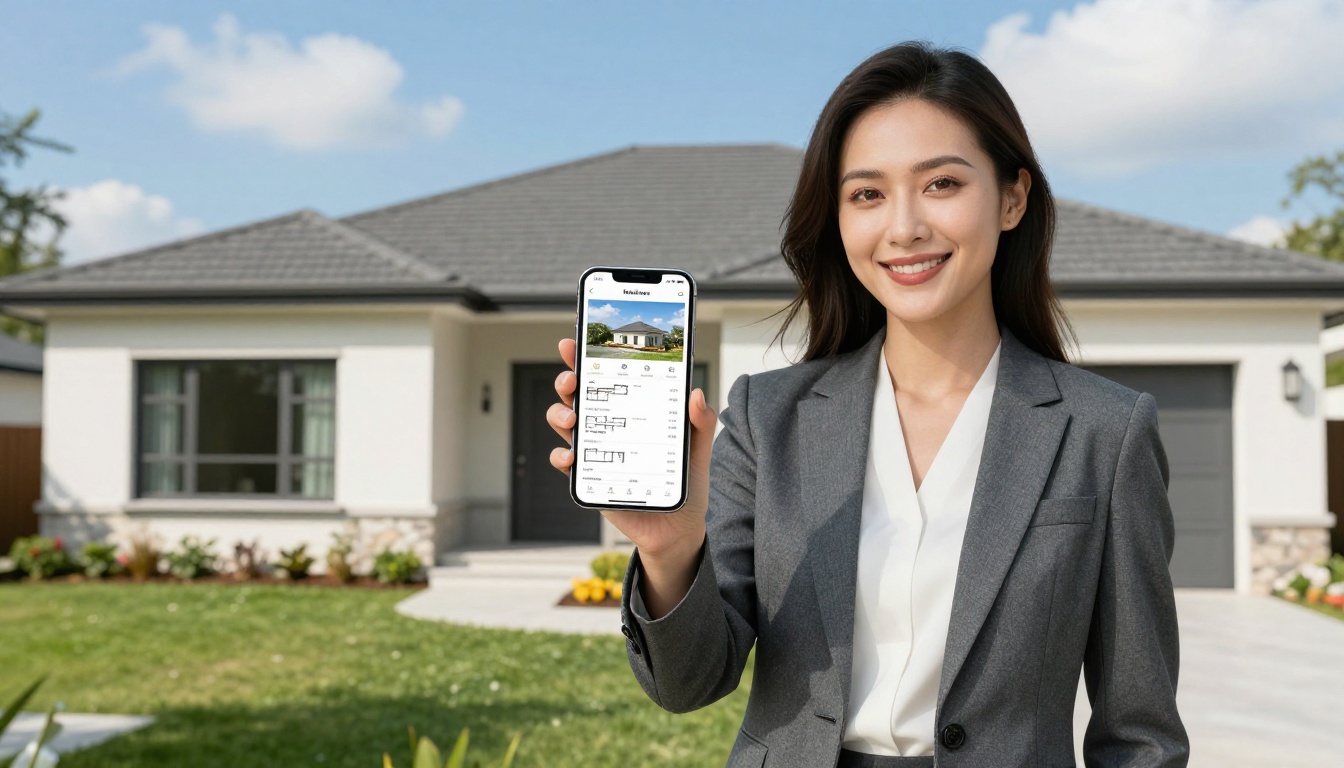
Real estate agents can build and distribute property brochures without ever sitting at a desktop. Photograph a property, build a PDF on your phone, convert it to a flipbook, and text the link to interested buyers before you've even left the driveway.

Educators and students
Teachers can share course materials, class newsletters, and study guides as flipbooks that students open directly on their phones. The reading experience is more engaging than a plain PDF, with natural page-turning that mimics a physical textbook. The Course Material Publisher and School Newsletter Creator tools are designed for exactly this workflow.
Students building portfolios for college applications or job searches can use the Digital Portfolio Creator to present their work as an interactive publication rather than a static file attachment.
Content creators and photographers
A food blogger photographing a recipe spread can build a beautiful Recipe Book Flipbook and share it with followers directly from their phone after a cooking session. Travel photographers can compile a trip into a Travel Guide Flipbook and share it the same evening from their hotel room.
Free vs. Paid: What You Actually Get
Understanding what each plan includes helps you decide whether the free tier covers your needs or whether upgrading makes sense.
| Plan | Price | Flipbooks | Watermark | Custom Branding | Analytics | Offline Download |
|---|
| Free | $0 | Limited | None | Basic | No | No |
| Standard | Paid | Unlimited | None | Full | No | No |
| Professional | Paid | Unlimited | None | Full | Yes | Yes |
💡 All Flipbooks AI plans, including free, publish flipbooks with no watermarks. This is rare among competitors and a significant advantage when sharing content professionally.
For most individual users and small businesses, the free tier provides enough functionality to create, publish, and share polished flipbooks from a phone. The Standard plan becomes valuable when you need unlimited flipbook storage and full custom branding. The Professional plan, available at Flipbooks AI pricing, adds analytics, lead capture forms, and offline download capabilities that matter for enterprise or marketing use cases.
Comparing mobile experience across platforms
Not every flipbook tool handles mobile equally. Here is how the general landscape breaks down:
| Factor | Browser-Based Tools | App-Based Tools | Desktop-Only Tools |
|---|
| Works on any phone | ✅ Yes | Requires install | No |
| No download for viewers | ✅ Yes | No | No |
| Instant link sharing | ✅ Yes | Sometimes | No |
| Full creation on mobile | ✅ Yes (best ones) | Sometimes | No |
| Offline viewing | Link required | ✅ Yes | Only on that device |
Browser-based tools like Flipbooks AI win on accessibility: no installation, no updates, works on any phone with a browser. This makes sharing smoother too since recipients never need to install anything to view what you send them.

Sharing Your Flipbook from a Phone
Direct link sharing
Every flipbook on Flipbooks AI gets a clean, shareable URL the moment you publish it. On mobile, copying and sharing this link takes two taps. The link opens directly in the recipient's phone browser with the full page-turn experience, no login or account required on their end.
Embed codes and QR codes
For website owners updating content from their phone, the embed code lets you paste a flipbook player directly into a web page. Copy the embed snippet on mobile and paste it into your CMS right from your phone. QR codes are generated automatically and are perfect for printed materials: scan it at a trade show booth and the flipbook opens instantly on any phone.
Social and messaging apps
WhatsApp, Instagram DMs, Telegram, and email all support link previews. When you share a Flipbooks AI link, recipients see a thumbnail preview before they tap, which dramatically increases click rates compared to sharing a plain PDF file attachment.

Tips for Better Mobile Flipbooks
Design for the smaller screen
When designing your original PDF with mobile viewing in mind, use larger font sizes (minimum 14pt for body text), high-contrast colors, and avoid content that requires horizontal scrolling. Landscape-oriented PDFs often work better on mobile than portrait orientation when viewed in a phone browser.
Keep file sizes lean
Large PDFs slow down both upload and loading on mobile connections. Before uploading, run your PDF through a compression tool. A 10MB flipbook loads noticeably faster than a 50MB one on a 4G connection.
Use strong cover images
The cover page is the first thing readers see in link previews and flipbook thumbnails. Use your most visually compelling image on page one. On Flipbooks AI, you can also set a custom cover image separate from your PDF content.
Test on multiple devices
After publishing, test the flipbook link on at least two different phone types if possible, both iOS Safari and Android Chrome. Page rendering and animation smoothness can vary slightly between browsers.
⚠️ Publishing a flipbook without testing the mobile view first is a common mistake. A beautiful desktop experience can occasionally have minor quirks on mobile that are easy to fix once you spot them.
Add multimedia for maximum impact
Standard and Professional plans on Flipbooks AI support embedding video and audio directly in pages. On mobile, these elements appear as tappable media players within the flipbook. A restaurant can embed a short cooking video. A real estate agent can include a property walkthrough clip. A musician can embed audio samples in a digital press kit built with the Press Kit Designer.
Choosing a free flipbook creator that works on your phone comes down to three questions: Does it run smoothly on your specific device? Does the free tier give you enough functionality without forcing frustrating limitations? Does the output look professional when recipients open it on their devices?
Flipbooks AI answers yes to all three. The platform handles the full workflow from phone upload to published, shareable flipbook in under five minutes. The free plan removes watermarks entirely, which is genuinely rare. The mobile output is responsive and smooth across all major phone browsers.
Whether you're a small business owner building a product catalog, a teacher distributing course materials, a photographer sharing a portfolio, or a marketer creating interactive brochures, the tools are all available at flipbooksai.com/tools for every use case.
Ready to make your first mobile flipbook? Create a free account on Flipbooks AI and have your first flipbook published in minutes. If you want to see what professional features look like, browse the pricing plans to find what fits your workflow best.



