Not every tool that calls itself "online" actually works everywhere. If you've ever tried to open a flipbook on Safari only to see a blank screen, or opened one on a work computer running an older version of Chrome to find it broken, you already know the frustration. A free online flipbook maker that works on any browser isn't just a convenience, it's a requirement in 2026, when your readers are spread across devices, operating systems, and browser versions that span the last decade. Flipbooks AI was built with exactly this reality in mind, and the difference shows the moment you share your first link.
Why Browser Compatibility Actually Matters
Most people don't think about browser compatibility until something breaks. A potential customer opens your product catalog on Firefox and sees a loading spinner that never resolves. A student opens your course material on an iPad using Safari and can't turn the pages. A recruiter clicks your portfolio link on Edge and gets a plugin error.
These failures aren't just annoying. They cost you opportunities, clients, and credibility.
According to current web usage data, Chrome holds roughly 65% of global browser market share, but that leaves 35% of users on Firefox, Safari, Edge, Samsung Internet, and others. If your flipbook only works reliably on one browser, you're potentially alienating more than a third of your audience before they read a single page.
A truly cross-browser flipbook tool needs to:
- Render consistently across Chrome, Firefox, Safari, and Edge
- Work on desktop, tablet, and mobile without separate apps
- Require no plugins, no Flash, no browser extensions
- Load fast even on slower or mobile connections
- Handle both modern and slightly older browser versions gracefully
HTML5 Is the Non-Negotiable Standard
The end of Adobe Flash in December 2020 forced every serious flipbook platform to rebuild from the ground up using HTML5. But not all HTML5 implementations are equal. Some tools still rely on heavy JavaScript libraries that choke on older browsers. Others use CSS animations that behave differently across rendering engines, producing page tears, flickering, or complete failures on specific setups.
The best browser-compatible flipbook makers use pure HTML5 with CSS3 page-turn effects, lightweight JavaScript with progressive enhancement, responsive layout systems that adapt to any screen size, and zero third-party plugin dependencies.
💡 Pro tip: Before committing to any flipbook platform, open a sample flipbook on your phone's browser without WiFi. If it stutters or fails to load, the platform isn't truly optimized for broad browser support.
HTML5 vs. Legacy Flash: Side by Side
| Feature | HTML5 Flipbooks | Flash-Based Flipbooks |
|---|
| Browser Support | All modern browsers | Discontinued (EOL 2020) |
| Mobile Compatibility | Full iOS and Android support | Not supported on iOS/Android |
| Page Load Speed | Fast, optimized assets | Slow, heavy SWF files |
| SEO Indexability | Yes, content is indexed | No, content is invisible to crawlers |
| Security | Secure, no known plugin vulnerabilities | Multiple documented vulnerabilities |
| Plugin Required | None | Adobe Flash Player (no longer available) |
The table above shows why there's no real debate anymore. HTML5 is the only viable foundation for a flipbook that works on any browser, on any device, in any year after 2020.
Not all free tools are created equal. "Free" can mean anything from a fully functional entry tier to a stripped-down version buried in watermarks and upload caps. Here's what separates genuinely useful free online flipbook makers from the noise.
Core Features That Actually Matter
Browser compatibility is the baseline, but beyond that, look for:
- No watermarks: A watermark on every page of your business catalog signals unprofessionalism to every viewer
- PDF import: Upload a PDF and convert it directly, without manual page-by-page editing
- Realistic page-flip animation: Smooth page turns that render correctly across browsers
- Mobile-responsive display: Automatic scaling for phones and tablets without pinching or zooming
- Embed support: Drop your flipbook directly into any website or landing page
- Custom branding: Your logo, your colors, your domain, not the platform's identity
⚠️ Warning: Some "free" tools insert advertisements directly into your flipbook pages. Always check what appears in a published, public flipbook before using it for professional content.
Feature Comparison: Free Tool Tiers at a Glance
| Feature | Basic Free Tools | Flipbooks AI (Free) | Flipbooks AI (Standard+) |
|---|
| Browser Compatibility | Partial, often Chrome only | Full HTML5 | Full HTML5 |
| Watermarks | Yes, most platforms | None | None |
| PDF Upload Size | Limited, usually under 5MB | Supported | Large files supported |
| Custom Branding | Not available | Partial | Full custom branding |
| Embed Code | Locked behind paywall | Yes | Yes |
| Number of Flipbooks | 1 to 3 | Multiple | Unlimited |
| Password Protection | Not available | Not included | Yes |
| Analytics Dashboard | Not available | Not included | Yes, Professional plan |
| Offline Downloads | Not available | Not included | Yes, Professional plan |
How to Create a Flipbook on Any Browser with Flipbooks AI
Flipbooks AI runs entirely in your browser, with no software to install, no account setup that takes more than two minutes, and no technical skill required. Here's exactly how to go from a PDF to a live, shareable flipbook.

Step 1: Create your free account
Go to flipbooksai.com/account and sign up. It takes under a minute. No credit card required to start.
Step 2: Upload your PDF
From your dashboard, click "New Flipbook" and drag your PDF into the upload area. The platform accepts PDFs of all standard sizes. A 20-page brochure typically processes in under 30 seconds, with all page layouts, images, and fonts preserved.
Step 3: Customize your flipbook
Once your PDF converts, the editor opens immediately. From here you can:
- Add your logo to the cover or header area
- Choose your brand colors for the page-flip animation highlight
- Set a custom background color or image behind the pages
- Add a title and description for SEO and sharing metadata
- Toggle automatic page-flip on mobile to suit your content type
Step 4: Publish and share
Click "Publish" and your flipbook goes live instantly. You get a direct shareable link you can paste into any email or message, an embed code for websites and landing pages via the Embed Flipbook on Website tool, and social sharing options for direct distribution.
Step 5: Test it across browsers
This is the step most people skip. Open your flipbook link in Chrome, then Firefox, then Safari on Mac or iOS, then on your phone in whatever default browser it uses. The page turns should be smooth and the layout should hold everywhere. On Flipbooks AI, they will be.
✅ Best practice: Share your flipbook link with a colleague before your campaign goes live. Ask them to open it on their phone using a different browser than yours. What you see on Chrome desktop is not always what a Safari mobile user sees on an older iOS version.

Real-World Use Cases by Industry
A browser-compatible flipbook maker isn't a niche tool for designers. It solves practical, high-stakes problems across industries where digital documents need to reach diverse audiences on unpredictable devices.
Business and Marketing Teams
Sales reps share product catalogs via email links. Those links get opened on work computers running Edge, personal phones using Samsung Internet, and client iPads using Safari. If the catalog breaks on any of those, the conversation stalls.
The Product Catalog and Digital Catalog Maker tools on Flipbooks AI produce flipbooks that load identically across all those environments. A manufacturing company can send a 60-page catalog as a single link and know every recipient will have the same polished experience, regardless of their setup.

Restaurants and Hospitality
QR code menus became standard during the pandemic and they've stayed. A restaurant posts a QR code on each table linking to a digital menu. That QR code gets scanned by Android users on Chrome, iPhone users on Safari, and older phones on various default browsers, all at the same table.
The Restaurant Menu Creator generates a fully HTML5 menu flipbook that renders on every one of those devices. No app download, no zoom issues, no broken images, and no awkward "this content requires a plugin" messages.
Real Estate
Property listings, neighborhood guides, and relocation packets are still heavily PDF-based in real estate. Agents who convert these into online flipbooks get more engagement, more time-on-page, and more direct inquiries than those sending flat PDF attachments.
The Real Estate Brochure tool handles photo-heavy property PDFs efficiently. Buyers browsing listings open these on every conceivable device, from a desktop Chrome session to iOS Safari in the back of a rideshare, and every version needs to deliver the same professional impression.

Creative Portfolios and Education
Photographers, designers, and educators rely on documents that need to impress on first open. A recruiter opening a digital portfolio on an unfamiliar browser can't be met with a layout that shifts, breaks, or fails to animate.
Education tools like the Course Material Publisher and Training Manual Flipbook benefit especially from cross-browser support, because institutional networks often use specific or locked-down browser configurations that consumer-grade tools never account for.
Plan Tiers: What You Get at Each Level
Understanding what's available at each tier helps you decide whether the free plan works for your current needs or whether upgrading unlocks something specific to your workflow.
| Plan Feature | Free | Standard | Professional |
|---|
| Flipbook Quantity | Limited | Unlimited | Unlimited |
| Watermarks | None | None | None |
| Custom Branding | Partial | Full | Full |
| Password Protection | No | Yes | Yes |
| Embed on Website | Yes | Yes | Yes |
| Analytics Dashboard | No | No | Yes |
| Lead Generation Forms | No | No | Yes |
| Offline Downloads | No | No | Yes |
| Video and Audio Embed | No | Yes | Yes |
| Priority Support | No | No | Yes |
💡 Pro tip: Even the free tier on Flipbooks AI includes no watermarks, which is genuinely rare in this category. For small businesses and freelancers testing the platform, this means your free flipbooks look exactly as professional as paid ones, just with fewer features, not fewer aesthetics.
Embedding Your Flipbook on Any Website
One major advantage of a browser-based flipbook is the ability to embed it directly on a webpage so visitors never have to navigate to a separate URL.
The Embed Flipbook on Website tool generates a simple iframe snippet. Paste it into a WordPress page, a Squarespace content block, or any custom HTML element, and the flipbook appears inline. Visitors flip through it without leaving your site.
This matters for cross-browser compatibility because the embedded flipbook inherits the same HTML5 engine as the standalone version. Someone viewing your website on Firefox gets the same smooth page-turn experience as someone on Chrome desktop or Safari mobile.
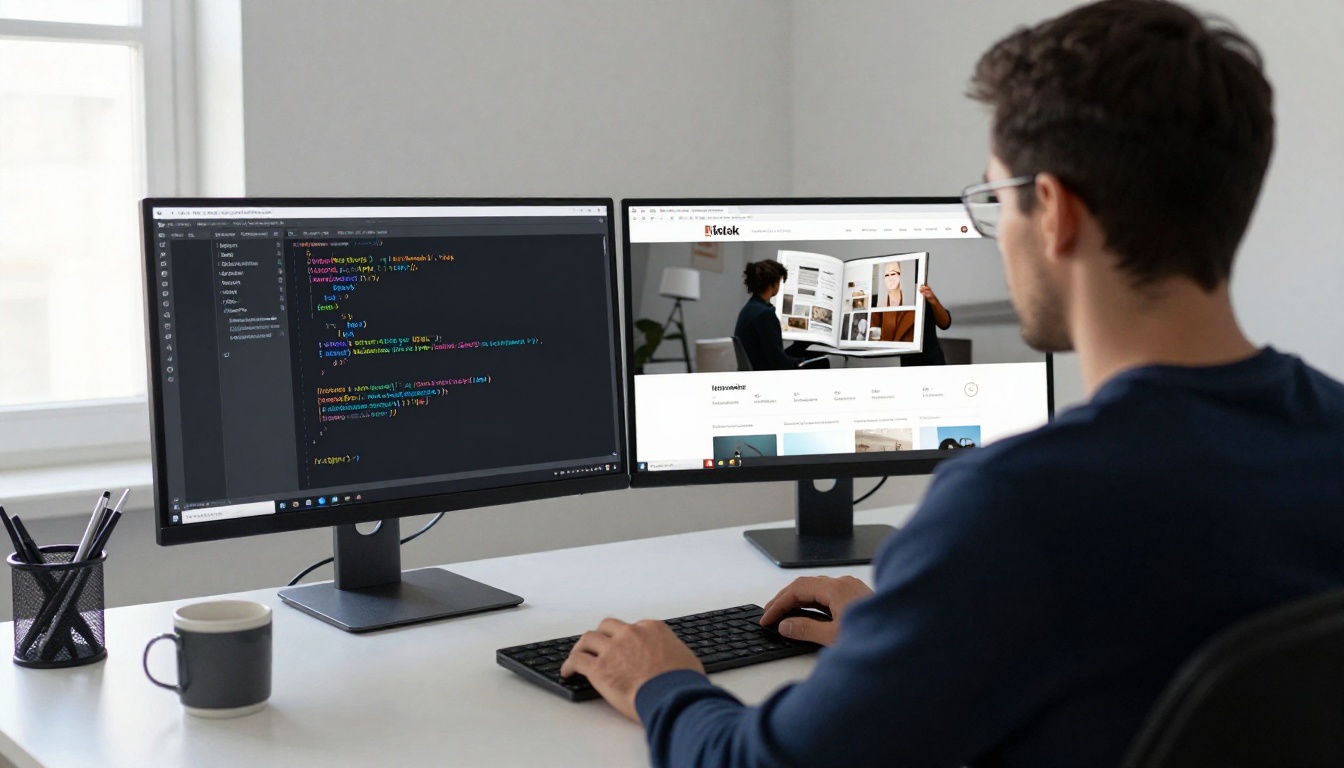
Flipbooks AI isn't just a converter with a single output. It's a platform with purpose-built tools for specific document types, each optimized for its format and audience, and every one produces the same cross-browser compatible output.
A few tools worth bookmarking based on your industry:
Every tool in the tools directory produces the same HTML5, browser-compatible output. You're not trading browser support for a specialized format. The standard is consistent across every tool in the platform.
Free No Longer Means Limited
The most persistent assumption about free tools is that you're trading real capability for zero cost. In the flipbook category, that used to be entirely true: free tools watermarked your content, capped you at two or three flipbooks, or only worked properly on Chrome with specific settings enabled.
That assumption is outdated.
Flipbooks AI offers a free tier with no watermarks, real embed functionality, and full cross-browser HTML5 rendering. For individuals, freelancers, and small teams who need reliable browser compatibility without a monthly subscription commitment, this is a legitimate starting point, not a stripped-down preview.
When you're ready to add password protection for client-only content, analytics to track which pages readers spend the most time on, or offline download capability for offline distribution, the Professional plan adds those layers on top of the same solid foundation. But cross-browser reliability is there from day one, at no cost.
Start Creating Right Now
Browser compatibility is non-negotiable when your documents need to reach real people on real devices in real situations. The answer isn't to hope your audience uses the same browser you do during testing. It's to use a platform built to work everywhere from the start.
Get started for free on Flipbooks AI and convert your first PDF in under two minutes. No downloads, no plugins, no configuration needed. Just open your browser, any browser, and start building.
Browse all flipbook tools to find the right format for your content type, or compare plans to see which tier fits your workflow and budget.



