If you've ever emailed a PDF and watched it disappear into an inbox, never opened, you already know the problem. Static files don't hold attention. A Flipbooks AI flipbook with a smooth page flip animation changes that completely. Pages turn like a real book, readers stay longer, and your content feels premium without requiring a premium budget.
This article covers everything about free PDF to flipbook makers: how the page flip animation works, which free tools actually deliver, what separates a good converter from a frustrating one, and a step-by-step process to publish your first interactive flipbook today.
What the Page Flip Animation Actually Does
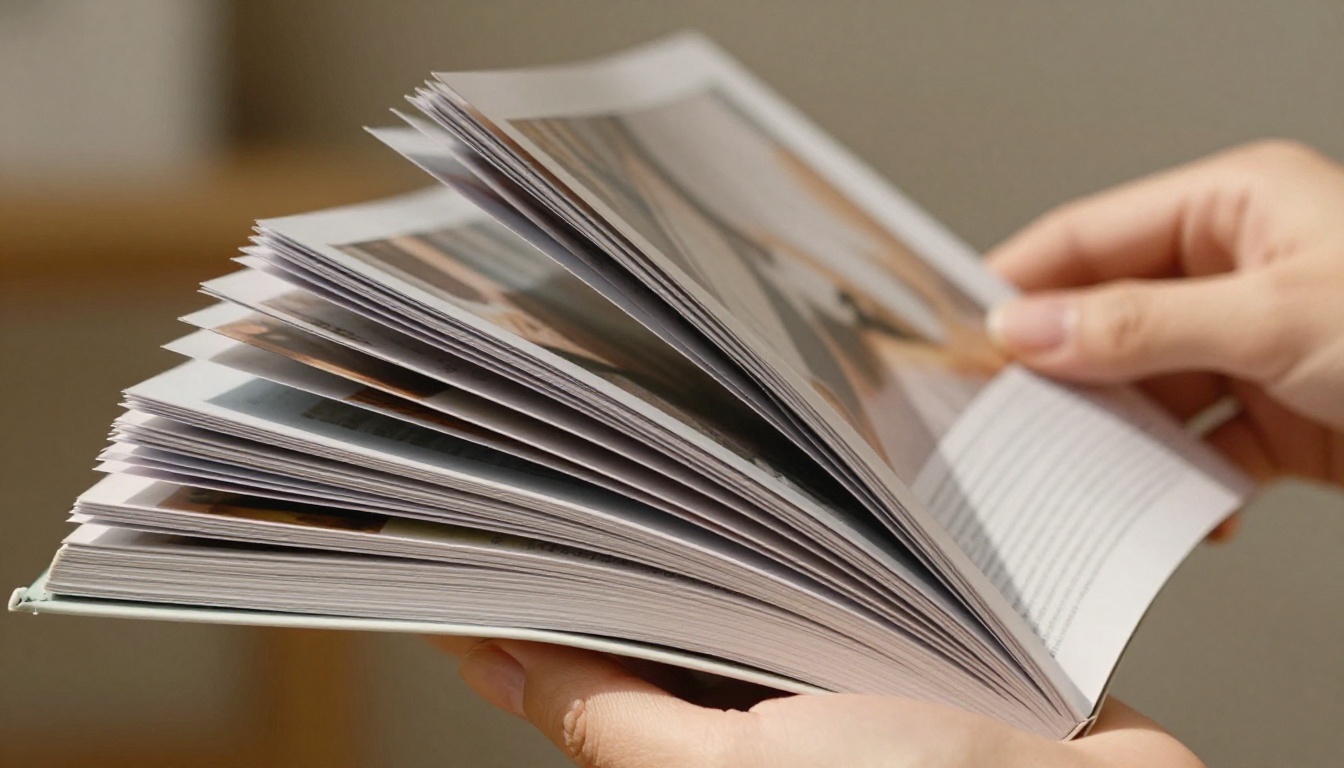
The page flip effect is not cosmetic. It is a usability and engagement mechanic. When a reader clicks or drags a page corner and watches it curl realistically across the screen, something cognitive clicks: they recognize this is a document built to be read, not skimmed and closed.
Why Animation Quality Separates Good Tools from Bad Ones
Poor animation implementations look stiff, lag on mobile, or render pages as low-resolution JPEGs. High-quality page flip animation means:
- Physics-based curl: the page bends realistically, with a slight shadow showing depth
- Responsive drag: readers can grab any corner and control the flip speed with their cursor
- Mobile touch support: swipe gestures on phones and tablets work exactly as expected
- No Flash dependency: HTML5-based rendering works in all modern browsers without plugins
💡 The best flipbook tools render page animations entirely in HTML5. Your flipbook works on iPhones, Android tablets, and every desktop browser without installs or special permissions.
HTML5 Replaced Flash for a Reason
Before 2020, most flipbook converters relied on Adobe Flash. Flash was deprecated and removed from all major browsers due to persistent security vulnerabilities. Modern tools use WebGL and CSS3 animations to deliver the same smooth, physics-based page flip effect with far better performance and universal device compatibility.
If a free flipbook tool still mentions Flash support as a selling point, that's a red flag. You want HTML5, WebGL, or canvas-based rendering.

How to Pick a Free PDF Flipbook Converter
Not every free tool is equal. Some strip out features behind aggressive paywalls. Others watermark every page. A few simply don't render PDFs correctly, losing fonts, images, or layouts in the conversion process.
5 Things to Check Before Committing
- Watermark policy: Does the free tier add a persistent watermark to every page? This makes the flipbook unpublishable for professional use.
- Page flip animation quality: Test on mobile. Does it feel natural or jerky?
- PDF fidelity: Upload a complex PDF with custom fonts and embedded images. Does it render accurately?
- Hosting and sharing: Does the free plan host the flipbook online, or do you have to download and self-host?
- Embed options: Can you embed the flipbook on your own website without paying?
⚠️ Many free flipbook tools cap the number of pages or flipbooks in the free tier. Always check limits before investing time in a project that needs professional distribution.

Here is an honest comparison of the most widely used options. All have a free tier or trial available:
| Tool | Page Flip Animation | Free Tier Limit | Watermarks | Mobile Responsive | Website Embedding |
|---|
| Flipbooks AI | Smooth HTML5, physics-based | Unlimited (Standard plan+) | No watermarks, ever | Yes | Yes |
| Flipsnack | Good HTML5 | 1 flipbook, 15 pages | Yes (free tier) | Yes | Limited |
| Publuu | Good animation | 1 flipbook | Yes (free tier) | Yes | No (free) |
| Issuu | Smooth | 1 publication | Yes | Yes | No (free) |
| Heyzine | Good | 3 flipbooks | No (free) | Yes | Yes |
✅ Flipbooks AI stands out for offering no watermarks and unlimited flipbooks on paid plans, with a clean free entry point for testing conversion quality before committing.
Why Flipbooks AI Works for Most Users
The platform handles PDF upload, conversion, and hosting in one step. The page flip animation is HTML5-based and renders correctly on mobile devices without any configuration. There is no forced branding on the flipbook surface, which matters immediately for business users who need to share documents with clients.
For teams comparing pricing plans, the Standard plan removes limits and adds customization, while the Professional plan adds analytics, lead generation forms, and offline downloads.
How to Create a Flipbook on Flipbooks AI
This is the fastest path from a PDF file to a published, shareable flipbook with smooth page flip animation.

Step 1: Create Your Account
Go to flipbooksai.com/account and register. The process takes under two minutes. No credit card is required for the initial setup.
Step 2: Upload Your PDF
From the dashboard, click New Flipbook and select your PDF file. The PDF to Flipbook Converter accepts files up to 500MB and handles multi-page PDFs with complex layouts including embedded fonts, vector graphics, and high-resolution images.
The conversion process runs server-side. Depending on file size, most PDFs convert in 30 to 90 seconds. A live preview appears once the conversion completes.
Step 3: Configure the Page Flip Animation
Once converted, the editor gives you direct control over animation behavior:
- Flip speed: Adjust how fast the page turns on drag and on auto-advance
- Single vs double page view: Choose whether the flipbook shows one page at a time or a full spread
- Page shadow depth: Controls how realistic the curl shadow appears
- Auto-flip: Set automatic page advancement for presentations or kiosk displays
Step 4: Customize Branding and Design
This is where a flipbook goes from generic to professional:
- Upload your logo to appear in the viewer toolbar
- Set background color or use a custom background image
- Choose toolbar colors to match your brand palette
- Add a custom domain so the flipbook URL reflects your brand (Professional plan)
- Enable password protection for private documents or internal materials
Step 5: Publish and Share
Hit Publish and the flipbook gets a permanent URL instantly. From the sharing panel you can:
- Copy a direct link to send via email or messaging apps
- Grab an embed code to drop the flipbook into any website or blog post
- Download a QR code that points directly to the flipbook
- Configure social sharing preview images and descriptions
💡 The embed code from Flipbooks AI works with WordPress, Webflow, Squarespace, Shopify, and any platform that accepts HTML. No plugins needed.
Real-World Use Cases That Work
The page flip animation is not just aesthetically pleasing. It changes how people interact with documents across several industries.

Business and Marketing Teams
A product catalog as a PDF attachment gets skipped. The same content as a flipbook with smooth page animation gets shared, bookmarked, and browsed. Marketing teams use the Product Catalog Generator to convert seasonal catalogs into interactive publications that embed directly on landing pages.
Sales teams build presentations using the Sales Presentation tool and share a link in outreach emails instead of a PDF attachment. Prospects can view without downloading anything. Annual reports published through the Annual Report Creator look significantly more polished than emailed PDFs, especially for stakeholder communications.
Restaurants and Hospitality
Restaurant menus as static PDFs create friction. A flipbook menu on a QR code displayed on the table solves the problem elegantly. Using the Restaurant Menu Creator, owners can update menu content without reprinting physical menus. Hotel properties use the Hotel Brochure tool to build interactive property presentations with room layouts, amenities, and seasonal offers in a single shareable link.
Real Estate Professionals
Property brochures with floor plans, neighborhood photos, and pricing details are exactly the type of content that benefits from a page flip format. The Real Estate Brochure Creator handles this well. An agent can share a single link instead of multiple attachments, and clients can browse at their own pace on any device.

Educators and Trainers
Course materials distributed as PDFs get printed, annotated, and forgotten. Interactive content published through the Course Material Publisher stays digital, stays current, and can be updated between sessions without redistributing files. Training departments use the Training Manual Flipbook tool to onboard new staff with interactive documentation that feels more deliberate than a static document stack.
Creative Professionals
Photographers and designers use the Photography Portfolio Flipbook tool to present work in a magazine-style format. The page flip animation adds a premium editorial feel that a standard PDF portfolio doesn't convey. Fashion brands publish seasonal lookbooks using the Interactive Lookbook Designer, creating a browsing experience that mirrors print editorial.

Free vs Paid Plans: What You Actually Get
The free tier on most flipbook platforms is useful for testing but limited for production use. Here is where the meaningful feature differences sit:
| Feature | Free | Standard | Professional |
|---|
| Flipbooks created | Limited | Unlimited | Unlimited |
| Watermarks | Varies by tool | No watermarks | No watermarks |
| Custom branding | No | Yes | Yes |
| Password protection | No | Yes | Yes |
| Analytics dashboard | No | Basic | Full analytics |
| Lead generation forms | No | No | Yes |
| Offline downloads | No | No | Yes |
| Custom domain | No | No | Yes |
| Embed on any website | Limited | Yes | Yes |
✅ For professional use, the Standard plan eliminates the two biggest blockers: watermarks and branding control. The Professional plan adds business intelligence through analytics and lead capture, making flipbooks an active part of a sales or marketing funnel.
Compare full pricing plans to see which tier fits your volume and feature needs.
Features Worth Paying For
Some features in the paid tiers solve real business problems that free tools simply cannot address.
Analytics and Lead Capture
The Professional plan includes a dashboard showing how many people viewed your flipbook, which pages they spent time on, and where they dropped off. For sales teams, this data is actionable: if prospects consistently stop reading at page 8, that is a signal the content needs reworking at that point.
Lead generation forms can be embedded directly inside the flipbook, capturing contact information from engaged readers without redirecting them to a separate landing page.
Password Protection
Internal documents, pricing sheets, and client proposals should not be publicly accessible. Password protection on Flipbooks AI lets you share a link that requires authentication before the flipbook opens. This replaces emailing PDFs with trackable, secure links.
Offline Downloads and Embedding
Some use cases require the flipbook to work without internet access: trade show presentations, offline kiosks, or client meetings in locations with unreliable connectivity. The offline download feature packages the flipbook as a self-contained HTML file that runs in any browser without a server.
The Embed Flipbook on Website tool generates responsive embed codes that adapt to any container width. The flipbook fits seamlessly into a blog post, a product page, or a full-width landing section.

Common Mistakes That Kill Flipbook Quality
Even with the right tool, a few avoidable errors consistently produce poor results.
⚠️ Uploading low-resolution PDFs: The conversion engine renders pages at the resolution of the source file. A 72 DPI PDF will look blurry. Always export from InDesign, Canva, or Illustrator at 150 DPI minimum (300 DPI preferred) before uploading.
⚠️ Using scanned documents: Scanned PDFs are images of pages, not vector PDFs. They convert with much lower fidelity. If you must use a scan, run it through OCR software first to improve rendering quality.
⚠️ Ignoring mobile testing: Page flip animation on desktop looks great but test on a real phone before sharing. Some PDF layouts with very small text or tight margins become unreadable on small screens. Design your PDFs for mobile reading or enable the zoom feature in your flipbook settings.
⚠️ Forgetting the thumbnail: The first page of your PDF becomes the flipbook's thumbnail in shares and embeds. Make sure it is visually strong and clearly communicates the document's purpose.
💡 For best results, export your PDF in RGB color mode with high-resolution images embedded. PDFs prepared for print (CMYK, bleed marks) sometimes convert with unexpected color shifts on screen.
Flipbooks AI provides purpose-built tools for common document types rather than a single generic converter. This matters because a restaurant menu has different structural needs than a corporate annual report.
Browse the full flipbook tools directory for the complete list organized by industry and use case.

Take Your First PDF Live Today
The gap between a PDF nobody reads and a flipbook people actually browse comes down to two things: the right tool and a five-minute conversion process. Free PDF to flipbook makers with page flip animation are widely available, but most come with restrictions that make them impractical for professional use. Watermarks, page limits, and missing embed options are the usual friction points.
Flipbooks AI removes that friction: no watermarks, unlimited flipbooks on paid plans, smooth HTML5 page flip animation, and hosting included from day one. The conversion process takes seconds regardless of PDF complexity.
Ready to create your first interactive flipbook? Get started for free and see your PDF come to life with page flip animation in under two minutes.
Compare pricing plans to find the tier that fits your publishing volume. Browse all flipbook tools and templates to find the right format for your specific content type.



