Coaches and trainers spend years building programs, systems, and expertise worth real money, yet most still deliver that work through the same tool invented in the 1990s: a flat PDF. Clients download it, skim the cover page, and park it in a folder they open once a year. Flipbooks AI gives coaches and trainers a sharper way to package and distribute content, one that clients actually read, revisit, and refer others to. Whether you run one-on-one sessions, group programs, or fully online courses, the format you use to share your content says something about the quality of your work before a single word gets read.

Why PDFs Stop Working for Coaches
Every coaching niche has the same friction point: the document graveyard. A fitness coach sends a 30-page training program as a PDF. A business coach emails a 20-slide onboarding packet. A sports coach shares a PDF playbook before a big match. In most cases, the client opens it once, skims it, and moves on. The problem is not the content. It is the format.
Clients Skip Static Documents
A flat PDF is a passive reading experience. There is no interactivity, no visual hierarchy beyond what a generic layout editor produces, and no way to signal which section matters most right now. Clients receiving a PDF attachment see another email attachment. There is nothing pulling them through the pages, creating forward motion, or making the information feel alive.
Flipbooks convert that PDF into an interactive, page-turning digital publication that mimics the tactile experience of a printed booklet. Pages flip, images pop, links work, and videos play inline. The content itself does not change. The experience does, and that experience determines whether clients actually absorb the information you worked hard to produce.
The psychology here is straightforward. A flipbook feels like something worth reading. A PDF attachment feels like homework.
No Visibility Into Who Read What
Send a PDF, and you have no idea what happens next. Did the client open it? Did they reach page 12 where the important protocol information lives? Did they share it with someone else? You have no data, no feedback loop, and no way to follow up with real information.
With Flipbooks AI's Professional plan, built-in analytics show exactly who viewed your flipbook, which pages they spent time on, and how long they stayed. That data changes how coaches follow up with clients and refine their programs over time. A coach who knows that 80% of clients stop engaging at page 15 knows exactly where to improve the material.
💡 Pro tip: Use page analytics to identify which sections clients skip most. Those are the sections that need a rewrite or a stronger visual presentation.
What Makes Flipbooks Work for Training Content
Interactive Pages Clients Actually Flip
The page-turn mechanic is not just aesthetic. It creates a reading rhythm. Clients progress through the material in a structured, linear way, or jump to a specific chapter using a built-in table of contents. Videos, embedded audio, and clickable links all work inside the flipbook without redirecting the client to a different platform.
For a fitness trainer delivering a 12-week program, this means the client can watch a form demonstration video directly on the exercise page, click a link to book their next session, and navigate between program phases without leaving the document. The content becomes a self-contained hub rather than a starting point that leads to a dozen other tabs.
Works on Any Device, Anywhere
Coaches serve clients who are on phones between meetings, on tablets at the gym, and on laptops during quiet evenings. A flipbook published through Flipbooks AI works on all of them. The layout adapts to screen size automatically, and there is no app to download, no plugin to install, no login required for the reader unless password protection is enabled.
The mobile experience matters particularly for fitness coaches. A client following a training program checks it in the gym, mid-session, between sets. If that reference requires downloading a file or opening a clunky PDF in a mobile browser, most clients stop checking it after the first week.
✅ Best practice: Always test your flipbook on a mobile screen before sharing. Most clients will open it on their phone first, often within minutes of receiving the link.

6 Types of Content Coaches Turn Into Flipbooks
The format works across coaching disciplines because it handles so many content types effectively. Here are the most common materials coaches convert:
Each of these formats benefits from the same core advantage: they look polished, work on every device, and load instantly from a shareable link without requiring the recipient to install anything.
💡 Pro tip: A well-branded flipbook carries your visual identity into every share. Use your brand colors and logo in the cover design so clients associate the quality of the content with you directly.

How Different Coaching Niches Use Them
Fitness and Personal Training
Personal trainers often rely on paper packets or Google Docs to share programming. Both options have real limitations. Paper gets lost or damaged after a few sessions. Google Docs look generic, can be accidentally edited, and offer no meaningful reading experience.
A flipbook workout program feels like a product. Clients keep it, refer to it between sessions, and often share it with friends who become future leads. A trainer charging $200 per program sends something that looks and feels like it cost $500 to produce.
Typical content in a trainer's flipbook:
- Week-by-week training blocks with exercise descriptions and rep schemes
- Instructional notes on form and breathing cues
- Progress tracking templates for each phase
- Supplement and recovery protocols
- Demo video links embedded directly on the exercise page
Sports Coaching and Teams
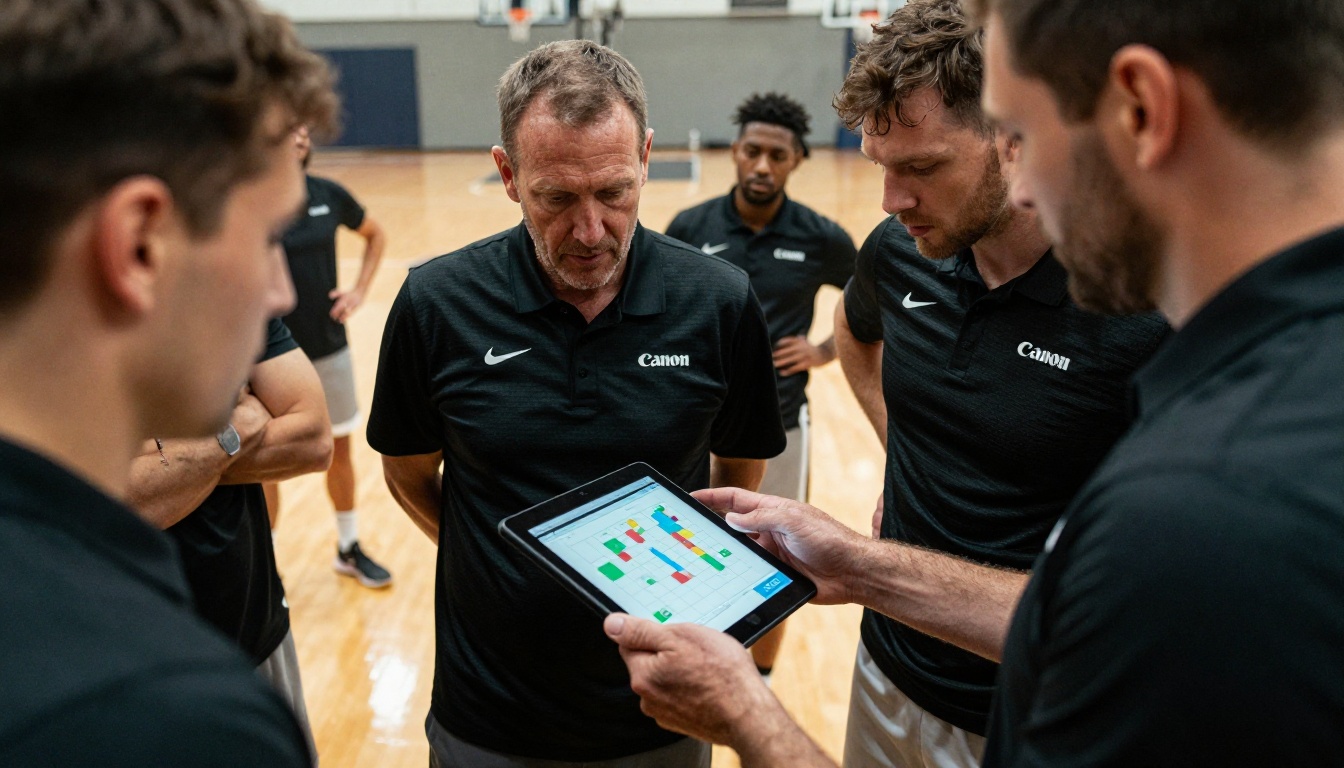
Team sports coaches have historically relied on printed playbooks or whiteboard sessions to communicate strategy. Both are ephemeral. A flipbook playbook, sent to every player's phone before a match, stays with them permanently and can be updated for the next fixture.
A soccer coach can share a pre-match flipbook containing formation diagrams, set-piece instructions, scouting notes on the opposing team, individual position responsibilities, and video clips of opponent patterns embedded inline. Password protection keeps that document within the squad even if a link is accidentally forwarded outside the team.
Life and Business Coaching
Life coaches and business coaches deal heavily in frameworks, worksheets, and structured processes. These materials define the perceived value of the program. A coaching client who receives a beautifully formatted interactive workbook during their first session feels the investment was worthwhile before doing a single exercise.
Business coaches use flipbooks to distribute:
- Onboarding packets with program expectations and communication norms
- Session summaries and documented action plans with deadlines
- Accountability frameworks and habit tracking systems
- Case studies and reference materials supporting the coaching methodology
⚠️ Warning: Avoid sharing sensitive client information in a publicly accessible flipbook. Use password protection for anything containing personal data, proprietary frameworks, or confidential business materials.
Online Coaches and Course Creators
For online coaches, the distribution challenge is even more acute. There is no physical meeting where a printed packet changes hands. Everything is digital, and everything competes for attention in a crowded inbox.
An online coach who sends a flipbook link instead of a PDF attachment stands out immediately. The link opens directly to a professional publication. No download. No login. No file attachment to misplace. Just content ready to read.
Online course creators use flipbooks to package course modules as standalone publications, supplement video lessons with written materials, and create digital workbooks for each program week. The Interactive E-Book Publisher is built specifically for this use case.

How to Create Your First Training Flipbook
This is where the process becomes straightforward. Here is a step-by-step walkthrough for a fitness or coaching context.
Step 1: Set up your account
Go to Flipbooks AI and create your account. No credit card is required to start, and the dashboard is ready to use immediately after sign-up.
Step 2: Prepare your PDF
Build your training program, onboarding kit, or course module in any document tool you already use: Canva, PowerPoint, Google Slides, or Word. Export it as a PDF. That is the only file format required for the conversion.
Step 3: Upload and convert
Inside your Flipbooks AI dashboard, click "New Flipbook" and upload your PDF. The conversion takes seconds regardless of page count. Your PDF becomes a fully interactive, page-turning publication automatically.
Step 4: Apply your branding
Before sharing, apply your brand identity. Upload your logo to the flipbook header. Set your brand colors for page controls and background elements. Choose a cover style that matches your coaching aesthetic. Watermarks are removed entirely on Standard plans and above, keeping the presentation clean and professional.
Step 5: Add multimedia (optional)
Embed video links on any page. Add audio commentary for context-heavy sections. Include clickable call-to-action buttons that direct clients to your booking page, your social profiles, or supplemental resources. These elements turn a static reading experience into something that actively serves your business objectives.
Step 6: Set your sharing preferences
Choose how clients access the flipbook:
- Public link: Anyone with the link can view it immediately
- Password protected: Clients enter a password you define before accessing content
- Embed on your website: Use the generated embed code to display the flipbook directly on your coaching site
The Embed Flipbook on Website tool makes this a one-click process with no technical setup required.
Step 7: Share it and track engagement
Copy the direct link and send it by email, text, WhatsApp, or through your client portal. On the Professional plan, open the analytics dashboard to see views, page dwell times, and overall engagement data for every flipbook you publish.

Flipbooks AI Plans Compared
Not every coaching business needs the same feature set. Here is how the plans break down for coaching and training use cases:
| Feature | Free | Standard | Professional |
|---|
| Flipbooks per account | Limited | Unlimited | Unlimited |
| Watermark on flipbooks | Yes | No | No |
| Custom branding | No | Yes | Yes |
| Password protection | No | Yes | Yes |
| Embed on website | No | Yes | Yes |
| Analytics and page tracking | No | No | Yes |
| Lead generation forms | No | No | Yes |
| Offline downloads | No | No | Yes |
| Mobile-responsive layout | Yes | Yes | Yes |
For solo coaches starting out, the Standard plan removes all watermarks and branding limitations at a price point that fits most independent businesses. For coaches running group programs, corporate training, or online courses at scale, the Professional plan adds analytics and lead generation that turn every flipbook into a client acquisition asset.
💡 Pro tip: Use lead generation forms on your sample or preview flipbooks. A free workout week, a mini-course preview, or your best framework. Readers who want to keep reading enter their email first, and they join your list automatically.
Explore pricing plans to find what fits your current business stage.

Real Results Coaches See
Client Retention Improves
When clients have a professional, well-organized reference document for their program, they use it. They flip back to the nutrition section before grocery shopping. They review the week three training block on Sunday night. They share the program with a friend who asks what they are doing. Each of those interactions reinforces the perceived value of working with you.
Coaches who switch from static PDFs to flipbooks consistently report that clients reference materials more often, ask fewer repetitive questions during sessions, and feel more prepared when they show up. The content does part of the coaching work, freeing session time for what only a live coach can provide.
Content Reuse Pays Off
A flipbook created once can be updated and reshared without creating a new document. A trainer who refines their 12-week program after running it with one cohort simply updates the PDF, re-uploads it to Flipbooks AI, and the original link remains unchanged. Clients with the previous link automatically see the refreshed content.
This turns one well-produced flipbook into an appreciating asset. The upfront effort of building it properly pays dividends across every client and cohort that follows.
| Use Case | Time Saved Per Cycle | Client Experience Improvement |
|---|
| Group program onboarding | 2-3 hours per cohort | Clients arrive prepared, fewer repetitive questions |
| Team playbook distribution | 1-2 hours per season | Players review independently, faster tactical uptake |
| Online course materials | 3-5 hours per launch | Lower support volume, higher module completion rates |
| Nutrition protocol sharing | 1 hour per new client | Clients follow protocols more accurately |

Professional Presentation Wins New Clients
Before a prospect becomes a paying client, they evaluate whether you are worth the investment. A coach who sends a sample flipbook as part of their sales process signals something important: this person invests in their craft, and they deliver work that reflects that investment. That perception carries real weight during the decision process.
A well-produced flipbook doubles as a marketing asset. Share it on social media as a preview of your methodology. Offer a free module on your website. Build a lead magnet around your best framework. The same content that serves existing clients can attract the next ones.
The coaches who grow consistently are the ones who turn their expertise into assets, not just one-to-one interactions. A flipbook is one of the most cost-effective ways to build that asset base.

Build Your Coaching Content System Now
The gap between coaches who grow and coaches who plateau often comes down to systems, not expertise. The trainer with a polished client journey from first contact to final session builds a reputation that compounds. The coach with a scattered collection of email attachments stays stuck repeating the same manual processes every time someone new comes on board.
Flipbooks are one of the highest-leverage investments a coach can make in their content infrastructure. One afternoon building your core program as a flipbook produces an asset you use with every client, indefinitely. It improves over time, reflects your brand, and removes friction from the client experience at every point in the relationship.
Ready to build yours? Get started for free on Flipbooks AI. No design experience needed, no complex tools to install. Upload your PDF and have a professional flipbook ready to share in under five minutes.
Browse all flipbook tools to find the right format for your coaching niche. If you are ready to add analytics, lead generation, and offline access, compare pricing plans and choose the tier that fits where your business is heading.



