Fitness trainers today are running full businesses from their phones. They design programs, coach clients remotely, collect payments, and communicate all week without ever stepping inside a physical office. But when it comes to actually delivering workout plans, most trainers are still sending static PDFs or screenshot images, and clients are losing them in email threads or struggling to read them on small screens. There is a better way, and Flipbooks AI is how trainers are doing it now.
Converting a workout plan into a flipbook takes the same content you have already created and turns it into something clients actually open, read, and follow. The page-turning format, clean layout, and mobile-responsive design make the experience feel professional, not patched together. This article breaks down exactly how fitness trainers share workout plans as flipbooks, what it looks like in practice, and why it is becoming the standard for serious coaches.
Why Printed Plans Are Holding Trainers Back
The Problem With Paper and PDFs
PDFs made sense when most people read documents on a desktop computer. Today, the majority of your clients are checking their workout plan between sets on a phone screen. A 12-page PDF with small text, dense exercise tables, and embedded images is difficult to read at 75% zoom on a 6-inch screen. Clients pinch, zoom, scroll sideways, and eventually give up before they reach page three.
Printed plans have even more friction. Clients forget them at home, spill water on them, and cannot access them at 6am when they are already at the gym. Beyond the usability problem, printed plans project the wrong image for trainers building a premium brand. They look like something handed out at a community center, not a professional coaching service charging serious rates.
There is also the update problem. Every time you refine a program, you are printing or resending the whole document again. Clients end up with multiple versions and no clear way to know which one is current. That confusion erodes trust in your system.
⚠️ Warning: If your client needs to zoom in on your workout plan to read the exercise descriptions, you have already lost them. Readability at a glance is non-negotiable for client retention.
What Clients Actually Want
Clients want clarity and access. They want to open their program on any device, see the exercises clearly, understand the sets and reps without decoding a dense table, and get on with actually training. They also want to feel like they are working with someone who takes the presentation of their coaching as seriously as the coaching itself.
A digital flipbook addresses all of this. It looks like a real publication, loads instantly on mobile, and can be updated without sending a new file every time something changes. When clients open a well-designed flipbook for the first time, the reaction is consistent: they comment on how professional it looks before they even read a single exercise.
That first impression shapes how they engage with the content. A polished presentation signals a serious system. Clients follow structured-looking programs more consistently than they follow informal ones because the format itself communicates credibility.
What a Workout Flipbook Actually Looks Like
More Than a Document
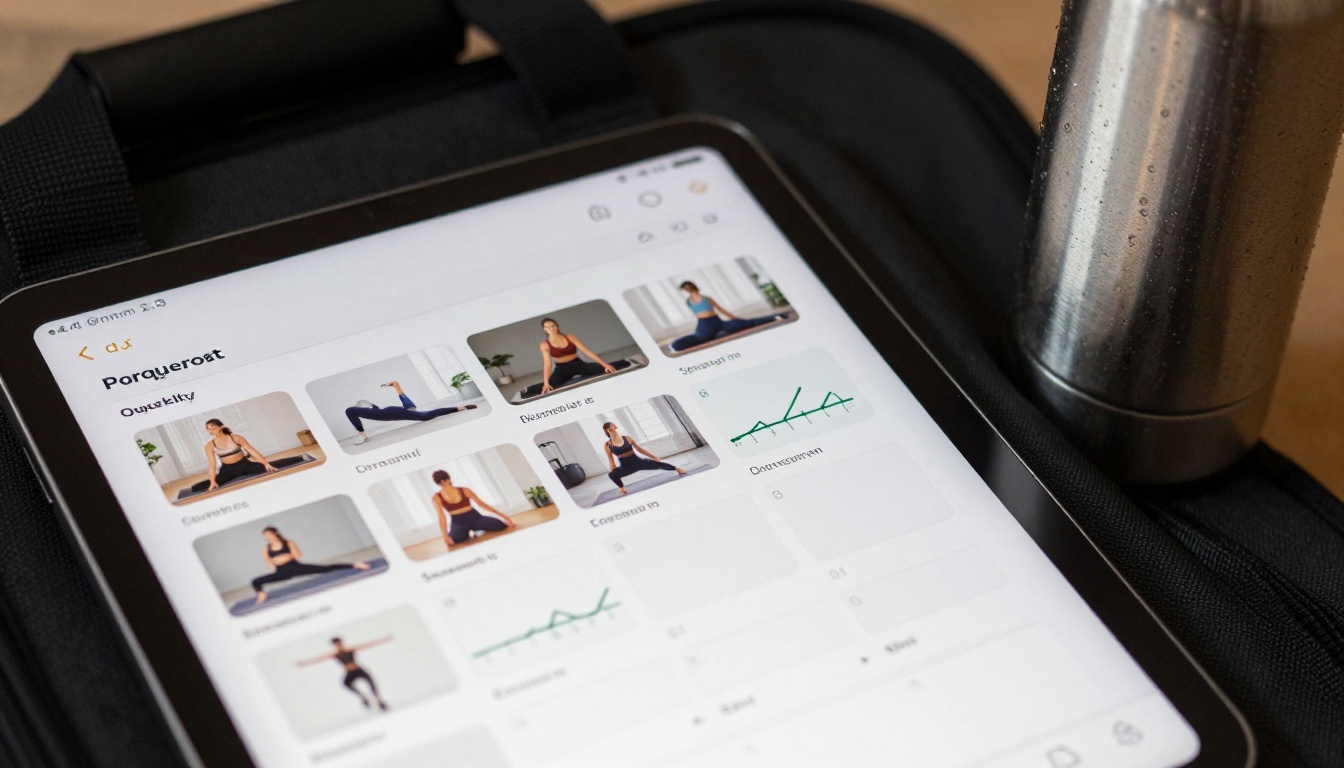
A workout flipbook is a paginated, interactive digital publication built from your existing PDF workout plan. Instead of a scrollable document, the client sees individual pages with a realistic page-turn effect. The layout scales perfectly from a 27-inch desktop monitor down to a smartphone screen, with no zooming or horizontal scrolling required.
Trainers are building flipbooks that include:
- Weekly program overviews with training splits and rest days clearly mapped
- Exercise instructions with images showing correct form at a glance
- Sets, reps, and tempo notation in clean, scannable tables
- Nutrition protocols tailored to specific training phases
- Progress tracking logs clients reference week to week
- Warm-up and cool-down sections that are often buried in PDF appendices
- Motivational content and program philosophy to keep clients invested long-term
Because the format is inherently visual, trainers invest more care in designing each page. This creates a noticeably higher-quality product that clients associate directly with the quality of your coaching, and that association increases referrals.
Real Formats Trainers Are Using
The flexibility of the flipbook format means trainers are adapting it to different niches and delivery models:
| Use Case | Flipbook Format | Main Benefit |
|---|
| 1-on-1 Personal Training | Custom 8-12 page plan | Fully personalized, password-protected |
| Online Coaching Programs | 4-week block program | Shareable link, no app required |
| Group Fitness Challenges | 30-day challenge program | One link sent to all participants |
| Nutrition + Training Bundles | Multi-section publication | Both components in one flipbook |
| Gym Membership Packages | Starter program library | Embeddable directly on gym website |
💡 Pro tip: If you offer multiple program tiers, build a separate flipbook for each tier. Password protection means you control who accesses what without managing a complex membership system.
How to Build Your Workout Flipbook
Creating a workout flipbook on Flipbooks AI requires only your existing PDF and a few minutes of setup. Here is the complete process from start to finished product:
Step 1: Create your account
Go to flipbooksai.com/account and sign up for free. The platform works entirely in your browser with no software to download or install.
Step 2: Prepare your PDF
Your workout plan PDF should be laid out cleanly before converting. Use consistent fonts, clear section headers, and enough white space between elements. Tools like Canva or Adobe InDesign export clean PDFs that convert exceptionally well into flipbook pages.
Step 3: Upload and convert
Drag and drop your PDF into the PDF to Flipbook Converter. The platform processes each page and generates the interactive flipbook automatically. Most plans convert in under a minute regardless of length.
Step 4: Customize your branding
Add your logo, choose brand colors for the viewer interface, and set the background theme. This is where your flipbook stops looking like a generic digital document and starts looking like a polished publication from your brand. Every trainer using Flipbooks AI can maintain a consistent visual identity across all of their programs.
Step 5: Configure sharing settings
Choose how your clients will access the plan:
- Public link: Anyone with the URL can open it immediately
- Password protection: Only clients with the password can access the content
- Embed code: Drop the flipbook directly into your coaching website or client portal
Step 6: Distribute to clients
Copy the share link and send it via email, WhatsApp, or your coaching app. Clients click once and the flipbook opens in their browser, no download, no login, no friction whatsoever.
✅ Best practice: Include your contact information or session booking link on the last page of every flipbook. Clients reading your plan are already engaged, and that is the right moment to prompt them toward a check-in or renewal.
Sharing Options That Actually Work
Direct Links and Embeds
The direct link is the simplest option and works well for most trainers. A clean URL loads the flipbook instantly in any browser, on any device. You can use a branded short link if presentation is important to your client experience.
The embed option is more powerful for trainers running a website. The Embed Flipbook on Website tool generates an iframe code you paste directly into any webpage. Your workout plans become a native part of your website experience, not an external link that takes clients somewhere else.
For trainers who sell programs as products, embedding the flipbook on a locked page of their website, accessible after purchase, creates a clean and professional delivery experience that competes with dedicated app-based coaching platforms at a fraction of the cost.

Password-Protected Client Plans
For 1-on-1 training clients, password protection turns a flipbook into a private client document. Set a unique password per client and your program feels genuinely personalized, even if the base template is similar across multiple clients.
Password protection also prevents your proprietary programming from being shared beyond the client you created it for. If you have invested months developing a system that delivers consistent results, that content has real monetary value. Protecting it is not just practical, it is professional.
Flipbook Features Worth Using
Flipbooks AI offers a range of features that matter specifically to fitness trainers. Here is what is available across plans:
| Feature | Free Plan | Standard Plan | Professional Plan |
|---|
| Flipbooks Created | 1 | Unlimited | Unlimited |
| Watermarks | Yes | No | No |
| Password Protection | No | Yes | Yes |
| Custom Branding | Limited | Full | Full |
| Embed on Website | Yes | Yes | Yes |
| Video Embedding | No | Yes | Yes |
| Analytics | No | No | Yes |
| Lead Generation Forms | No | No | Yes |
| Offline Downloads | No | No | Yes |
| Mobile Responsive | Yes | Yes | Yes |
For trainers just starting out, the Standard plan removes watermarks and allows unlimited flipbooks, which covers the core use case cleanly. For coaches running volume businesses or selling programs online, the Professional plan adds analytics and lead generation that support genuine business growth over time.
💡 Pro tip: Analytics on the Professional plan show which pages clients spend the most time on. If clients consistently drop off after page 3, you know your program structure needs attention before you blame the programming itself.
Who Is Using This and How
Personal Trainers With Online Clients
Online personal trainers face the hardest delivery challenge. No in-person handoff, no chance to walk clients through the program face to face. Every element of the program needs to communicate itself entirely through the document.
Trainers in this category use flipbooks to include detailed exercise cues, video thumbnails linked to form demonstrations (available on Standard plan and above), and built-in Q&A pages that address common questions before clients ever ask them. The result is fewer confused messages at midnight and more clients who follow the plan correctly from day one.
Online trainers also appreciate that flipbooks load from any country without VPN restrictions or app store availability issues. International clients access the same experience as local ones.
Group Fitness and Challenge Coaches
Coaches running 30 or 60-day challenges regularly work with 50 to 200 participants at once. Sending individual files to each participant is not a sustainable workflow. A single flipbook link sent to the whole group solves the distribution problem entirely, and updating the content means every participant sees the change automatically without downloading a new file.
Challenge coaches also use the embed feature to display the weekly workout schedule directly inside their private Facebook group or community platform. The flipbook sits there as a permanent reference, always accessible, never buried in an email thread from three weeks ago.

Gym Owners and Studio Managers
Gyms use flipbooks to replace printed program booklets entirely. New member onboarding used to involve handing out a stapled packet of pages that ended up in a drawer by week two. Now it is a single link in the welcome email that opens a beautifully designed program on any device, any time.
For gyms with multiple trainers, the Training Manual Flipbook tool works well for standardizing programming templates that every trainer adapts from the same base structure, keeping quality consistent across the entire team.
| Trainer Type | Primary Use | Recommended Approach |
|---|
| Online Personal Trainer | Private client program delivery | PDF to Flipbook with password protection |
| Group Challenge Coach | Mass program distribution | Direct link, embed in community platform |
| Gym or Studio | Member onboarding programs | Embed on website or member portal |
| Corporate Wellness Trainer | Employee wellness programs | Training Manual Flipbook tool |
| Hybrid Coach | In-person and online clients | Unlimited flipbooks on Standard plan |
Build Your Fitness Brand Around Better Content
The quality of your content is a direct signal of the quality of your coaching. Clients who receive a polished, well-designed workout flipbook form a different impression of your business than clients who receive a rushed PDF with inconsistent formatting and pages that are hard to navigate on a phone.
Over time, your library of flipbooks becomes a real business asset. A structured 12-week program, a specialized running plan, a 6-week strength block. Each one represents documented methodology that can be delivered, sold, or referenced repeatedly without additional effort on your part.
Trainers who invest in professional content delivery also find it easier to charge premium rates. The perceived value of the coaching goes up when the presentation reflects the same care and intentionality as the programming. Clients who pay premium rates expect a premium experience at every touchpoint, and the delivery of their workout plan is one of the most frequent touchpoints in your relationship.

✅ Best practice: Treat every workout plan you create as a product, even if you are not selling it directly. A named, consistently branded flipbook is something clients refer back to, share with friends, and associate with your coaching identity.
The fitness industry is competitive, and the trainers building sustainable businesses are the ones who take every client touchpoint seriously. Workout delivery is one of the most frequent touchpoints you have with clients, and it is one most trainers are underinvesting in right now.
Ready to upgrade how you deliver programs? Create your account on Flipbooks AI and build your first workout flipbook today. Browse all available tools and templates to find the right fit for your coaching style. Compare pricing plans to choose what works for your business.



