Building a catalog that actually keeps people reading is harder than it looks. Flat PDFs get downloaded once and forgotten. Printed booklets sit in a drawer. But an interactive catalog, one with clickable links, embedded media, page-turn animations, and real-time analytics showing exactly who viewed which product, changes the equation entirely. Flipbooks AI makes this conversion faster than most businesses expect, but the foundation still matters. This article walks through every stage of building an interactive catalog from scratch: planning, content collection, design, photography, digital conversion, and distribution.

What Makes a Catalog "Interactive"
The word "interactive" gets used loosely, but in practical terms it means one specific thing: your audience can do something with the content beyond scrolling. Interactive catalogs respond to clicks, play videos inline, link to product pages, and on the best platforms, capture leads directly from within the pages themselves.
Static PDF vs. Interactive Flipbook
| Feature | Static PDF | Interactive Catalog |
|---|
| Page-turn animation | No | Yes |
| Clickable product links | No | Yes |
| Embedded video | No | Yes |
| Mobile optimization | Minimal | Full responsive |
| Lead capture forms | No | Yes (Professional) |
| Analytics and tracking | No | Yes |
| Password protection | No | Yes |
| Share via single link | No | Yes |
| Offline downloads | No | Yes |
The gap is not just cosmetic. Businesses that switch from static PDFs to interactive flipbook catalogs report significantly longer average session times and higher click-through rates on product links. The reason is straightforward: people stay on pages that feel alive.
Why Businesses Are Making the Switch
Static print catalogs made sense when digital distribution was limited. Today, when the majority of buyers research products on mobile before making a purchase decision, a static PDF creates friction at every step. It is difficult to read on a phone screen, impossible to track, and offers zero insight into what your audience actually cares about.
An interactive catalog solves all three problems. You can see which pages got the most attention, which products were clicked, and exactly where people dropped off. That data shapes your next catalog, your product prioritization, and even your pricing strategy.

Planning Your Catalog Before You Build
The most common mistake brands make is jumping straight into design before defining what the catalog needs to accomplish. A catalog targeting wholesale buyers looks completely different from one aimed at individual consumers. Structure, depth of product information, and call-to-action placement all depend on who is reading and what decision you want them to make.
Define Your Goals and Audience
Answer these four questions before opening any design software:
- Who is this catalog for? Wholesale buyers, retail customers, internal sales teams, or a mix?
- What action should they take? Visit your website, contact a sales rep, place an order directly?
- How will they access it? Embedded on your website, shared via email, displayed at trade shows via QR code?
- How often will it change? Seasonal updates, monthly price revisions, or evergreen content?
Your answers determine the catalog's format, depth, and structure. A seasonal fashion collection catalog might run 60 pages and refresh quarterly. A restaurant's digital menu might be 8 pages and update weekly. Both are catalogs, but they require fundamentally different approaches.
Gather Your Content Assets First
Before layout begins, collect everything in one place:
- Product photography at high resolution, minimum 2000px wide
- Product descriptions, concise and benefit-focused, 50-100 words each
- Pricing information, confirmed with your sales or finance team
- Brand assets: logo files in vector format, brand hex color codes, approved typefaces
- Video clips if applicable: product demos, behind-the-scenes, how-to content
⚠️ Missing assets mid-production is the single most common reason catalog projects run over schedule. Lock down every piece of content before you touch the layout.
Designing Your Catalog Layout
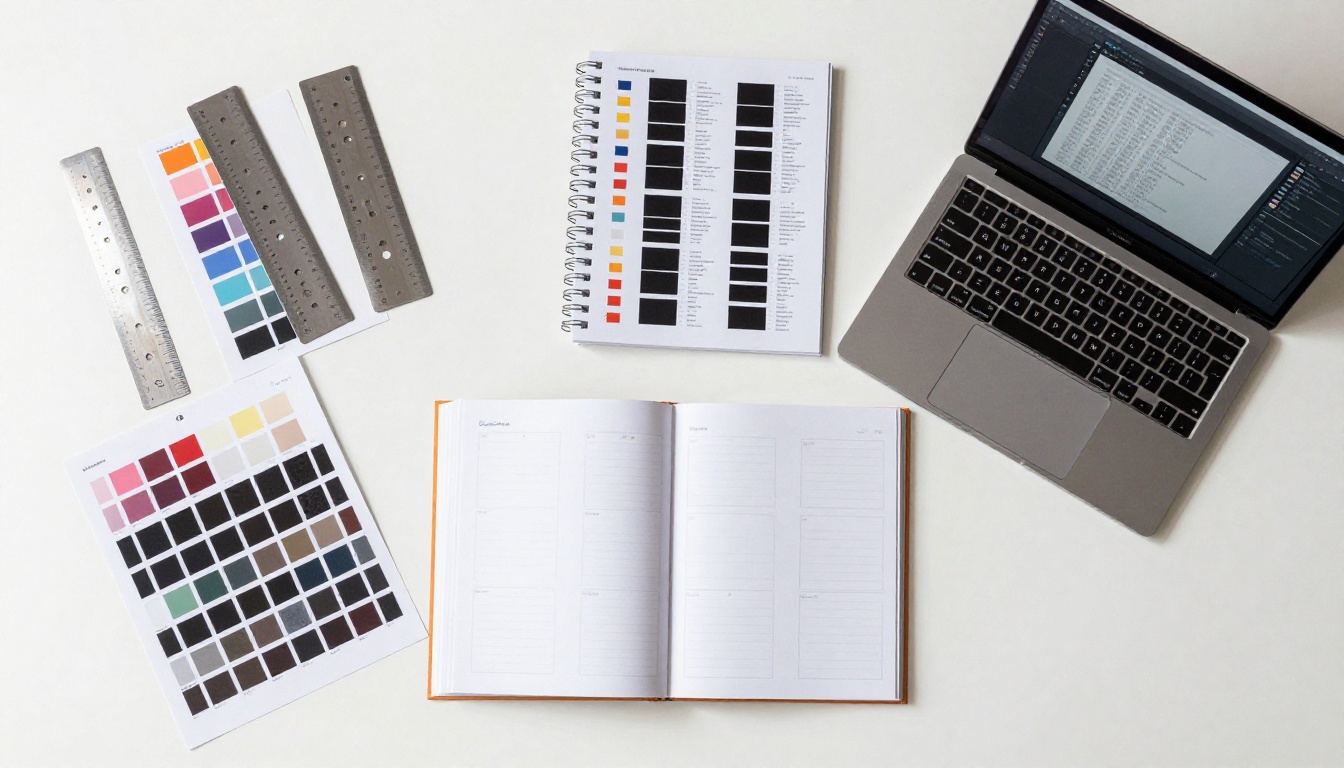
Good catalog design is invisible. When it works, readers don't notice the grid, margins, or type hierarchy. They feel naturally guided from product to product, page to page. When it doesn't work, they close it within 30 seconds.
Grid Systems and Page Flow
Every professional catalog is built on a grid: an invisible set of columns and rows that keep content aligned and consistent across every spread. For most product catalogs, a 3-column or 4-column grid provides the right balance of flexibility and structure.
Page flow principles that work:
- Place your highest-priority products in the first third of the catalog
- Group related items together using category clustering
- Break up dense product pages with occasional full-bleed lifestyle images at regular intervals
- Maintain consistent margins, typically 12-20mm on all sides
- Target 30-40% white space per page to prevent visual fatigue
Typography That Communicates Fast
Catalog readers scan. They do not read. Your typography needs to support fast information extraction at every level:
- Body text: 9-11pt, high contrast, clean sans-serif (Inter, Helvetica, or Aktiv Grotesk work well)
- Product names: 12-14pt, semi-bold, consistent capitalization rule applied throughout
- Prices: Slightly larger than product names, always in a consistent position on every page
- Section headers: 18-24pt, bold, your brand's primary display typeface
Color should reinforce your brand rather than compete with your product photography. If your products are colorful, keep page backgrounds neutral. If your products lean minimal, you have more room to introduce color in layout elements and section dividers.
Product Photography That Sells
Photography is the single most important variable in catalog performance. Even perfect layout and typography cannot save weak product images.
What makes catalog photography work:
- Consistent angle across every SKU: Shoot every product from the same angle so the catalog reads as a unified collection
- Clean backgrounds: Pure white or very light grey for most product types
- Multiple views per product: Front, side, and detail shots give buyers the confidence to commit
- Scale references where needed: Include a hand, a common household item, or a room context to communicate size
- File format: Shoot in RAW, deliver TIFF or high-quality JPEG at 300 DPI for print, 72 DPI at 2000px minimum for digital
💡 For a digital-only interactive catalog, you can work with slightly lower resolution than print requirements, but never compress below 85% quality. Pixelated product images directly damage conversion rates.

Shooting Product Photos on Any Budget
You do not need a professional studio to produce catalog-quality photography. Many successful brands built their first catalog with a smartphone, two white foam boards, and a window.
A Simple Setup That Actually Works
What you need:
- Any modern smartphone (iPhone 13+ or Android equivalent) or a DSLR camera
- Two large white foam boards as light reflectors ($5 each at any art supply store)
- A window with indirect, diffused natural light (north or east-facing is ideal in the morning)
- A flat, clean shooting surface (white seamless paper roll costs under $15)
- A tripod or adjustable phone stand for shot-to-shot consistency
Lighting the setup:
Position your product 2-3 feet from a large window. Place one white foam board directly opposite the window to bounce fill light back and soften shadows. Place a second foam board below the product at a 45-degree angle if shooting tabletop items to eliminate bottom shadows.
This setup costs under $30 total and produces results that, when executed carefully, are visually indistinguishable from a $500-per-day professional studio for most catalog applications.

Turning Your Design into a Digital Flipbook
You have your design. You have your photography. Your layout is finished in your design software of choice (Adobe InDesign, Canva, Affinity Publisher, and Figma all work). Now comes the step that converts your flat PDF into an interactive catalog: the flipbook format.
This is exactly where Flipbooks AI changes the entire workflow. What previously required expensive dedicated software or a developer to build a custom viewer now takes under five minutes.
How to Create an Interactive Catalog with Flipbooks AI
Step 1: Create your account
Go to Flipbooks AI and sign up for free. The platform runs entirely in the browser, with no software installation required.
Step 2: Export your catalog as a PDF
From your design software, export your finished layout as a standard PDF with all fonts embedded and images at your target resolution.
Step 3: Upload and convert
Drag and drop your PDF into the Flipbooks AI uploader. The platform automatically converts it into a page-turn flipbook. Conversion typically finishes in 30-90 seconds depending on file size.

Step 4: Customize your branding
Once converted, the customization panel lets you:
- Set your brand colors for the viewer interface and page background
- Upload your logo to appear in the viewer header
- Choose your page-turn style: smooth curl, slide, or fade
- Configure thumbnail navigation for longer catalogs
Step 5: Add multimedia elements
This is what separates an interactive catalog from a basic PDF viewer. Within Flipbooks AI, you can add:
- Clickable hotspots that link to product pages or external URLs
- Embedded video directly on catalog pages for product demos and lookbook content
- Audio tracks for brand music, narration, or product descriptions
- Pop-up text boxes with extended product specifications
- Lead capture forms on specific pages to collect buyer information (Professional plan via Flipbooks AI pricing)
Step 6: Set privacy and access controls
Before publishing, configure how your catalog is accessed:
- Password protection for wholesale pricing catalogs
- Domain restriction if embedding only on your own website
- Analytics tracking to monitor page-level behavioral data (Professional plan)
Step 7: Share or embed
Flipbooks AI provides multiple distribution options for every catalog:
- Direct link: One URL shareable via email, messaging apps, or social media
- Embed code: A snippet you drop into your website to host the catalog inline
- QR code: Printable for packaging, trade show materials, or retail displays
- Offline download: Allow users to save the catalog for areas without internet access
✅ The Digital Catalog Maker and Catalog Flipbook Creator tools are purpose-built for this exact workflow, with catalog-specific templates pre-configured and ready to customize.

Choosing the Right Plan
Flipbooks AI offers several tiers. Here is a practical breakdown for catalog-specific needs:
| Feature | Free | Standard | Professional |
|---|
| Number of flipbooks | 3 | Unlimited | Unlimited |
| Watermark | Yes | No | No |
| Custom branding | No | Yes | Yes |
| Password protection | No | Yes | Yes |
| Website embedding | Limited | Yes | Yes |
| Analytics | No | Basic | Detailed |
| Lead generation forms | No | No | Yes |
| Offline downloads | No | Yes | Yes |
| Video embedding | No | Yes | Yes |
| Custom domain | No | No | Yes |
For most small businesses publishing their first catalog, the Standard plan covers everything essential. No watermarks, unlimited flipbooks, custom branding, and password protection are included. The Professional plan is worth upgrading to once your catalog generates consistent traffic and you want to capture leads or analyze viewer behavior in depth. Review all options at flipbooksai.com/pricing.
Features That Drive Real Results
An interactive catalog is only as valuable as the data it generates and the actions it enables. These are the features that move from "nice to have" to directly impacting revenue.
Analytics and Behavioral Tracking
With the Professional plan, Flipbooks AI gives you page-level analytics including:
- Which pages received the most time-on-page
- Which hotlinks were clicked and how many times
- Geographic location breakdown of viewers
- Device type split between mobile and desktop
- Viewer funnel data showing how many readers reached specific product pages
One fashion brand using this data discovered that 70% of their catalog views never reached page 12 onward, despite their best-selling products being featured there. After restructuring the catalog to open with those items, sales inquiries directly attributed to the catalog increased in the following cycle.
Password Protection for Sensitive Catalogs
Wholesale pricing is commercially sensitive. A leaked price list can undermine retail partnerships built over years. Password protection lets you create separate catalog versions for different audience segments, each secured independently: a retail customer version with suggested retail pricing, and a wholesale buyer version with cost pricing and minimum order quantities, accessible only to registered partners.
Mobile-First Viewing Experience
More than 60% of catalog views happen on mobile devices. Flipbooks AI's viewer is fully responsive and optimized for touch interaction: swipe to turn pages, pinch to zoom on product details, tap to activate embedded hotspots. No app download required on any device.
💡 Always test your published catalog on both iOS and Android before distributing it to customers. Hotspot placement that looks perfect on desktop sometimes needs minor position adjustment in mobile view.

Real Use Cases Across Industries
Different industries use interactive catalogs in fundamentally different ways. Here are three scenarios where the format consistently delivers outsized results.
Fashion and Apparel Brands
A seasonal apparel catalog with 60-80 SKUs becomes a fully interactive shopping experience. Each product image links directly to the corresponding product page on your website. A short video clip on the opening spread shows the collection in motion. Wholesale buyers get a password-protected version with cost pricing displayed as pop-ups on each product card.
The Fashion Catalog Creator includes templates pre-built for this format with lookbook-style layouts ready to customize.
Home Decor and Furniture Showrooms
Furniture catalogs present a scale challenge that photography alone cannot always solve: buyers need to see how a piece fits in a real space. With an interactive flipbook, each product links to a room-setting video, dimension spec sheets appear as pop-ups, and a "request a quote" form sits directly on the product page.
The Furniture Catalog Maker handles the heavy lifting for showroom-style catalog presentations with pre-built two-page spread templates.
Food Businesses and Restaurants
A restaurant distributing printed takeaway menus is leaving conversion on the table. An interactive digital menu with photography for every item, short preparation clips embedded inline, and a direct link to online ordering consistently outperforms static alternatives in time-on-page and order conversion.
Start with the Restaurant Menu Creator for a template-driven solution, or use the Digital Catalog Maker for a fully custom build.
Catalog Type vs. Recommended Tool

Your First Interactive Catalog Is Closer Than You Think
Most businesses delay building an interactive catalog because they assume it requires a large budget, a design agency, and weeks of production time. In reality, a focused two-person team, one handling content and one handling design, can produce an interactive catalog from start to finish in 3-5 working days using the process outlined here.
The hard work is the creative work: product photography, compelling copy, and a layout that guides the reader's eye through every page. The technical conversion from PDF to interactive flipbook takes minutes on Flipbooks AI.
If you already have an existing product PDF or a print catalog, you are further along than you think. Upload it to Flipbooks AI right now and see how it looks as an interactive flipbook in under two minutes. No credit card required on the free plan.
Once you see it working, the path forward is clear: refine the design, add multimedia elements, activate analytics, and start sharing a catalog that works for you around the clock.
Ready to publish your first interactive catalog? Create your free account and get it live today. When you are ready to scale, compare pricing plans to find the right tier for your business. Browse the full suite of catalog and publishing tools to find templates built specifically for your industry.



