Sending a PDF catalog by email is one of the fastest ways to watch your products get ignored. Attachments get skipped, files refuse to render on mobile, and there is no way to know if anyone actually opened past page three. Converting your PDF catalog to an online flipbook solves all of that in one step. With Flipbooks AI, the process takes minutes, and the result is a polished, interactive publication that buyers actually want to read and share.
Why PDF Catalogs Stop Working
Static PDFs were designed for print workflows. They were never built for digital sharing, and it shows. When your sales cycle starts with a PDF attachment, you have already introduced friction before a buyer has seen a single product.
The File Size Problem
High-quality product photography makes PDF catalogs heavy. A 40-page catalog with professional photos can exceed 50MB, which is above the attachment limit for many corporate email servers. Buyers who cannot open the file move on instantly. Those who can open it face a slower second problem: the file downloads gradually, renders with lag, and can crash on older phones or tablets.
Why Mobile Breaks the Experience
Over 60% of business emails are opened on mobile devices. PDF readers on iOS and Android require constant pinching, zooming, and scrolling in ways that do not suit a catalog format. A product image that looks stunning on a 27-inch monitor becomes an unreadable thumbnail on a phone screen. The browsing experience that makes a printed catalog persuasive disappears entirely, replaced by frustration.
What Buyers Actually Expect Now
Online buyers expect speed, responsiveness, and a browsing experience that feels like a real magazine or printed book. Page-flip catalogs deliver exactly that. They load instantly in any browser, work on any device without an app, and give the tactile satisfaction of physically turning pages without printing a single sheet. A shared link also remains accessible indefinitely, meaning buyers can return to your catalog days or weeks after the initial send without requesting another copy.
⚠️ A PDF catalog that nobody reads is just a large email attachment. The format needs to match how your audience actually browses today.
What an Online Flipbook Actually Does
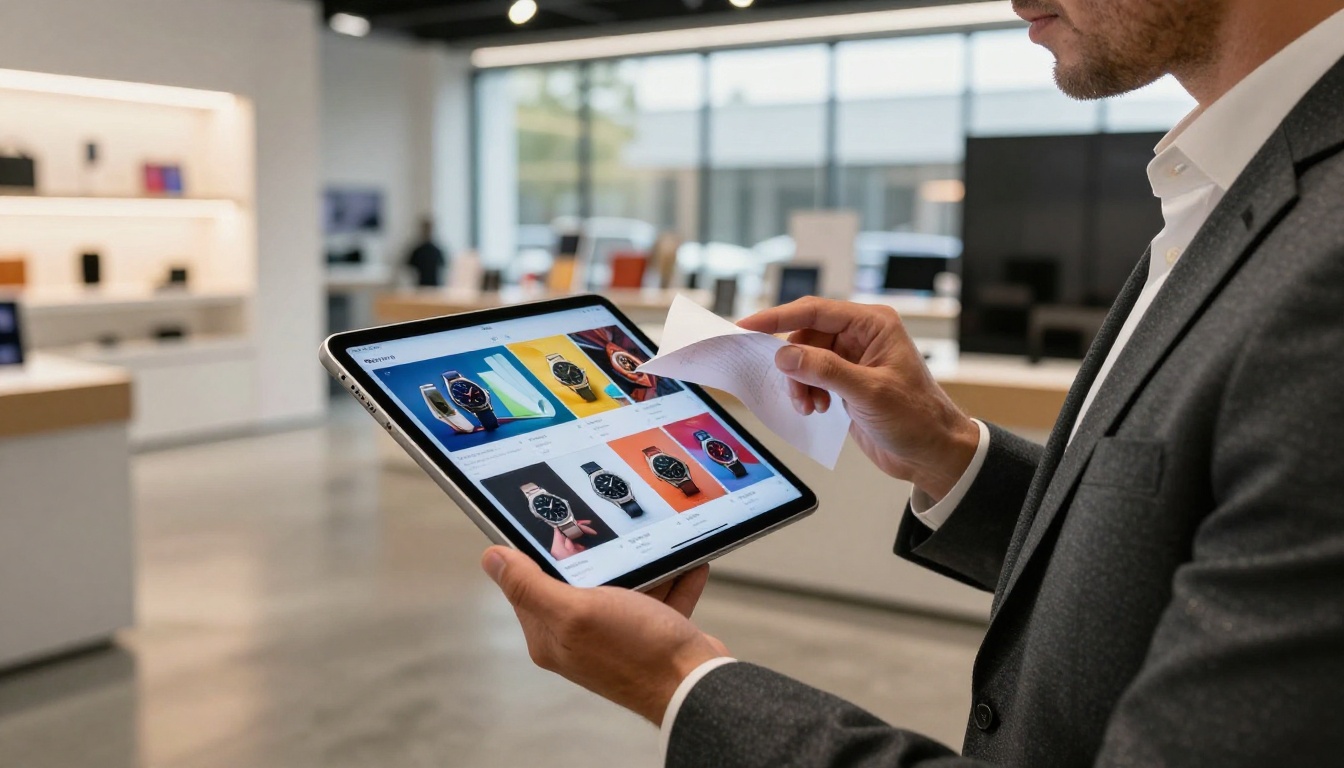
A flipbook is a web-based publication with a realistic page-turn animation. Every page from your original PDF becomes a browsable, interactive spread accessible through a simple URL that opens directly in a browser with zero downloads or plugins required.
The Page-Turn Experience
The physics of the page-curl animation are not purely aesthetic. They create a mental model for the reader: this is a catalog, I know how to navigate it, I can flip straight to section four or return to page one. That familiar structure reduces friction. Buyers spend more time with content they feel comfortable navigating, which means more pages seen and more products considered.
Real Features That Change Results
| Feature | Standard PDF | Online Flipbook |
|---|
| Mobile-responsive layout | No | Yes |
| Clickable internal links | Unreliable | Fully functional |
| Embedded video on pages | No | Yes |
| Analytics and page tracking | No | Yes (Professional plan) |
| Share via instant link | Attachment only | One-click URL |
| Password protection | No | Yes |
| Offline download | App required | Built-in option |
| Custom branding | No | Yes |
| Clickable table of contents | No | Yes, interactive |
| Lead capture forms | No | Yes (Professional plan) |
The difference is not just visual. It is functional. An interactive catalog keeps buyers in your content longer, gives sales teams a shareable link instead of a bulky file, and provides data on which pages are actually getting attention.
How to Convert Your PDF Catalog (Step by Step)

This tutorial uses Flipbooks AI, which handles the entire PDF conversion process automatically without any design software or technical expertise on your end.
Step 1: Create Your Account
Go to flipbooksai.com/account and sign up. The free plan lets you create your first flipbook immediately with no credit card required. The signup process takes under two minutes.
Step 2: Upload Your PDF
Once inside the dashboard, click Create New Flipbook and select your PDF catalog file. Flipbooks AI accepts files of any length and preserves your original layout, fonts, product images, and color accuracy during conversion. The PDF to Flipbook Converter processes your file automatically and maintains your original aspect ratio and page dimensions without any manual adjustment.
💡 Before uploading, check that your PDF uses embedded fonts rather than outlined text. Embedded fonts convert more crisply and keep your typography exactly as designed across all screen sizes.
The conversion runs in real time. A progress indicator shows you which pages have been processed, and the entire operation typically completes within a few seconds to a couple of minutes depending on file size.
Step 3: Preview and Adjust
After conversion, a live preview loads in the editor. Flip through every page and check:
- Image quality on product photography at standard and zoomed views
- Text readability at normal zoom on both desktop and mobile preview
- Page order, layout accuracy, and column alignment
- Color fidelity compared to the source PDF
If any pages show quality issues, you can re-upload with a higher-resolution source file and the converter re-processes everything automatically. Most well-prepared PDFs convert without any issues on the first attempt.
Step 4: Customize Your Flipbook
This is where the flipbook separates itself from a plain document viewer.
Branding options include:
- Custom logo placement in the header or individual page corners
- Brand color palette applied to the flipbook interface and background
- Custom subdomain for your publication URL (e.g., catalog.yourbrand.com)
- Personalized loading screen with your brand identity
Multimedia you can embed on any page:
- Product videos from YouTube or Vimeo that play inline
- Audio narration for guided product tours through the catalog
- Clickable hotspots that link to product pages, order forms, or external URLs
- Pop-up windows with expanded product specifications or sizing charts
Step 5: Share or Embed
When your flipbook is ready, copy the direct link to share via email, WhatsApp, social media, or any messaging platform. Generate a QR code to print on physical materials. Or grab the iframe embed code to place the flipbook directly on your website, landing page, or product category section.
✅ Best practice: Use the direct link in email campaigns and the embed code on product category pages. This gives buyers two separate entry points to the same interactive catalog without duplicating your work.
Customization That Sets Your Catalog Apart

Once your PDF is converted, the real work begins: making the flipbook feel like your brand, not a generic document viewer.
Branding That Builds Trust
Buyers who see a professionally branded catalog trust the product more before they have read a single line of copy. With Flipbooks AI Standard and Professional plans, you can remove all platform watermarks, add your logo, control the entire interface color scheme, and deliver a viewing experience that feels proprietary. Wholesale clients and retail buyers do not need to see what platform you used. They need to see your products.
Adding Video to Product Pages
Embedded video is one of the most underused features in digital catalogs. A 10-second product demonstration on a catalog page converts faster than five paragraphs of specification copy. Flipbooks AI lets you embed clips directly on individual pages from YouTube or Vimeo, so buyers see your product in motion without ever leaving the catalog.
💡 For fashion and apparel catalogs, a short styling or runway clip on each look increases time-on-page significantly compared to static photography alone. Even a 15-second clip showing fabric movement makes a measurable difference.
Clickable Table of Contents
Long catalogs benefit enormously from a clickable table of contents. A buyer browsing a 60-page furniture catalog does not want to flip through every page to find the outdoor section. A TOC sends them directly where they need to go in one tap, which improves the browsing experience and reduces early drop-off.
Lead Capture and Analytics
On the Professional plan at flipbooksai.com/pricing, you gain access to real-time analytics showing which pages buyers spend the most time on, where they exit the catalog, and how many unique visitors viewed each issue. Lead generation forms let interested buyers request a quote or sign up for updates directly from within the flipbook, without leaving to fill out a separate form.
Sharing and Distribution Options

Direct Links and QR Codes
Every published flipbook gets a permanent URL the moment it goes live. That link works on any device in any browser without an app or plugin. QR codes generated within the platform can be printed on product packaging, business cards, trade show displays, and point-of-sale materials, creating a direct bridge between physical touchpoints and your digital catalog.
Embedding on Your Website
The Embed Flipbook on Website tool provides a copy-paste iframe code. Drop it into your product catalog page, your homepage hero section, or a dedicated lookbook landing page. The embedded flipbook scales automatically to any container width and remains fully interactive with page-flip animations intact.
Password Protection for Private Catalogs
Not every catalog is for public consumption. Wholesale price lists, B2B product catalogs, and seasonal lookbooks shared only with approved buyers need access control. Flipbooks AI supports password protection so you can send a private link without worrying about unauthorized access or competitors getting hold of your pricing.
⚠️ Once a PDF is downloaded, you lose control of who sees it and when it circulates. A password-protected flipbook gives you a link that always shows the most current version. You can update the catalog at any time and every existing link serves the refreshed content instantly.
Real-World Use Cases

Retail and E-Commerce
Seasonal collections and new arrival catalogs perform significantly better as interactive flipbooks than as PDF attachments. Sales teams share one link instead of re-emailing an updated file every time pricing changes. The Product Catalog Generator and Digital Catalog Maker are built specifically for this retail workflow.
Fashion Brands and Lookbooks
The Fashion Catalog and Interactive Lookbook Designer tools create editorial-style catalogs with layouts built for clothing and accessories. Linking each look directly to its product page from within the flipbook creates a seamless path from browse to buy without buyers needing to search your site separately.
B2B Sales Teams
A salesperson sharing a flipbook link during a video call is more effective than sending a PDF attachment before the meeting. The catalog loads instantly in the prospect's browser, both parties can navigate pages together in real time, and the prospect can share it internally without downloading anything. This workflow eliminates the "did you get the attachment" back-and-forth entirely.
Furniture and Home Decor

The Furniture Catalog Maker and Catalog Flipbook Creator provide templates designed for room-by-room browsing. Buyers can move between bedroom, living room, and dining sections instantly, which mirrors how people actually shop for furniture in a physical showroom.
Real Estate and Hospitality
Property developers and hotel groups use flipbook catalogs to present listings, floor plans, and amenity overviews. The Real Estate Brochure tool handles this use case with layouts designed for property presentations that work equally well on desktop for in-office review and on mobile for on-site walkthroughs.
Flipbooks AI Plans and Use Case Match
| Feature | Free | Standard | Professional |
|---|
| Number of flipbooks | 1 | Unlimited | Unlimited |
| Watermarks | Yes | None | None |
| Custom branding | No | Yes | Yes |
| Password protection | No | Yes | Yes |
| Embed on website | No | Yes | Yes |
| Offline downloads | No | Yes | Yes |
| Analytics and tracking | No | No | Yes |
| Lead generation forms | No | No | Yes |
| Priority support | No | No | Yes |
💡 Start with the free plan to convert your first PDF and review the result before committing to a subscription. The conversion quality and all core flipbook features are identical across all plans.
Start Sharing Your Catalog Right Now
Every day your catalog exists only as a PDF is a day it is harder to share, impossible to track, and less likely to hold a buyer's attention past page two. The format matters as much as the content inside it, and an interactive flipbook gives your products the presentation they deserve across every screen and device your buyers use.
Converting your PDF takes minutes on Flipbooks AI. Create your free account and upload your first catalog today. Browse all flipbook tools to find the right template for your industry, or check pricing plans when you are ready to publish unlimited catalogs without restrictions.



