Publishing a digital magazine used to mean buying expensive software, spending weeks learning it, and still ending up with a file that readers struggled to open. That world is gone. Today, anyone with a browser and a well-structured PDF can publish a professional, interactive digital magazine in under 30 minutes. No downloads. No installations. No design degree required.
If you have been searching for how to create a digital magazine without any software, this is the exact breakdown you need: which tools work, how to use them, and how platforms like Flipbooks AI turn a static document into a page-turning online publication.
What a Digital Magazine Actually Is
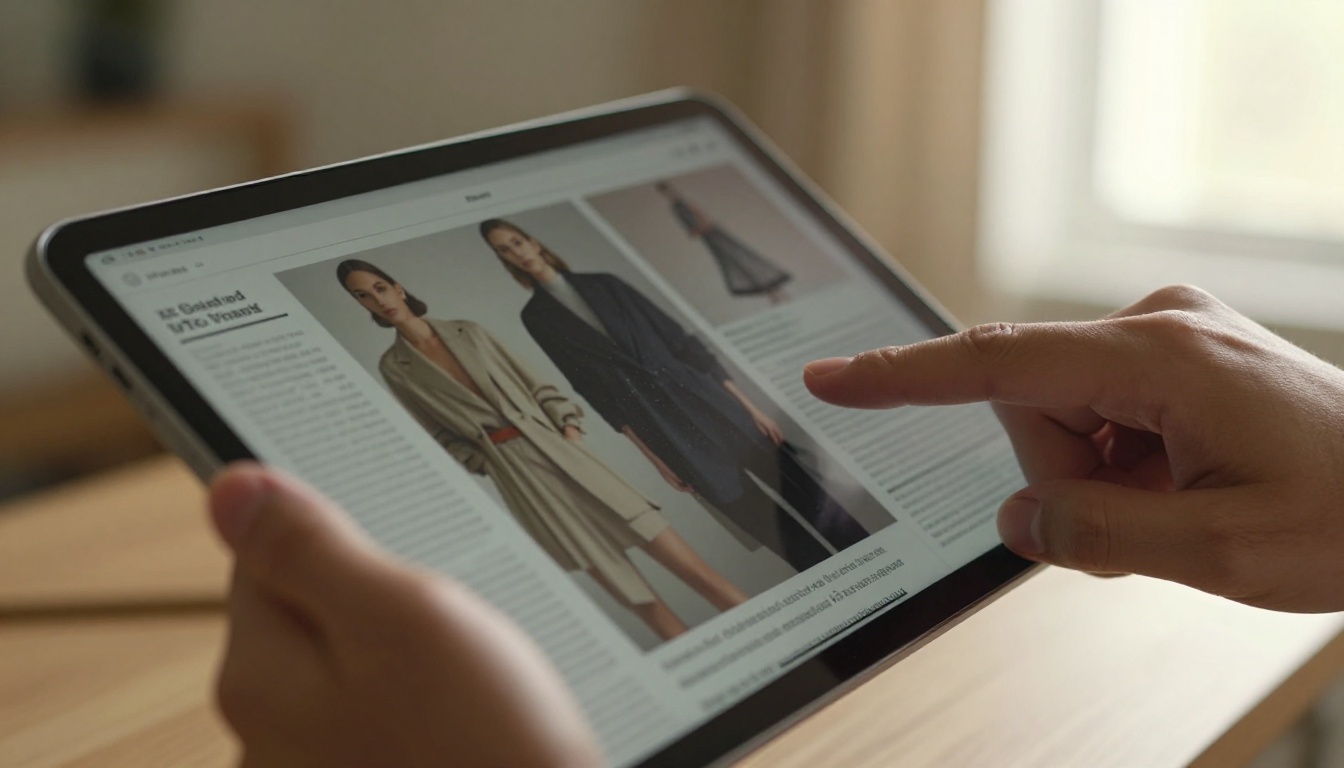
A digital magazine is an interactive publication that readers browse online, usually with realistic page-flip animations, embedded links, multimedia, and mobile-responsive layouts. It looks like a real magazine, behaves like a website, and lives entirely in the cloud.
Print vs. digital: the real difference
The biggest difference is not the content; it is the delivery. A printed magazine goes through a press, a warehouse, a distribution chain, and a mailbox. A digital magazine goes from your laptop to a shareable link in minutes.
| Feature | Print Magazine | Digital Magazine |
|---|
| Distribution time | Weeks | Minutes |
| Cost per reader | High (printing + shipping) | Near zero |
| Interactivity | None | Links, video, audio |
| Analytics | Difficult to measure | Page views, read time, clicks |
| Updates after publish | Impossible | Easy |
| Environmental impact | High | Minimal |
Who creates digital magazines today
The range is broader than most people expect. Fashion brands publish seasonal lookbooks. Restaurants distribute monthly food features. Real estate agencies send property showcase magazines to leads. Schools publish alumni newsletters. Nonprofits release annual reports. Indie creators run niche hobby publications with zero printing budget.
What all of them share is the same need: a professional-looking publication that reaches readers wherever they are, on any device.
Why Skip the Software
The traditional route involves purchasing Adobe InDesign, Photoshop, or Quark XPress, then learning workflows that professional designers study for years. That makes sense if you are producing a 200-page national publication with a dedicated design team. It makes no sense for most people.
The cost problem
Adobe Creative Cloud costs upwards of $54 per month for the full suite. A single-app InDesign subscription runs around $21 per month. Neither includes hosting, distribution, or analytics. You pay separately for all of that.
Online platforms collapse these costs into a single subscription, often free for basic use.
The learning curve nobody wants
InDesign's interface alone takes months to work through properly. For someone who just needs to publish a quarterly magazine or a seasonal catalog, that investment of time is simply not realistic.
Browser-based tools solve this with drag-and-drop interfaces, pre-built templates, and direct PDF import. You do not need to know anything about typography grids or master pages.
💡 Pro tip: If you already design in Canva, Google Slides, or even PowerPoint, export your design as a PDF and import it directly into a flipbook platform. Your design work is done before you open the publishing tool.
Several browser-based platforms convert PDFs into interactive digital magazines. Here is how the major options compare:
| Platform | Free Plan | Page-Flip Effect | Custom Branding | Analytics | No Watermarks |
|---|
| Flipbooks AI | Yes | Yes | Yes | Yes (Pro) | Yes, always |
| Issuu | Yes (limited) | Yes | No (Free) | Yes (Premium) | No |
| FlipHTML5 | Yes (limited) | Yes | No (Free) | Yes (Paid) | No |
| Yumpu | Yes | Yes | No (Free) | Yes (Paid) | No |
| Canva (PDF only) | Yes | No | Yes | No | Yes |
⚠️ Warning: Most platforms add watermarks on free plans. Flipbooks AI does not add watermarks at any plan level, which is a significant differentiator for professional publishing.
The Basics of Online Magazine Creation
Before using any specific tool, understand the core steps that apply across all browser-based platforms.
Step 1: Design your content as a PDF
Every online magazine platform starts with a PDF. You can create your pages in:
- Canva (free, easiest for beginners, includes magazine templates)
- Google Slides (free, good for simple editorial layouts)
- Microsoft PowerPoint (familiar, widely available, exports cleanly to PDF)
- Adobe Express (free tier, more design flexibility than slides)
Use a consistent page size. A4 landscape (297x210mm) or US Letter landscape works well for magazine formats.
Step 2: Choose a page-flip platform
Select a browser-based platform that matches your needs. Consider watermark policy, custom branding options, and whether you need analytics or password protection.
Step 3: Upload your PDF
Most platforms accept PDFs up to several hundred megabytes. Upload time depends on file size and your connection. A typical 40-page magazine converts in under two minutes.
Step 4: Customize the reading experience
This is where online tools shine. You can:
- Set a custom cover thumbnail
- Add your brand colors and logo
- Choose background colors or textures for the reader
- Enable or disable the page-flip sound effect
- Set the default view to single page or spread
Step 5: Publish and share
Generate a direct link or an embed code. Share via email, social media, or embed directly on your website.

How to Create a Digital Magazine with Flipbooks AI
Flipbooks AI is built specifically for publishing professionals and creators who want a polished result without a steep learning curve. Here is the full process from PDF to published magazine.
1. Create your account
Go to flipbooksai.com/account and sign up. No credit card is required to start on the free plan.
2. Upload your PDF
From your dashboard, click "Create New Flipbook" and upload your magazine PDF. The platform automatically converts each page into a high-resolution digital spread with realistic page-flip animations. Conversion typically takes under two minutes for a 40-page magazine.
3. Customize your branding
Once your flipbook is generated, open the editor to:
- Add your logo to the toolbar or corner of the reading interface
- Set brand colors for the reader background and controls
- Choose a background that complements your magazine's design
- Embed multimedia elements: YouTube videos, audio tracks, or clickable external links on specific pages
4. Set your privacy options
For internal publications or premium content, enable password protection so only your intended audience can access the magazine. This takes seconds to configure directly in the publishing dashboard.
5. Share or embed
Flipbooks AI gives you three distribution options:
- Direct link: Copy and share the URL anywhere
- Embed code: Drop an iframe into any website or CMS with the Embed Flipbook on Website tool
- QR code: Generate a scannable code for print materials, event signage, or product packaging
✅ Best practice: Test your flipbook on mobile before sharing. Flipbooks AI uses HTML5 technology, so it works on any device without apps or plugins, but a quick mobile preview confirms the reading experience is clean and the typography is legible.
6. Track performance with analytics
With the Professional plan, you get page-level analytics: which pages readers spend the most time on, where they drop off, and total open counts by geography. Lead generation forms let you capture reader information directly inside the publication.
The platform includes dedicated tools for specific magazine types:
Key platform features at a glance:
- ✅ No watermarks, ever
- ✅ Unlimited flipbooks (Standard plan and above)
- ✅ Password protection for private content
- ✅ Analytics and lead generation (Professional plan)
- ✅ Offline downloads so readers can save your magazine
- ✅ Embed videos and audio directly on pages
- ✅ Mobile-responsive design across all devices
- ✅ Custom branding at every plan level

Design Tips That Actually Work
Publishing online without desktop software does not mean publishing without design standards. These principles separate professional-looking digital magazines from amateur ones.
Typography choices that matter
- Use two fonts maximum: One for headlines, one for body text. More than two creates visual noise.
- Body text at 14-16pt: Smaller text causes reader fatigue on screens, especially mobile.
- Line spacing of 1.4 to 1.6: Tighter text is harder to scan on digital displays.
- High contrast is non-negotiable: Dark text on light backgrounds reads better in every environment. Low-contrast combinations fail on budget screens and in bright sunlight.
- Avoid all-caps body text: It works for short headlines, not for paragraphs.
Images that hold attention
- Use full-bleed photography on section openers. A strong image on the first spread of a new section pulls readers forward.
- Avoid stock photos that look generic. Authentic photography, even at lower resolution, beats polished but forgettable imagery.
- Caption every key image. Captions are among the most-read elements in any magazine format.
- Keep a consistent color palette across all images in an issue. Mixing warm and cool tones without intention creates a disjointed look.
💡 Pro tip: Canva offers a dedicated magazine template library with properly sized image placeholders and pre-set typography hierarchies. Drop in your own photography and the proportions are already handled.

Real-World Use Cases
Digital magazines without software are not just for media companies. Here is how specific industries use this format with measurable results:
A few real-world scenarios:
A restaurant group publishes a monthly food magazine featuring seasonal menus, chef interviews, and wine pairings. Printed versions cost them $1,200 per run. Their digital version costs nothing per issue and reaches four times more readers via email.
A real estate agency sends a monthly property magazine to 3,000 contacts. The flipbook includes clickable listings that link directly to their website. Time to produce: under two hours per issue.
An independent fashion designer publishes a quarterly lookbook that readers flip through on any device via a direct link. No printing budget needed. International reach from day one.

Sharing Your Magazine (No More PDFs)
The value of a digital magazine multiplies with how many ways you can distribute it. Online platforms give you more sharing options than print could ever match.
Embedding on websites
An embed code places your magazine directly on any webpage. Readers flip through pages without leaving your site. This works on WordPress, Webflow, Squarespace, Shopify, and most CMS platforms. The flipbook scales responsively to fit any screen size.
Password protection and analytics
For premium content, confidential reports, or subscriber-only issues, password protection ensures only authorized readers can access your publication. There is no technical setup required; you set a password in the publishing dashboard and share it alongside your link.
Analytics tell you what actually happens after you hit publish:
- Total opens by date and geography
- Time spent per individual page
- Most and least-read sections
- Click-through rates on embedded links
✅ Best practice: Use analytics data after your first three issues to restructure your editorial calendar. High-performing sections should move earlier in the publication to capture readers who do not finish every issue.

Pricing Reality Check
Here is what you actually pay for at each level when using a cloud-based magazine platform like Flipbooks AI:
| Plan | Monthly Cost | Flipbooks | Watermark | Analytics | Offline Downloads | Password Protection |
|---|
| Free | $0 | Limited | None | No | No | No |
| Standard | ~$15/mo | Unlimited | None | No | No | Yes |
| Professional | ~$29/mo | Unlimited | None | Yes | Yes | Yes |
Compare this to the desktop software route:
- Adobe InDesign subscription: $20+/month (design only, no publishing or hosting)
- Separate hosting and delivery platform: $15-50/month
- Analytics tool: $10-20/month
Total desktop workflow cost: $45-90+ per month for functionality that a single browser-based platform delivers in one subscription.
💡 Pro tip: For most small publishers, the Standard plan covers everything needed for professional publishing. Upgrade to Professional only when you need detailed reader analytics or lead generation forms inside your publication.
What Real Publishers Know About Going Software-Free
The shift from desktop software to browser-based publishing is not just about cost. It is about flexibility. You can update your magazine from any device, collaborate with a team without shared file access, and publish from anywhere with an internet connection.
Creators who make this shift consistently report two outcomes: faster production cycles and lower distribution overhead. A publication that used to take five days now takes one. A print run that cost $800 now costs nothing per issue.
The only thing lost is the dependency on expensive, complex software that was never designed for modern digital distribution in the first place.
The practical checklist before your first issue:
- Design your PDF in Canva, Google Slides, or any tool you already know
- Create a free account at Flipbooks AI
- Upload and convert your PDF to a page-flip magazine
- Customize your branding, cover thumbnail, and reader interface
- Set privacy settings (public link or password protected)
- Share via direct link, embed code, or QR code
- Check analytics after your first week to see reader behavior
Start Publishing Today
There has never been a simpler path from idea to published magazine. The tools are free to start, the learning curve is measured in hours rather than months, and your audience is already online waiting for content they can actually interact with.
Ready to publish your first issue? Create your free account on Flipbooks AI and upload your first PDF today. No credit card, no software download, no delay.
Browse all available magazine and publication tools to find the exact format for your project. When you are ready to access analytics, offline downloads, and lead generation, compare pricing plans and choose what works for your publishing goals.
Your magazine is one PDF upload away from reaching readers around the world.



