The traditional eBook has been stuck in PDF format for too long. Readers scroll through endless pages without engagement, authors get zero feedback on what resonates, and the digital reading experience feels like a downgrade from physical books. That changes today with interactive flipbooks. By converting your eBook into a flipbook format, you create publications that readers actually enjoy - with realistic page-turn effects, multimedia integration, and measurable engagement. This isn't just about making digital content look pretty; it's about creating publications that perform.

Why Flipbooks Work Better Than Static eBooks
Static PDFs have fundamental problems that hurt reader engagement and author success. Readers abandon long PDFs because scrolling feels endless, there's no sense of progress or accomplishment, and the format doesn't work well on mobile devices. Flipbooks solve these issues by recreating the physical reading experience digitally.
Reader psychology works in your favor with flipbooks. The page-turn animation creates a completion reward, encouraging readers to continue. Each turned page gives a small dopamine hit that static scrolling can't provide. The format also works perfectly across devices - from desktop computers showing two-page spreads to mobile phones with vertical scrolling.
For authors and publishers, the benefits are even more substantial. You get detailed analytics showing exactly which pages readers spend time on, where they drop off, and what content engages them most. This data transforms publishing from guesswork into science.
Practical advantages include multimedia integration where videos and audio play directly within pages, offline reading capabilities for travelers, and password protection for premium content. These features turn your eBook from a simple document into a complete digital product.
💡 Pro tip: Start with your best-performing existing eBook. The conversion process reveals which content truly engages readers versus what gets skipped.
Before You Begin: eBook Preparation Checklist
Your eBook needs proper formatting before conversion. While Flipbooks AI handles most technical aspects automatically, these preparations ensure optimal results:
File format requirements:
- Primary format: PDF (highest compatibility)
- Alternative formats: DOCX, PPTX, PNG/JPG collections
- File size: Up to 500MB for Standard plan, 1GB for Professional
- Resolution: 300 DPI minimum for print-quality results
Content organization:
- Separate chapters with clear page breaks
- Include table of contents with clickable links
- Number all pages consistently
- Use consistent typography and spacing
Design considerations:
- Leave margins for page curl effects (minimum 20px each side)
- Ensure color contrast works with potential background themes
- Test interactive elements in the original format
Metadata preparation:
- Prepare cover image (minimum 1200x800 pixels)
- Write book description for flipbook introduction
- Gather author bio and contact information
- Prepare ISBN or unique identifier if applicable
The Upload and Conversion Process
Converting your eBook to flipbook format takes minutes, not hours. The process follows this straightforward workflow:
- Create your account on Flipbooks AI - the free tier includes 5 flipbooks to test the platform
- Navigate to the upload section and select your eBook file
- Configure basic settings like title, description, and visibility
- Initiate conversion - most eBooks process in 2-5 minutes
- Preview the results immediately in your dashboard
Technical conversion details you should understand:
- Page detection: The system automatically identifies individual pages
- Text extraction: All text becomes selectable and searchable
- Image optimization: Graphics compress for faster loading
- Link preservation: Internal and external links remain functional
- Font embedding: Custom typography transfers when possible
Common conversion issues and solutions:
| Issue | Cause | Solution |
|---|
| Blurry pages | Low-resolution source | Upload 300 DPI minimum |
| Missing fonts | Unsupported typefaces | Convert to standard fonts or upload font files |
| Broken links | Relative path issues | Use absolute URLs in original document |
| Slow loading | Large file size | Enable compression in settings |
| Format errors | Corrupted PDF | Re-export from original software |
Quality verification steps:
- Check every page renders correctly
- Test all interactive elements
- Verify mobile responsiveness
- Confirm search functionality works
- Test embedded media playback
⚠️ Warning: Always backup your original files before conversion. While the process is reversible, having originals ensures you can re-convert if needed.
Customization and Branding Your Flipbook
The default flipbook looks professional, but customization makes it uniquely yours. Brand consistency matters when readers associate your flipbook with your overall author identity.
Branding elements you can customize:
Visual identity:
- Color scheme: Match your website, logo, or book cover colors
- Logo placement: Position in header, footer, or loading screen
- Background themes: Choose from minimalist, corporate, creative, or dark mode
- Navigation controls: Customize button colors and positions
Typography customization:
- Font selection: Choose from 50+ web-safe fonts or upload custom typefaces
- Text sizing: Adjust for readability across devices
- Color contrast: Ensure accessibility compliance
- Spacing control: Fine-tune line height and paragraph spacing
Interactive elements:
- Page-turn animation: Adjust speed and style (curl, slide, fade)
- Sound effects: Enable or disable page-turn sounds
- Navigation controls: Show/hide thumbnails, search, zoom
- Social sharing: Customize share buttons and messaging
Advanced customization options (Professional plan):
- Custom CSS: Complete visual control over every element
- JavaScript integration: Add custom interactive features
- API access: Programmatically manage flipbooks
- White-label options: Remove all platform branding
Practical branding examples:
Fiction authors often use:
- Thematic color schemes matching book genre
- Custom fonts reflecting period or setting
- Animated chapter transitions
- Character artwork in margins
Non-fiction and business authors typically prefer:
- Corporate color schemes
- Professional typography
- Minimalist navigation
- Branded call-to-action buttons
Educational publishers commonly implement:
- Interactive quizzes within pages
- Note-taking functionality
- Progress tracking
- Accessibility features
✅ Best practice: Create a style guide document before customization. Define colors (hex codes), fonts, logo usage rules, and interaction patterns for consistency.
Static text alone doesn't engage modern readers. Multimedia integration transforms your flipbook from a document into an experience.

Supported media types and integration methods:
Video integration:
- Direct upload: MP4 files up to 500MB
- External hosting: YouTube, Vimeo, Wistia embeds
- Auto-play settings: Control when videos start
- Playback controls: Customize player interface
Audio integration:
- Background music: Ambient sounds or narration
- Chapter audio: Voiceovers for specific sections
- Sound effects: Page turns, interactive elements
- Podcast integration: Episode embeds
Interactive elements:
- Clickable hotspots: Reveal additional content
- Expandable sections: Show/hide detailed information
- Form integration: Collect reader information
- Quiz functionality: Interactive knowledge checks
Animation options:
- Page transitions: Custom effects between pages
- Element animations: Fade, slide, zoom specific content
- Parallax scrolling: Depth effects for background elements
- Interactive graphics: Charts that respond to interaction
Technical considerations for multimedia:
| Media Type | Optimal Format | Size Limit | Loading Strategy |
|---|
| Video | MP4 H.264 | 500MB | Lazy loading |
| Audio | MP3 128kbps | 50MB | On-demand |
| Images | WebP/JPEG | 10MB each | Progressive |
| Animation | Lottie JSON | 2MB | Pre-load essential |
Multimedia placement strategies:
Contextual placement works best when media relates directly to adjacent text. Place video demonstrations next to explanatory text, audio narration alongside complex concepts, and interactive elements where readers might need clarification.
Progressive enhancement means your flipbook should work without media, but media enhances the experience. Always provide text alternatives for videos, captions for audio, and fallback content for interactive elements.
Performance optimization involves compressing media before upload, using appropriate formats for the content type, and implementing lazy loading so media only loads when needed.
Real-world multimedia examples:
Cookbook flipbooks benefit from:
- Video demonstrations of techniques
- Audio tips from the chef
- Interactive ingredient lists
- Timer integration for recipes
Technical manual flipbooks improve with:
- 3D model rotations
- Animated diagrams
- Interactive troubleshooting flows
- Video repair demonstrations
Children's book flipbooks engage with:
- Read-along audio narration
- Interactive character animations
- Sound effects on page turns
- Educational games within pages
💡 Pro tip: Test multimedia on different devices and connection speeds. What works on desktop with fast internet might fail on mobile with limited data.
Security and Access Control Features
Digital publishing requires protecting your intellectual property while making content accessible to the right readers. Flipbooks provide robust security options beyond simple password protection.

Access control options available:
Basic protection (all plans):
- Password protection: Single password for all readers
- Expiration dates: Content becomes inaccessible after set date
- Download restrictions: Control whether readers can save copies
- Print restrictions: Limit or prevent printing
Advanced security (Professional plan):
- Individual user accounts: Unique login for each reader
- IP restriction: Limit access to specific locations
- Time-based access: Content available only during certain hours
- Geographic blocking: Restrict by country or region
Enterprise-grade features:
- Single Sign-On (SSO): Integration with existing authentication systems
- API access controls: Programmatic security management
- Audit logs: Track every access attempt
- Custom security policies: Business-specific rules
Digital rights management considerations:
Copyright protection involves watermarking pages with reader identification, disabling right-click and text selection for premium content, and implementing screenshot protection where possible.
Distribution control means you can revoke access to specific readers, update content without redistributing links, and track unauthorized sharing through unique reader identifiers.
Monetization integration works with payment platforms like Stripe and PayPal, subscription management systems, and trial period implementations.
Security implementation checklist:
- Assess sensitivity: Determine what level of protection your content needs
- Choose appropriate plan: Basic, Professional, or Enterprise features
- Configure settings: Balance security with reader convenience
- Test thoroughly: Attempt to bypass your own security
- Monitor access: Review analytics for suspicious patterns
- Update regularly: Security isn't set-and-forget
Real-world security scenarios:
Premium course materials typically use:
- Individual student accounts
- Course duration access limits
- No-download restrictions
- Geographic restrictions for licensed content
Corporate confidential documents often require:
- IP restriction to office networks
- Time-limited access for meetings
- No-printing policies
- Detailed access audit logs
Limited edition publications might implement:
- Purchase-based access codes
- Collector serial numbers
- Expiration after edition sells out
- Geographic release sequencing
⚠️ Warning: Overly restrictive security can frustrate legitimate readers. Balance protection with accessibility based on your specific needs.
Analytics and Reader Engagement Tracking
Publishing without analytics is like driving without instruments. You don't know where you're going, how fast you're moving, or when you've arrived. Flipbook analytics transform guessing into knowing.

Key metrics tracked automatically:
Reader engagement metrics:
- Time per page: Which content holds attention
- Completion rates: How many readers finish
- Return visits: Readers coming back multiple times
- Interaction rates: Clicks on interactive elements
Geographic and demographic data:
- Location analytics: Where readers access from
- Device breakdown: Desktop vs mobile vs tablet
- Browser information: Technical environment details
- Connection speeds: Performance impact analysis
Content performance indicators:
- Most viewed pages: Popular content identification
- Least viewed pages: Content needing improvement
- Search terms: What readers look for internally
- Navigation patterns: How readers move through content
Business impact measurements:
- Lead generation: Contact form submissions
- Conversion tracking: Goal completions
- Revenue attribution: Sales from flipbook content
- ROI calculation: Value generated per flipbook
Analytics dashboard features:
Real-time monitoring shows current readers, their location, what pages they're viewing, and how long they've been engaged. This immediate feedback helps during promotional campaigns or live events.
Historical analysis compares performance over time, identifies seasonal patterns, tracks improvement after content updates, and measures the impact of marketing efforts.
Export capabilities allow downloading raw data for custom analysis, creating reports for stakeholders, integrating with business intelligence tools, and archiving for compliance.
Actionable insights generation involves identifying underperforming content for improvement, discovering popular sections for expansion, understanding reader preferences for future publications, and optimizing distribution based on engagement patterns.
Practical analytics applications:
Educational publishers use analytics to:
- Identify confusing concepts needing clarification
- Measure study time for different subjects
- Track student progress through materials
- Improve content based on engagement patterns
Corporate trainers leverage data for:
- Identifying effective training methods
- Measuring knowledge retention
- Tracking certification completion
- Optimizing training delivery
Authors and publishers benefit through:
- Understanding reader preferences
- Identifying bestselling content styles
- Optimizing book structure
- Improving future publications
✅ Best practice: Set up analytics before distribution. Establish baseline metrics, define success criteria, and create reporting schedules from day one.
Distribution and Sharing Options
Creating a great flipbook means nothing if nobody sees it. Distribution strategies determine your publication's reach and impact.

Primary distribution methods:
Direct link sharing provides the simplest access. You get a unique URL that works on any device with any browser. Share via email, social media, messaging apps, or printed materials. The link includes automatic device detection and responsive rendering.
Website embedding integrates your flipbook seamlessly into existing websites. Use the provided HTML code to embed as a full-page experience, within specific content sections, or as interactive previews. Embedding maintains your website's navigation while delivering flipbook functionality.
Email integration works with marketing platforms like Mailchimp, ConvertKit, and HubSpot. Embed flipbooks directly in newsletters, create interactive email content, or use as landing pages for email campaigns. Track email-open to flipbook-engagement conversion rates.
Social media distribution leverages platform-specific optimizations. Create Facebook posts with flipbook previews, Twitter cards with interactive elements, LinkedIn updates with professional publications, and Instagram stories with flipbook links.
Advanced distribution features:
White-label distribution removes all platform branding for professional presentations. Use custom domains, branded loading screens, and platform-independent sharing for enterprise clients or premium publications.
API-driven distribution enables programmatic sharing through custom applications, automated workflows, integration with content management systems, and dynamic content delivery based on user profiles.
Offline distribution through downloadable versions creates access without internet requirements. Perfect for conferences, trade shows, airplane reading, or areas with unreliable connectivity.

Distribution optimization strategies:
Multi-channel distribution means publishing simultaneously across all relevant platforms. Don't rely on a single channel; use website embedding for existing visitors, email for your list, social for discovery, and direct links for referrals.
Progressive rollout involves releasing to smaller audiences first, gathering feedback, making improvements, then expanding distribution. Start with your most engaged readers, then broader audiences, then public distribution.
Timed distribution controls when content becomes available. Use for product launches, course enrollments, event materials, or seasonal publications. Schedule availability based on marketing calendars or business objectives.
Geographic distribution targets specific locations. Useful for regional publications, language-specific content, location-based promotions, or compliance with regional regulations.
Distribution channel comparison:
| Channel | Best For | Engagement Rate | Technical Requirements |
|---|
| Website Embedding | Existing traffic | High | Basic HTML knowledge |
| Email Integration | Subscriber lists | Medium-High | Email platform access |
| Social Media | New audience discovery | Medium | Platform compliance |
| Direct Links | Simple sharing | Variable | None |
| API Distribution | Automated systems | High | Development resources |
Real-world distribution examples:
Academic publishers typically use:
- Library database integrations
- Course management system embeds
- Institutional repository distribution
- Conference presentation materials
Corporate communications often implement:
- Intranet embedding
- Team collaboration tools
- Executive briefing materials
- Partner portal distribution
Independent authors commonly leverage:
- Author website integration
- Newsletter serialization
- Social media chapter releases
- Reader community platforms
💡 Pro tip: Create a distribution calendar. Plan release dates, promotional activities, and follow-up engagement for each distribution channel.
Mobile Optimization and Responsive Design
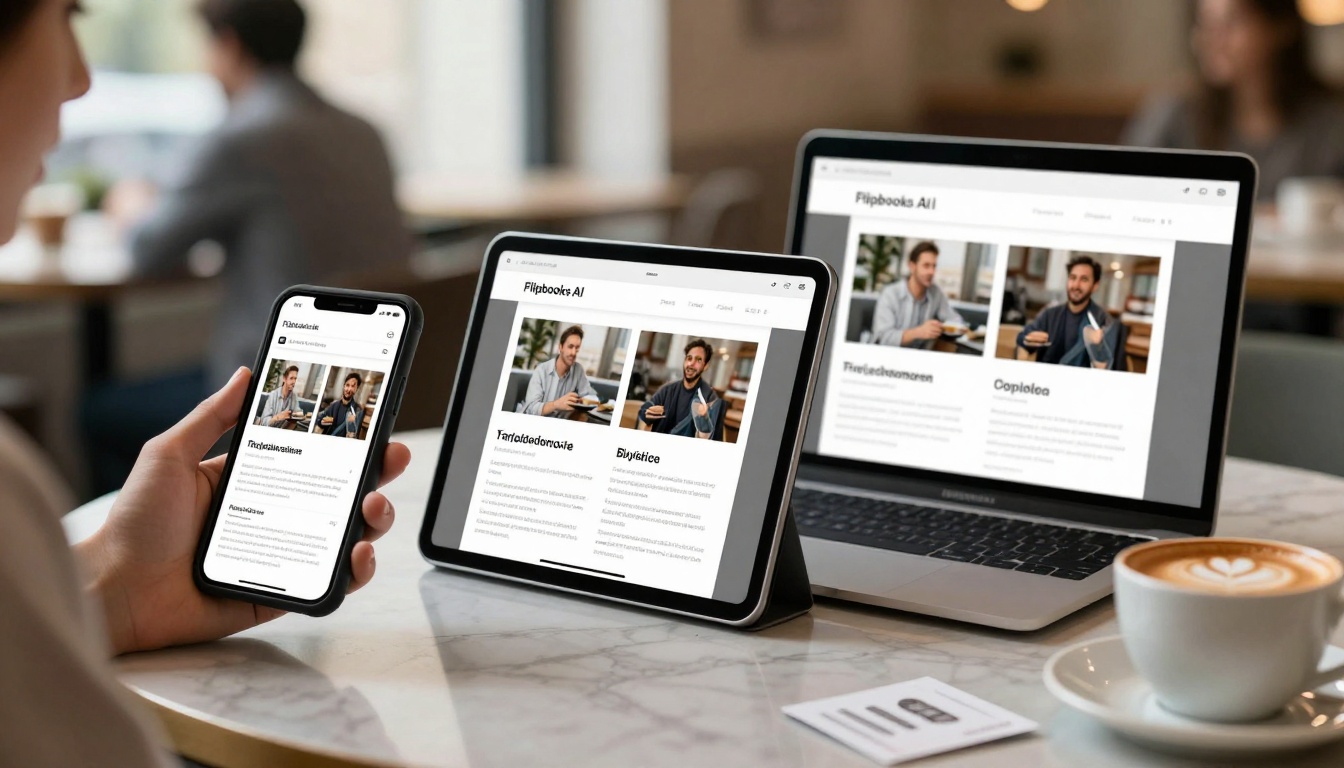
More than 60% of digital reading happens on mobile devices. If your flipbook doesn't work perfectly on phones and tablets, you're missing most of your potential audience.
Mobile-specific optimization features:
Touch interface optimization includes larger touch targets for navigation, swipe gestures for page turns, pinch-to-zoom for detailed content, and haptic feedback for interactions where supported.
Performance optimization involves compressed images for mobile data, lazy loading for faster initial display, offline caching for intermittent connectivity, and battery-efficient animations.
Display adaptation automatically adjusts layout for different screen sizes, optimizes typography for mobile readability, reflows content for vertical scrolling, and maintains interactive functionality across devices.
Mobile-specific features include gyroscope-based page turns (tilt device to turn pages), accelerometer interactions, vibration feedback for important events, and camera integration for augmented reality features where applicable.
Technical mobile considerations:
Load time optimization is critical since mobile users abandon slow-loading content. Implement image compression, code minimization, caching strategies, and progressive loading for best results.
Data usage management respects users with limited data plans. Provide data-saving modes, offline reading options, download size warnings, and cellular versus WiFi detection.
Battery impact minimization ensures your flipbook doesn't drain device batteries. Optimize animations, reduce background processing, implement sleep mode detection, and provide low-power modes.
Accessibility compliance on mobile requires touch target sizing (minimum 44x44 pixels), screen reader compatibility, voice control support, and assistive technology integration.
Mobile testing checklist:
- Device testing: Test on actual devices, not just emulators
- Connection testing: 3G, 4G, 5G, and WiFi scenarios
- Orientation testing: Portrait and landscape modes
- Interaction testing: Touch, swipe, pinch, zoom gestures
- Performance testing: Load times, battery usage, memory consumption
- Accessibility testing: Screen readers, voice control, assistive features
Mobile optimization priorities:
Primary mobile concerns:
- Load speed: Under 3 seconds on 4G
- Readability: Text size and contrast
- Navigation: Intuitive touch controls
- Performance: Smooth animations
Secondary optimizations:
- Battery usage: Efficient operation
- Data consumption: Compressed assets
- Storage requirements: Reasonable download size
- Background behavior: Proper app switching
Advanced mobile features:
- Offline functionality: Complete reading without connection
- Notification integration: Update alerts
- Share functionality: Native sharing dialogs
- Payment integration: Mobile payment systems
⚠️ Warning: Don't assume desktop testing covers mobile. Mobile has different interaction patterns, performance constraints, and user expectations that require specific testing.
Pricing and Plan Comparison
Choosing the right plan depends on your specific needs, audience size, and feature requirements. Here's how the plans compare for eBook flipbook creation:
| Plan | Monthly Price | Best For | Flipbook Limit | Key Features | Storage |
|---|
| Basic | Free | Testing the platform | 5 flipbooks | Basic customization, password protection, direct links | 1GB |
| Standard | €3/month | Small business & authors | Unlimited | No watermarks, analytics, website embedding, multimedia | 10GB |
| Professional | €7/month | Marketing teams & publishers | Unlimited | Advanced analytics, lead generation, API access, white-label | 50GB |
| Lifetime | €200 one-time | Long-term professional use | Unlimited | All Professional features forever, priority support | 100GB |
Plan selection guidance:
For testing and evaluation, start with the Basic free plan. Convert a few eBooks, test the features, understand the workflow, and evaluate reader response before committing.
For independent authors and small businesses, the Standard plan provides everything needed for professional publication. Unlimited flipbooks, no watermarks, basic analytics, and website embedding handle most publishing needs.
For marketing teams, educational institutions, and publishing houses, the Professional plan delivers advanced features. Lead generation forms, detailed analytics, API integration, and white-label options support business-level operations.
For long-term professional use, the Lifetime plan offers the best value. One payment provides all features forever, making it ideal for consistent publishers, agencies with multiple clients, or organizations with ongoing publication needs.
Feature breakdown by use case:
Fiction authors typically need:
- Unlimited flipbooks for multiple books
- Basic analytics for reader engagement
- Website embedding for author sites
- Password protection for advance copies
→ Standard plan recommended
Non-fiction and business authors often require:
- Lead generation forms for list building
- Detailed analytics for content optimization
- White-label options for professional presentations
- API access for automation
→ Professional plan recommended
Educational publishers commonly use:
- Student account management
- Quiz and assessment integration
- Progress tracking analytics
- Institutional billing options
→ Professional or custom Enterprise plan
Corporate communications typically implement:
- Team collaboration features
- Approval workflow integration
- Compliance tracking
- Enterprise security features
→ Professional with add-ons or Enterprise
Cost considerations beyond monthly fees:
Setup costs might include design services for custom branding, development time for API integration, or training for team members. These one-time investments improve long-term efficiency.
Operational costs involve content creation, updating existing flipbooks, analytics review time, and distribution management. Efficient workflows minimize these ongoing expenses.
Opportunity costs consider what you're not doing while managing flipbooks. Automation features and efficient tools recover time for higher-value activities.
Return on investment calculation involves comparing flipbook benefits against costs. Measure reader engagement improvements, lead generation results, content performance data, and time savings from efficient workflows.
✅ Best practice: Start with the plan that meets your minimum needs, then upgrade based on actual usage and results. Track feature utilization to justify plan changes.
Getting Started with Your First eBook Flipbook
The process works whether you have one eBook or hundreds. Follow this systematic approach for best results.
Week 1: Preparation and testing
- Create your Flipbooks AI account
- Convert one test eBook using Basic features
- Share with a small test group for feedback
- Review analytics from test distribution
- Identify needed customizations and improvements
Week 2: Production and customization
- Apply lessons from testing to your main eBook
- Implement branding and customization
- Add multimedia elements where valuable
- Configure security and access controls
- Create distribution plan with timeline
Week 3: Distribution and promotion
- Launch through primary distribution channel
- Monitor initial engagement and feedback
- Adjust based on early reader response
- Expand to secondary distribution channels
- Begin analytics review for optimization
Week 4: Optimization and scaling
- Analyze full engagement data
- Identify content improvements needed
- Plan updates and new editions
- Consider additional eBook conversions
- Evaluate plan upgrade based on results
Common starting mistakes to avoid:
Technical mistakes include using low-resolution source files, ignoring mobile optimization, overloading with heavy multimedia, and skipping security configuration.
Content mistakes involve converting poorly formatted originals, neglecting reader navigation needs, creating confusing interactive elements, and forgetting accessibility considerations.
Distribution mistakes mean launching without testing, using single distribution channels, ignoring analytics data, and failing to update based on feedback.
Business mistakes involve choosing the wrong pricing plan, underestimating time requirements, neglecting reader communication, and missing monetization opportunities.
Success measurement framework:
Quantitative success indicators:
- Reader completion rates above 70%
- Average time per page exceeding 60 seconds
- Return reader rate over 20%
- Conversion rates from reader to customer
Qualitative success indicators:
- Positive reader feedback and reviews
- Reduced support requests about content access
- Increased author-reader interaction
- Professional appearance recognition
Business impact measurements:
- Revenue generated from flipbook content
- Cost savings compared to previous distribution
- Time efficiency improvements in publishing workflow
- Competitive advantage in your niche
Long-term flipbook strategy:
Content lifecycle management involves regular updates, edition tracking, reader notification of changes, and archival of outdated versions.
Reader relationship building means engaging through flipbook features, gathering feedback for improvements, creating reader communities, and developing loyalty programs.
Monetization expansion could include premium content tiers, subscription models, bundled offerings, or licensing to other publishers.
Technology evolution requires staying current with platform updates, adopting new features as they become available, integrating with emerging distribution channels, and preparing for format changes.
Ready to transform your eBook into an engaging flipbook? Get started with Flipbooks AI using the free Basic plan to test the conversion process with your actual content. Once you see the engagement difference, explore pricing plans to unlock features that match your publishing needs. For specific eBook types like interactive training materials or digital portfolios, check the specialized tools designed for those use cases.



