Every business with a product catalog has faced the same frustration: the PDF you spent weeks designing ends up sitting as an email attachment, ignored by half your audience because it is too slow to load on mobile, impossible to track, and completely static. Converting that PDF into a live online catalog changes all of that in about five minutes.
With platforms like Flipbooks AI, the process is automatic. You upload your PDF, the platform converts it into a page-flipping digital catalog, and you walk away with a shareable link, an embed code, and a catalog that works beautifully on every device. No coding. No design rework. Just upload and publish.
This article covers exactly how to do it, what your PDF needs before you upload, and how to get serious results from your online catalog once it is live.
Why PDF Catalogs Hold Your Business Back

The Problem with Static PDFs
A PDF was built for printing, not for digital marketing. When you try to use it as a customer-facing digital asset, it creates friction at every step:
- Downloads are a dealbreaker. A 25MB PDF on mobile data makes customers give up before your first product page loads.
- No visibility. You have no idea who opened it, how long they spent on it, or which products caught their attention.
- Mobile rendering is broken. PDFs do not reflow for small screens. Customers end up zooming and swiping just to read product names.
- Zero interactivity. A PDF cannot link to a product page, respond to a tap, or embed a demonstration video.
- No version control. Once you send a PDF, you cannot update it. Every price change or new product requires a full resend.
⚠️ Mobile users abandon PDF viewers within seconds if content is not properly sized for their screen. An online catalog formatted for mobile holds attention dramatically longer.
What an Online Catalog Actually Delivers
An online catalog is a web-based version of your PDF that looks identical to the original but behaves like a proper web application. You get:
- Smooth page-flip animations that replicate a real catalog experience
- Automatic responsiveness across all screen sizes
- Shareable direct links and embeddable codes for your website
- Password protection for trade or private catalogs
- Analytics showing exactly who viewed what, and for how long
- Support for embedded videos and audio within catalog pages
The experience for your customer is immediate, smooth, and professional, with no download required.
Not every PDF-to-catalog platform offers the same capabilities. This table covers the features that separate basic tools from professional ones:
| Feature | Basic Free Tools | Professional Platforms |
|---|
| Page-flip animation | ✓ | ✓ |
| Custom branding | ✗ | ✓ |
| Watermark-free output | ✗ | ✓ |
| Analytics dashboard | ✗ | ✓ |
| Password protection | ✗ | ✓ |
| Website embedding | Limited | Full |
| Offline download | ✗ | ✓ |
| Video and audio embeds | ✗ | ✓ |
| Lead capture forms | ✗ | ✓ |
| Mobile-optimized viewer | Partial | Fully responsive |
💡 A watermark from a third-party tool signals to customers that your brand uses budget software. For any catalog used in sales conversations, watermark-free output is non-negotiable.
What Your PDF Needs Before You Upload

Resolution, Size, and Format
Your digital catalog is only as good as the PDF behind it. Before uploading, check these specifications:
Resolution: Product photography should be at 300 DPI minimum. At lower resolutions, images become blurry when customers zoom in on product details.
File size: Most platforms accept files up to 100MB. If your PDF exceeds 50MB, compress it with a tool like Adobe Acrobat before uploading. Smaller files convert faster and load quicker for viewers.
Embedded fonts: Always embed fonts when exporting from InDesign, Illustrator, or Canva. Missing fonts cause text to render incorrectly or disappear entirely after conversion.
Color mode: Use RGB, not CMYK. CMYK is optimized for print ink reproduction. RGB renders accurately on every screen.
Page orientation: Decide before export whether to use single pages or double-page spreads. Single pages work better for most digital catalog experiences.
✅ Before uploading, open your PDF on a smartphone and check whether text is readable without zooming. If it is not, go back to your source file and increase body copy size before exporting.
How to Create an Online Catalog with Flipbooks AI

Flipbooks AI is purpose-built for converting PDFs into interactive online publications. The entire process from upload to a live shareable link takes about five minutes.
Step 1: Create Your Account
Go to flipbooksai.com/account and sign up for a free account. No credit card is required to start. Once inside, you land on a clean dashboard that shows all your catalogs and their view statistics in one place.
Step 2: Upload the PDF
Click Create New Flipbook and drag your catalog PDF into the upload window. The platform processes each page and converts it into web-optimized images that load instantly on any connection.
For product catalogs, the Digital Catalog Maker and the Catalog Flipbook Creator offer dedicated workflows with catalog-specific settings. For fashion and apparel, the Fashion Catalog Creator is optimized for lookbook layouts where imagery is central to the presentation.
Conversion typically takes 10 to 90 seconds depending on file size and page count.
Step 3: Customize the Viewer

Once converted, the customization panel gives you full control over how your catalog looks and behaves:
- Logo upload with position control (top-left, top-right, or custom placement)
- Brand colors applied to the toolbar, navigation elements, and viewer background
- Page transition style: realistic page-flip, slide, or fade
- Background texture or color displayed behind the flipbook viewer
- Table of contents for catalogs with clearly defined sections
- Catalog title and description for SEO visibility in search results
💡 Set a strong first-page thumbnail before publishing. This image becomes the preview when your catalog link is shared on social media or messaging apps. A well-chosen thumbnail significantly increases click-through rates.
Step 4: Add Interactive Elements
If your plan includes multimedia support, this step transforms your catalog from a static viewer into a full interactive experience:
- Clickable product links that send readers directly to your e-commerce or ordering pages
- Embedded YouTube videos showing products in use or behind-the-scenes brand content
- Audio narration for product descriptions or accessibility
- Contact and lead capture forms embedded directly within catalog pages
Step 5: Publish and Share

With customization complete, publish your catalog and choose how to distribute it:
- Direct link: A clean URL you can paste into emails, social posts, or messaging apps
- Embed code: Place the catalog directly on your website using the Embed Flipbook on Website tool
- QR code: Download and print on packaging, signage, or event materials for instant mobile access
- Password protection: Restrict access to approved buyers, wholesale clients, or specific internal teams
✅ For B2B sales teams, password-protected catalogs with current pricing are a practical replacement for printed price lists. When pricing changes, update the PDF and republish. The link and password stay the same, so every previously shared version automatically reflects the latest content.
Branding Options That Build Trust
Consistent branding across your catalog viewer reinforces professionalism. Customers who encounter a consistent brand experience, from your website to your catalog, are significantly more likely to follow through on a purchase. Here is what you can control:
| Branding Element | What It Controls |
|---|
| Logo | Placement and size within the viewer interface |
| Toolbar color | Matches your primary brand color |
| Background | Neutral or brand-colored canvas |
| Page transition | Realistic flip, slide, or fade animation |
| Thumbnail image | Social share and preview appearance |
| Viewer typography | Interface text aligned with your brand fonts |
Who Uses Online Catalogs

Retail and Fashion Brands
Fashion brands publish seasonal lookbooks, collection catalogs, and promotional campaigns as online flipbooks. The Product Catalog Generator is built for retail layouts where imagery is central to the sale.
A clothing retailer can turn a 48-page seasonal lookbook into an interactive experience, embed it on their homepage, and track exactly which product spreads attracted the most attention from buyers and wholesale partners.
Furniture and Home Decor
Furniture companies need customers to see products in context, across full-spread room photography. The Furniture Catalog Maker is built for room-by-room layouts and full-spread product images, presenting collections in a format customers genuinely want to browse.
Real Estate
Property developers and agents use digital catalogs to present listings, development portfolios, and project brochures to international buyers without shipping physical materials. The Real Estate Brochure Creator handles the specific layout needs of property marketing, from floor plans to lifestyle photography.
B2B and Wholesale
Distributors and manufacturers use password-protected digital catalogs to replace printed trade catalogs entirely. Buyers access current pricing and full product ranges, sellers track what buyers actually reviewed, and there are no printing or postage costs involved.
Printed vs. Digital: The Real Numbers
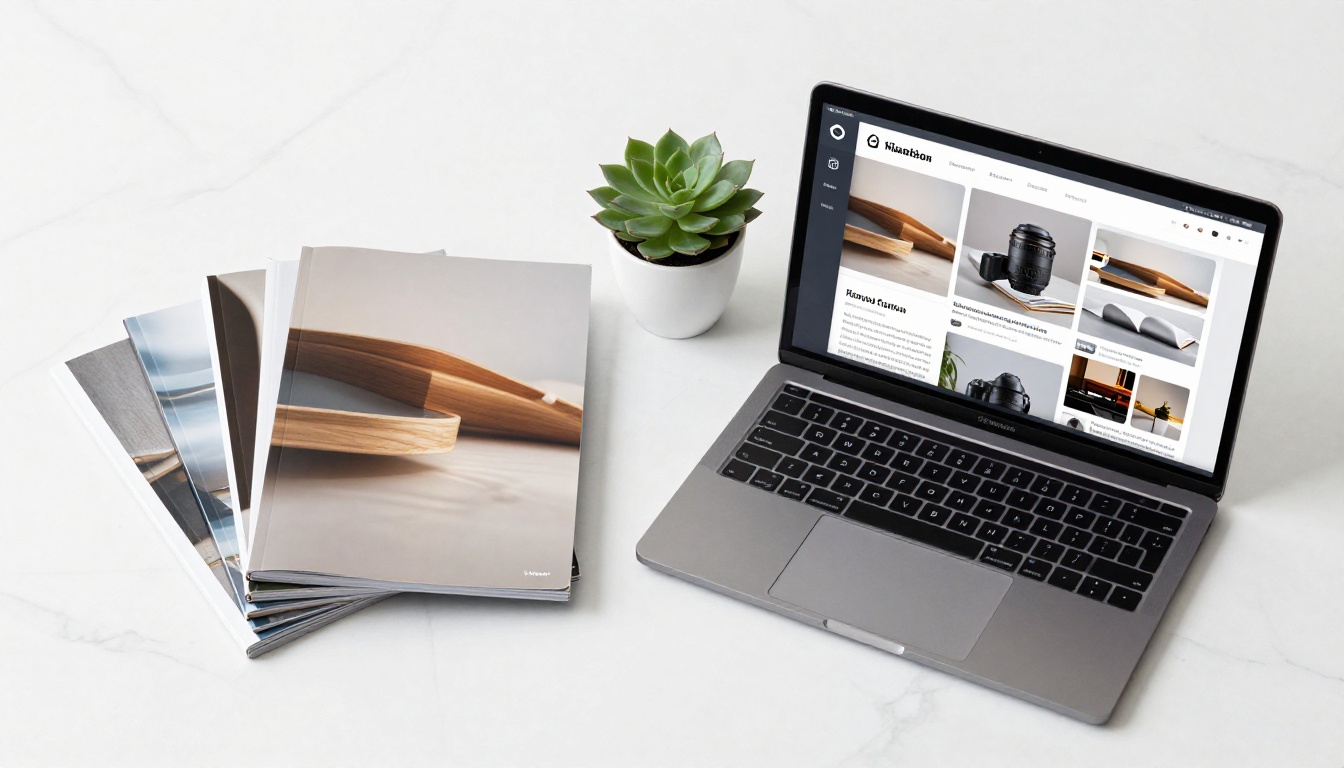
Most businesses dramatically underestimate the true cost of printed catalogs. This comparison covers the full picture:
| Cost Category | Printed Catalog (1,000 copies) | Online Catalog |
|---|
| Design and layout | $500 to $5,000 | Same PDF reused |
| Printing | $2,000 to $8,000 | $0 |
| Distribution and postage | $1,000 to $5,000+ | $0 |
| Updates and reprints | Full cost repeated each time | Update in minutes |
| Performance data | None | Full analytics included |
| Geographic reach | Limited by postage budget | Instant, worldwide |
| Environmental impact | High | Near zero |
Two print runs per year at the high end can exceed $25,000. A Professional plan on Flipbooks AI covers unlimited catalogs for a fraction of that cost, with better performance data and zero lead time on updates.

The Professional plan includes a real-time analytics dashboard that turns your catalog from a passive brochure into a data source. You can track:
- Total views and unique visitors per catalog
- Page-by-page attention: which spreads hold readers longest
- Session duration: average time spent per visit
- Device breakdown: mobile versus desktop versus tablet split
- Geographic data: where your audience is located
- Lead captures: contact details submitted through embedded forms
This data has real implications for your catalog strategy. If page 12 consistently loses readers while page 11 retains them, that spread needs redesigning. If 75% of your viewers are on mobile, your next PDF layout should prioritize mobile-first typography and single-page spreads rather than double-page bleed designs.
💡 Use catalog view data to inform your broader marketing decisions. Product spreads that hold digital attention longest are a reliable signal for which items to feature in physical campaigns, email headers, and social ads.
Sharing Strategies That Drive Results
Publishing your catalog is step one. How you distribute it determines how many people actually see it.
Email campaigns: Embed a static thumbnail of your catalog in email newsletters with a link to the live version. This avoids spam filter issues caused by PDF attachments and gives you precise click-through data on who is actually opening your catalog.
Social media: Post your catalog link on Instagram, LinkedIn, and Facebook. The first-page thumbnail becomes the preview image automatically, so a strong catalog cover doubles as social media creative.
Website embedding: Use the embed code on product landing pages or your homepage. Customers browse the full catalog without ever leaving your site.
QR codes: Print the catalog QR code on physical packaging, trade show displays, business cards, or in-store signage for instant mobile access to your full product range.
Sales team distribution: Give every sales rep the same direct catalog link. When you update and republish, the link stays unchanged, so every previously distributed link automatically points to the latest version.

From PDF to Live in Under 5 Minutes
Your product catalog already exists. The design work is done. All that remains is publishing it in a format that actually works for your customers, your sales team, and your business metrics.
Create your free account on Flipbooks AI and upload your first catalog today. For product and retail catalogs, start with the Digital Catalog Maker or browse all available catalog tools to find the right workflow for your industry.
When you are ready to remove watermarks and publish unlimited catalogs, compare pricing plans and choose the tier that fits your volume and feature needs. The Standard plan handles unlimited catalogs with full branding, while the Professional plan adds the analytics and lead generation tools that turn a catalog into a measurable part of your sales process.
Your PDF catalog deserves an audience. Flipbooks AI makes sure it finds one.



