Your catalog is often the first time a customer really spends time with your brand. Not a quick scroll past an ad, not a 3-second glance at a social post — actual browsing time, page by page, product by product. That window is valuable, and most businesses waste it with catalogs that are slow to load, hard to navigate, or just plain boring. If you're ready to build something customers actually enjoy, Flipbooks AI makes the whole process faster and more professional than you'd expect.
This article walks you through every step: what makes customers abandon a catalog, how to structure and design one that converts, and how to publish it in a format that works on any device.
Why Most Online Catalogs Fail
The Attention Span Problem
The average person decides within 8 seconds whether a piece of content is worth their time. A poorly designed catalog fails that test in the first scroll. Common culprits:
- Slow PDF load times on mobile
- No search or filtering options
- Product images that look like phone snapshots
- Walls of text with no visual breathing room
- No clear path to purchase
The result? High bounce rates and low conversion. The good news: fixing these problems doesn't require a design degree or a massive budget.
What Customers Actually Want
Customers browsing a catalog want three things above all else:
- Speed — pages that load fast and respond instantly
- Clarity — easy-to-find products with honest, useful descriptions
- Confidence — professional presentation that signals quality
When you deliver all three, browsing time increases, share rates go up, and so does revenue.

Start with the Right Foundation
Before you open any design tool, get two things straight: your catalog format and your product organization.
Choose Your Catalog Format
The format you choose determines how customers experience your catalog. Here's how the main options compare:
| Feature | Static PDF | Interactive Flipbook |
|---|
| Mobile experience | Poor (zoom/scroll required) | Excellent (fully responsive) |
| Page turn animation | None | Realistic flip effect |
| Embed on website | Difficult | One-line code snippet |
| Analytics | None | Full page and click data |
| Video support | No | Yes |
| Load speed | Slow on mobile | Optimized streaming |
| Password protection | No | Yes |
| Starting cost | Free | Free plan available |
Interactive flipbook catalogs win on almost every dimension that matters for customer experience. They load fast, look great on mobile, and give you data you can actually use to improve them over time.
💡 If you already have a PDF catalog, you don't need to start from scratch. Flipbooks AI converts any PDF into a fully interactive flipbook in seconds — no design software required.
Organize Your Products First
Information architecture determines whether customers find what they're looking for or give up. Before designing anything, sort your products into logical categories. Ask yourself:
- How does my customer think about these products (not how you organize them internally)?
- Are there natural groupings by use case, price range, material, or collection?
- Which products are bestsellers that should appear first?
A furniture retailer might organize by room (Living Room, Bedroom, Kitchen) rather than by product type (Sofas, Tables, Chairs). The customer's mental model always wins.

Product Photography That Sells
Photography is the single biggest lever you have over whether a customer wants to buy. Blurry, inconsistent, or poorly-lit product images kill sales regardless of how good your copy is.
The Must-Have Shots
For each product in your catalog, aim for at minimum:
- Hero shot: Product centered on a clean white or neutral background
- Lifestyle shot: Product in context, worn, used, or placed in a real environment
- Detail shot: Close-up of texture, material, craftsmanship, or key feature
A fashion catalog showing only ghost images of clothing leaves customers wondering how it actually fits. A furniture catalog with only white-background shots doesn't help customers visualize the piece in their home. Both shots together answer more questions before customers have to ask.
Consistency Matters More Than Quality
A mix of smartphone snapshots and professional studio photos looks cheap, even if the professional shots are excellent. Consistency in background color, lighting angle, and image dimensions tells customers they're dealing with a brand that sweats the details.
✅ Best practice: Shoot all products in the same session with the same setup. Even a simple white foam board reflector kit produces professional-looking results when used consistently across every product.

A well-designed catalog doesn't show off — it gets out of the way and lets the products do the talking.
Layout and Whitespace
Crowded pages overwhelm customers and make everything feel cheap. The most effective catalog layouts use generous whitespace to give products room to breathe. A grid layout with 2-3 products per row works well for most categories. Feature your bestsellers in a larger single-column format.
Key layout rules:
- Alignment: Keep everything on a consistent grid
- Hierarchy: Bigger images signal higher priority products
- Breathing room: Minimum 20px padding between all elements
- Consistency: Same product card height and image proportion throughout
Typography and Color
Your font and color choices communicate price point, brand personality, and how seriously you take your business.
| Catalog Type | Font Style | Color Palette |
|---|
| Luxury / Fashion | Thin serif (Playfair Display) | Black, white, gold, cream |
| Home / Furniture | Clean sans-serif (Inter) | Warm neutrals, soft greens |
| Food / Restaurant | Rounded, friendly (Nunito) | Earthy tones, warm reds |
| Tech / Electronics | Geometric sans (Montserrat) | Dark backgrounds, bold accents |
| Kids / Toys | Playful, bold (Fredoka) | Bright primaries, pastels |
Stick to 2 fonts maximum: one for headings, one for body text. Use your brand's primary color for call-to-action buttons and links only — this keeps them visually distinct from the rest of the content.
Mobile-First Is Non-Negotiable
Over 60% of online catalog views happen on a smartphone. If your catalog doesn't work beautifully on a small screen, you're losing more than half your potential customers before they've seen a single product.
⚠️ Warning: A beautiful desktop catalog that's unusable on mobile is not a good catalog. Test every page on at least two different screen sizes before publishing.
Interactive flipbooks built on Flipbooks AI are automatically mobile-responsive with no extra configuration needed.

Write Product Descriptions That Work
Great product copy answers the question the customer is already asking before they have to ask it.
The Formula That Converts
The most effective product descriptions follow a simple pattern:
What it is + Who it's for + Why it matters + One specific detail
Example (weak):
"Blue ceramic mug. 12oz capacity."
Example (strong):
"Handthrown ceramic mug in ocean blue glaze, 12oz. Microwave and dishwasher safe. Thick walls keep coffee hot for 30+ minutes — perfect for slow mornings."
The second version answers: what is it, what does it do, and why should I care? Specificity is what builds trust.
How Long Should They Be?
| Product Type | Ideal Description Length |
|---|
| Simple consumable (candle, soap) | 30-50 words |
| Clothing / Accessories | 50-80 words (include sizing, material, care instructions) |
| Furniture / Home | 75-120 words (dimensions, materials, assembly requirements) |
| Electronics / Tools | 100-150 words (specs, compatibility, warranty) |
| Food / Beverage | 40-70 words (ingredients, allergens, serving suggestions) |
💡 Include at least one specific, measurable detail in every product description. Numbers and dimensions build trust faster than adjectives.
Build Your Catalog with Flipbooks AI
Flipbooks AI is the fastest way to turn your PDF catalog into an interactive, shareable flipbook with a professional look and zero design work required. Here's how the process works from start to finish.
Step 1: Upload Your PDF
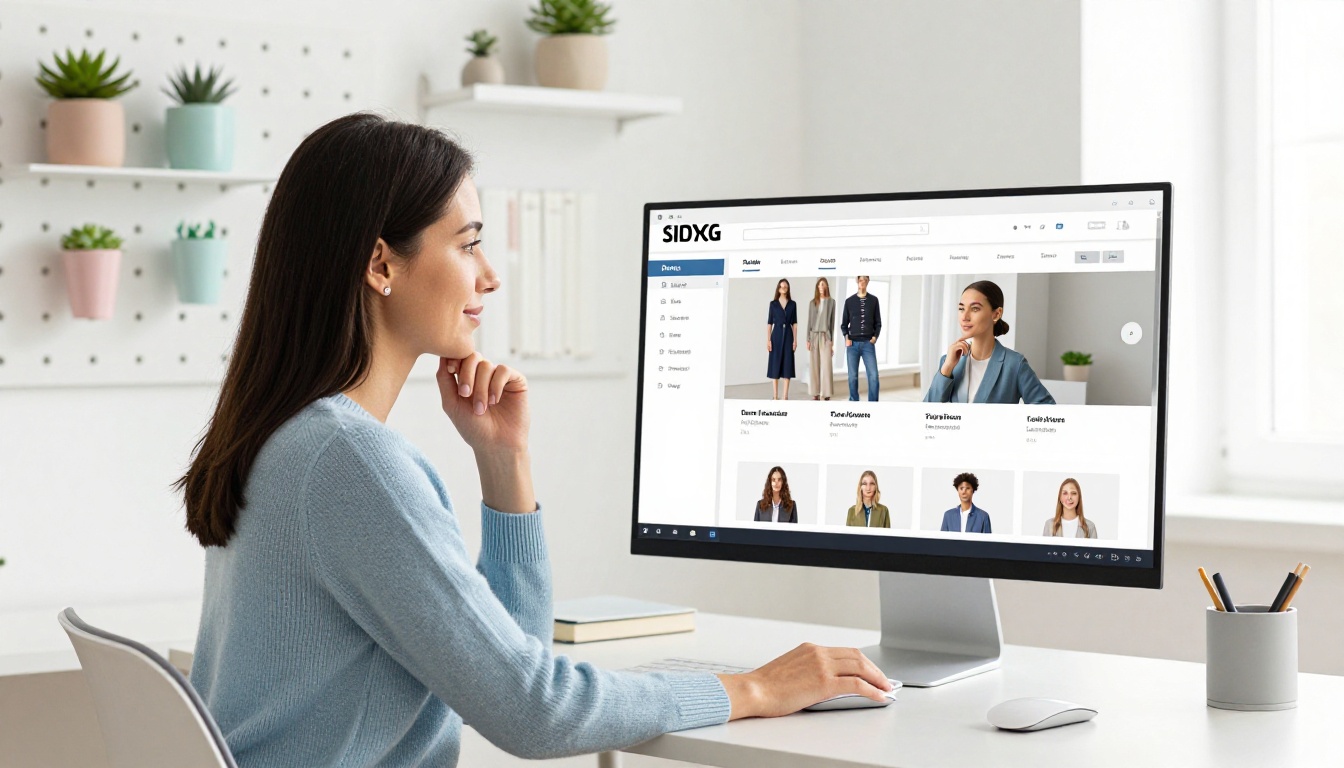
Head to Flipbooks AI and create a free account. Once inside, click New Flipbook and upload your PDF. The converter handles everything automatically, maintaining your layout, fonts, and images exactly as designed. Most catalogs process in under 60 seconds.
If you don't have a PDF yet, the Digital Catalog Maker and Product Catalog Generator tools let you build one from scratch using professionally designed templates.
Step 2: Customize the Look
Once converted, you can immediately personalize your flipbook to match your brand:
- Brand colors: Match the viewer background and UI chrome to your palette
- Logo: Add your logo to the flipbook toolbar for constant brand visibility
- Page transitions: Choose from realistic page-flip, slide, or fade animations
- Background: Set a custom color or pattern behind the catalog pages
All changes happen in a live preview editor, so you see exactly how the final catalog will look before anyone else does. No coding required at any step.
Step 3: Add Interactive Elements
This is where a flipbook catalog pulls decisively ahead of a static PDF. You can embed:
- Clickable hotspots: Add invisible click zones over products that link directly to purchase pages
- Video content: Embed product demo videos or runway footage inline (video and audio embedding is fully supported)
- Table of contents: Auto-generated navigation lets customers jump directly to the section they want
- Lead capture forms: On the Professional plan, add lead generation forms directly inside the catalog to capture buyer details
💡 A fashion brand can embed a 15-second model walkthrough video on their hero product page. A furniture catalog can link every product directly to its ecommerce listing. These features turn a passive browsing experience into an active sales channel.
Step 4: Share and Publish
When your catalog is ready, Flipbooks AI gives you multiple distribution options:
- Direct link: A clean, shareable URL for email campaigns, social media, or WhatsApp
- Embed code: A single
<iframe> snippet that places the flipbook directly on any website page
- Password protection: Lock your catalog for wholesale-only or private preview access
- Offline download: Allow customers to save the catalog for offline viewing (available on paid plans)
- Analytics: See exactly which pages customers linger on, where they click, and when they leave (Professional plan)
Use the Embed Flipbook on Website tool to add your catalog to your site in minutes, with no developer needed.

Use Cases by Industry
Not all catalogs serve the same purpose. Here's how different businesses put online catalogs to work:
| Industry | Catalog Type | Primary Goal |
|---|
| Fashion and Apparel | Seasonal lookbook | Drive social sharing and direct purchases |
| Furniture and Home | Product plus lifestyle catalog | Reduce returns, increase average order value |
| Food and Restaurant | Menu with seasonal specials | Table bookings and delivery orders |
| Real Estate | Property brochure | Lead capture and viewing bookings |
| B2B Wholesale | Trade pricing catalog | Private distributor access |
| Beauty and Wellness | Full product range | Cross-sell and upsell between categories |
Each of these industries has a dedicated tool in Flipbooks AI: from the Fashion Catalog Creator to the Furniture Catalog Maker and the Catalog Flipbook Creator.
Make It Easy to Share and Find
Building a beautiful catalog means nothing if nobody sees it. Distribution strategy is as important as design.
Embed on Your Website
Your catalog should live on your website, not just in an email or a download link. Embed it on:
- A dedicated
/catalog page linked from your main navigation
- Individual product category pages (embed only the relevant section)
- Your homepage, if the catalog is central to how customers buy from you
A furniture retailer embedding their catalog on their homepage typically sees a significant increase in time-on-site compared to a standard product grid, because browsing a beautiful flipbook is simply more enjoyable than clicking through individual product pages.
Password Protection and Access Control
Not every catalog is meant for everyone. Flipbooks AI lets you:
- Set a password for trade or wholesale catalogs
- Create private links for specific customers or regional distributors
- Keep seasonal catalogs unlisted until their official launch date
✅ Best practice: Use password-protected catalogs for B2B wholesale pricing. You avoid public display of trade pricing while still giving wholesale buyers fast, professional digital access.
Track What's Actually Working
A catalog you can't measure is a catalog you can't improve.
Analytics That Matter
With Flipbooks AI's Professional plan, you get access to catalog analytics that show:
- Page engagement: Which pages customers spend the most time on
- Exit pages: Where customers leave (often signals weak content or missing information)
- Click tracking: Which hotspots and links get the most engagement
- Lead data: Contact details captured through embedded forms
Use this data to make real decisions: move bestselling products earlier in the catalog, cut pages nobody reads, and add more content to sections with high engagement but low click-through rates.
💡 Real estate agencies using catalog analytics report meaningful improvement in brochure effectiveness after optimizing based on page-level engagement data. The same logic applies to any product catalog.

Flipbooks AI Plan Comparison
Choosing the right plan depends on your catalog volume and which features matter most for your business:
| Feature | Free | Standard | Professional |
|---|
| Number of flipbooks | 1 | Unlimited | Unlimited |
| Watermark | Yes | No watermark | No watermark |
| Custom branding | No | Yes | Yes |
| Password protection | No | Yes | Yes |
| Offline downloads | No | Yes | Yes |
| Analytics | No | No | Yes |
| Lead generation forms | No | No | Yes |
| Video and audio embedding | No | Yes | Yes |
| Custom domain | No | No | Yes |
Start free to test the platform and see how your first catalog looks, then compare pricing plans to unlock the features that match your growth stage.
Your Next Catalog Starts Here
An online catalog your customers love isn't complicated to build. It needs good product photography, a clean and logical layout, honest product descriptions, and a format that works on every device. Get those four things right and you have something most of your competitors don't.
Flipbooks AI handles the technical side so you can focus on the product side. Upload your PDF, match the brand look, add your interactive elements, and share it — all in under an hour.



