Most hiring managers spend less than 10 seconds scanning a resume before deciding whether to keep reading. A flipbook changes that calculus entirely. Instead of handing over a flat PDF that looks identical to every other candidate's document, you deliver something interactive, visual, and genuinely memorable. This article walks you through exactly how to make a flipbook for your job application, what to include, how to format it, and how to use Flipbooks AI to get one built in minutes, not days.
Why a Flipbook Beats a Standard Resume
The job market is competitive in ways that a single-page PDF was never designed to handle. You are not just competing against candidates with similar skills. You are competing against digital fatigue, crowded inboxes, and the fraction-of-a-second attention window of a recruiter flipping through applications on a Monday morning.
What Hiring Managers Actually Notice
A flipbook is a digital publication that mimics the satisfying physical sensation of turning through pages. When you embed it into your application, it immediately signals something concrete about you: you pay attention to presentation, you take your craft seriously, and you are willing to put in extra effort before day one.
Recruiters who receive flipbook applications consistently report several advantages:
- Higher dwell time: People spend 3 to 5 minutes on a flipbook versus under 30 seconds on a plain PDF
- Better recall: Visual formats are remembered up to 65% longer than text-only formats
- Stronger first impression: The interactive format signals digital fluency, which matters across almost every industry today
- Perceived seniority: A polished flipbook makes candidates appear more experienced and detail-oriented regardless of years in the field
The Resume vs. Flipbook Reality Check
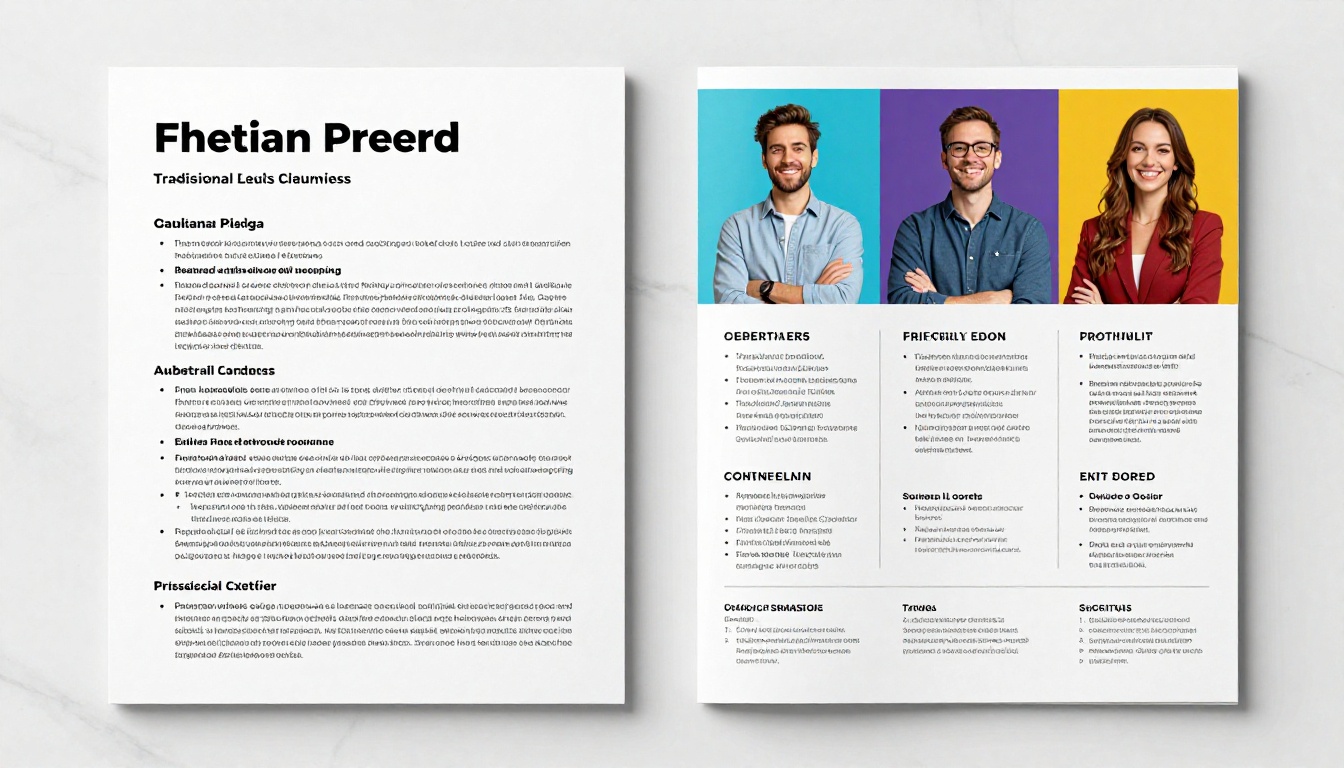
| Feature | Traditional Resume (PDF) | Job Application Flipbook |
|---|
| Visual appeal | Minimal | High |
| Interactivity | None | Page-turn animation, embedded links |
| Portfolio integration | Awkward at best | Native and seamless |
| Recruiter dwell time | Under 30 seconds | 3 to 5 minutes |
| Mobile experience | Often broken or unsized | Fully responsive |
| Shareability | Email attachment only | Direct URL, embed, or QR code |
| Analytics | None | View tracking available on Pro plan |
| Memorability | Low to medium | High |
The flipbook does not replace your resume. It wraps it in a format that makes people want to stay and look closer.
What to Put in Your Job Application Flipbook
A flipbook is not just a resume with page-turn animation. It is a structured, visual narrative of your professional identity. Think of it as a portfolio magazine: part work history, part personality, part proof of competence.
The 7 Essential Pages
- Cover page: Your name, the role you are applying for, and a strong professional photo or branded graphic
- About me: Two to three paragraphs written in your voice, not HR-speak. What drives you, what you are known for, and one surprising fact that humanizes you.
- Work history: A visual timeline or card-based layout. Each role gets its own moment rather than a bullet-point dump that blurs together.
- Skills snapshot: Icon-based or bar-chart visuals of your top 8 to 12 skills, separated by category
- Selected work: Two to four projects with visuals, short descriptions, and measurable results such as percentages, revenue, or time saved
- Testimonials: Direct quotes from former colleagues, managers, or clients. Even one strong quote carries significant weight.
- Contact and call to action: LinkedIn, email, portfolio website, and a clear short sentence telling them exactly what to do next
💡 Pro Tip: Personalize the cover page with the company name you are applying to. "Prepared for [Company Name]" takes two minutes to update and creates an immediate sense of genuine investment in the opportunity.
Pages by Industry Type
Different industries expect different things. Use this as a quick reference before designing your sections:
| Industry | Must-Have Pages | Optional but Powerful |
|---|
| Design and Creative | Portfolio work, visual skills | Process breakdowns, mood boards |
| Marketing | Campaign results, content examples | Analytics screenshots, brand case studies |
| Tech and Engineering | GitHub links, project descriptions | Architecture diagrams, tech stack visuals |
| Finance and Consulting | Work history, certifications | Client outcomes, research summaries |
| Education | Teaching philosophy, curriculum samples | Student outcome data, lesson design examples |
| Sales | Revenue metrics, client logos | Territory maps, quota achievement charts |
| Healthcare | Credentials, specializations | Patient outcome summaries, research contributions |
Writing Content That Actually Works
The biggest mistake people make when building a job application flipbook is transferring resume language directly onto the pages. Bullet points starting with "Responsible for" or "Assisted with" drain energy from a format built for impact.
Instead, write every page around one of three questions:
- What did you achieve? (Numbers, percentages, named outcomes)
- What do you do differently from others in your field? (Your specific process or philosophy)
- Why does this company specifically benefit from hiring you? (Personalized value proposition)
✅ Best Practice: Write your "About Me" section last, after all other pages are done. By that point you will have a clearer sense of the through-line in your career story, and the writing will feel more natural.
How to Structure Your Flipbook for Maximum Impact
Structure is what separates a flipbook that impresses from one that confuses. Recruiters do not read left-to-right and top-to-bottom in sequence. They scan, jump forward, and backtrack to pages that caught their eye. Your layout needs to support non-linear browsing.
Pacing and Visual Rhythm
The golden rule of flipbook pacing: never put two text-heavy pages back to back. Alternate deliberately between these four page types:
- Full-bleed image or graphic spreads that reset the visual pace
- Text-and-image split layouts that carry information with breathing room
- Data visualizations: charts, statistics, and skill bars
- Quote or callout pages that break rhythm and add credibility
This creates visual breathing room and maintains momentum from the first flip to the last page.
Typography and Color
Limit yourself to two fonts maximum: one for headlines, one for body text. Pair a strong geometric sans-serif headline font with a clean readable body font. Choose a palette of two to three colors that reflect your industry and personal brand without competing with your content.
⚠️ Warning: Dark backgrounds with light text look polished on screens but print poorly if a hiring manager decides to print your application. Test both light and dark versions before finalizing.
How Many Pages to Include
| Application Type | Recommended Pages | Reasoning |
|---|
| Junior or Entry-level | 6 to 10 pages | Less work history, more personality and potential |
| Mid-career | 10 to 16 pages | Balance of experience and work samples |
| Senior or Executive | 14 to 20 pages | Results-focused depth is expected |
| Creative professional | 12 to 20 pages | Portfolio work needs room to breathe |
| Academic or Research | 16 to 24 pages | Publications, research, and credentials require space |
How to Make a Flipbook for Your Job Application with Flipbooks AI
This is the fastest route from idea to a published, shareable flipbook. Flipbooks AI handles the conversion, page-turn animation, and hosting automatically so you can focus entirely on the content that wins you the role.
Step 1: Build Your PDF First
Before uploading anything, your source file needs to be ready. Use Canva, Adobe InDesign, Figma, or Google Slides to design your pages. Export as a PDF at 300 DPI for the sharpest quality.
Pre-export checklist:
- All fonts embedded rather than substituted
- All images at full resolution
- No crop marks or bleed unless intentional
- All clickable links included in the PDF before export
Step 2: Create Your Account
Head to Flipbooks AI and create a free account. No credit card required for the free tier. Once you are in, the dashboard shows all your flipbooks in one place with quick access to sharing and analytics.
Step 3: Upload and Convert

Click "New Flipbook" and drag your PDF into the upload area. Flipbooks AI converts it automatically, preserving all links and layouts. Conversion typically takes 20 to 60 seconds depending on file size.
✅ Best Practice: Keep your PDF under 10 MB for the fastest load times. Compress images in your design tool before exporting using tools like TinyPNG or the built-in compression in Canva.
Step 4: Customize Branding and Page Effects
Once uploaded, the editor gives you full control over the presentation layer:
- Choose a page-turn style: classic flip, horizontal slide, or fade
- Set your custom brand colors for the toolbar and viewer background
- Upload a custom logo that appears in the viewer header
- Enable background audio for creative applications in music, film, or performing arts
- Activate password protection to limit access to specific recruiters or hiring contacts
The Digital Portfolio Creator and the Portfolio Flipbook Builder tools are particularly suited to career-focused layouts with the visual hierarchy that hiring managers expect.
Step 5: Share It Everywhere That Matters
Flipbooks AI gives you three distribution methods for your application flipbook:
- Direct link: A clean, short URL you paste into your email or LinkedIn message body
- Embed code: Drop it directly into your personal website or portfolio page using the Embed Flipbook on Website tool
- QR code: Print it on your business card or the back cover of a physical portfolio binder
💡 Pro Tip: On the Professional plan, you get analytics showing who opened your flipbook, how long they spent on it, which pages they returned to, and where they dropped off. This information is remarkably useful before a follow-up call.
Making Your Flipbook Work Harder for You
A flipbook that sits in a sent-mail folder is a missed opportunity. Used strategically, it becomes a persistent asset that works for you across every touchpoint in the job search.
Where to Deploy It

- Direct email applications: Replace or supplement the PDF attachment with a flipbook link and note that it is interactive
- LinkedIn connection requests: "I put together a visual overview of my recent work here:" followed by the link
- After informational interviews: Send the link as a follow-up instead of a plain thank-you note
- Networking events: QR code on your business card links directly to the flipbook
- Personal website: Embed it on your About or Work page for passive discovery
- During interviews: Pull it up on your laptop or tablet and walk the interviewer through it page by page as a visual anchor for the conversation
Tracking and Following Up
If you are on the Professional plan, check your analytics 24 to 48 hours after sending. Pay attention to three signals:
- Did they open it at all? If no opens after 48 hours, consider whether your email subject line or outreach message is doing its job
- How many pages did they view? A low page count often means the cover page did not pull them in, worth revising
- Did they return to it more than once? Return visits are a strong signal of genuine interest and a good prompt for a follow-up message
Common Mistakes That Kill First Impressions

Even compelling content can be undone by execution errors. These are the ones that appear most often:
- Too many fonts: Anything beyond two typefaces reads as unpolished
- Low-resolution images: Blurry or pixelated photos signal carelessness before you even speak
- Pages that are more than 60% text: Reformat them with visuals, pull quotes, or data callouts
- No clear call to action on the final page: Tell them exactly what to do next, whether that is booking a call, replying to your email, or checking your portfolio
- Generic content not tailored to the role: A flipbook addressed to "Hiring Team" loses the personal impact that makes the format worth the effort
- Broken or missing links: If you mention a project, link to it. If you reference a certification, link to the credential. Dead links signal inattention to detail.
- Untested mobile view: Always open your flipbook on a phone before sending. A layout that breaks on mobile is an immediate credibility problem.
⚠️ Warning: Do not send a flipbook to companies that explicitly request PDF-only applications. Read submission instructions carefully. The flipbook can still live on your LinkedIn profile and personal site regardless of the application method required.
Flipbooks AI Plan Comparison for Job Seekers
Choosing the right plan depends on how active your job search is and which features matter most at this stage. Here is a direct comparison:
| Feature | Free | Standard | Professional |
|---|
| Number of flipbooks | 1 | Unlimited | Unlimited |
| Watermark | None | None | None |
| Custom branding | Limited | Full | Full |
| Password protection | No | Yes | Yes |
| View analytics | No | No | Yes |
| Lead capture forms | No | No | Yes |
| Offline downloads | No | No | Yes |
| Embedded video and audio | No | Yes | Yes |
| Custom domain | No | No | Yes |
| Priority support | No | No | Yes |
For most active job seekers, the Standard plan hits the right balance: unlimited flipbooks, full custom branding, no watermarks, and password protection for controlling who sees your materials. The Professional plan makes sense if you are in a competitive field, actively targeting multiple companies, and want the analytics layer to make smarter follow-up decisions.
Before You Hit Send
Run through this checklist before sharing your flipbook with any recruiter or hiring manager:
The difference between a flipbook that gets ignored and one that earns a callback is almost never about raw talent. It is about presentation. Your work is the same either way. The flipbook makes sure people actually see it, spend time with it, and remember it when the hiring decision comes around.
Ready to build yours? Create a free account on Flipbooks AI and have your first application flipbook live in under an hour. Browse the Digital Portfolio Creator to start with a structure built specifically for job seekers, explore all available flipbook tools to find the format that fits your industry, or compare pricing plans to choose what works for your search right now.



