You send the PDF. You wait. You hear nothing. Was it even opened? Did anyone read past page 2? Did your prospect forward it to their boss, or did it sit unopened in an inbox for three weeks? These are questions that every salesperson, marketer, and content creator asks, and most of them never get an answer. The good news: you absolutely can track who reads your PDF, how far they get, and how long they spend on each page. This article breaks down exactly how to do it, and shows you how Flipbooks AI makes it genuinely simple.
Why PDF Tracking Actually Matters
Most document sharing is completely invisible. You attach a file, hit send, and hope for the best. But hope is not a strategy, especially when your documents carry proposals, pricing sheets, reports, or sales pitches that move deals forward.
The Blind Spot Most People Miss
Without tracking, you have zero data on:
- Whether the file was opened at all
- Which pages received the most attention
- How many times the document was viewed
- Whether it was forwarded to someone else
- How long the reader spent before closing it
That missing data has real consequences. Sales teams follow up too early or too late. Marketing teams republish content that nobody reads past page 1. Executives share reports that stakeholders never actually open.
What Changes When You Have the Data
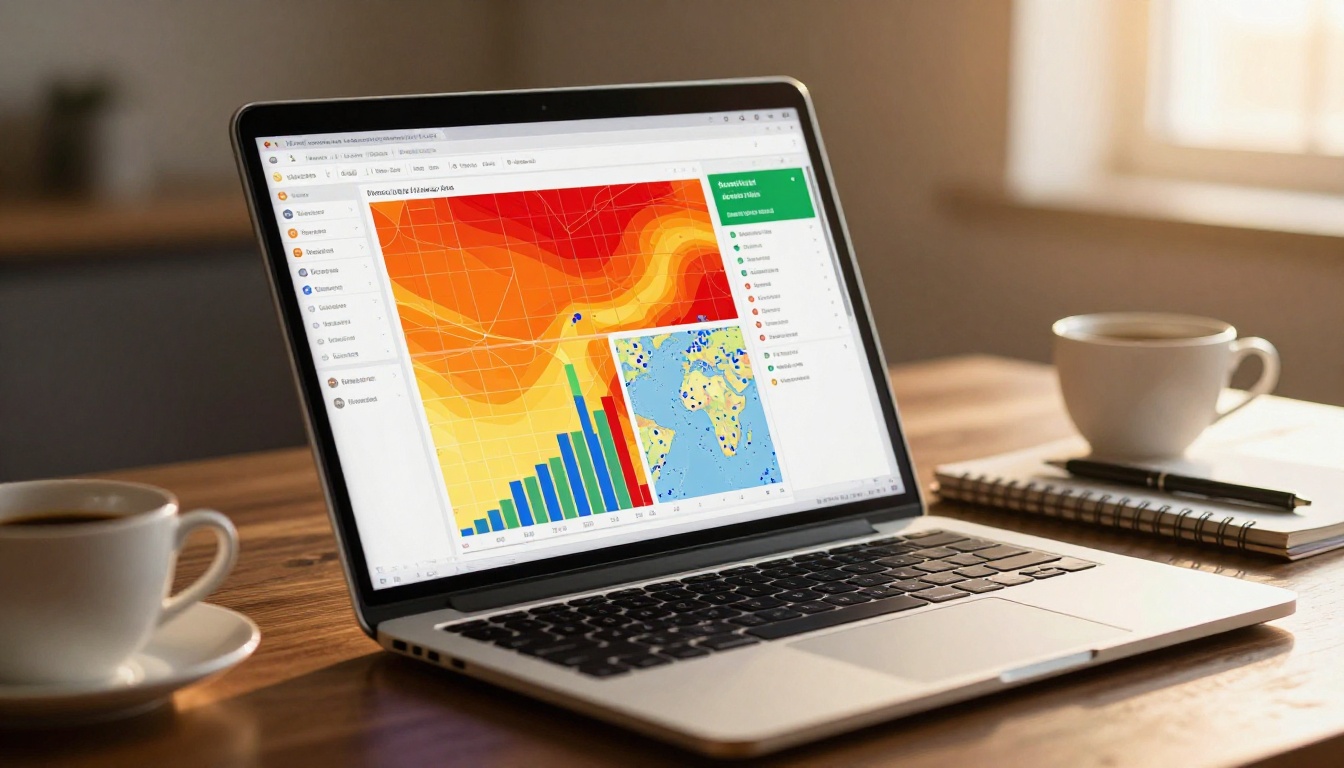
When you can see that a prospect spent 4 minutes on your pricing page but skipped the case studies entirely, you know exactly what to address in your next call. When you see that your product brochure loses readers at page 6, you know where to tighten the copy. PDF tracking turns guesswork into deliberate decisions backed by real behavior.

What PDF Analytics Can Actually Tell You
Not all tracking is equal. Some tools give you a binary opened/not-opened signal. Others provide deep behavioral data that tells a much richer story about how your content performs.
Page-Level Engagement Data
The most valuable metric is page-level data: which specific pages were viewed, in what order, and for how long. This reveals:
- Drop-off points (where readers stop reading)
- High-interest pages (where they slow down and re-read)
- Navigation patterns (did they jump back to page 3 after reading page 10?)
Viewer Identity and Location
Some platforms can tell you who opened your document, not just that someone did. This works through:
- Link-based tracking: each recipient gets a unique URL
- Email integration: the platform detects which email address clicked the link
- Lead capture forms: readers fill in their name and email before viewing
- IP and location data: rough geographic context on where the document was accessed
Time-on-Page Metrics
Raw page views matter less than time spent. A reader who spends 45 seconds on a single page is engaging deeply. One who flips through 20 pages in 8 seconds is skimming or not really reading at all.
| Metric | What It Tells You | Why It Matters |
|---|
| Total open count | How many times the doc was opened | Gauges initial interest level |
| Unique viewers | Distinct people who accessed the doc | Shows actual reach |
| Time per page | Seconds spent on each page | Reveals true reading intent |
| Drop-off page | Where readers stopped | Highlights weak content areas |
| Geographic location | Country or city of viewer | Contextualizes the audience |
| Device type | Mobile vs desktop | Informs formatting decisions |
| Forwarded views | Views beyond your original recipient | Shows organic sharing behavior |

5 Ways to Track Who Opens Your PDF
There is no single method that fits every situation. The right approach depends on your use case, your tech stack, and how granular you need the data to be.
1. Convert to a Trackable Link
Instead of attaching a PDF to an email, host it online and share a URL. The hosting platform logs every view automatically. Tools like Flipbooks AI do this when you upload a document: you get a shareable link with built-in analytics from the first view.
Best for: Sales outreach, marketing documents, proposals
2. Use a PDF Analytics Platform
Dedicated tools with analytics dashboards let you upload any PDF and get viewer data, page heatmaps, and notification alerts. The Professional plan on Flipbooks AI includes identified viewer tracking, lead capture forms, and real-time notifications.
Best for: Teams who share documents regularly and need centralized reporting
3. Embed a Tracking Pixel
A tracking pixel is a 1x1 invisible image embedded in the PDF. When the document is opened in a connected viewer, the pixel fires and logs the event. This approach is simpler but less reliable because many PDF readers block external image loading by default.
Best for: Basic open-tracking only, with no page-level data needed
4. Gate the PDF with a Lead Capture Form
Before the reader can see the document, they must enter their name and email address. Every viewer becomes identified. This works especially well for high-value content like white papers, industry reports, or pricing guides.
💡 Flipbooks AI includes a built-in lead generation feature on the Professional plan that lets you add a form gate directly to your flipbook without any third-party integrations.
Best for: Lead generation, gated content, sales enablement campaigns
5. Host It as an Interactive Flipbook
This is the most powerful option available. Instead of sending a flat PDF, convert it into an interactive flipbook with full analytics. Every page view, every click, every second spent is logged. Readers get a significantly better experience. You get complete visibility into their behavior.
Best for: Sales proposals, reports, catalogs, marketing materials, any document where reader behavior matters to your strategy

Static PDFs vs. Trackable Flipbooks
The format you choose for sharing documents determines what data you can ever collect. Static PDFs were designed for printing, not for tracking digital behavior.
Why Static PDFs Fall Short
When you email a PDF attachment:
- The file leaves your control entirely once sent
- No platform logs the open event server-side
- You get zero page-level behavioral data
- The recipient can share it freely without you knowing
- There is no way to update the content after sending without resending
What Flipbooks Do Differently
A flipbook is a web-based document that lives at a URL you control. Because it loads in a browser, every interaction is tracked by the hosting platform in real time. You can:
- See who opened it and exactly when
- Watch page-by-page reading behavior as it happens
- Set password protection on sensitive documents
- Update the content without resending the link
- Embed the document on a website or send it via email with equal tracking either way
| Feature | Static PDF | Interactive Flipbook |
|---|
| Open tracking | No | Yes |
| Page-level analytics | No | Yes |
| Real-time viewer alerts | No | Yes |
| Lead capture gating | No | Yes (Professional plan) |
| Password protection | No | Yes |
| Update content after sending | No | Yes |
| Mobile-responsive viewing | Poor | Excellent |
| Embed on website | Difficult | One line of code |
| Forwarding visibility | No | Yes |
| No watermarks | Varies | Yes, always |
How to Track Your PDF Readers with Flipbooks AI
Flipbooks AI is a document publishing platform built specifically for creating trackable, interactive flipbooks from any PDF. Here is exactly how to set it up and start collecting real data.
Step 1: Create Your Account
Head to flipbooksai.com/account and sign up for free. No credit card is required to start. The free tier lets you publish flipbooks and test the interface before committing to a plan. Setup takes under two minutes.
Step 2: Upload Your PDF
Once inside the dashboard, click New Flipbook and drag your PDF into the upload area. Flipbooks AI processes the file and converts each page into a high-resolution interactive spread. For a typical 20-page document, this takes under 60 seconds regardless of file size.
✅ Flipbooks AI supports all standard PDF formats including multi-page documents, brochures, catalogs, reports, and presentations. Every file type converts cleanly.
Step 3: Customize and Configure
Before publishing, you can:
- Apply your brand colors and logo
- Choose a page-turning animation style
- Set a custom domain or subdomain
- Enable password protection for private access
- Turn on the lead generation form to capture viewer data before they can view the content
The PDF to Flipbook Converter handles the conversion automatically, but every visual and functional detail is customizable to match your brand.
Step 4: Share and Monitor in Real Time
Click Publish to get your shareable link. Send it via email, embed it on your website using the Embed Flipbook on Website tool, or post it anywhere online.
Back in your dashboard, the Analytics tab shows:
- Total and unique view counts
- Page-by-page time data with visual charts
- A viewer location map with geographic dots
- Device breakdown comparing mobile and desktop access
- A real-time activity feed showing views as they happen
💡 With the Professional plan, you get identified viewer names alongside their full reading behavior, not just anonymous session tokens. You can see that "Sarah from Acme Corp" spent 3 minutes on page 7.
PDF Tracking for Sales and Marketing Teams
PDF analytics produces different results depending on your role. Here is how each team can put this data to immediate practical use.
For Sales Teams: Knowing When to Follow Up
The classic sales mistake is following up at the wrong moment. Too soon and you seem pushy. Too late and the buyer has moved on to a competitor. PDF tracking solves this timing problem entirely.
When you get a real-time notification that your prospect just opened your proposal for the second time and spent 6 minutes on the pricing page, that is your signal to reach out. Not tomorrow. Right now.
- Personalize your follow-up: Reference what section they were likely reviewing to show attentiveness
- Prioritize your pipeline: Focus calling effort on prospects actively reading your documents today
- Spot buying signals: Multiple opens in a short window often means internal discussions are actively happening
For Marketing Teams: Measuring Content ROI
Marketing teams produce enormous amounts of content: brochures, case studies, white papers, product sheets, annual reports. Without analytics, you have no idea which pieces are actually being read.
PDF tracking lets you:
- Identify your best-performing documents by total read time, not just download count
- Find pages with high drop-off rates and rewrite or redesign them
- See which documents are being shared internally at prospect companies
- Justify content investment with real behavioral data rather than vanity metrics
| Team | What to Track | Action to Take |
|---|
| Sales | Proposal opens, pricing page time, repeat views | Time follow-ups to peak interest moments |
| Marketing | Content read depth, drop-off pages, sharing behavior | Prioritize and rewrite underperforming content |
| HR | Job description reads, offer letter opens | Improve candidate communication timing |
| Finance | Report read rates, stakeholder open times | Confirm delivery and actual engagement |
| Education | Course material completion, time per section | Identify modules where students disengage |

Common PDF Tracking Mistakes to Avoid
Getting the setup right matters. These are the errors that cost teams their data quality and their confidence in the numbers.
Sharing the Same Link to Multiple Recipients
If everyone on your email list gets the same document URL, you cannot differentiate who is who in the analytics. Use unique links per recipient so each viewer's data stays separated. Flipbooks AI generates individual tracked links for each share automatically when you use the sharing panel.
Ignoring Mobile Behavior
Over 60% of documents are now opened on mobile devices first. If your PDF is not optimized for mobile viewing, high bounce rates on mobile simply reflect a bad reading experience, not disinterest in the content. Always check the device breakdown in your analytics before drawing conclusions about content quality.
Tracking Opens Without Acting on the Data
Analytics without action is just noise filling a dashboard. Build a simple workflow: when a prospect opens your proposal, you get a notification, and you have a response ready to send within the hour. The data only matters if it changes what you actually do next.
⚠️ Avoid using tracking pixels as your only method. Many modern email clients and PDF readers block external image requests, which means your pixel may never fire even when the document is genuinely opened. Link-based tracking through a hosted platform is far more reliable and produces cleaner data.
Not Using Password Protection for Sensitive Documents
If you are sending proposals, pricing sheets, or confidential reports, always password-protect the flipbook before sharing. Flipbooks AI includes password protection on all paid plans. Without it, a forwarded link gives full unrestricted access to anyone who receives it secondhand.

Start Getting Real Data from Your Documents
You have been flying blind long enough. Every PDF you send without tracking is a missed opportunity to actually understand your audience, time your outreach perfectly, and improve your content based on how real people interact with it.
The shift from a static PDF to a tracked, interactive flipbook takes less than five minutes. The data you get back changes how your entire team works with documents at every stage of the process.
Whether you are a solo consultant sending proposals, a marketing team distributing quarterly reports, or a sales organization managing a multi-stage pipeline, document analytics is no longer a luxury. It is the difference between guessing what happened and knowing precisely what did.

Ready to stop sending documents into the void? Create your free account on Flipbooks AI and publish your first fully tracked flipbook today. No watermarks, no limits on the number of flipbooks, and analytics available from your very first view.
If you need features like lead capture forms, identified viewer tracking, and offline downloads, the Professional plan has everything built in. Browse all available document tools to find the right format for your use case, from the Sales Presentation Flipbook to the Annual Report Creator and the Digital Portfolio Creator.
Stop sending documents into the void. Start knowing exactly what happens after you hit send.



