Static PDFs were once the gold standard for digital documents. A decade ago, a well-formatted PDF felt professional, polished, and trustworthy. But reader behavior has changed dramatically, and the data tells a story that every marketer, publisher, and content creator needs to hear: interactive content gets more clicks than static PDFs, and the gap keeps widening.
Flipbooks AI is one of the platforms at the center of this shift, turning ordinary PDFs into fully interactive digital experiences in minutes. But before we get into the how, let's dig into the why.
The PDF Problem Nobody Talks About
PDFs are everywhere. Annual reports, product catalogs, brochures, training manuals, e-books, you name it. But here's what the download stats don't show: most people never finish reading them.
Research from content marketing studies consistently shows that:
- Average PDF completion rate: 8-12%
- Average interactive flipbook completion rate: 45-60%
- Time-on-page for interactive documents: 3-5x longer than static PDFs
- Click-through rates from embedded links in flipbooks: 2-4x higher than PDF links
The reason isn't complicated. PDFs demand effort. You download the file, open a separate application, navigate with clunky scroll bars, and when you leave, there's no way back. Interactive content, by contrast, lives in the browser. It loads instantly, responds to touch and click, and rewards curiosity with motion and depth.
💡 Pro Tip: The biggest drop-off point for PDF readers is page 2. Interactive documents typically retain 3x more readers past the first scroll because the experience feels alive, not static.
Why Clicks Actually Happen
Understanding why interactive content gets more clicks than static PDFs requires looking at how humans naturally respond to visual and interactive stimuli.

The Psychology of Interaction
When something responds to your touch, your brain interprets it as alive and worth attention. This is why children prefer interactive toys over static books, and why adults spend more time on apps that animate, respond, and reward interaction.
Digital flipbooks tap into this directly. The page-turn animation alone, that satisfying curl of a page responding to your swipe, triggers a dopamine response tied to physical book-reading memories. It feels familiar and novel at the same time. That combination is extraordinarily powerful for retention.
Embedded Links That Actually Get Clicked
Static PDFs have hyperlinks, technically. But who clicks them? Navigation away from a PDF means leaving the reading environment entirely, opening a browser, and losing your place. Most readers simply don't bother.
Interactive flipbooks embed links that open in new tabs without disrupting the reading experience. This alone can double click-through rates on embedded CTAs, product links, and resource references.
⚠️ Warning: If your PDF has important calls-to-action buried in the text, they're almost certainly being ignored. PDF click rates on embedded links average under 2%. Interactive document click rates average 8-15%.
Mobile-First Reality
Over 60% of content is now consumed on mobile devices. PDFs on mobile are a disaster. Pinch-zoom, horizontal scrolling, text that wraps awkwardly. Interactive flipbooks are built mobile-first, with responsive layouts that adapt to any screen size automatically.

Static vs. Interactive: A Direct Comparison
The numbers don't lie. Here's what the data shows across performance metrics:
| Metric | Static PDF | Interactive Flipbook |
|---|
| Average completion rate | 8-12% | 45-60% |
| Mobile readability | Poor | Excellent |
| Time on content | 1.2 minutes avg | 4-7 minutes avg |
| Embedded link CTR | 1.5-2% | 8-15% |
| Social shareability | Low (file download) | High (shareable URL) |
| Analytics visibility | None | Full page-by-page data |
| Loading speed (mobile) | Slow (file download) | Instant (browser-based) |
| SEO indexability | Limited | Embeddable, linkable |
The performance gap is not marginal. In almost every measurable category, interactive content outperforms static formats by a factor of 3 to 10.
Who Benefits Most From Interactive Content
This isn't a niche advantage. The click-rate improvement of interactive content over static PDFs applies across virtually every industry.
Marketing and Sales Teams
Product catalogs that let customers click directly to a purchase page. Pricing brochures with embedded video demonstrations. Sales decks that track which pages prospects actually viewed. These aren't hypothetical benefits. They're the everyday use cases that marketing teams are adopting right now.

Real use case: A furniture retailer replaces their static PDF catalog with an interactive flipbook. Embedded links go directly to product pages. Analytics show which items get the most attention. The result: 40% more product page visits from catalog readers, and the sales team knows exactly what buyers are interested in before the first call.
Publishers and Content Creators
E-magazines, digital newsletters, and online lookbooks all benefit from the interactive format. Readers who flip through pages stay longer, share more, and return more often than those handed a PDF download link.
✅ Best Practice: Always include at least one embedded video or audio element in your interactive document. Pages with multimedia get 2x the dwell time of text-only pages.
Education and Training
Training manuals as PDFs have notoriously low completion rates. Interactive flipbooks with embedded quizzes, video walkthroughs, and clickable navigation dramatically improve both knowledge retention and completion numbers.
A corporate training program that moved from PDF manuals to interactive flipbooks reported a 55% improvement in assessment scores and a 70% reduction in trainer time spent re-explaining content.
The Analytics Advantage
This is where static PDFs reveal their biggest blind spot: you have no idea what happens after someone downloads your PDF.
Did they read page 3? Did they skip the pricing section? Did they share it? You'll never know.
Interactive flipbooks on platforms like Flipbooks AI with the Professional plan give you page-by-page analytics. You can see:
- Which pages readers spend the most time on
- Where they drop off
- Which embedded links they click
- How many people viewed each page
- Total reading sessions and unique readers
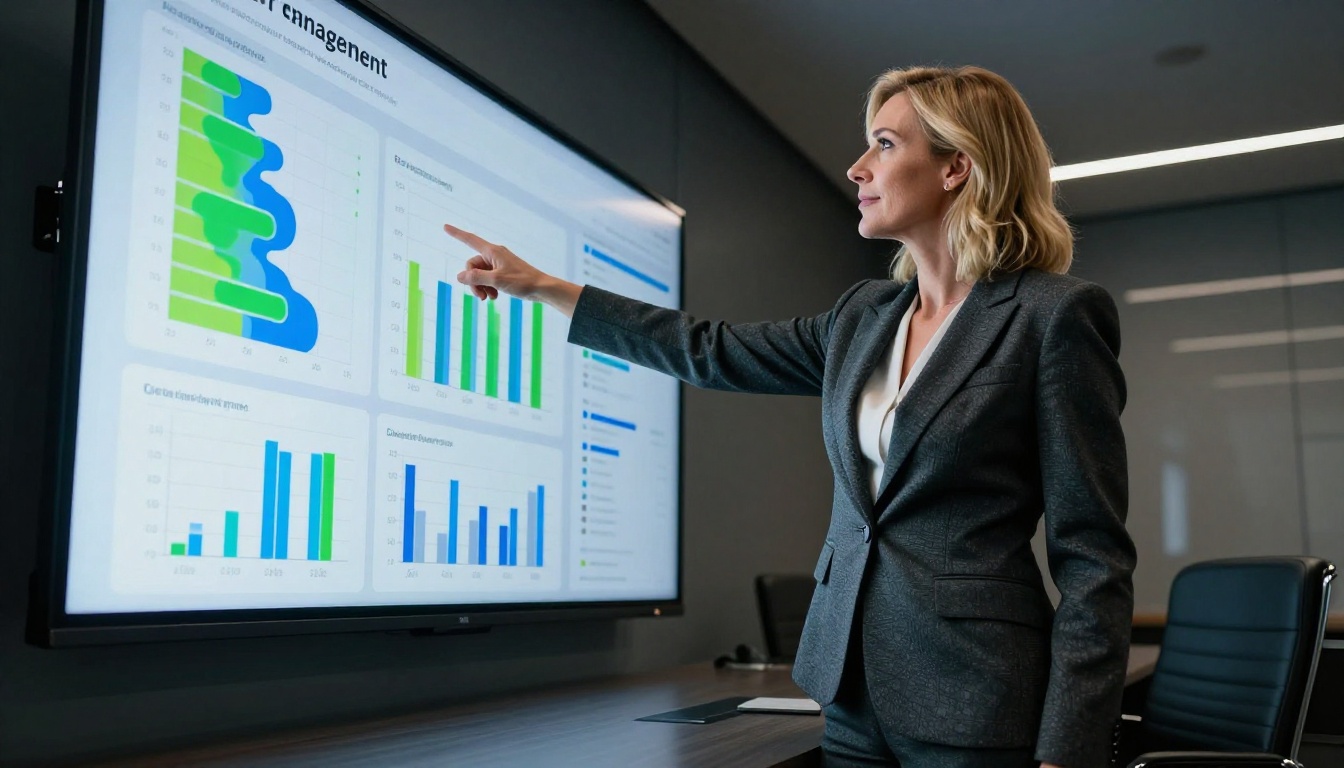
This data is a strategic asset. It tells you what content resonates, where your messaging falls flat, and what drives conversions. No static PDF can compete with that level of insight.
Not every document type benefits equally from the switch. Here's a practical breakdown:
| Document Type | PDF Suitability | Interactive Flipbook Value |
|---|
| Product catalog | Low | Very High (clickable products, direct purchase links) |
| Annual report | Medium | High (data visualization, embedded video, analytics) |
| Training manual | Low | Very High (embedded quizzes, video, chapter navigation) |
| Restaurant menu | Low | High (photo-rich, mobile-first, QR accessible) |
| Real estate brochure | Low | Very High (property tours, contact forms, map embeds) |
| E-magazine | Very Low | Essential (native reading format, multimedia) |
| Portfolio | Low | High (visual impact, embedded case studies) |
| Newsletter | Low | High (trackable, shareable, embedded links) |
The pattern is clear. Documents intended to inform, sell, or retain attention perform dramatically better in interactive format.
How to Convert Your PDFs With Flipbooks AI
The practical barrier to switching from static PDFs to interactive content has dropped significantly. With Flipbooks AI, the conversion takes minutes, not days.

Here is exactly how to do it:
Step 1: Create your account
Go to Flipbooks AI and sign up for free. No credit card required to start.
Step 2: Upload your PDF
From your dashboard, click "New Flipbook" and drag your PDF into the upload area. Files up to 100MB are supported. The platform automatically converts each page into a responsive, browser-viewable format with the page-turn animation applied.
Step 3: Customize your flipbook
Once uploaded, you can:
- Apply your brand colors and logo
- Add a custom background texture or color
- Enable or disable the page-turn sound effect
- Set the reading direction (left-to-right or right-to-left)
- Add a table of contents for longer documents
Step 4: Add interactive elements
This is where the click-rate improvement happens. You can:
- Embed clickable links on any page area
- Add video or audio to specific pages
- Insert lead generation forms to capture reader information (Professional plan)
- Add pop-up notes or annotations
Step 5: Share and embed
Your flipbook gets a unique shareable URL that works on any device. You can also:
- Embed it directly on your website with a single line of code using the Embed Flipbook on Website tool
- Set a password for private documents
- Enable offline downloads for readers who need access without internet
- Share directly to social media platforms
Step 6: Track performance
With analytics enabled (Professional plan), monitor reader behavior in real time. See exactly which pages drive the most reader attention and which CTAs convert.
💡 Pro Tip: Use the Digital Catalog Maker if you're converting a product catalog. It includes pre-built templates optimized for e-commerce click-through rates.
Flipbooks AI provides dedicated tools for virtually every document type. Rather than a one-size-fits-all converter, each tool is optimized for its specific use case:

For businesses and sales:
For hospitality and retail:
For creative professionals:
For education and training:
Flipbooks AI Plan Comparison
Choosing the right plan depends on your volume and feature needs:
| Feature | Free | Standard | Professional |
|---|
| Flipbooks | 3 | Unlimited | Unlimited |
| Watermarks | No | No | No |
| Password protection | No | Yes | Yes |
| Analytics | No | No | Yes |
| Lead generation forms | No | No | Yes |
| Offline downloads | No | Yes | Yes |
| Custom branding | No | Yes | Yes |
| Embed on website | Yes | Yes | Yes |
| Video and audio embeds | No | Yes | Yes |
✅ Best Practice: If you're using flipbooks for sales or marketing, the Professional plan's analytics and lead generation features pay for themselves within the first campaign. Knowing which pages your prospects linger on is worth more than the subscription cost.
See all options at Flipbooks AI pricing.
The Sharing Multiplier
Static PDFs are shared as file attachments. They sit in inboxes, get forgotten, and can't be tracked. Interactive flipbooks are shared as URLs.

A URL can be:
- Posted on LinkedIn, Instagram, or Twitter directly
- Embedded in email campaigns as a thumbnail preview
- Shared via QR code in physical spaces
- Indexed by search engines for organic traffic
- Tracked with UTM parameters for campaign attribution
This shareability is a force multiplier. One interactive catalog shared on LinkedIn can reach thousands of potential customers organically, whereas a PDF attachment reaches only the immediate recipient.
Real-world example: A real estate agency publishes a property portfolio as an interactive flipbook and shares the link on social media. The post generates 312 link clicks in 48 hours. The same content as a PDF attachment would have generated near zero organic reach.
Making the Switch: What to Do This Week
The data is clear. Interactive content gets more clicks than static PDFs by every measurable metric. The technology to make the switch is available, affordable, and straightforward. Here's a simple action plan:
- Audit your current PDF assets: List every PDF you currently share: catalogs, brochures, reports, menus, portfolios
- Prioritize by traffic potential: Which documents are shared most? Start there
- Convert the top 3: Use Flipbooks AI to convert your three highest-traffic PDFs to interactive flipbooks this week
- Add at least one embedded CTA per document: A clickable button, a product link, a contact form
- Enable analytics: Track page-by-page performance from day one
- Compare results after 30 days: Click rates, time-on-content, lead capture numbers
The average organization that makes this switch reports a 35-50% improvement in content-driven click volume within the first month. Not because the content changed, but because the format finally lets readers interact with it the way they naturally want to.
Ready to see the difference for yourself? Create your free account on Flipbooks AI and convert your first PDF today. Browse all available tools to find the right fit for your specific use case, or compare plans to see which tier matches your needs.



