Speed is the first thing your audience notices, even before the first page loads. A digital brochure that takes five seconds to open has already lost 40% of its visitors. If you want people to actually read what you have created, you need to make a flip brochure that loads in 2 seconds or less, and that is entirely achievable with the right approach. Flipbooks AI is built specifically for this: fast delivery, zero friction, and a beautiful page-flip experience from the first click.
This article breaks down every factor that affects flip brochure load times, shows you how to optimize your source files, and walks through a real workflow so your next brochure is live and lightning fast.
Why Load Speed Decides Everything
The 2-Second Threshold for Digital Content
Two seconds is not arbitrary. Research from Google's web performance team shows that 53% of mobile users abandon a page that takes longer than 3 seconds to load. For a brochure, where the audience is already one step removed from converting, that drop-off rate is even more punishing. Fast-loading digital brochures hold attention, reduce bounce rates, and signal professionalism before a single word is read.
The difference between a 1.5-second and a 5-second load is not technical. To the reader, the slow one feels broken.
What Happens After 3 Seconds
The numbers are direct:
- 53% of mobile visitors leave before the 3-second mark
- 80% will not return after a poor loading experience
- Pages loading in 1 second convert 3x better than those loading in 5 seconds
- Every 100ms delay reduces conversions by roughly 7%
A slow digital brochure does not just lose readers. It loses sales, inquiries, and brand credibility. Speed is not optional. It is the first impression.
💡 Aim for a Time to First Byte (TTFB) under 200ms. If your brochure platform serves files from a geographically distant server, you will never hit that target regardless of file size optimization.
What Slows Down a Flip Brochure
Four main culprits slow down digital flip brochures.
Oversized PDF Source Files
The most common issue is uploading a print-ready PDF directly to a brochure platform. Print PDFs are designed for 300 DPI output, which creates enormous file sizes. A 20-page brochure at print quality can easily be 80–150MB. Online, you need 72–96 DPI screen resolution, which can bring that same file down to under 5MB without any visible quality loss on screen.
Weak Hosting Infrastructure
Not all hosting is equal. A platform running on shared servers without Content Delivery Network (CDN) support will serve files from a single location. If your audience is in Barcelona and your server is in Oregon, every page flip involves a cross-Atlantic round trip. That latency adds up fast.
No Progressive or Lazy Loading
Some platforms load all pages at once before displaying anything. A better architecture loads page 1 immediately, then fetches remaining pages in the background while the reader views the content. This means a 50-page brochure can show its opening page in under a second while everything else loads silently.
Heavy Embedded Media
Embedding full-resolution videos or unoptimized images directly inside a flip brochure compounds every other problem. Each embedded asset must load, and without proper compression, the total payload balloons quickly.
How to Optimize Your PDF Before Upload
The single highest-impact action you can take happens before you upload anything. A properly prepared PDF is the foundation of a fast flip brochure.
Compress Images Inside the PDF
In Adobe Acrobat or any design tool, set image resolution to 96 DPI for screen-only output. In Acrobat Pro, use the PDF Optimizer: go to File, Save As Other, Optimized PDF, then set all image downsampling to 96 DPI at JPEG compression Medium. This alone can cut file size by 60–80%.
Free alternatives include:
- Smallpdf (web-based, simple two-click compression)
- ILovePDF (batch compression for multiple files)
- Ghostscript (command-line tool, maximum control)
- Canva's PDF export (set quality to "Compressed" before downloading)
Strip Unnecessary Metadata and Layers
Design files exported to PDF often carry embedded fonts in full form, hidden layers, and color profile data built for professional printing. Strip these with Acrobat's Remove Hidden Information tool, or by exporting from your design software as "PDF for Web" rather than "PDF for Print."
Target File Size by Page Count
| Page Count | Target File Size | Max Acceptable |
|---|
| 4–8 pages | Under 1.5 MB | 3 MB |
| 10–20 pages | Under 3 MB | 6 MB |
| 20–50 pages | Under 6 MB | 12 MB |
| 50+ pages | Under 10 MB | 20 MB |
⚠️ If you upload a print PDF at 150MB expecting a fast digital brochure, no platform can fully compensate for that. File preparation is your responsibility before upload.
PDF Compression Tools Compared
| Tool | Free Tier | Compression Quality | Best For |
|---|
| Smallpdf | Yes (2/day) | Good | Quick one-off compression |
| ILovePDF | Yes | Good | Batch processing |
| Adobe Acrobat Pro | No (paid) | Excellent | Full control over output |
| Ghostscript | Yes (open source) | Excellent | Developers and automation |
| Canva Export | Yes | Good | Files created in Canva |
Once your PDF is optimized, the platform you use determines whether you actually hit the 2-second target. Not all flipbook platforms are built with performance infrastructure.
What a Fast Platform Provides
- Global CDN delivery: Files served from a node close to the reader, not from a single origin server
- Lazy page loading: Pages render progressively so the reader sees content immediately
- Automatic image optimization: The platform re-compresses assets at delivery time if needed
- HTTPS and HTTP/2: Modern protocols reduce connection overhead and enable parallel loading
- Mobile-first rendering: Separate handling for mobile viewports, not a scaled-down desktop version

Platform Speed Feature Comparison
| Feature | Basic Platforms | Flipbooks AI |
|---|
| CDN Delivery | Rarely included | Yes, global |
| Lazy Page Loading | Sometimes | Yes, built-in |
| Mobile Optimization | Partial | Fully responsive |
| Progressive Rendering | No | Yes |
| Custom Domain with HTTPS | Paid add-on only | Included |
| Watermark-Free Publishing | No | Yes |
| Analytics Dashboard | No | Professional plan |
✅ Always test your brochure load time using Google PageSpeed Insights or GTmetrix after publishing. A score above 85 on mobile is achievable with the right setup and optimized source files.
How to Create a Fast Flip Brochure on Flipbooks AI
This is where the theory becomes a practical workflow. Flipbooks AI is purpose-built for fast, professional flip brochures, and the process from upload to live shareable link takes under three minutes.
Step 1: Create Your Account and Upload
Head to flipbooksai.com/account and sign up. Once inside, click New Flipbook and upload your optimized PDF. The platform converts your PDF into a web-optimized flipbook automatically. Pages are processed individually, so the first page is ready to display while the rest are still rendering in the background, which is exactly what achieves sub-2-second opening times.
Step 2: Customize Branding and Appearance
After upload, you can configure:
- Your logo and brand colors in the viewer toolbar
- Page flip animations (classic page-curl, slide, or fade)
- A table of contents for navigation on longer brochures
- A thumbnail for social sharing previews
- Background color and viewer frame style
None of these settings affect load time significantly. Branding is applied at the viewer level, not embedded into the file, so the fast-loading architecture stays intact regardless of how much you customize the appearance.
Step 3: Set Sharing and Embed Options
Your published brochure gets multiple distribution formats:
- A direct shareable link (works in email, WhatsApp, LinkedIn, or any messaging platform)
- An embed code (iFrame-based, drop into any website in seconds with no performance penalty)
- Password protection for internal or private content
- QR code for print-to-digital campaigns where you want instant mobile access
For a real estate agent sharing a property brochure in a text message, the direct link is enough. For a hotel embedding a room catalog on their booking page, the iFrame embed loads asynchronously, keeping the host page fast.

Step 4: Pro Features for Business Publishing
On the Professional plan, you also get:
- Analytics: See who opened the brochure, which pages they read, and how long they stayed
- Lead capture forms: Collect emails before readers access the content
- Offline downloads: Readers can save a version for offline use without wifi
- Custom domain: Serve the brochure from your own domain for consistent branding
These features load asynchronously after the brochure content renders, so they add zero overhead to the opening speed of the flipbook itself.
Mobile Speed: The Factor Most Teams Ignore
Desktop load times are often acceptable while mobile performance falls apart. Since over 60% of digital brochure traffic now comes from mobile devices, optimizing for mobile is non-negotiable.
Why Mobile Is Slower by Default
Mobile connections are inconsistent. A reader opening your brochure on 4G in a parking lot may experience 1 Mbps effective throughput. At that speed, a 15MB brochure takes 15 seconds to show anything. An optimized 2MB brochure shows the first page in under 2 seconds on that same connection.
Additional factors on mobile:
- CPU constraints: Mobile browsers process page-flip animations with less computational power than desktop
- Screen rendering: Retina displays request higher-resolution assets automatically if the platform does not serve adaptive versions
- Network latency: Without CDN proximity, every asset request adds round-trip delay that stacks up fast
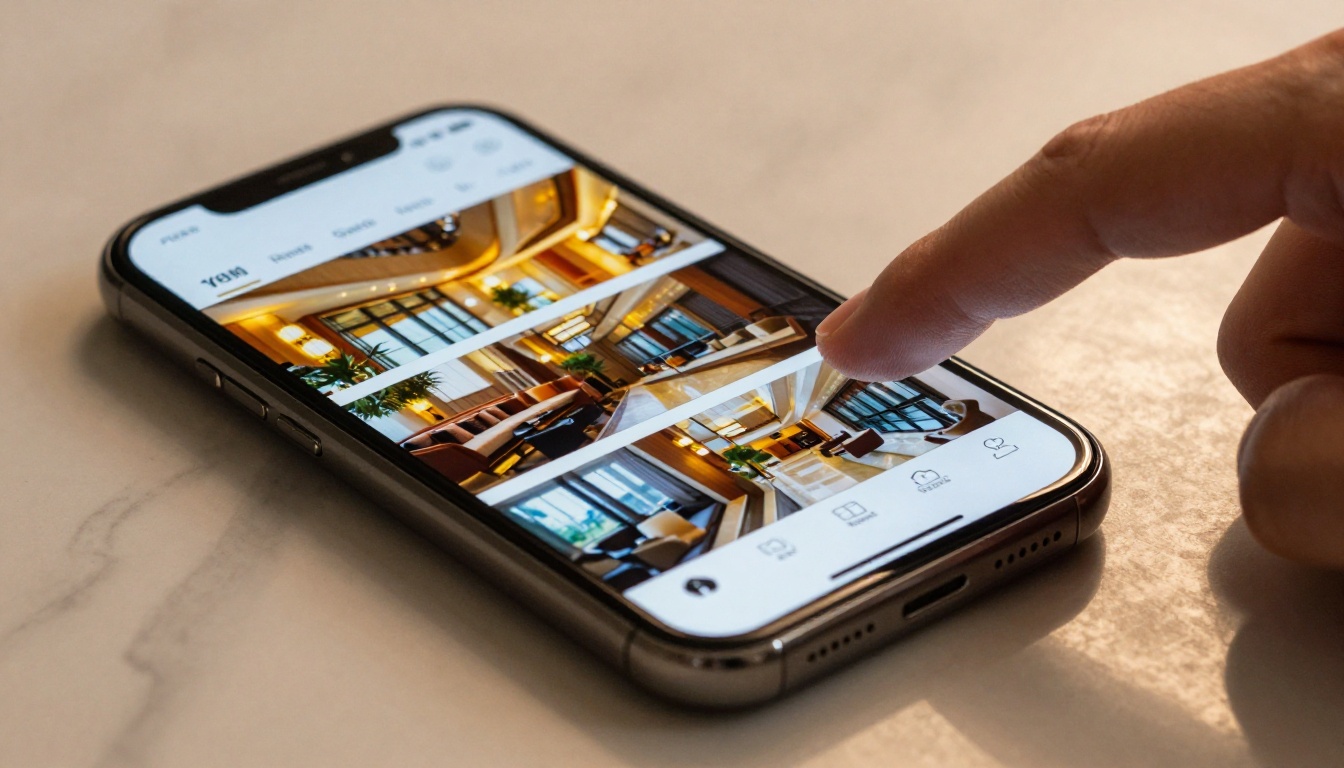
Mobile vs Desktop Loading Considerations
| Factor | Desktop | Mobile |
|---|
| Typical connection speed | 50–200 Mbps | 5–30 Mbps |
| First-page target load time | Under 2 seconds | Under 2 seconds |
| Recommended PDF file size | Under 10 MB | Under 3 MB |
| CDN proximity impact | High | Critical |
| Lazy loading importance | Important | Essential |
| Animation complexity | Full | Simplified preferred |
How to Test Your Brochure Load Time
After publishing, use these tools to verify real-world performance:
- Google PageSpeed Insights: Enter the brochure URL and check the mobile score specifically
- GTmetrix: Detailed waterfall chart showing every individual asset load time
- WebPageTest: Test from specific geographic locations to simulate readers in different regions
- Pingdom: Simple load time measurement from multiple server regions
A properly configured flip brochure on a CDN-backed platform should score 85–95 on mobile PageSpeed consistently.
💡 Test on a real mobile device over 4G, not just in Chrome's mobile emulator. Emulators do not replicate real network conditions or real device CPU performance.
Real-World Use Cases Where Speed Closes Deals
Real Estate Brochures
An agent sends a property brochure via WhatsApp. The buyer is in a car, on a 4G connection, with one hand free. If the brochure takes 8 seconds to open, they will not wait. If it loads in 1.5 seconds, they scroll through 12 pages before the call ends. The Real Estate Brochure tool on Flipbooks AI is built for exactly this scenario.
Hotel and Travel Brochures
A travel agency emails a destination brochure to 3,000 subscribers. Open rates mean nothing if the brochure itself does not load. A fast-loading Hotel Brochure means the click converts into a read, which converts into an inquiry. Speed is directly traceable to revenue in this channel.
Product Catalogs
A furniture brand sends a 48-page product catalog to retail buyers. Those buyers open the email on mobile while walking between meetings. The catalog needs to show the first four pages instantly, then load the rest silently in the background. The Product Catalog tool handles this with progressive loading at its core.
Website Embedding
For teams embedding a brochure directly into a website using the Online Brochure Designer or Brochure Flipbook Maker, load speed affects the host page's SEO score directly. A slow iFrame drags down Core Web Vitals for the entire page. Fast-loading flipbooks from Flipbooks AI load asynchronously, avoiding that penalty entirely.
Speed and Visual Quality Are Not Opposites

The most common fear is that optimizing for speed means sacrificing beautiful imagery. That is a false choice. A well-compressed PDF at 96 DPI, served over a global CDN with progressive loading, looks identical to a print-quality 300 DPI file on screen. Human eyes cannot resolve more than 96 DPI on most displays anyway.
What you gain is everything that matters online: instant access, zero reader abandonment, smooth mobile performance, and a brochure that actually gets read. The visual difference is imperceptible. The performance difference is measured in real conversions.
Browse all available flipbook tools to see the full range of use cases, from product catalogs and annual reports to wedding albums and restaurant menus. Every tool runs on the same fast-loading, CDN-backed infrastructure.
Ready to publish your first fast flip brochure? Get started for free on Flipbooks AI today, or compare pricing plans to choose the right tier for your publishing volume.



