Your Slack channels are a goldmine of team decisions, project updates, client announcements, and institutional knowledge. The problem is, that knowledge disappears into an endless scroll the moment something new comes in. Making a flipbook from your Slack channels turns that ephemeral feed into a structured, shareable, and permanent document your team can actually use. Flipbooks AI makes this process faster than you'd expect.
Why Slack Channels Need a Real Archive
Most teams treat Slack like a live feed and forget it exists the moment the conversation moves on. That works fine for quick pings. It falls apart entirely for anything that matters long-term.
The Problem with Scrolling Back
Searching Slack is useful, but it has a ceiling. Free workspaces cap message history at 90 days. Even on paid plans, hunting for a specific decision buried in a 6-month-old thread is frustrating and slow. When someone new joins the team, pointing them to "just scroll back through #product-updates" is not onboarding, it's a maze.
What Gets Lost in the Feed
The real cost isn't the time spent searching. It's the context that evaporates. A channel message without its surrounding thread, its attached files, and the reactions it received is half the story. When that information never gets archived in a readable format, it stops existing in any practical sense.
💡 Pro tip: Channels like #announcements, #decisions, and #project-retrospectives are the highest-value candidates for regular flipbook exports. These are the channels where actual conclusions live.
When a Flipbook Changes Everything
A flipbook gives your Slack history a physical shape. Pages you can flip through. A beginning, middle, and end. Whether you're creating a monthly team digest, a post-mortem document, or a compliance archive, a flipbook format makes the content readable, shareable, and professional. It's the difference between handing someone a printed report and saying "go fish through the filing cabinet."

What Slack Lets You Export
Before you can make a flipbook, you need the raw material. Slack's export system gives you different levels of access depending on your plan.
Free vs. Paid Export Options
| Slack Plan | Export Scope | Message History | File Attachments |
|---|
| Free | Public channels only | Last 90 days | No |
| Pro | Public channels | Full history | Yes |
| Business+ | Public + Private channels | Full history | Yes |
| Enterprise Grid | All channels including DMs | Full history | Yes |
If you're on the Free plan, you still have enough to work with for a monthly digest of your main public channels. Paid plans give you the full picture, including private channels with the right admin permissions.
What's in a Slack Export File
When you request an export from Slack's admin panel, you receive a .zip file containing JSON files for each channel. Each JSON file contains:
- Message text with timestamps
- Sender information (display name, user ID)
- Emoji reactions
- Thread replies (as nested objects)
- File attachment references with download URLs
- Bot messages and integrations
The JSON format is machine-readable, not human-readable. That's the gap you need to bridge to get from raw export to a polished PDF, and then from PDF to a flipbook.

From Slack Export to a PDF
The workflow from Slack data to a flipbook has three stages. The first is getting a clean export. The second is shaping it into a readable document. The third is converting that document into a flipbook.
Step 1: Request Your Slack Export
- Go to your Slack workspace settings at
your-workspace.slack.com/admin
- Click Settings and Permissions in the sidebar
- Select Import/Export Data
- Choose Export and select your date range
- Pick which channels to include (or select all public channels)
- Click Start Export and wait for the email notification
- Download the
.zip file from the link in the email
⚠️ Warning: Exports can be large for active workspaces. A year of activity in a busy channel can produce hundreds of megabytes of data. Filter your date range to what's actually relevant.
Step 2: Format the Content
The JSON files need to become readable text. You have several options depending on your technical comfort level:
- No-code option: Use a Slack export viewer tool (several free options exist online) to render the JSON as a visual conversation, then take screenshots or print to PDF
- Moderate option: Use Notion, Google Docs, or Confluence to paste the formatted content manually from the viewer
- Developer option: Write a simple script in Python or Node.js to parse the JSON and output formatted HTML or Markdown, then convert to PDF
The goal at this stage is a clean, formatted document with readable messages, timestamps, and any images or links that matter.
Step 3: Build Your PDF
Once your content is formatted in any word processor or document tool, export it as a PDF. Keep these formatting principles in mind:
- Use clear headings for each channel or date range section
- Include the message author and timestamp for every entry
- Group threaded replies under their parent message
- Remove bot spam and automated notifications unless relevant
- Keep images inline with their surrounding messages for context

How to Create a Flipbook from Slack Content with Flipbooks AI
With your PDF ready, the flipbook creation step is the fastest part. Flipbooks AI converts your PDF into a fully interactive digital flipbook with real page-turn animations, mobile-responsive design, and a shareable link, all without any watermarks.
Step 1: Sign Up and Access the Dashboard
Create a free account on Flipbooks AI. The dashboard loads immediately after signup with no complex onboarding. You'll see an upload area front and center.
Step 2: Upload Your PDF
Drag your Slack export PDF directly into the upload zone, or click to browse your files. Flipbooks AI processes the PDF and generates a preview of every page. For a typical 20-30 page monthly digest, this takes under a minute. Larger documents with many images may take a bit longer.
✅ Best practice: Name your PDF clearly before uploading. The filename becomes the default flipbook title, and a name like product-team-Q1-2025-digest is far more useful than export_final_v2.
Step 3: Customize Your Flipbook
After conversion, you can:
- Set a custom title and description visible to readers
- Choose a color theme that matches your company branding
- Add a logo to the flipbook header for internal brand consistency
- Enable or disable the table of contents sidebar
- Set a background color or texture for the viewer background
For internal team documents, the default clean white theme works well. For client-facing materials, match your brand colors to make the document feel intentional and professional.

Step 4: Share It with Your Team
Flipbooks AI gives you multiple ways to distribute your Slack channel flipbook:
- Direct link: Copy a shareable URL and paste it into Slack itself (satisfying full circle)
- Embed code: Paste an iframe embed into your company intranet, Notion page, or Confluence wiki
- Password protection: Set a password so only your team can access it, great for sensitive channel exports
- Offline download: Team members can download the flipbook for offline viewing on any device
💡 Pro tip: Paste the flipbook link back into the original Slack channel with a pinned message. Anyone who searches the channel will find the archive link at the top.

Best Use Cases for Slack Channel Flipbooks
Not every channel is worth archiving as a flipbook. The highest-value use cases are the ones where the content has lasting meaning beyond the week it was posted.
Monthly Team Roundups
Pull messages from #general, #wins, or #announcements at the end of each month and compile them into a "Month in Review" flipbook. This becomes a living record of company momentum that new hires can read to catch up on culture, celebrate milestones, and understand what the team shipped.
Project Post-Mortems
After a big launch or a difficult quarter, export the relevant project channel and turn it into a post-mortem flipbook. Organize the content chronologically, highlight the key decisions, and include any relevant file attachments. This creates a reference document that prevents your team from repeating the same mistakes or reinventing the same solutions.
Onboarding New Hires
New employees get access to Slack but have no idea what happened before they arrived. A curated flipbook of your most important historical channel content, such as #company-history, #product-roadmap, or #culture, gives new team members real context in a format that's actually readable and structured.
Compliance and Audit Trails
For regulated industries, Slack message history is often part of compliance requirements. Converting channel exports into structured, timestamped flipbooks creates audit-ready documentation that's far easier to review than raw JSON files or scrollable chat logs.

| Use Case | Channel Type | Frequency | Audience |
|---|
| Monthly Digest | #general, #wins | Monthly | Whole company |
| Project Post-Mortem | #project-name | Per project close | Project team |
| New Hire Onboarding | #culture, #product | As needed | New employees |
| Compliance Archive | Any regulated channel | Quarterly | Legal and Compliance |
| Client Updates | #client-name | Per engagement | Account team |
| Board Reports | #leadership | Quarterly | Executives |
Flipbooks AI Plans: What You Need
For most teams using this workflow, the Standard plan covers everything you need. Here's how the plans stack up for this specific use case:
| Feature | Free | Standard | Professional |
|---|
| Flipbooks per month | 3 | Unlimited | Unlimited |
| Watermark | Yes | None | None |
| Password protection | No | Yes | Yes |
| Custom branding | No | Yes | Yes |
| Analytics | No | No | Yes |
| Lead generation | No | No | Yes |
| Offline downloads | No | Yes | Yes |
| Embed on website | Yes | Yes | Yes |
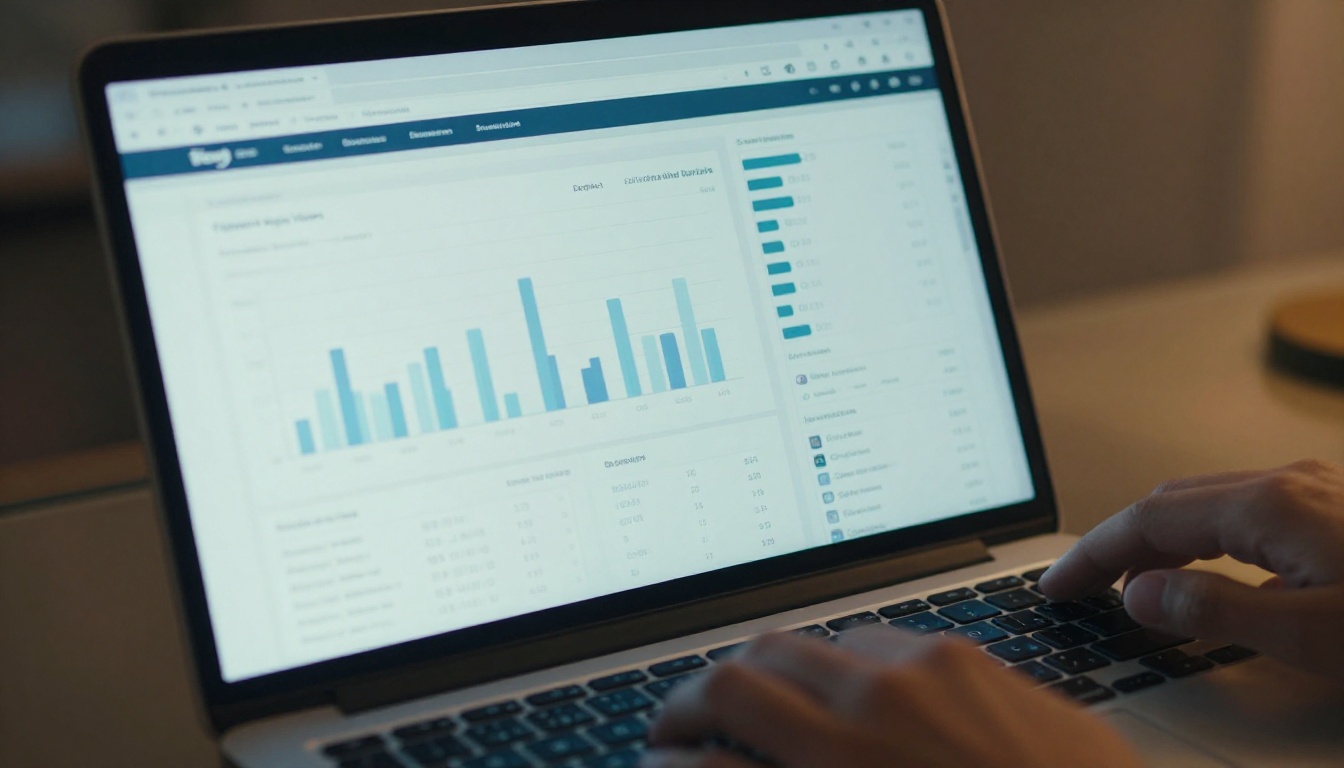
For compliance use cases or any situation where you need to track who viewed a document, the Professional plan adds analytics showing page-by-page engagement. You'll know exactly which pages of your Slack archive your team actually read.
Sharing Your Slack Flipbook the Right Way
How you distribute the flipbook matters as much as the content inside it.
Embed It in Your Intranet
If your team uses Notion, Confluence, or a custom internal wiki, the embed code from Flipbooks AI drops directly into any page that supports iframes. Your team browses the flipbook without ever leaving the tools they already use daily. This is the highest-friction-reduction option for teams that live in their wiki.
Password-Protected Access
For channel exports containing sensitive information, client details, or personnel discussions, set a password on the flipbook before sharing the link. Only people with the password can open it. This works especially well for #hr, #finance, or #leadership channel archives that should stay internal.
Offline Downloads
Flipbooks AI Standard and Professional plans allow team members to download the flipbook for offline access. This is critical for distributed teams with unreliable internet connections, field workers who need reference materials without connectivity, or anyone who wants to review documents during travel.
Slack Channel Types Worth Converting
Not all channels have equal archive value. Here's a quick reference for prioritizing your efforts:
| Channel Type | Archive Value | Recommended Frequency |
|---|
| Announcements | Very High | Monthly |
| Project channels | High | Per project close |
| General discussion | Medium | Quarterly |
| Social and casual | Low | Optional |
| Bot and automated | Very Low | Skip |
| Decision logs | Very High | Ongoing |
| Customer feedback | High | Monthly |
✅ Best practice: Start with your #announcements and #decisions channels. These have the highest signal-to-noise ratio and make the best first flipbooks. Once the workflow feels natural, expand to project channels.
Make It a Habit
The teams that get the most value from Slack-to-flipbook workflows are the ones that make it a recurring ritual, not a one-time experiment. Set a recurring calendar event at the end of each month to export, format, and publish that month's digest. It takes 30 to 45 minutes once you've done it twice.
Over time, your team builds a genuine, searchable library of company history. New hires can read through months of context in an afternoon. Managers have a paper trail for performance reviews. Executives have a narrative arc of company progress they can actually hand to a board member.
That's the real value of turning your Slack channels into flipbooks: it's not just archiving, it's building institutional memory that survives people leaving, tools changing, and time passing.
Ready to start? Create your account on Flipbooks AI and upload your first Slack export PDF today. The PDF to Flipbook Converter handles all file types, and your first flipbook can be live and shareable in under five minutes.
Compare pricing plans if you need password protection, custom branding, or analytics for your team's archive. Explore all flipbook tools to find specific formats that match your team's communication style.



