Your newsletter deserves better than a static wall of text buried in an inbox. Readers scroll past flat emails in seconds, but a newsletter that flips pages, plays videos, and tracks who clicked what? That keeps people reading. With Flipbooks AI, converting your existing PDF newsletter into a fully interactive digital publication takes minutes, not hours.
Why Static Newsletters Stop Working
Most newsletters look identical to what brands were sending in 2005. A header image, some body copy, a few links, and a footer. That format served its purpose when email was novel. Today, it blends into the background noise of an overloaded inbox.
The Attention Problem Is Real
The average person receives over 120 emails per day. Open rates across industries hover around 20 to 25 percent, and actual read time for most newsletters is under 20 seconds. Readers scan rather than read. Static layouts give them nothing to interact with, nothing to linger on.
What Readers Actually Respond To
Interactive content consistently outperforms passive content in time-on-page metrics. When a reader can turn a page, click a product image, or watch an embedded video right inside your newsletter, the experience shifts entirely. They stop scanning and start absorbing your content with focused attention.
What a Flipbook Newsletter Actually Does
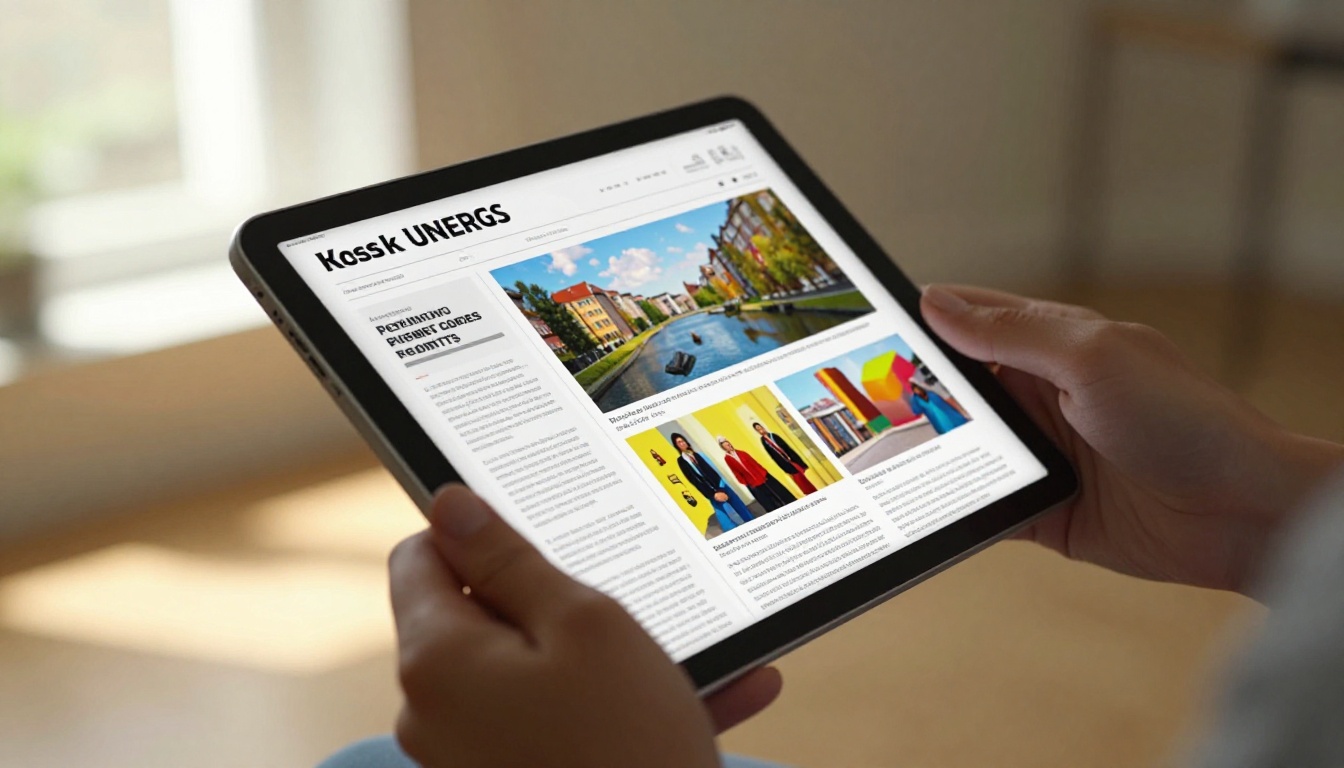
A flipbook newsletter is your PDF newsletter converted into an online publication with realistic page-turn animations, clickable links, embedded media, and built-in sharing. It lives at its own URL, can be embedded on your website, and works perfectly on any device.
Page-Turn Effects That Hold Attention
The page-flip animation is not a gimmick. It signals to readers that this is a publication worth their time. The tactile metaphor of turning a physical page creates a reading rhythm that static scrolling never achieves. Readers intuitively know how to navigate it because it mirrors a real-world experience they already understand.
Clickable Content and Embedded Media
Unlike a flat PDF or a standard email, an interactive flipbook lets you:
- Embed YouTube or Vimeo videos directly inside pages
- Add clickable hyperlinks to product pages, landing pages, or resources
- Include audio clips for podcasts or voice notes from your editorial team
- Link table of contents entries directly to the right page
- Add pop-up captions or image descriptions on hover
These are not features you bolt on afterward. They are built into the format itself.

Static Email vs. Interactive Flipbook Newsletter
The difference is not subtle. Here is a direct comparison of what each format offers your readers and your publishing workflow:
| Feature | Static Email Newsletter | Interactive Flipbook Newsletter |
|---|
| Page-turn animation | No | Yes |
| Embedded video | Linked only | Yes, plays inline |
| Clickable links | Yes | Yes |
| Mobile responsive | Varies by client | Always |
| Per-page analytics | No | Yes (Professional) |
| Password protection | No | Yes |
| Shareable URL | No | Yes |
| Website embed | No | Yes |
| Offline download | No | Yes |
| Custom branding | Limited | Full control |
| No watermarks | N/A | Yes (Standard plan and above) |
💡 The flipbook format does not replace email. It replaces the static attachment or image-heavy body. You still send the email, but now you link to a richer, interactive version instead of cramming everything into the inbox.
How to Create a Newsletter Flipbook with Flipbooks AI
This is where it gets practical. Flipbooks AI makes the conversion process straightforward, even if you have never used a flipbook tool before.

Step 1: Prepare Your PDF
Design your newsletter in whatever tool you normally use. Canva, Adobe InDesign, Google Slides, Microsoft Publisher. Export it as a PDF. That is your source file. Make sure:
- Fonts are embedded
- Images are high resolution (300 dpi for crisp output)
- Links in the PDF are active (most export tools preserve hyperlinks automatically)
✅ Pro tip: Design your newsletter in landscape (16:9) orientation if you want it to look best on screens. Portrait works fine too. The flipbook handles both orientations without any manual adjustment.
Step 2: Upload and Convert
Head to Flipbooks AI and create your account. The upload process is direct:
- Click Upload PDF on your dashboard
- Select your newsletter PDF file
- The platform converts it to a flipbook automatically, preserving all links and images
- Conversion typically takes under 60 seconds for a standard newsletter
The Newsletter Flipbook Publisher tool is specifically built for this use case, with templates and settings optimized for newsletter publications.
Step 3: Customize Your Branding
Once converted, you have full control over the presentation:
- Background color or image behind the flipbook viewer
- Font styles for navigation elements
- Logo placement on the viewer frame
- Color accents for page controls
- Thumbnail navigation panel at the bottom for multi-page issues
💡 Match your newsletter's brand colors in the viewer frame so the whole experience feels cohesive and intentional, from the subject line to the final page.
Step 4: Add Interactive Elements
This is where you go beyond what a PDF can do. Inside the flipbook editor:
- Select any area on any page to add a clickable link zone
- Embed a video by pasting a YouTube or Vimeo URL over a placeholder image
- Add a popup note over any element for additional context or a short description
- Insert an audio button for a voice introduction from your editor or a short brand message
Step 5: Share and Distribute
Your flipbook gets its own URL instantly. From there, you have several distribution paths:
- Direct link: Paste the URL into your email instead of attaching a PDF
- Embed code: Add an iframe to your website, blog, or landing page with the Embed Flipbook on Website tool
- QR code: Generate a QR code to use in print materials or event presentations
- Social share: Built-in sharing buttons for LinkedIn, Twitter, and more
- Password protection: Lock the flipbook for subscribers-only access
⚠️ Avoid attaching PDFs to your emails. Many email clients block attachments, reduce deliverability scores, and strip formatting. A link to a flipbook URL is cleaner, faster, and fully trackable.
Who Benefits Most from Flipbook Newsletters
The format works across industries, but some use cases see dramatically stronger results than others.
B2B Companies and Internal Communications
Corporate newsletters, investor updates, and internal company publications benefit enormously from the flipbook format. A monthly all-hands update sent as a flipbook link signals professionalism and makes it easy to include charts, photos from events, and embedded video messages from leadership. It also eliminates the "PDF too large to send" problem entirely.
Fashion and Lifestyle Brands
Seasonal editorial publications, product launch newsletters, and style lookbooks thrive in a visual-forward flipbook layout. The page-spread format replicates the editorial feel of a print magazine, making products look premium without a premium production budget.
The Interactive Lookbook Designer is purpose-built for this type of publication.
Non-Profit Organizations
Donor newsletters, impact reports, and community updates often contain compelling photography and storytelling that gets completely flattened in email. Converting these to flipbooks lets the visual narrative breathe and makes the content worth saving and sharing with others.
Non-profits can also use the Non-Profit Annual Report tool alongside newsletter publishing to maintain consistent visual identity across all publications.
Schools and Educational Institutions
Parent newsletters, student publications, and community bulletins benefit from the format's visual clarity and shareability. The School Newsletter Creator offers templates designed specifically for educational publications, with layouts that work for all age groups.
Real Estate Agencies
Property market reports, neighborhood spotlight newsletters, and client updates translate perfectly to a flipbook layout with large property photography, clickable listing links, and embedded virtual tour videos. The Real Estate Brochure Creator handles property-specific layouts with precision.
Flipbooks AI Plans for Newsletter Publishers
Choosing the right plan depends on how many newsletters you publish and which features matter most to your workflow.
| Feature | Free | Standard | Professional |
|---|
| Flipbooks | 1 | Unlimited | Unlimited |
| Watermarks | Yes | No | No |
| Password protection | No | Yes | Yes |
| Custom branding | No | Yes | Yes |
| Analytics | No | Basic | Full per-page detail |
| Lead generation forms | No | No | Yes |
| Offline downloads | No | Yes | Yes |
| Embed on website | Limited | Yes | Yes |
| Custom domain | No | No | Yes |
💡 The Professional plan includes per-page analytics, so you can see exactly which pages of your newsletter people read and where they dropped off. That data is invaluable for refining your content strategy issue by issue. See full details at Flipbooks AI pricing.
Features That Actually Move the Needle
Not all flipbook features are created equal for newsletter publishers specifically. Here are the ones that deliver measurable impact:
| Feature | Why It Matters for Newsletters |
|---|
| Per-page analytics | Know which stories readers actually finish |
| Password protection | Gate premium or subscriber-only content |
| Embed code | Publish newsletter as a web page instantly |
| Clickable links | Drive traffic to products, articles, or sign-ups |
| Video embedding | Replace static infographics with animated explainers |
| Lead generation | Capture subscriber info directly from the flipbook |
| Mobile responsive | Over 60 percent of newsletter reads happen on mobile |
| No watermarks | Maintain a professional brand appearance throughout |
| Offline download | Readers can save and reference issues later |
Making the switch to a flipbook format is just the beginning. These practices will maximize the impact of every issue you publish.
Design for the Spread, Not the Page
Flipbooks display two pages side by side on desktop. Design your layouts so that related content appears together on a spread. A headline on the left page and the supporting image on the right, for example, creates a natural visual narrative that pulls readers forward through the issue.
Use the Table of Contents
Multi-section newsletters benefit from a linked table of contents on the first page. Readers can jump directly to the section they care about most, which dramatically reduces early drop-off and increases the time they spend with your publication.
Include a CTA on Every Spread
Do not wait until the last page to ask for action. Each spread should have at least one clickable element, whether that is a product link, a sign-up button, or an article reference. The interactive format makes this natural and non-intrusive.
Send the Link, Not the PDF
The single biggest improvement most newsletter senders can make: stop attaching the PDF. Email the link to your flipbook instead. It loads faster, it is trackable, it will not get caught in spam filters, and readers can share it with a single click.
✅ Best practice: In your email, include a thumbnail screenshot of the flipbook cover with a button that says "Read the full issue" linking to your flipbook URL. Click-through rates on this format consistently outperform traditional email body content.
Track What Works
With the Professional plan on Flipbooks AI, you can see exactly which pages readers spend the most time on, which links they clicked, and where they exited. Use this data to put your best content earlier in each issue and to drop sections that consistently get skipped.
Not every PDF converts equally well. These formats perform especially well in the flipbook medium:
- Monthly company updates: Multiple sections benefit from the table of contents and per-section analytics
- Product launch announcements: Visual-forward layouts with clickable buy links perform well in spread format
- Educational newsletters: Teachers and institutions use the School Newsletter Creator to produce publications that parents and students actually read all the way through
- Industry reports: Data-heavy publications become scannable when page spreads separate each major finding
- Event programs: Pre-event newsletters with schedules, maps, and speaker bios work perfectly with the Event Program Maker
- Member publications: Associations and clubs use password protection to make flipbook newsletters an exclusive subscriber benefit, adding real perceived value to membership
Start Publishing Interactive Issues Today
Your readers are not going to tell you your newsletter is boring. They will just stop opening it. The flipbook format is a concrete, low-effort way to change that dynamic without redesigning your content strategy from scratch.
You already have the content. You already have the design. All you need is a better delivery format.
Create your first newsletter flipbook on Flipbooks AI and see how a format change affects your read time and click-through rates. Browse the full newsletter and publication tools to find templates built for your specific use case. When you are ready to unlock per-page analytics and lead generation, compare pricing plans to find the right fit.
Your next issue can read like a magazine. It just needs the right format.



