PDF conversion used to mean downloading bloated desktop apps, fighting through installation wizards, and hoping your computer had enough RAM to survive the process. Those days are done. Browser-based tools have made the entire workflow instant, whether you're on a laptop, tablet, or phone. Flipbooks AI is one of the best examples: upload your PDF, watch it become a stunning interactive flipbook, share it in minutes, all without touching your hard drive.
This article covers everything you need to know about converting PDFs to flipbooks online, which tools actually work, what features matter, and how to get the best result from your documents.
Why Desktop Software Lost
The Old Way Was a Mess
Desktop PDF converters had a reputation for a reason, and not a good one. You needed:
- An installer (usually 200MB+)
- A license key you would inevitably lose
- A machine powerful enough to run the renderer
- Regular updates that broke things
- Files saved locally, hard to share
For anyone who just wanted to turn a PDF into a readable, interactive publication, this was overkill. The barrier between "I have a PDF" and "my audience can flip through it" was far too high.
What Changed
Cloud processing power made browser-based conversion not just possible, but better. Today's online flipbook tools run the entire PDF parsing, page rendering, and HTML5 flipbook generation server-side. You just upload the file and get a shareable link back. No local processing, no software dependencies, no storage issues on your end.
💡 Browser-based converters also mean instant updates. When the platform improves its rendering engine, everyone benefits automatically.
How Online PDF to Flipbook Conversion Actually Works
The Technical Process
When you upload a PDF to an online converter, here is what happens behind the scenes:
- PDF parsing: The server reads every page, extracting text layers, image assets, vector graphics, and embedded fonts
- Page rendering: Each page renders as a high-resolution image or SVG layer, preserving your exact layout
- HTML5 assembly: The rendered pages get wrapped in an HTML5 flipbook framework with the page-turn physics engine
- Hosting and delivery: The output gets stored on CDN-backed servers for fast loading worldwide
- Link generation: You receive a shareable URL and embed code instantly
The whole process typically takes 5 to 30 seconds depending on your PDF's page count and complexity.
What Stays Intact
A well-built converter preserves:
- Typography: Fonts render crisply, not blurry or substituted
- Images: Photos and graphics remain high-resolution
- Layout: Multi-column layouts, headers, footers, and margins stay exactly positioned
- Color profiles: CMYK-intended PDFs convert to accurate RGB screen colors
- Hyperlinks: Clickable links in the original PDF remain active in the flipbook
⚠️ Watch out for PDFs built from scanned images. These are essentially flat image files and will not have selectable text in the flipbook. Run an OCR pass on scanned documents first for the best result.
How to Convert PDF to Flipbook with Flipbooks AI
Flipbooks AI makes the process genuinely fast. Here is how to do it from start to finish.
Step 1: Create Your Free Account
Go to flipbooksai.com/account and sign up. The free account gives you access to the core converter immediately, no credit card required.
Step 2: Upload Your PDF
From your dashboard, click New Flipbook and drag your PDF into the upload zone or browse to select it. Files with several hundred pages work fine. The platform accepts standard PDF versions and handles multi-page documents without issues.
Step 3: Wait for Processing
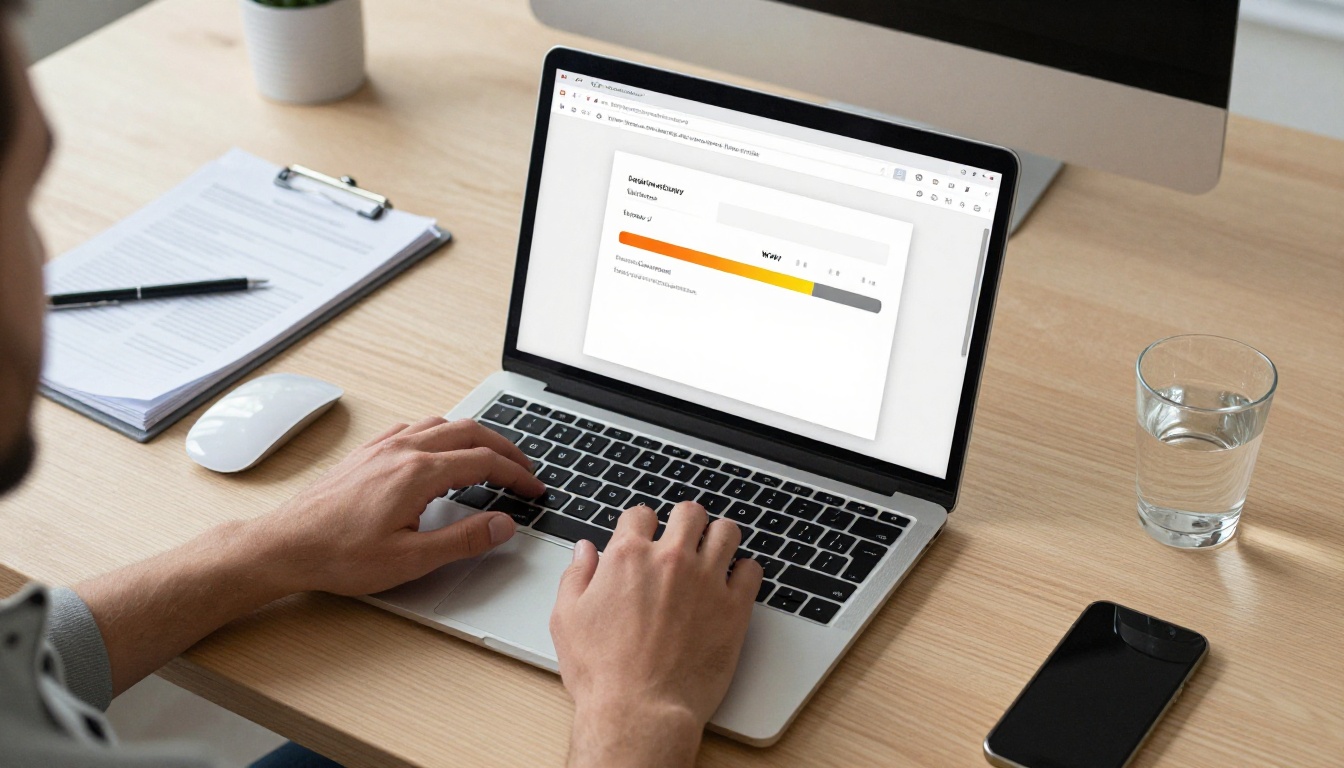
The conversion runs automatically. You will see a progress indicator as the platform processes each page. For a typical 20-page document, this takes under 15 seconds.
Step 4: Customize Your Flipbook
Once processed, the customization panel opens. Here you can:
- Set your brand colors: Replace the default interface chrome with your own hex codes
- Upload a logo: Appears in the flipbook header for a professional look
- Choose page effects: Soft-page, hard-cover, or realistic paper flip physics
- Add a background: Color or texture behind the flipbook frame
- Set opening page: Direct readers to a specific spread
💡 For business use, matching your flipbook's interface color to your brand palette takes about 60 seconds and makes a significant difference in perceived professionalism.
Step 5: Configure Sharing Settings
Before publishing, set your privacy preferences:
- Public link: Anyone with the URL can view it
- Password protection: Add a password for client-only or member-only content
- Embed code: Copy an iframe snippet to embed the flipbook directly on your website
Step 6: Publish and Share
Hit Publish. Your flipbook gets a permanent URL and is ready to share via email, social media, messaging apps, or embedded on any website. The viewer is fully mobile-responsive, so it looks sharp on phones and tablets without any extra configuration.
✅ Flipbooks AI includes no watermarks on Standard plans and above, plus unlimited flipbooks with no per-publication charges.

Flipbooks AI Plans at a Glance
Choosing the right plan depends on your use case. Here is a direct comparison:
| Feature | Free | Standard | Professional |
|---|
| Flipbooks | 3 | Unlimited | Unlimited |
| Watermarks | Yes | No | No |
| Custom branding | No | Yes | Yes |
| Password protection | No | Yes | Yes |
| Analytics | No | No | Yes |
| Lead generation forms | No | No | Yes |
| Offline downloads | No | No | Yes |
| Embed on website | Yes | Yes | Yes |
| Mobile-responsive | Yes | Yes | Yes |
| Custom domain | No | No | Yes |
💡 For most small businesses and freelancers, the Standard plan covers everything needed. The Professional plan is built for teams who need data on reader behavior and lead capture from their publications.
Explore the full breakdown on the pricing page.
Real-World Use Cases That Work
Restaurants and Cafes
A restaurant can upload a beautifully designed PDF menu and have it live as an interactive digital menu in minutes. Customers scan a QR code on the table and flip through pages just like a physical menu. Updates are instant: change a price or add a seasonal special, re-upload, done. The Restaurant Menu Creator takes this further with dedicated templates built for the food industry.

Real Estate Agencies
Real estate agents benefit enormously from flipbook property brochures. A PDF with floor plans, photography, and neighborhood details converts into a shareable flipbook that prospects can flip through on their phones. Password protection keeps pre-listing materials private until the right moment. The Real Estate Brochure Creator is purpose-built for this workflow.

Educators and Trainers
Teachers uploading course materials get interactive, paginated publications that students can access on any device. No more "can you send me that PDF again" messages. A single link works for the entire class. The Course Material Publisher and Training Manual Flipbook tools offer templates tailored for educational content.

E-Commerce and Retail
Product catalogs as flipbooks load fast, display beautifully, and work on mobile without pinch-zooming through a flat PDF. Buyers flip through pages naturally, just like a printed catalog. The Product Catalog Generator and Fashion Catalog Creator give retailers ready-made structures for their catalog content.
Comparing Online Flipbook Converter Features
Not all online converters are equal. Here is what separates a solid tool from a frustrating one:
| Feature | What to Look For | Why It Matters |
|---|
| File size limit | 200MB+ | Catalog and annual report PDFs get large fast |
| Page count limit | 500+ pages | No hard stops on large documents |
| Conversion speed | Under 30 sec per 20 pages | Slow converters kill productivity |
| Mobile viewing | Native responsive | Over 60% of flipbook views are on phones |
| Custom domain | Available on paid plans | Branded URLs build trust with readers |
| Analytics | Page-level data | Know which content gets read |
| Lead capture | Built-in forms | Monetize reader attention |
| Embed options | iframe and JavaScript | Flexibility for different website platforms |
| No watermark | From first paid tier | Critical for professional presentations |
| Password protection | Available | Required for private or client content |
✅ Flipbooks AI checks every box in this table across its Standard and Professional plans.
What "No Download Needed" Really Saves You
Here is a concrete breakdown of the time and friction eliminated when you switch to a browser-based converter:
| Old Way with Desktop Software | Online Way |
|---|
| Download installer (5 to 15 min) | Open browser tab (5 sec) |
| Run through installation wizard | Nothing to install |
| Wait for first launch | Upload PDF directly |
| Navigate complex UI | Simple dashboard |
| Export file, then host it separately | Instant hosted link |
| Update software manually | Always up-to-date |
| OS-specific (Windows or Mac only) | Works on any device |
| Storage used on your drive | Zero local storage |
The real savings are not just time. They are cognitive load. When you do not have to think about versions, compatibility, or file exports, you stay focused on the actual work of creating good content.
Mobile: The Flipbook Viewing Reality
Most people who receive a flipbook link open it on their phone. This is a critical design constraint that too many people ignore.
A PDF shared as a direct file looks terrible on mobile. Users pinch-zoom to read columns, lose their place, and frequently give up. A properly built HTML5 flipbook solves all of this:
- Pages automatically resize to screen width
- Text remains selectable and sharp
- Touch-swipe navigation works intuitively
- No app download required for the viewer
- Loads over cellular data without lag
💡 When someone scans a QR code at a restaurant, event, or trade show, they are almost certainly on a phone. A flipbook is the right format. A static PDF is the wrong one.
Customization Options Worth Using
Branding Your Flipbook
The interface chrome around your flipbook pages is fully customizable. This includes:
- Background color or texture: Sets the visual context for your publication
- Toolbar color: Match your brand palette exactly with hex codes
- Logo placement: Upper-left corner is the standard, visible on every page spread
- Page shadow effects: Affects how realistic the paper-turn animation looks
Adding Multimedia on Professional Plans
With the Professional plan, you can embed video and audio directly into flipbook pages. This is powerful for:
- Product demos embedded within a catalog page
- Audio narration layered over training manual content
- Video testimonials inside a business brochure
- Background music for a wedding or event program
Analytics for Serious Publishers
The Professional plan provides page-level analytics showing exactly which pages get the most time, which get skipped, and where readers drop off. For anyone publishing catalogs, reports, or e-books as business tools, this data is genuinely valuable. Combined with the built-in lead generation forms, a flipbook becomes an active part of your sales pipeline rather than just a pretty document.
Beyond the core PDF to Flipbook Converter, Flipbooks AI offers purpose-built tools for specific document types:
Publications:
Business:
Creative:
Each tool comes with templates designed for that document type, speeding up the creation process even further.
Embedding a Flipbook on Your Website
One of the most underused features of online flipbook tools is the embed capability. Instead of linking out to a hosted flipbook, you can drop it directly into any webpage using the Embed Flipbook on Website tool, which generates the code automatically with your preferred dimensions.
This is particularly effective for:
- Product pages showing a catalog inline
- Portfolio sites with embedded lookbooks
- Hotel or venue sites with embedded brochures
- Landing pages with embedded lead-capture publications
✅ Embedded flipbooks inherit the same mobile-responsive behavior as the standalone viewer. No separate mobile version needed.
5 Common Mistakes When Converting PDFs Online
1. Using a low-resolution source PDF
If your PDF was exported at 72 DPI for email, the flipbook pages will look soft and blurry. Always export PDFs at 150 to 300 DPI for screen use before uploading.
2. Ignoring the mobile preview
Always check your flipbook on a phone before sharing. Font sizes that work comfortably on desktop can be too small to read on a 6-inch screen without zooming.
3. Skipping password protection for sensitive content
Price lists, internal reports, and client proposals should be password-protected by default. This takes about 10 seconds to configure.
4. Not using custom branding on client deliverables
A default-branded flipbook tells your client you used a template. A branded one tells them you are professional and attentive to detail.
5. Relying on PDF-embedded videos
Video objects embedded in PDFs are not universally supported across converters. Use the Professional plan's built-in video embedding instead, which works reliably across all devices.
Ready to Convert Your First PDF
The barrier between a PDF and a beautiful, shareable, interactive flipbook is now genuinely zero. No software. No installation. No storage issues. Just a browser and a PDF file.
Get started free on Flipbooks AI and convert your first publication in minutes. When you are ready to remove watermarks, add custom branding, and access analytics, check the available plans to find the right fit.
Browse all flipbook tools and templates to find the purpose-built option that matches your specific document type, whether that is a product catalog, a restaurant menu, a real estate brochure, or a course curriculum.



