Every design project ends the same way. You deliver the files, the client says thanks, and the relationship flatlines until the next project cycle. But there is a moment right before delivery, when trust is at its highest and the client is already saying yes, where a single well-timed question can double the value of the engagement. That moment is your flipbook upsell.
Flipbooks AI turns any PDF into an interactive, page-turning digital publication in minutes. For designers, this is not just a nice feature. It is a billable service that costs almost nothing to deliver and that clients genuinely perceive as high-value work.

Why Designers Leave Money on the Table
The Problem with PDF Delivery
Most designers still hand over static PDFs as the final deliverable. The client prints it, maybe emails it as an attachment, and that is the end of the story. A PDF is a dead-end format. It cannot track reads, cannot embed video, cannot be updated without redistributing a new file, and looks mediocre on mobile screens.
Clients rarely ask for more because they do not know more exists. That is not a gap in their vision. That is your opportunity.
What Clients Are Actually Judging You On
Clients do not grade you on the quality of your InDesign file. They grade you on the experience they can show other people. When a client forwards your work to their team, shares it on LinkedIn, or presents it in a meeting, that is when your reputation spreads. A flipbook that flips, embeds video, and tracks who read it makes you look like you delivered something extraordinary. A static PDF does not.
💡 The upsell is not about selling more. It is about solving a problem the client did not know they had.
What Flipbooks Actually Deliver
Interactive Features That Print Cannot Match
The gap between a PDF and a flipbook is not cosmetic. It is functional. Here is what you gain when you convert a designed document into an interactive flipbook:
- Page-turn animation that mimics a physical publication
- Embedded video and audio inside any page
- Clickable links throughout the document
- Mobile-responsive layout that adapts to any screen size
- Analytics dashboard showing reads, time-on-page, and shares (Professional plan)
- Lead capture forms to collect emails from readers
- Password protection for confidential documents
- Offline download option for readers without internet access
- Embed code to drop the flipbook directly into a client website
Use Cases Your Clients Already Need
The realistic list of what design clients produce is almost identical to the list of what works perfectly as a flipbook. Look at your current client roster. Most of them probably need at least one of these:
| Document Type | Flipbook Value Added |
|---|
| Product catalog | Clickable product links, embedded video demos |
| Company brochure | Client testimonial video embeds |
| Restaurant menu | QR-accessible, always shows the current version |
| Real estate listing | Virtual tour video, embedded contact forms |
| Annual report | Interactive charts, shareable individual pages |
| Fashion lookbook | Full-screen imagery, runway video clips |
| Training manual | Chapter navigation, embedded how-to videos |
| Event program | Live links, schedule updates in real time |
Every item in that table is a standard design deliverable. Every one of them becomes dramatically more useful as a flipbook. The conversion cost for you is measured in minutes. The perceived value for the client is substantial.
How to Price the Flipbook Upsell
Three Pricing Models That Work
There is no single correct way to price this service. The right model depends on your client base, your relationship style, and how you structure packages. These three approaches work well in practice:
1. One-Time Add-On
Charge a flat fee per document converted. This is the simplest approach and works well for project-based clients who do not have recurring design needs.
Typical range: $150 to $500 per flipbook, depending on complexity and client size.
2. Included in a Deluxe Package
Bundle flipbook delivery into a premium tier of your service. Your standard logo and brand identity package delivers static files, while your "Digital Brand Package" includes an interactive flipbook version of the brand guidelines. This model increases average project value without requiring a separate sales conversation.
3. Monthly Retainer for Updates
For clients with documents that change regularly (menus, catalogs, price lists), offer a monthly maintenance retainer. You update the source PDF, re-publish the flipbook, and the client's embed link stays active and unchanged.
Typical range: $75 to $200 per month depending on update frequency.
What to Include in Each Tier
Structure your flipbook service so clients can see clearly what they are getting at each level:
| Tier | What's Included | Suggested Price |
|---|
| Basic | PDF conversion, standard flipbook, shareable link | $150 |
| Standard | Custom branding, password protection, embed code | $300 |
| Premium | Analytics, lead forms, video embeds, monthly updates | $500+ or retainer |

⚠️ Do not undercharge for the Premium tier. Analytics and lead generation are features clients in B2B, real estate, and hospitality regularly pay $100 or more per month for in standalone tools. You are including them.
Pitching Flipbooks to Existing Clients
The Script That Gets a Yes
The best time to pitch this is during project delivery, before you send the final files. Here is a simple approach that works in practice:
"The brochure is ready to go. I can deliver the standard print-ready PDF as agreed. I also wanted to mention, I can convert this into an interactive digital version with page animations, clickable links, and an embed code you can drop straight onto your website. It takes me a short time to set up. Would that be useful for you?"
That is it. You are not selling. You are asking if they want something useful. Most clients who hear this say yes immediately, especially once they understand there is an embed code involved.
Handling the "I Can Just Use a PDF" Objection
This will come up. The honest response addresses four real differences:
- A PDF opens as a download. A flipbook opens instantly in any browser, no download required.
- A PDF looks broken on mobile. A flipbook is responsive by design.
- A PDF cannot track reads or capture leads. A flipbook can, with the Professional plan on Flipbooks AI.
- A PDF attachment gets lost in email threads. A flipbook has a permanent link that always opens the latest version.
💡 Show, do not tell. If you have created a sample flipbook from a past project (with permission), show the client a live demo. The page-turn animation closes most objections before you finish explaining.

Creating Flipbooks for Clients with Flipbooks AI
Flipbooks AI is the platform that makes this service viable for independent designers and agencies at any scale. The workflow takes minutes once you know it.
Step 1: Upload the PDF
Go to Flipbooks AI and create an account if you do not have one. Once logged in, upload the client's PDF directly from your desktop. The platform converts it automatically into a page-turning flipbook. No software to install, no complicated settings.
The conversion handles any PDF: brochures, catalogs, menus, annual reports, portfolios. The PDF to Flipbook Converter is the core tool and works on documents of any page count.
Step 2: Customize the Branding
Once converted, apply the client's branding inside the editor:
- Set primary and accent colors to match the client's brand palette
- Upload the client's logo to appear in the flipbook header
- Choose a background color or texture that complements the document design
- Enable or disable the page-turn sound effect based on client preference
- Add background music if the client wants an ambient audio experience
For clients who need custom portfolio presentations, the Digital Portfolio Creator and Portfolio Flipbook Builder tools offer additional starting templates.
Step 3: Set Sharing and Delivery Options
After customization, configure how the client will share and access the flipbook:
- Public link: A permanent URL the client can share by email, SMS, or social media
- Embed code: A snippet the client's web team can paste into any page on their website, using the Embed Flipbook on Website tool
- Password protection: For confidential documents, set a password readers must enter before viewing
- Offline download: Enable this for clients who need to present without internet access
For Professional plan clients, also configure analytics and lead forms. Analytics track total reads, average time on page, and which pages get the most attention. Lead forms appear before or after the flipbook, capturing reader information for the client's sales or marketing team.
✅ Best practice: Create the flipbook under your own Flipbooks AI account and add the client as a viewer, or deliver login credentials under a separate account set up on their behalf. Keeping client flipbooks in their own accounts protects your relationship if they ever move to a different designer.
Client Types and What to Pitch Them
Restaurant and Hospitality Clients
Restaurants, bars, cafes, and hotels are among the easiest clients to sell flipbooks to. They produce menus, event programs, spa service lists, and seasonal promotions on a regular cycle. Every one of these is a recurring update opportunity.
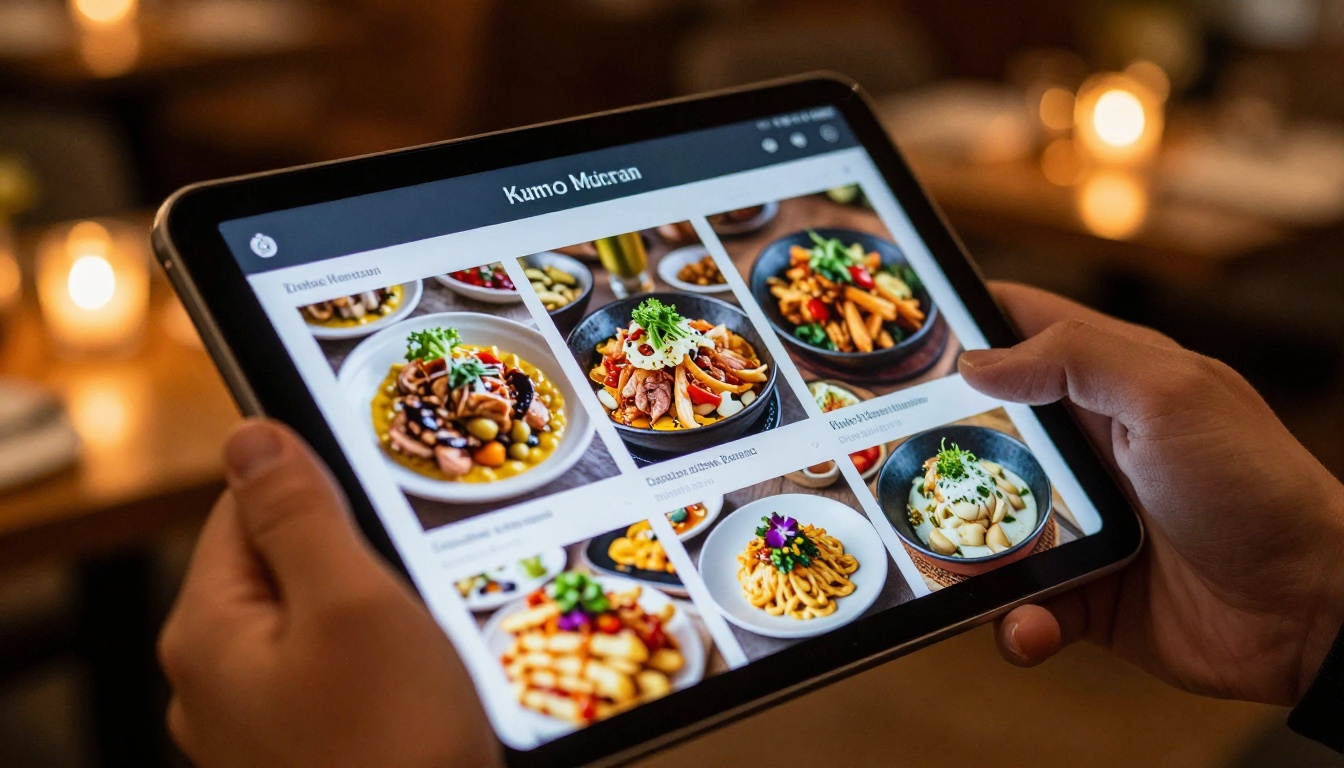
For restaurant clients, pitch the Restaurant Menu Creator workflow. The value proposition is immediate: instead of reprinting hundreds of paper menus every time a price changes, the client updates the PDF once, you re-publish the flipbook in minutes, and the QR code on every table now shows the current menu.
For hotel clients, the Hotel Brochure tool covers property presentations, event packages, and room descriptions. Seasonal updates become a simple retainer conversation.
Real Estate and Property Clients
Real estate agencies produce property listings, area brochures, and development guides constantly. A digital flipbook for a property listing includes the floor plan, photography, location map with clickable links, and a contact form, all in one shareable link.
The Real Estate Brochure tool gives you a strong starting template. For development firms with multi-property portfolios, this becomes a retainer-worthy monthly service.

Corporate and B2B Clients
Corporate clients produce annual reports, investor presentations, capability statements, and internal training materials. These are high-value documents that benefit enormously from interactivity and analytics.
For annual reports, use the Annual Report Creator or Corporate Report Maker. For sales teams who need shareable presentations, the Sales Presentation tool delivers exactly what they need.
The analytics feature is the main selling point for corporate clients. Knowing that 45 investors opened the annual report, spent an average of eight minutes reading it, and mostly dropped off on page 12 is information that has real business value. That kind of data is normally locked behind expensive marketing automation platforms.
| Client Type | Best Flipbook Product | Update Frequency | Upsell Potential |
|---|
| Restaurant | Menu, event program | Weekly or monthly | High (retainer) |
| Real estate | Property brochure | Per listing | Medium (project) |
| Hotel | Brochure, spa menu | Seasonal | High (retainer) |
| Corporate | Annual report, sales deck | Annual or quarterly | High (premium) |
| Fashion brand | Lookbook, product catalog | Seasonal | High (retainer) |
| Non-profit | Annual report, newsletter | Annual | Medium (project) |
Building a Repeatable Flipbook Service
Package It, Price It, Automate It
The difference between a one-time windfall and a consistent revenue stream is a repeatable process. Here is what a production-ready flipbook service workflow looks like for a solo designer or small agency:
- Intake: Collect the final PDF and a brief with brand colors, logo file, and sharing preferences
- Convert: Upload to Flipbooks AI and run the conversion
- Brand: Apply colors, logo, and any custom settings in the editor
- Configure: Set sharing options, password if needed, lead form if on the Professional plan
- Deliver: Send the client the share link and embed code. For retainer clients, update the existing flipbook and confirm the link still works
The entire process takes 20 to 40 minutes for a standard document. At $300 per flipbook, that is a strong effective hourly rate for work that requires no creative concepting, no revision rounds, and no stakeholder approvals on your side.

Retainers and Update Packages
The flipbook retainer is the most valuable outcome of this service. Once a client has a flipbook embedded on their website or shared via QR code, they cannot easily move it to a different tool without breaking those links. That creates natural retention.
Structure your retainer around update cadence:
- Light retainer ($75/month): One PDF update per month, same flipbook re-published
- Standard retainer ($150/month): Up to three updates, plus a monthly analytics summary delivered to the client
- Full service ($250/month): Unlimited updates, new flipbooks for seasonal campaigns, 24-hour turnaround
💡 Offer the first three months at a reduced rate to let clients experience the value before committing to full pricing. Most clients who see their flipbook analytics do not want to stop receiving them.
What to Tell Clients About the Platform
You do not need to hide that you use Flipbooks AI to produce these. Most clients do not care about the tool. They care about the outcome. If a client asks, the honest answer is that you use a professional digital publishing platform that produces interactive documents working on any device, requiring no software to view, and updatable at any time.
For clients who want to self-manage after initial setup, point them to the pricing plans so they understand what is included at each tier. Standard plans and above include unlimited flipbooks, custom branding, and no watermarks, which makes it a credible standalone product for clients who want full ownership.

Flipbooks AI covers every major document type with dedicated tools. As a designer, having these available means you are never starting from scratch when a new client category walks through the door.
Here is a quick reference for matching client needs to the right tool:

Add It to Your Next Proposal
The simplest way to start is to include a flipbook option as a line item in your next client proposal. Add a single row: "Interactive digital flipbook version" with a price and a one-sentence description. A significant portion of clients will select it without you ever needing to explain it in detail. When they do ask, you already have the answers.
For existing clients, the next delivery moment is your entry point. The pitch is low pressure, the setup is fast, and the client outcome is genuinely useful in ways that make your name come up when someone else asks for a designer recommendation.
Ready to produce your first client flipbook? Create an account on Flipbooks AI and convert a test document in the next ten minutes. See what your clients will see before you pitch them. Once you have experienced the output, the conversation becomes easy.
Browse all available tools and templates to see what fits your existing client base. Compare pricing plans to find the right tier for how many flipbooks you plan to produce each month.



