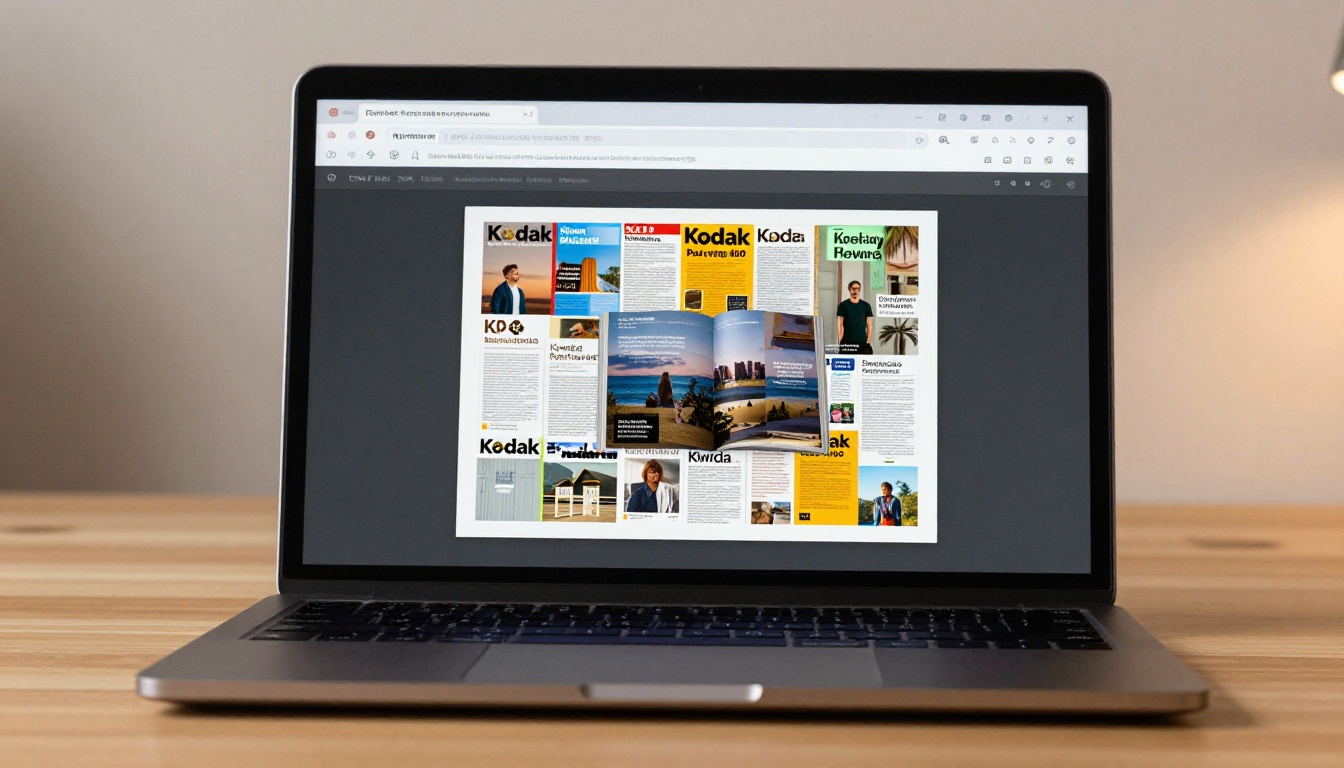
Online flipbook makers have quietly replaced an entire category of desktop software. No installation wizards, no "update available" popups, no compatibility headaches between operating systems. If you have a PDF and a browser, you have everything you need. Flipbooks AI is built around this exact idea: a fully browser-based platform where you convert, customize, and publish interactive flipbooks without touching a download button once.
Why Browser-Based Beats Installing Software
The Hidden Cost of Desktop Apps
Desktop flipbook software was the standard for years. You paid for a license, downloaded a 200MB installer, waited through the setup process, and discovered the interface looked like it was designed in 2009. Updates required another download. Sharing your output meant attaching huge files to emails or burning content to physical media.
Browser-based tools eliminated every one of those friction points. There is nothing to install, nothing to update manually, and nothing to uninstall when you switch computers. You log in from any device and your work is right where you left it.
💡 Browser-based flipbook tools run on Chromebooks, Linux machines, and older hardware that would struggle with heavyweight desktop software.
No Storage Pressure on Your Device
Desktop software stores project files locally. A catalogue with high-resolution images can eat gigabytes of drive space fast. Cloud-based flipbook makers store everything server-side, so your device stays lean. Your flipbooks are accessible from any computer or phone without syncing cables or extra cloud storage fees stacked on top.
Silent Updates, Always Current
When a browser-based tool ships a new feature or patches a bug, it happens on the server side. You open the platform the next morning and the new features are simply there. No notifications, no restarts, no checking whether your license tier covers the latest version.
How an Online Flip Book Maker Actually Works
PDF to Flipbook in Three Steps
The workflow is simple regardless of which platform you use:
- Upload your PDF by dragging it into the browser window or clicking an upload button.
- Customize the flipbook: page flip style, brand colors, background, navigation controls.
- Publish and share via a direct link, embedded iframe code, or downloadable offline file.
The underlying technology converts your PDF pages into an HTML5 page-turning experience. This means the flipbook works on any device, in any modern browser, with no plugin required on the reader's end either.
✅ HTML5-based flipbooks are mobile-responsive by default. Readers on phones and tablets get a swipe-to-turn experience, not a pinch-and-zoom PDF struggle.
What Happens Behind the Scenes
When you upload a PDF, the platform renders each page as a high-resolution image, builds the 3D page-turn animation logic, and packages everything into an interactive viewer. This process, which would take hours to code from scratch, happens in seconds on a modern flipbook platform.
Flipbooks AI also processes the document for search-engine-friendly text extraction, so your flipbook content can be indexed by Google. Static PDFs shared as file attachments rarely achieve this.
What You Can Create Without Installing Anything
The range of documents that work beautifully as flipbooks goes well beyond simple brochures. Here is a breakdown by use case:
| Document Type | Best For | Relevant Tool |
|---|
| Product Catalog | Retailers, e-commerce brands | Product Catalog Generator |
| Restaurant Menu | Food and beverage businesses | Restaurant Menu Creator |
| Real Estate Brochure | Property listings, agencies | Real Estate Brochure Creator |
| E-Book | Authors, educators, coaches | E-Book Flipbook Generator |
| Fashion Lookbook | Brands, designers, stylists | Lookbook Flipbook Builder |
| Annual Report | Corporations, nonprofits | Annual Report Creator |
| Training Manual | HR departments, L&D teams | Training Manual Flipbook |
| Digital Portfolio | Freelancers, creatives, agencies | Digital Portfolio Creator |

Real-World Scenarios
Retail and e-commerce: A clothing brand uploads their seasonal lookbook PDF every quarter. Within minutes they have an interactive catalog with page-turn animations embedded directly on their website. Customers browse it like a real magazine. The Fashion Catalog Creator is built for exactly this workflow.
Hospitality: A hotel updates its dining menu monthly. Instead of reprinting physical menus or emailing updated PDFs, they maintain a flipbook menu that guests access via a QR code on the table. The Restaurant Menu Creator makes this repeatable and fast.
Real estate: An agency creates a property brochure for each new listing. The finished flipbook link gets shared in email campaigns, posted on social media, and embedded on listing pages. Potential buyers view the brochure from their phone without downloading anything.
💡 Embedding a flipbook on your website is as simple as copying an iframe code. No developer required.
How to Create Your First Flipbook with Flipbooks AI
This section walks through the exact process on Flipbooks AI. The whole thing takes under five minutes.
Step 1: Sign Up
Head to flipbooksai.com/account and create an account. The process takes about 30 seconds. No credit card is required to start.
Step 2: Upload Your PDF
Once inside the dashboard, click New Flipbook and either drag your PDF into the upload zone or click to browse for it. The platform accepts PDFs of any size and automatically converts every page.

Step 3: Customize
After conversion, you land on the customization panel. From here you can:
- Choose a page flip style: Hard cover, soft magazine flip, or minimal transition
- Set brand colors: Match your exact logo palette using hex codes
- Add a background: Solid color, gradient, or a custom background image
- Embed multimedia: Drop YouTube videos or audio clips onto specific pages
- Configure navigation: Show or hide thumbnails, table of contents, and search bar
Step 4: Set Privacy Options
Before publishing, decide who can access the flipbook:
- Public link: Anyone with the URL can view it
- Password protected: Viewers must enter a password to access the content
- Private: Accessible only when embedded on your own website
Step 5: Publish and Share
Hit Publish and you instantly get:
- A direct shareable URL for email and social media
- An embed code (iframe) for your website or blog
- A QR code for physical materials like posters, menus, and packaging

✅ Flipbooks AI adds no watermark to published flipbooks on any plan. Your brand stays front and center without any "Powered by" text interrupting the experience.
Sharing Options That Actually Matter
Once your flipbook is live, how you distribute it determines how many people actually read it. Here are the main sharing methods and when to use each:
| Sharing Method | Best For | Technical Requirement |
|---|
| Direct URL | Email campaigns, social media posts | None |
| Website Embed | Landing pages, product pages, blogs | Copy-paste iframe code |
| QR Code | Print materials, menus, signage | None (download provided) |
| Password-Protected Link | Internal docs, client deliverables | Share password separately |
| Offline Download | Trade shows, low-connectivity environments | Professional plan |
Embedding on a Website
Embedding is the most powerful distribution method for businesses. A product catalog on a category page keeps visitors on your site longer, reduces bounce rate, and gives readers a richer experience than a flat PDF link. The Embed Flipbook on Website tool walks through placing your flipbook on any platform, whether WordPress, Shopify, Squarespace, or custom HTML.
Analytics: Knowing Who Read What
The Professional plan on Flipbooks AI adds reader analytics to every published flipbook. You see:
- Total views and unique visitors
- Average time spent per page
- Drop-off points where readers stop
- Geographic data by country and region
This data is genuinely useful. If page 12 of your catalog has a 90% drop-off rate, that page needs work. If your product demo flipbook holds readers to the final page, that format is working and worth repeating.
💡 Lead capture forms can be embedded inside flipbooks on the Professional plan. Readers fill out a form to access certain pages, turning a catalog into a direct lead generation asset.
Who Uses Online Flipbook Makers
Businesses of Every Size
Small businesses use browser-based flipbook tools because they cannot justify hiring a developer to build interactive PDFs from scratch. A florist can upload a seasonal brochure and have it live on their website within the hour.
Large enterprises use them because they need a tool that works across departments without involving IT. Marketing, HR, and sales teams all create and publish their own flipbooks without tickets, approvals, or shared software licenses.

Educators and Trainers
Educational institutions have adopted flipbooks for course materials, school newsletters, and interactive workbooks. A teacher can take a lesson plan PDF and turn it into a flipbook that students open on any device. The Course Material Publisher and Training Manual Flipbook tools are purpose-built for this workflow.

Creatives and Freelancers
Photographers, designers, and architects use digital portfolios built from flipbooks to share work with clients. Instead of attaching a large PDF to an email, they send a link that opens a beautifully formatted portfolio in the browser. The Photography Portfolio Flipbook tool delivers exactly this.
Free vs. Paid: What You Get at Each Level
Not every use case requires a paid plan. Here is an honest breakdown:
| Feature | Free | Standard | Professional |
|---|
| Number of Flipbooks | Limited | Unlimited | Unlimited |
| Watermark | None | None | None |
| Custom Branding | Basic | Full | Full |
| Password Protection | No | Yes | Yes |
| Offline Download | No | No | Yes |
| Reader Analytics | No | No | Yes |
| Lead Capture Forms | No | No | Yes |
| Embed on Website | Yes | Yes | Yes |
| Mobile Responsive | Yes | Yes | Yes |
| Video and Audio Embed | Limited | Yes | Yes |
⚠️ Many competing platforms add a visible watermark on free plans. Flipbooks AI does not watermark any flipbook on any plan. That matters when you are sharing content in a professional context.
The free plan suits testing and occasional personal use. The Standard plan works well for most small businesses and regular content creators. The Professional plan is the right choice when you need analytics, lead capture, or offline access for events. Check the full breakdown on the pricing page.
Common Mistakes When Creating Flipbooks
Using Low-Resolution Source Files
A flipbook is only as sharp as the source PDF. If your original file was built for screen viewing at 72 DPI, the pages will look soft at full size. Always export your source document at 150 DPI or higher for crisp flipbook output.
Skipping the Mobile Preview
Most flipbook viewers access content on phones. Before you share any flipbook, open the mobile preview and check that text is readable and images are not cropped awkwardly. What looks polished on a 27-inch monitor often needs adjustment for a 6-inch phone screen.
No Clear Next Step on the Last Page
A flipbook with no call to action leaves readers with nowhere to go. The final page of every flipbook should direct readers somewhere: a website, a booking link, a product page, or a contact form. Treating the last page as back matter is a missed opportunity.
✅ Use the multimedia embedding feature to place a clickable button or contact form directly inside your flipbook's final pages.
Ignoring Metadata Before Publishing
Platform-level metadata (title, description, thumbnail) controls how your flipbook appears when shared on social media. Fill these fields before publishing. A well-written title and a sharp thumbnail dramatically increase click-through rates from social posts and email previews.

Beyond general-purpose PDF conversion, Flipbooks AI offers purpose-built tools for specific niches that go beyond the basics:

Each of these tools ships with templates and layout suggestions tuned for that specific content type, which cuts setup time significantly.
Start Publishing Today
The barrier to creating professional interactive flipbooks has never been lower. No software budget, no IT request, no installation process. A browser and a PDF is genuinely all it takes.
Flipbooks AI gives you a platform built for speed and quality: instant PDF conversion, no-watermark publishing on every plan, password protection for sensitive content, and a full suite of tools covering every industry and use case.
Whether you are building a product catalog for your store, a training manual for your team, or a digital portfolio for your next client pitch, the workflow starts with one upload and ends with a shareable link that works on any device.
Ready to create your first flipbook? Get started for free and have something live before your next meeting.
Want more features and reader insights? Compare pricing plans to find the right fit for your workflow.
Looking for a specific use case? Browse all flipbook tools to find the one built for your industry.



