You've got a PDF, a presentation, or a stack of pages, and you want to turn it into something people actually want to read. That is exactly what a flipbook creator is for, and the good news is you don't need to spend a single dollar to make it happen. Flipbooks AI gives total beginners a straightforward path from static document to beautiful, interactive digital publication with zero friction and zero cost to start.
Whether you're creating a class newsletter, a product catalog for your small shop, or a portfolio to share with potential clients, free flipbook tools have gotten remarkably capable. The page-turn effect that once required expensive software is now available in your browser, free, and takes about five minutes to set up.
This article breaks down how free flipbook creators work, what you actually get without paying, how to pick the right tool, and how to publish your first flipbook today.

What a Flipbook Creator Actually Does
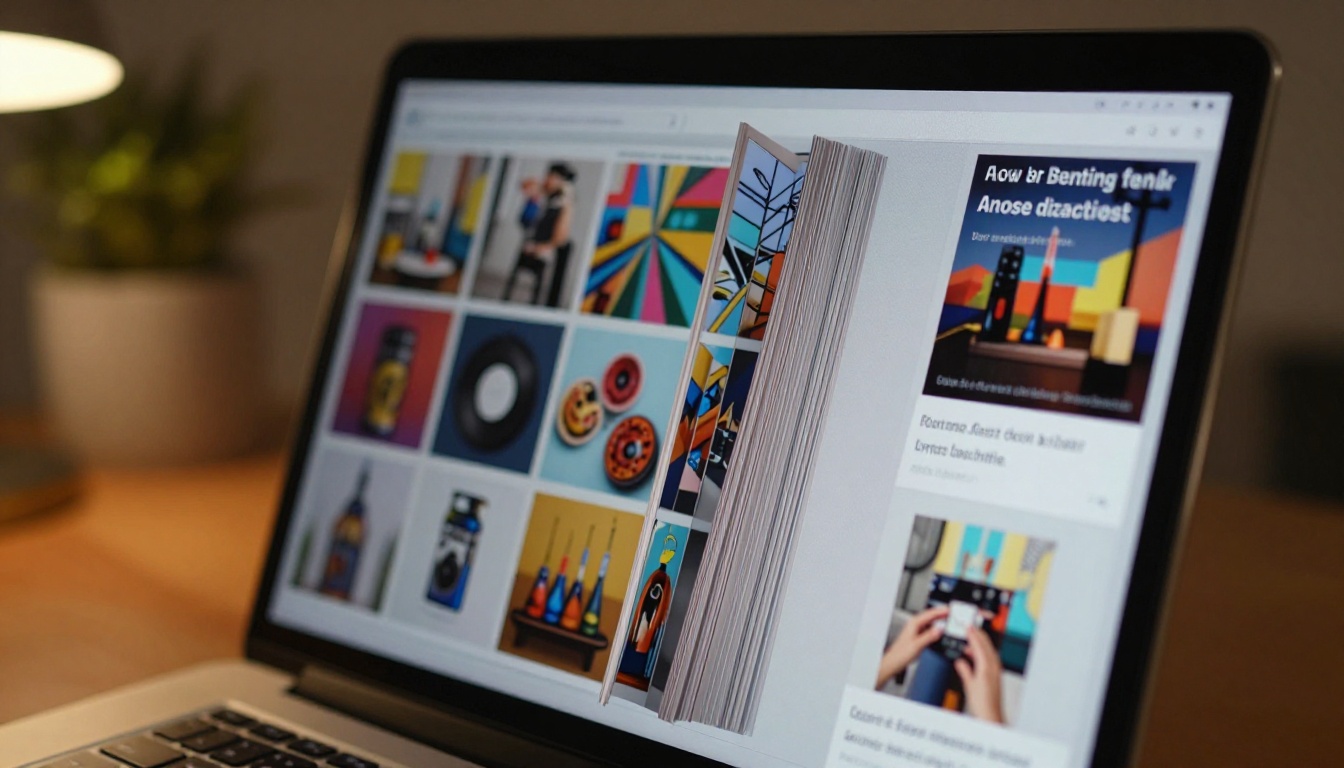
A flipbook creator takes a static document, typically a PDF, and converts it into an interactive digital publication with a realistic page-turn animation. When someone opens your flipbook link, they see a book-like interface where pages actually flip, just like a physical magazine or catalog.
It sounds like a novelty at first, but the practical difference is significant. A standard PDF link opens a lifeless file viewer. A flipbook opens a visual experience, and that changes how people interact with your content.
The Page-Flip Effect, Explained Simply
The page-flip effect uses HTML5 and JavaScript to simulate physical page movement in a web browser. No software download required for the viewer; it just works. The animation includes:
- Realistic page curl as the corner lifts and turns
- Shadow and depth that make pages look three-dimensional
- Smooth transitions between spreads for a magazine-style feel
The creator uploads a PDF. The platform does the conversion automatically. The viewer gets a link or embedded player that works on any device.
PDF Conversion Basics
The conversion process is simple. Your PDF becomes a series of page images assembled into the flipbook viewer. Most free tools support PDFs up to a certain file size (usually 10-50MB on free plans), and conversion takes anywhere from a few seconds to a couple of minutes depending on page count.
💡 Pro tip: Export your PDF at 150 DPI for web to keep file sizes small without sacrificing readability. High-resolution print PDFs (300+ DPI) are often unnecessarily large for digital flipbooks.
Why Beginners Prefer This Format
Static PDFs get forwarded and forgotten. Flipbooks get shared, bookmarked, and revisited. For beginners who are just starting to create digital content, a flipbook offers something a plain PDF never can: a presentation format that feels intentional and polished without requiring any design work beyond what you have already done.

Free vs. Paid: What You Really Get
The word "free" in the flipbook space means different things on different platforms. Some tools give you a genuinely useful free tier. Others use free as bait, then watermark everything until you pay.
Here's an honest breakdown of what you can typically expect across plan tiers:
| Feature | Free Plan | Standard Plan | Professional Plan |
|---|
| Number of flipbooks | 1-3 | Unlimited | Unlimited |
| Watermark on pages | Yes (most tools) | No | No |
| Custom domain | No | Optional | Yes |
| Password protection | No | Yes | Yes |
| Analytics | No | Basic | Full |
| Offline downloads | No | No | Yes |
| Embed on website | Limited | Yes | Yes |
| Custom branding | No | Yes | Yes |
| Lead generation forms | No | No | Yes |
⚠️ Watch out: Many "free" flipbook tools add a visible watermark to every page or limit sharing to a locked preview. Always check whether the free plan includes sharing via a direct link or just a demo mode.
The Watermark Trap
This is the most common complaint from first-time flipbook users. You build a beautiful catalog, go to share it, and there's a large platform logo stamped across every page. That is not a free tool. That is a trial.
Flipbooks AI takes a different approach: no watermarks, ever, on any plan. If you're sharing your work professionally, or even just with friends and family, the last thing you want is a third-party brand attached to it.
What "Free" Actually Means on Good Platforms
A genuinely useful free plan lets you:
- Upload and convert a PDF
- Share via a public link
- View basic traffic information
- Embed the flipbook on a website or blog
- Customize at least a few visual settings
Anything less than this is a demo, not a free product. Keep that bar in mind when evaluating options.

There are several tools worth considering in 2026. Here's how the most popular options compare on the features that matter most to beginners:
| Tool | Free Flipbooks | No Watermark | Custom Branding | Mobile-Friendly | Embed Support |
|---|
| Flipbooks AI | Yes | Yes | Standard+ | Yes | Yes |
| FlipHTML5 | 3 | No (free tier) | Paid only | Yes | Limited |
| Publuu | 1 | No | Paid only | Yes | Limited |
| Issuu | 1 | No | Paid only | Yes | Limited |
| Yumpu | Unlimited | No (free) | Paid only | Yes | Yes |
✅ Best practice: Start with a platform that removes the watermark on free accounts. It makes your first flipbook look professional from day one, which matters when you're sharing it with anyone who might judge your work.
What Makes One Tool Stand Out
The biggest differentiator between flipbook tools isn't the page-turn animation. They all do that. It's what happens after you upload:
- Can you customize colors and fonts without paying?
- Does the shared link look clean and professional?
- Does it work well on mobile without a separate app?
- Is embedding on a website straightforward?
Flipbooks AI checks all of these for beginners who don't want to spend time troubleshooting. The interface is clean enough that you can publish your first flipbook in under ten minutes without reading any documentation.
Create Your First Free Flipbook
This step-by-step section walks you through creating and publishing a flipbook using Flipbooks AI. No prior experience needed.
Step 1: Create Your Account
Head to flipbooksai.com/account and sign up. The process takes about 60 seconds. No credit card required for the free plan.
Step 2: Prepare Your PDF
Before uploading, make sure your PDF:
- Is under 50MB in file size
- Has all fonts embedded (not linked)
- Uses RGB color mode (not CMYK, which is for print)
- Has clear, readable text at standard screen sizes
If you're starting from scratch, you can build your document in Google Slides, Canva, or Microsoft Word and export as PDF.
Step 3: Upload and Convert
Click "New Flipbook" and drag your PDF into the upload area. The platform will:
- Process each page of your PDF
- Convert pages into optimized web images
- Assemble the flipbook viewer automatically
- Give you an editing dashboard to customize
Most PDFs under 20 pages convert in under 30 seconds.
💡 Pro tip: If your PDF has facing pages like a magazine spread, enable "double-page spread" mode so pages display as two-page layouts instead of singles.
Step 4: Customize Your Flipbook
Once uploaded, you can adjust the look and feel:
- Background color: Choose from white, dark, or a custom hex value
- Page effects: Toggle the page-flip animation style
- Opening page: Set which page your readers see first
- Title and description: Add metadata for SEO and sharing previews
For more specialized flipbooks, check out the PDF to Flipbook Converter tool or browse all flipbook tools for templates built around specific use cases like menus, portfolios, and catalogs.
Step 5: Share or Embed
When your flipbook is ready, you get two primary ways to share it:
- Direct link: A clean URL you can paste anywhere, in email, social media, or messaging apps
- Embed code: An iframe snippet to place the flipbook directly on any webpage
The Embed Flipbook on Website tool makes this especially easy if you're adding it to a site you manage.

What Beginners Get Wrong
Most beginners make the same handful of mistakes. All of them are fixable in seconds once you know what to look for.
Wrong File Format or Resolution
Uploading a scanned document image as a JPG instead of a proper PDF is the most common issue. Flipbook platforms work best with vector-based PDFs where text is sharp at any size. If you scan a physical document, run it through an OCR tool first to maintain text quality.
Avoid exporting PDFs at 72 DPI, a resolution meant for on-screen viewing that looks blurry when rendered as flipbook pages. Use 150 DPI for clean, fast-loading results.
Skipping Customization Entirely
A flipbook with a white background and default settings is functional. A flipbook with a branded background, a custom title, and a polished thumbnail is memorable. The customization takes three minutes, and the difference in perceived quality is significant.
Using the Wrong Tool for the Job
General-purpose flipbook tools work for most documents. But if you're creating something specific, a specialized tool will save you time and produce better results:
Each specialized tool comes with formatting and layout defaults built around the specific use case.
⚠️ Common mistake: Trying to force a product catalog layout into a generic flipbook tool. The result always looks slightly off because the spacing and typography weren't designed for that content type.

Real Uses for Free Flipbooks
Free flipbooks aren't just for hobbyists. Here are real-world scenarios where a totally free flipbook creator delivers genuine value.
Small Business Owners
A small business doesn't need a printed catalog. A digital flipbook shared via WhatsApp, email, or a QR code at the register reaches customers instantly and costs nothing to distribute.
A local bakery can publish a seasonal menu flipbook and share it on Instagram Stories. A boutique clothing store can post their lookbook using the Interactive Lookbook Designer. A handmade goods seller can create a visual product catalog without hiring a designer.
Teachers and Students
For educators, flipbooks replace the boring PDF handout. A teacher can convert a lesson plan, reading packet, or school newsletter into a flipbook and share it with students and parents via a simple link.
Students use flipbooks for digital project presentations. Instead of emailing a PowerPoint file that might not open correctly on every device, they share a flipbook link that works everywhere.
The School Newsletter Creator and Yearbook Flipbook Maker are purpose-built for these exact scenarios.
Content Creators and Bloggers
A content creator can repurpose a blog series into a downloadable flipbook magazine. A recipe blogger can turn their most popular recipes into a Recipe Book Flipbook to share with their audience. A travel writer can publish a Travel Flipbook as a lead magnet.
The flipbook format lends authority and polish to content that would otherwise just be another PDF download.
When the Free Plan Isn't Enough
The free plan covers a lot of ground, but there are specific situations where upgrading makes sense.
You Need More Flipbooks
Free plans often cap the number of active flipbooks. If you're creating content regularly (monthly newsletters, weekly menus, seasonal catalogs), the Standard plan on Flipbooks AI gives you unlimited flipbooks so you're not constantly deleting old ones to make room.
| Scenario | Free Plan Enough? | Recommended Upgrade |
|---|
| One-time personal project | Yes | Stay free |
| Monthly business newsletter | No | Standard |
| Multiple client deliverables | No | Standard |
| Password-protected private docs | No | Standard |
| Analytics and lead generation | No | Professional |
| Offline PDF downloads | No | Professional |
| Corporate branding and custom domain | No | Professional |
You Need Private Sharing
Password protection is not available on free plans for most platforms. If your flipbook contains sensitive information (pricing for B2B clients, internal training materials, draft content), you'll need at least the Standard plan to lock access.
You Need Analytics
Knowing who is reading your flipbook, how long they spend on each page, and where they drop off is valuable data for any business. The Professional plan on Flipbooks AI includes full analytics plus lead generation forms so you can capture reader information directly from the flipbook.
💡 Pro tip: Start on the free plan to validate your content. If readers spend time with it and ask for more, that's your signal to upgrade and build out a proper publishing workflow.

Choosing the Right Starting Point
Not every beginner has the same goal. Here's a quick way to figure out which tool or template fits your situation:
You have a PDF and want to share it quickly: Use the PDF to Flipbook Converter. Upload, convert, share. Done in minutes.
You're creating a business document: Use a specialized tool from the tools directory. The formatting defaults are already optimized for your content type.
You want to embed on a website: Create your flipbook and use the Embed Flipbook on Website tool. The code snippet works with any website builder including WordPress, Webflow, and Squarespace.
You're building a portfolio: The Digital Portfolio Creator or Portfolio Flipbook Builder gives you a format that stands out from standard PDF resumes.
You're in education: The Training Manual Flipbook and Course Material Publisher are built for structured, multi-page educational content.
Every one of these starts free. No commitment, no credit card, no design experience required.
Ready to Publish Your First Flipbook?
There's no reason to wait. A totally free flipbook creator for beginners exists right now, and it takes less time to publish your first flipbook than it took to read this article.
Create your free account on Flipbooks AI and upload your first PDF today. If you want to see what a fully featured plan looks like, compare pricing options to find what fits your workflow.
Looking for inspiration? Browse all available tools and templates to see how other creators are using flipbooks for catalogs, menus, portfolios, e-books, and more.
The tools are ready. Your content is ready. The only thing left is to make the flipbook.



