If your flipbook only exists in one language, you're invisible to billions of potential readers. The good news is that you can translate your flipbook with AI for free, right now, without hiring a translation agency or waiting weeks for a turnaround. AI-powered translation has crossed a threshold where the output is genuinely useful for most business and publishing contexts, and platforms like Flipbooks AI are making multilingual digital publishing accessible to anyone with a PDF.
This isn't about running your text through a basic online translator and calling it done. It's about understanding which tools produce accurate results, which languages are safest to rely on AI for, and how to build a multilingual flipbook workflow that scales without eating your budget.
Why Language Stops More Readers Than You Think
The Numbers Behind Multilingual Publishing
Over 75% of internet users prefer to consume content in their native language, according to CSA Research. More striking, roughly 60% of them rarely or never buy from websites written only in English. For publishers, e-commerce brands, and digital marketers, that's not a statistic to ignore. It's a direct signal of lost conversions sitting on the table.
Digital flipbooks amplify this problem. A beautifully designed catalog or brochure that took days to produce becomes a dead asset the moment it reaches an audience that can't read it. Translation is not a "nice to have" for international publishing. It's the difference between a document that works and one that doesn't.
What Publishers Get Wrong About Translation
Most publishers think about translation too late: after the content is finalized, after the layout is set, and after the budget is spent. The result is either an expensive retroactive translation project or content that never gets localized at all.
AI changes the economics of this entirely. When translation happens in minutes and costs nothing for the core process, there's no longer a valid reason to publish in a single language and stop there. The workflow shifts from "can we afford to translate?" to "how do we manage multiple language versions efficiently?"
How AI Translation Works for Flipbooks
Neural Machine Translation Explained Simply
Modern AI translation doesn't work like the phrase-lookup dictionaries of the early 2000s. Neural Machine Translation (NMT) models process entire sentences, paragraphs, and even document-level context before producing output. They understand that "bank" means something different in a financial brochure than in a travel document, and they adjust accordingly.
The models that power tools like Google Translate, DeepL, and Microsoft Translator have been trained on hundreds of billions of sentences across dozens of language pairs. For common European languages, the gap between AI translation and professional human translation has narrowed to the point where many readers cannot detect it on a first read.
For flipbook content specifically, which typically consists of short product descriptions, headings, feature lists, and call-to-action text, AI translation performs particularly well. The shorter the sentences and the more direct the language, the more accurate the output.
Languages AI Handles Best
Not all language pairs are equal in AI translation. The accuracy you get translating English to Spanish is meaningfully different from English to Thai, even with the best available tools. This matters when planning your multilingual flipbook strategy.
Tier 1 (Highest AI accuracy): Spanish, French, German, Italian, Portuguese, Dutch, Polish, Russian
Tier 2 (Very good, minor review recommended): Japanese, Korean, Chinese Simplified, Turkish, Arabic, Swedish
Tier 3 (Good baseline, human review advised for professional use): Hindi, Bengali, Vietnamese, Thai, Swahili, Hebrew
For most business publishing, Tier 1 languages can be published with AI translation alone and minimal review. Tier 2 benefits from a quick read-through by a native speaker. Tier 3 should have human review before publication to catch nuance errors.

Several tools let you translate your flipbook content for free. The right choice depends on your language pair, volume, and how much formatting control you need.
Browser-Based Options
DeepL Free is widely considered the highest-quality free AI translator for European languages. The free tier handles up to 500,000 characters per month and accepts document uploads in Word and text format. For flipbook translation workflows, you'd export your text, translate it, then reintegrate it into your flipbook.
Google Translate remains the most versatile option for sheer language coverage. It supports over 130 languages and accepts document uploads (PDF, DOCX) that preserve basic formatting. The output quality for Tier 1 languages is very close to DeepL's. For Tier 2 and 3 languages, Google often has more training data than competitors due to its scale.
Microsoft Translator is a strong option particularly for Office-integrated workflows. It handles DOCX format well and includes a free tier with generous character limits. Ideal if your original flipbook content lives in Word documents before PDF export.
| Tool | Free Tier Limit | Languages | Document Upload | Best For |
|---|
| DeepL Free | 500K chars/month | 31 languages | Yes (Word, TXT) | European languages, high accuracy |
| Google Translate | Unlimited (web) | 130+ languages | Yes (PDF, DOCX) | Maximum language coverage |
| Microsoft Translator | 2M chars/month | 100+ languages | Yes (Office formats) | Office and DOCX workflows |
| LibreTranslate | Self-hosted, unlimited | 30 languages | Via API | Privacy-conscious teams |
💡 For best results with any free tool, translate your flipbook text in chunks of 500 to 1000 words rather than all at once. Smaller batches preserve context better and reduce formatting loss on complex documents.
How to Translate Your Flipbook With Flipbooks AI
Flipbooks AI brings the entire multilingual flipbook workflow into one platform. You don't need to export text, translate it externally, reformat everything, and rebuild the flipbook from scratch. The process is significantly more direct.
Step 1: Upload Your PDF
Start by creating a free account on Flipbooks AI. Once logged in, upload your PDF using the PDF to Flipbook Converter. The platform accepts PDFs of any page count and converts them to a responsive, interactive flipbook with the page-turn effect applied automatically. No design work required on your end.
For best translation results, ensure your source PDF uses clean, standard fonts and avoids embedding text inside complex vector graphics, which cannot be extracted for translation. Body text in paragraphs, tables, and standard list formats all translate cleanly through the workflow.
Step 2: Customize and Brand
Before producing your multilingual versions, set up your branding on the original flipbook. This includes your logo, brand colors, and any interactive elements like embedded videos or audio. Because branding is applied at the platform level, it carries into translated versions automatically without needing to be redone for each language.
Flipbooks AI offers custom branding on Standard plans and above, with no watermarks on any paid tier. You can add password protection for private content distribution, which is particularly useful when sharing translated catalogs with regional distributors who shouldn't see pricing for other markets.
Step 3: Publish and Share
Once your flipbook is live, you have several sharing options available regardless of language version:
- Direct link: A clean URL you can share via email, social media, or messaging apps
- Embed code: Drop your flipbook into any website or landing page with a single iframe snippet. See how to embed a flipbook on your website for the specific code.
- Password protection: For distributor-specific or region-gated content
- Offline download: Available on Professional plans, useful for sales teams without reliable internet access
For analytics on which language version is getting read, how long visitors stay on each page, and where they drop off, check the Professional plan. That data is invaluable for understanding which markets are actually reading and which language versions might need improvement.
✅ Best practice: Create a separate flipbook version for each target language rather than trying to combine multiple languages in a single document. This keeps analytics clean and allows region-specific adjustments to images and offers without affecting other versions.
Accuracy by Language: What to Expect

Language Accuracy Tiers
The table below gives a practical accuracy estimate for AI translation into common target languages when starting from English source text. These are realistic averages across consumer-grade free tools, not optimistic best-case numbers.
| Language | AI Accuracy Rating | Safe Without Review? | Common Error Types |
|---|
| Spanish | 95%+ | Yes, for most content | Minor gender agreement issues |
| French | 94%+ | Yes, for most content | Formal vs. informal register mix |
| German | 93%+ | Yes, with light review | Compound word choices |
| Portuguese | 94%+ | Yes, for most content | Brazil vs. Portugal variants |
| Japanese | 88-92% | Recommend native review | Honorific level mismatches |
| Arabic | 85-90% | Recommend native review | Right-to-left formatting issues |
| Chinese (Simplified) | 87-91% | Recommend native review | Simplified vs. Traditional variants |
| Thai | 78-84% | Human review required | Tone and formal register errors |
| Vietnamese | 80-85% | Human review required | Tonal errors in formal content |
When Human Review Makes Sense
AI translation is not right for every situation even when accuracy is high. Legal documents, medical content, and anything with safety implications should always have professional human translation regardless of language tier. The same applies to highly creative content like marketing taglines, wordplay, or culturally specific references, which often require transcreation rather than literal translation.
For typical flipbook content such as product catalogs, restaurant menus, hotel brochures, educational materials, and corporate reports, AI translation is reliable enough for publication in Tier 1 languages and a solid first draft for Tier 2.
⚠️ Watch for: Numbers, dates, and currencies don't always translate correctly in context. Always manually verify any pricing, phone numbers, addresses, and date formats in your translated flipbook before publishing.
Real Use Cases That Actually Work
Product Catalogs for Global Markets
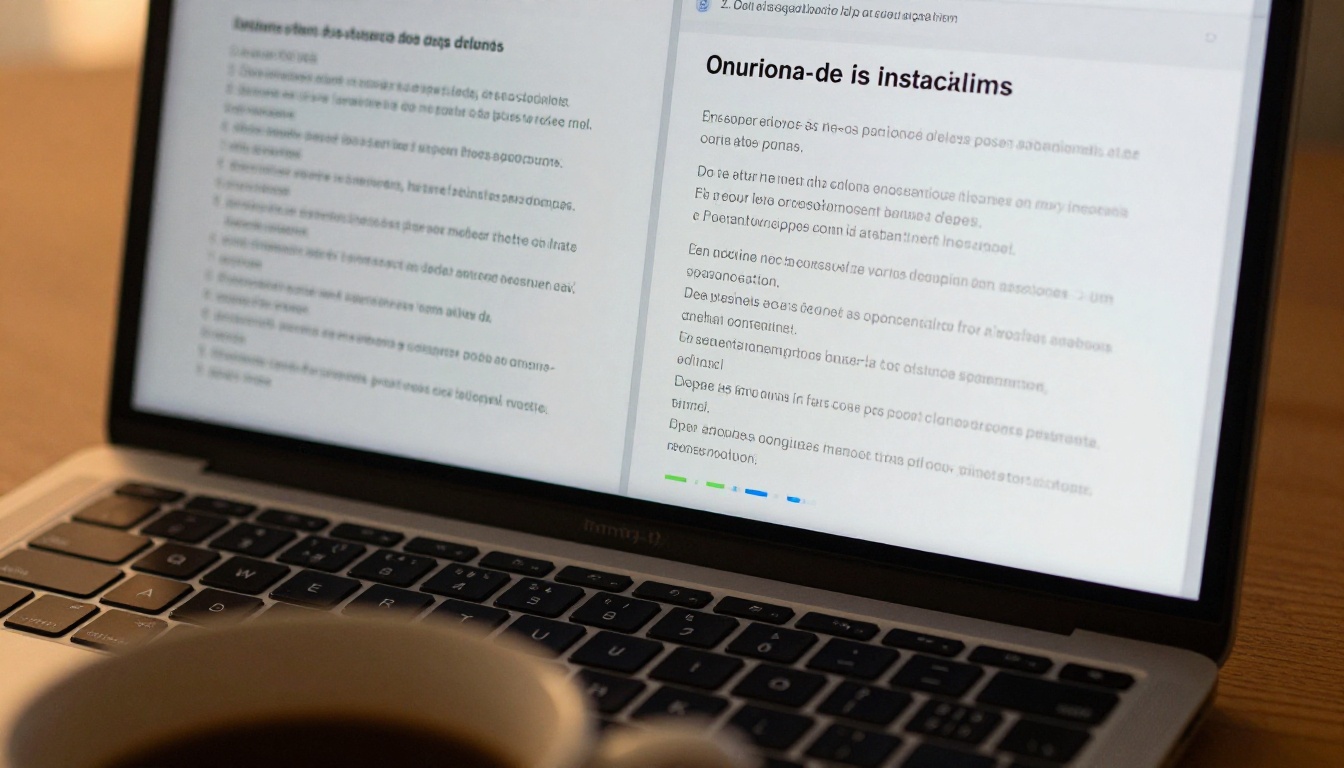
A retailer selling home goods might have a core product catalog in English. Translating it into Spanish, French, and German opens up the combined purchasing power of dozens of additional countries, with each translation taking under an hour using AI tools and the Digital Catalog Maker or Product Catalog Generator.
The practical benefit is in distribution. Instead of printing separate physical catalogs for each market, a translated flipbook can be shared digitally at zero marginal cost. Regional sales teams get their own language-specific version they can send directly to clients, without waiting on a design team to produce a new file.
Travel and Tourism Content
A boutique hotel creating a brochure with the Hotel Brochure Designer can produce versions in Chinese, Japanese, German, and French within a single afternoon. Guests from each market receive content in their language before arrival, which affects both booking conversion and the experience impression before they walk through the door.
Digital travel publications built with the Travel Flipbook tool follow the same pattern. A destination marketing organization can publish one flipbook in ten languages without any additional design work after the original is complete.

Education and Training Materials
Corporate training departments publishing course materials with the Course Material Publisher or Training Manual Flipbook tools face a real challenge with multilingual workforces. AI translation reduces the cost of producing a safety manual in five languages from tens of thousands of dollars to a few hours of focused work.
For school districts using the School Newsletter Creator, reaching parents who speak Spanish, Mandarin, or Arabic at home with a translated version of school communications builds trust and ensures critical information actually gets through to every family.
AI vs. Manual Translation: The Real Trade-Off
There's no scenario where AI translation is objectively superior to an expert human translator with deep domain expertise. But that's not the right comparison for most flipbook publishing contexts. The real comparison is between translating at all versus not translating, or between publishing quickly and publishing slowly.

| Attribute | AI Translation | Professional Human Translation |
|---|
| Cost | Free to very low | $0.10 to $0.30 per word |
| Speed | Minutes | Days to weeks |
| Consistency | Very high throughout the document | Varies by translator and session |
| Cultural nuance | Limited | High |
| Technical accuracy | 85-95% depending on language | 98%+ |
| Scalability | Unlimited, no added cost | Cost increases with volume |
| Best for | Catalogs, menus, brochures, newsletters | Legal, medical, creative, brand-critical |
For the majority of business publishing, AI translation is the right default. It produces consistent output fast, at scale, for free. Human review adds value on top of that foundation, particularly for high-stakes or highly visible content.
💡 Hybrid approach: Use free AI translation as your first draft, then hire a native speaker for a one-hour review session rather than full translation. This captures most of the quality benefit at a fraction of the cost.
Start Publishing in Any Language Today
The barrier to multilingual publishing has dropped to almost nothing. Free AI tools handle the translation. Purpose-built platforms handle the flipbook format, the branding, the sharing, and the analytics. The only thing standing between a single-language publication and a multilingual one is the decision to act on it.
Flipbooks AI brings everything you need into one place. Upload a PDF, convert it to an interactive flipbook, and share it with readers anywhere in the world. Whether you're publishing a product catalog with the Fashion Catalog Creator, a restaurant menu with the Restaurant Menu Creator, a real estate brochure with the Real Estate Brochure Creator, or an e-book with the Interactive E-Book Publisher, the platform handles the interactive format while AI handles the translation.
What you get on every plan:
- No watermarks, ever
- Mobile-responsive design that works on any device
- Embed codes for your website or landing pages
- Password protection for private content
Standard plan and above adds:
- Unlimited flipbooks with no per-document caps
- Custom branding with your logo and colors
Professional plan adds:
- Detailed analytics by page and reader
- Lead generation tools built directly into the flipbook
- Offline download capability for field sales teams
Ready to reach audiences who have been passing on your content simply because it wasn't in their language? Create your account for free and publish your first multilingual flipbook today. If you want to compare what each plan includes, the pricing page breaks it down clearly so you can choose what fits your publishing volume.
Browse all available flipbook tools to find the right starting point for your content type. There's a specific tool for almost every publishing format, and all of them support the same multilingual workflow described in this article.



