Your students downloaded the PDF. Most of them never opened it past page two. That is not a motivation problem, it is a format problem. Static PDFs were built for printing, not for the way people read in 2026. When you turn your course materials into interactive flipbooks, you give students something they actually want to open: a visually rich, mobile-friendly, page-turning experience that feels like a real publication. Flipbooks AI makes this conversion fast, taking your existing PDFs and converting them into professional digital publications in minutes.
Why PDFs Are Losing the Attention War

The Attention Problem Nobody Talks About
The average student attention span when reading a static PDF on a screen drops off sharply after the first few minutes. PDFs were designed for print workflows. They have no interactivity, no animations, no embedded media support in most readers, and they feel cold and bureaucratic on a phone screen.
Educators keep distributing PDFs because it is what they have always done. But the learning environment has changed. Students consume content on phones, tablets, and laptops simultaneously. They expect the reading experience to match the quality of other digital content they interact with daily. A document that looks like a government form does not hold the same weight as a professionally designed digital publication.
What the Data Shows
Research on digital reading consistently shows that content presented with visual hierarchy, page-turn effects, and embedded media holds attention 40-60% longer than flat PDF equivalents. When students associate a course material with a professionally designed publication, they treat it with more seriousness. Completion rates improve. Note-taking increases. Retention goes up.
The flipbook format triggers something psychological: it feels like a real book, not a file attachment.
What Makes a Flipbook Different
The Page-Turn Effect Changes Everything
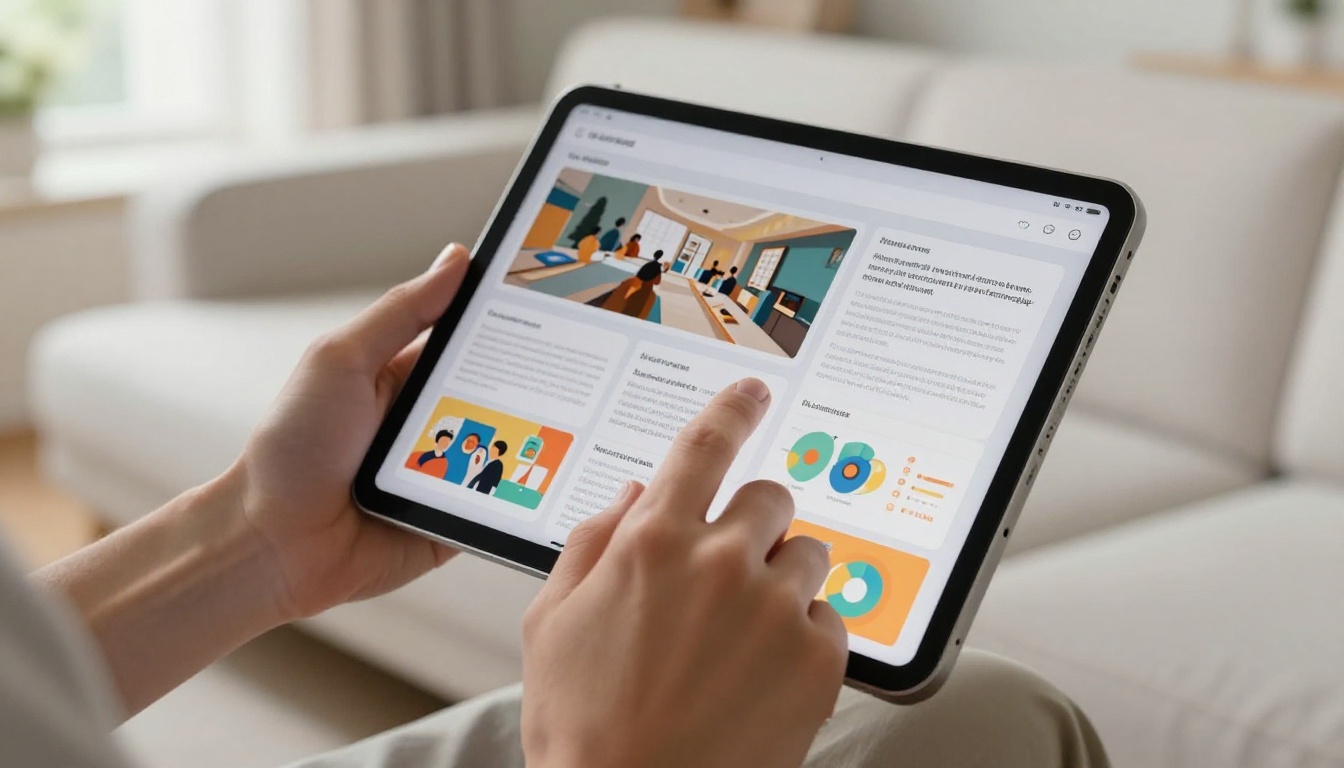
The page-curl animation in a flipbook is not just visual flair. It creates spatial memory. When students can mentally map where information appeared on a page, recall improves. Traditional PDF scrolling destroys that spatial context, turning everything into a continuous wall of text with no physical sense of location.
Beyond the animation, flipbooks support:
- Clickable links that open directly in the reader's browser
- Embedded video and audio within specific pages
- Zoom functionality with touch-pinch support on mobile
- Double-page spread views that mirror how printed textbooks feel
- Full-screen reading mode to eliminate distractions
- Table of contents navigation that jumps to any chapter instantly
Interactive vs. Static: A Side-by-Side Look
| Feature | Static PDF | Interactive Flipbook |
|---|
| Page-turn animation | No | Yes |
| Embedded video | No | Yes |
| Mobile-optimized layout | Poor | Excellent |
| Password protection | No | Yes |
| Analytics and tracking | No | Yes (Pro plan) |
| Shareable link | Basic | Direct URL + embed code |
| Offline access | Download only | Yes (with download option) |
| Custom branding | No | Yes |
| Lead generation forms | No | Yes (Pro plan) |
💡 Pro Tip: The double-page spread view is especially effective for textbooks and workbooks where students need to see related content side by side. Enable it in your flipbook settings for the most book-like reading experience.
Types of Course Materials That Convert Best
Not every piece of course content benefits equally from the flipbook format. Some types see dramatically better results than others.
Lecture Notes and Slide Decks
When you export PowerPoint or Keynote slides to PDF and convert them to a flipbook, each slide becomes a natural page. Students flip through at their own pace, zoom into diagrams, and click embedded links. The visual design that makes slides compelling in a presentation room carries over perfectly to the flipbook format.
This works especially well for:
- Technical diagrams and flowcharts
- Step-by-step process slides
- Visual concept summaries
- Weekly lecture recaps
- Formula sheets and reference material
Workbooks and Study Materials
A well-designed study workbook as a flipbook changes the student experience entirely. Instead of printing a 40-page document, students access it on any device, flip to exactly the section they need, and interact with embedded practice resources. The Course Material Publisher tool on Flipbooks AI is specifically designed for this type of content, handling multi-page educational layouts cleanly.
Training Manuals and How-To Content
Corporate trainers and professional development instructors see significant gains when they convert training manuals to flipbooks. The Training Manual Flipbook tool allows you to create organized, professional manuals with page-based navigation that makes it easy for trainees to find specific procedures quickly. No more "scroll to page 47" instructions.
eBooks and Long-Form Reading
For courses that include longer reading materials, the interactive ebook format is the standard. Use the Interactive E-Book Publisher for content spanning many chapters, giving students a reading experience that feels like a real digital publication with proper chapter navigation and full-screen reading support.
How to Create Your First Course Flipbook

The conversion process is faster than most educators expect. Here is the full workflow from PDF to published flipbook:
Step 1: Set Up Your Account
Go to Flipbooks AI and create a free account. No credit card required to start. The interface loads immediately with a simple dashboard where all your flipbooks will live.
Step 2: Upload Your Course PDF
Click the Upload PDF button and select your course material file. Flipbooks AI accepts PDFs of any length and processes them automatically. Within seconds, you will see a preview of your content converted into a paginated flipbook with the page-turn reader active.
✅ Best Practice: Before uploading, ensure your PDF has clear page margins and readable font sizes. PDFs designed for print convert fine, but those with wider margins and high-contrast text look best in the flipbook reader.
Step 3: Customize Branding and Style
Once uploaded, the editor gives you control over:
- Opening page design: Customize the look of the first page students see
- Brand colors: Apply your institution's color palette to the interface chrome
- Background: Choose from white, dark, or custom background colors for the reading environment
- Page effects: Toggle the page-curl animation on or off depending on your preference
You can also add your institution's logo and set a custom display name for the flipbook, making it feel like an official course resource rather than a generic document.
Step 4: Add Interactive Elements
Within the editor, you can:
- Embed YouTube or Vimeo videos directly on specific pages
- Add clickable hotspots that link to external resources, glossaries, or supplementary materials
- Insert audio explanations on pages where verbal context improves comprehension
- Link chapter headings to related online resources
For course materials with supplementary video lectures, embedding them directly on the relevant chapter pages is exceptionally effective. Students do not need to switch apps or browsers to access related content.
Step 5: Set Privacy and Sharing Options
Before sharing with students, configure access settings:
- Public link: Anyone with the URL can view
- Password protection: Students enter a password to access (ideal for paid courses or institutional content)
- Embed code: Copy the HTML snippet to embed your flipbook directly in your LMS, website, or course platform
⚠️ Important: If your course material contains sensitive content or is part of a paid course, always use password protection. Flipbooks AI password protection is included with Standard plans and above.
Step 6: Share with Your Students
Copy the direct flipbook URL and paste it wherever your students access course materials: email, LMS, Slack, Discord, or your course website. Students open it instantly in any browser with no downloads or plugins required.
Features That Matter Most for Educators
Analytics: Knowing What Students Actually Read
One of the most valuable features on the Professional plan is analytics. Flipbooks AI tracks:
- How many times a flipbook was viewed
- Which pages receive the most reading time
- Where readers drop off
- Geographic and device breakdown of viewers
For educators, this is genuinely useful data. If students consistently stop reading at chapter 3, that signals the content needs restructuring or that section needs clarification. Real readership data beats guessing every time.
💡 Pro Tip: Use page analytics to identify which sections of your course material have low readership. Redesign those sections with more visual elements, or add embedded video explanations to increase completion. Check Flipbooks AI pricing to access analytics features.
Password Protection for Paid Courses
Course creators who sell educational content need access control. Flipbooks AI's password protection means you can distribute a course material flipbook to paying students only. Combine this with an email-gating form (lead generation feature on Professional plan) and you have a lightweight distribution system that does not require complex LMS infrastructure.
Offline Access for Students with Connectivity Issues
Not every student has reliable internet. The offline download feature allows students to save a flipbook for offline reading, which is critical for mobile-first learners in areas with inconsistent connectivity. This removes a real barrier to access that PDFs previously solved by default, while keeping all the formatting and interactivity intact for when they reconnect.
Mobile-Responsive by Default
Every flipbook created on Flipbooks AI is automatically mobile-responsive. The reading interface adapts to any screen size, with touch-swipe navigation on mobile and full keyboard navigation on desktop. For educators whose students are primarily phone-based learners, this is not optional, it is essential.
Flipbooks AI Plans for Educators
Plan Comparison Table
| Feature | Free | Standard | Professional |
|---|
| Flipbooks | Limited | Unlimited | Unlimited |
| Watermarks | Yes | No | No |
| Password protection | No | Yes | Yes |
| Custom branding | No | Yes | Yes |
| Embedded video/audio | Limited | Yes | Yes |
| Analytics | No | No | Yes |
| Offline downloads | No | Yes | Yes |
| Lead generation forms | No | No | Yes |
| Custom domain | No | No | Yes |
For most solo educators and course creators, the Standard plan provides everything needed without excess overhead. For institutions, training companies, or anyone running paid courses, Professional gives access to the analytics and lead generation tools that make the investment measurable.
✅ Best Practice: Start with the free plan to test the format with one course material. Once you see how students respond, upgrade to Standard for unlimited flipbooks without watermarks. See the full pricing breakdown for detailed feature comparisons.
Real-World Use Cases

University Professors
A marketing professor at a mid-sized university converted her 12-week course pack, 340 pages of readings, case studies, and lecture supplements, into a series of weekly flipbooks. Each flipbook covered one week's content. Students accessed them on phones during commutes, tablets in class, and laptops at home. Questions about "where is this content" dropped noticeably because the flipbook format made navigation obvious.
The professor embedded short video explainers on the three most complex topics directly on the relevant pages. Students who accessed those pages spent significantly longer there than on any other section, confirming that embedded media improved time-on-page.
Online Course Creators
For creators selling courses on platforms like Teachable or Podia, the problem is often that downloadable PDFs feel cheap. A professionally designed flipbook that students access via a password-protected link feels like a premium product. It also reduces the risk of course PDFs being redistributed freely, since flipbooks require a link and optionally a password rather than being a file that can be forwarded to anyone.
Corporate Training Departments

Corporate L&D teams typically manage hundreds of training documents: onboarding manuals, compliance training, product knowledge bases, process documentation. Converting these to flipbooks provides several operational advantages:
- Version control: Update the source PDF and republish. All existing links keep working, so no redistribution is needed.
- Readership tracking: Analytics show which employees actually read training materials versus who just checked the box.
- Accessibility: Works on any device without requiring specific PDF software or printing capabilities.
- Professional presentation: Branded flipbooks reinforce company culture better than generic white documents.
The Training Manual Flipbook tool handles the specific formatting needs of corporate training documents, including multi-column layouts and procedure tables.
Tutors and Private Instructors
Independent tutors who create proprietary study materials have a particular interest in protecting their content. A PDF can be screenshot, printed, or forwarded with zero friction. A password-protected flipbook on Flipbooks AI creates a meaningful barrier against casual redistribution while keeping the reading experience professional and polished for legitimate students.
Comparing Formats: Which Fits Your Content
Not every piece of educational content has the same needs. Here is how the major formats compare for different content types:
| Content Type | PDF | Flipbook | Video | Best Choice |
|---|
| Lecture notes | Good | Excellent | Poor | Flipbook |
| Step-by-step tutorials | Average | Excellent | Good | Flipbook |
| Concept-heavy readings | Good | Excellent | Average | Flipbook |
| Live demonstrations | Poor | Average | Excellent | Video |
| Quick reference sheets | Excellent | Good | Poor | Either |
| Full course workbooks | Average | Excellent | Poor | Flipbook |
| Policy documents | Good | Good | Poor | Either |
What Students Experience on Mobile

Most educators build course materials on desktop. Most students consume them on mobile. This is the core mismatch that flipbooks solve.
When a student opens a flipbook link on their iPhone or Android phone:
- The browser loads the flipbook reader instantly, with no app download needed
- Pages display in a single-page vertical layout optimized for phone screens
- Swiping left and right navigates between pages with a familiar gesture
- Pinch-to-zoom works on any diagram or fine-print section
- The table of contents is accessible via a single tap, jumping to any chapter instantly
- Videos embedded on pages play inline without opening a separate app
The experience is close to reading a professionally designed digital magazine. Compare this to opening the same content as a PDF on mobile, where text is typically too small, zooming disrupts the layout, and navigation requires endless scrolling through a single continuous document.
For course creators distributing content to mixed device audiences, the mobile experience alone justifies the switch to flipbooks.
💡 Pro Tip: When designing course PDFs intended for flipbook conversion, use a 16:9 or landscape format rather than standard portrait. This produces pages that fill a phone screen more naturally when viewed in the flipbook reader.
Ready to Make the Switch
You have seen the difference between static PDFs and interactive flipbooks. You know which types of content convert best, how to create your first one, and which features matter for your specific use case.
The practical next step is to pick one existing course material, a lecture pack, a study workbook, a training module, and convert it. Upload it to Flipbooks AI, apply basic customization, and share the link with a small group of students. The feedback will do the rest of the convincing.
Ready to create your first flipbook? Get started for free on Flipbooks AI today. Browse all educational tools to find the exact template that fits your content type, and check pricing plans when you are ready to scale across your full course catalog.



