You spent weeks writing your eBook. You carefully laid out each chapter, selected the fonts, placed the images, and exported a polished PDF. Then you posted a download link and waited. If reader retention felt disappointing, the format was likely working against you. Flipbooks AI was built for exactly this problem: giving your content the reading experience it actually deserves.
Converting a PDF eBook into an interactive flipbook takes minutes and changes how readers interact with your work from the moment they open it. Instead of a static flat file, they get a realistic page-turning experience that works in any browser, on any device, without downloading anything. That shift in delivery has a direct and measurable impact on how much of your content actually gets read.
This article covers the full picture: why PDFs fall short for public distribution, what makes flipbooks work so well, how the conversion process goes step by step, which features matter most, and how to pick the right plan for your publishing goals.

Why PDFs Lose Readers Fast
The download-and-forget problem
PDFs carry an adoption problem that most creators quietly accept: people download them and rarely open them again. The friction starts immediately. A reader clicks a link, their browser prompts a file download, the PDF lands in a Downloads folder already full of other files, and it disappears. Out of sight, out of mind.
Even when readers do open PDFs, the experience is passive. There is no visual sense of progress beyond a page number in the corner, no momentum, and no reason to feel invested in finishing. The reading session ends without any real signal that the reader has accomplished something. On mobile devices, the situation is noticeably worse: most PDFs do not reflow text to fit smaller screens, so readers spend the entire session pinching and zooming just to read normal paragraphs.
The problem compounds when you share PDFs via email. Many corporate email clients flag PDF attachments as potential security risks. Recipients see a warning dialog before even accessing your content. That single moment of friction accounts for a significant percentage of non-opens across all industries.
⚠️ A large portion of readers who download a PDF eBook never open it again after the first session ends. The format itself trains people to disengage.
What modern readers actually want
Reader expectations have shifted significantly. People are accustomed to scrolling through well-designed responsive web content, watching inline media, and having their reading experience adapt naturally to whatever device is in their hands. A PDF delivers none of that adaptability.
What actually holds reader attention:
- Immediate browser access: no downloads, no app installs, just click and read
- Visual interaction: content that responds to touch and mouse input naturally
- Mobile-first rendering: text and images that fit any screen without manual adjustment
- Social shareability: a link anyone can open and forward without worrying about file formats
- Sense of place: a visual reading environment that signals this is worth finishing
An interactive flipbook addresses all five of these expectations simultaneously. That is not a minor formatting preference. It is a fundamentally different reading experience that affects how your content is perceived before a reader has even processed the first sentence.
What a Flipbook Actually Does
The page-turn effect and why it works
A flipbook is an HTML5-based digital publication that replicates the physical experience of turning book pages. When a reader drags a page corner or clicks a navigation arrow, they see a realistic curl animation, complete with the shadow of the page as it lifts and falls. The effect is subtle but psychologically powerful. It signals to the brain that this is a book, not a web page, and that signal meaningfully increases the time readers spend with the content.
Beyond the animation, flipbooks present content in proper double-page spread format. Your original PDF layout is preserved exactly as designed, but it now lives in a browser tab that anyone can open without installing anything.
💡 The page-turn animation creates a natural reading rhythm. Readers who interact with each page tend to move through content more intentionally than those passively scrolling through static files.
Works on every device, everywhere
One of the most practical advantages of converting your PDF is automatic multi-device optimization. A well-built flipbook platform serves your content responsively across every screen size, from large desktop monitors to phones held in portrait mode. Readers do not need to install an app, create an account, or deal with a file download. They tap a link and the flipbook opens immediately in their browser.
That zero-friction access is the single biggest factor in whether casual readers actually make it through your content. Every extra step between interest and reading costs you a portion of your audience.

How to Turn Your PDF into a Flipbook
The full process from PDF file to a shareable flipbook link takes about five minutes. No design skills, no technical setup, no coding required.
Step 1: Create your account
Visit Flipbooks AI and sign up for a free account. The free tier lets you test the entire conversion process and preview exactly how your PDF renders as a flipbook before choosing a plan. You have access to the core conversion tools from the moment you log in.
Step 2: Upload your PDF
Inside your dashboard, click New Flipbook and select your PDF file. The PDF to Flipbook Converter processes each page and generates a live preview within seconds for most standard files. Larger, high-resolution PDFs may take a minute or two.
During conversion, the platform extracts every page, preserves your embedded fonts and layouts, and prepares the interactive flipbook canvas. Images, graphics, and decorative elements in your PDF are retained at their original quality. If your PDF includes bookmarks, those are automatically converted into flipbook chapter navigation.
✅ For best results, export your PDF at 150 to 300 DPI with embedded fonts before uploading. This ensures crisp text and sharp images across all screen sizes.
Step 3: Customize your flipbook
This is where most creators invest a few extra minutes to make their flipbook feel genuinely branded. Available customization options include:
- Presentation style: hardbound, softbound, or open-spread display on the canvas
- Background: solid color, gradient, or a custom uploaded image behind the flipbook
- Brand colors: apply your palette to the toolbar, borders, and interface elements
- Logo placement: add your logo to the flipbook header or as a subtle page mark
- Page effect settings: adjust flip speed, curl intensity, and shadow weight
- Table of contents: auto-generated from PDF bookmarks or built manually
- Reading mode: a clean, distraction-free view for long-form eBook content
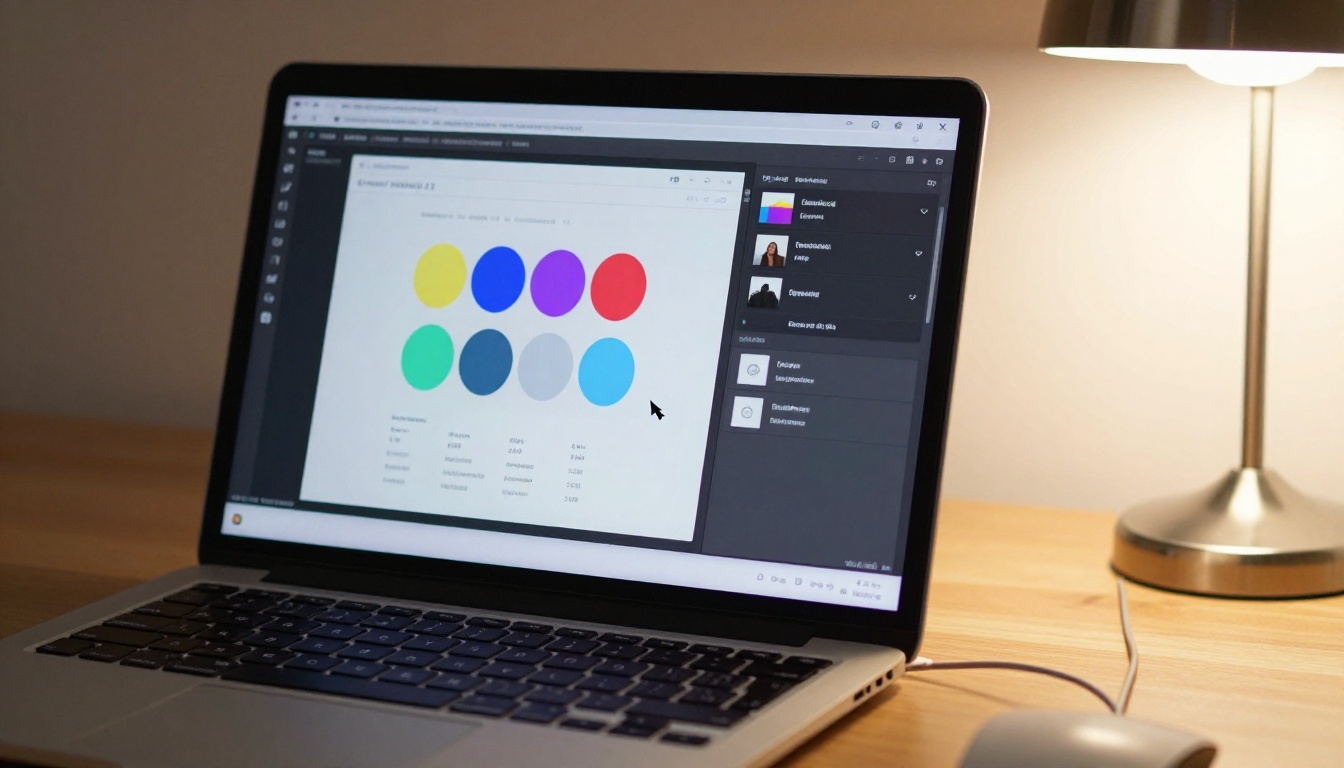
For eBook publishers specifically, the Interactive E-Book Publisher and E-Book Flipbook Generator tools offer pre-configured templates designed for long-form reading, with optimized typography and chapter navigation built in.
Step 4: Share, embed, and protect
Once your flipbook looks exactly as intended, publish it with one click. You receive several immediate sharing options:
| Sharing Method | Best For | Notes |
|---|
| Direct link | Email campaigns, social media | One click, opens in any browser |
| Embed code | Websites, landing pages | iFrame or JavaScript snippet |
| QR code | Print materials, events | Auto-generated, downloadable |
| Password protection | Premium content, paid access | Set per flipbook in publishing settings |
| Offline download | PDF backup, presentations | Available on Standard plan and above |
💡 Password protection is a practical solution for creators selling eBook access. Paying customers receive the flipbook link plus a password. The content is never directly downloadable without authorization.
Features That Readers Notice
Branding that earns trust
A flipbook carrying your brand colors, logo, and domain communicates professionalism in a way that a raw PDF attachment never can. Readers receiving a branded flipbook link perceive the creator and content differently before reading a single word.
On higher plans, Flipbooks AI supports custom domain mapping, so your flipbook can live at a URL like read.yoursite.com/your-ebook rather than a third-party subdomain. That detail matters for authors, marketers, and businesses who want every reader touchpoint to feel deliberate.
Features worth noting across all paid plans:
- ✅ No watermarks, ever (Standard plan and above)
- ✅ Unlimited flipbooks (Standard plan and above)
- ✅ Password protection for private content
- ✅ Mobile-responsive design on every publication
- ✅ Embed videos and audio within pages
- ✅ Offline download option for readers
- ✅ Custom branding throughout the flipbook
Analytics that tell you what is working
Knowing how readers actually interact with your content is one of the most actionable things a creator can access. The Professional plan on Flipbooks AI includes per-flipbook analytics that show:
- Total views and unique visitors over any time period
- Average pages read per session across all readers
- Drop-off pages where readers most commonly stop
- Geographic distribution of your audience
- Lead capture data from embedded opt-in forms within the flipbook
The drop-off page data is especially valuable for eBook authors. If a large percentage of readers stop at the same page, that section deserves a close second look. It may be too dense, poorly structured, or simply not delivering the value readers expected at that point in the book.
💡 Use the embedded lead capture form to collect reader emails before they finish the eBook. The natural pause of a page-turn is the ideal moment for a well-placed opt-in.
Almost any creator who distributes PDF content publicly will see better results with a flipbook. A few specific audiences stand out clearly.
Authors and self-publishers

Independent authors and self-publishers face a constant distribution challenge. PDFs are easy to create but poor for audience reach. A flipbook link is shareable anywhere: email, social media, a website, or a QR code on a business card. Every platform can open it without friction. The Interactive E-Book Publisher is specifically designed for this audience, with reading-mode support and chapter navigation built in.
Real-world example: An author distributing a 60-page business eBook as a PDF sees most readers open page one and close the file. The same content as a flipbook, shared as a direct link, gets read three to four times longer per session on average because the reading environment removes the "I'll come back to this later" habit.
Course creators and educators
Supplementary course materials, workbooks, reading assignments, and reference documents all benefit from this format. Students who receive a link to an interactive publication are significantly more likely to read it than students handed another PDF attachment. The Course Material Publisher and Training Manual Flipbook tools provide templates built for educational content structures, including numbered sections, callout boxes, and progress markers.
Marketing and sales teams
Lead magnets, white papers, case studies, and sales presentations get measurably more reads when delivered as flipbooks rather than PDF attachments. Email clients sometimes block or warn about PDF downloads, but a link to an interactive flipbook opens cleanly every time. For teams working with product catalogs, the Digital Catalog Maker and specialized tools like the Fashion Catalog Creator provide templates that function as both sales tools and genuine reading experiences.
Flipbook vs PDF: Side by Side
| Feature | Static PDF | Interactive Flipbook |
|---|
| Mobile readability | Poor (pinch-zoom required) | Excellent (fully responsive) |
| Page-turn experience | None | Realistic curl animation |
| Browser access | Requires PDF viewer plugin | Opens in any modern browser |
| Shareability | File download only | Web link, fully embeddable |
| Reader analytics | None | Full per-page tracking |
| Branding and customization | Very limited | Full control |
| Password protection | No | Yes |
| Lead capture | No | Yes (Professional plan) |
| Offline access | Yes | Yes (Standard and above) |
| Website embedding | Not practical | Single-line embed code |
| Email deliverability | Flagged as attachment | Clean link, no warnings |
The comparison is decisively one-sided for any content meant to be read by a public audience. PDFs remain the right format for print-ready documents and internal file transfers, but for anything distributed to readers, a flipbook wins on every dimension that affects actual reading behavior.

Plan Options Worth Knowing
Flipbooks AI offers tiered pricing that scales cleanly with your publishing needs. Here is a clear breakdown of what each level includes:
| Plan | Flipbooks | Watermarks | Analytics | Lead Capture | Password Protection | Offline Downloads |
|---|
| Free | Limited | Yes | No | No | No | No |
| Standard | Unlimited | No | Basic | No | Yes | Yes |
| Professional | Unlimited | No | Full | Yes | Yes | Yes |
⚠️ The free plan is excellent for testing conversions. For any flipbook you share publicly or use professionally, move to Standard at minimum. A watermarked flipbook signals a trial product to readers, which works against the professional impression you are building.
For creators using their eBook as a lead magnet or paid access product, the Professional plan pays for itself through lead capture data and the visibility into exactly where readers engage or disengage. View the full breakdown on the pricing page.
Your Readers Are Waiting

Your eBook was written to be read. Every week it sits behind a PDF download link is a week where readers open it, see the flat file format, and quietly close it without finishing. Converting it to a flipbook removes that friction entirely and gives readers the experience they actually want.
The process is straightforward. The results show up immediately. Readers who encounter your content as a flipbook spend more time with it, share it more readily, and leave with a better impression of the work you put into it.
Get started for free on Flipbooks AI and convert your first PDF eBook today. If you have specific publishing needs, browse the complete list of flipbook tools to find templates built for your exact use case. When you are ready to access full analytics and lead capture, view the pricing plans to choose the right fit.
Stop letting your best content collect dust in a downloads folder.



