You spent months planning, weeks in dust and noise, and a budget that expanded twice before it settled. Now your home looks incredible and all you have to show for it is 400 unsorted photos in your camera roll and a group chat nobody scrolls back through. Renovations deserve better documentation than that, and a digital flipbook is the format that actually does them justice. With Flipbooks AI, you can turn every stage of your home renovation project into a polished, shareable, interactive story that lives online forever.
Why Your Camera Roll Is Not Enough
Most homeowners photograph obsessively during a renovation. Before shots. Progress shots. The moment the new cabinets go in. The first time the living room looks like a living room again. These photos tell a genuinely compelling story, but they get buried. Buried in cloud sync folders. Buried in group chats. Buried in a "Renovation 2024" album that requires a four-digit passcode nobody remembers.
The Real Cost of a Scattered Archive
Disorganized renovation documentation creates practical problems beyond nostalgia. When you sell the house, buyers want proof of what was done and when. When a warranty claim comes up on your new HVAC system, you need records. When your neighbor asks who did your kitchen and what tiles you used, you want to show them something, not describe it.
A flipbook solves all of this. It is a single, shareable link that opens a page-turning digital book containing your photos, notes, floor plans, and before-and-after spreads in a format anyone can view on any device.
What Most People Do With Renovation Photos After the Build
Research consistently shows that renovation photos are viewed heavily in the first two weeks after completion, then almost never again. They sit in storage. They degrade in relevance. The story they tell fades because there is no structure around it. A flipbook provides that structure. It sequences your renovation chronologically, groups it by room or phase, and gives every image context so the story reads clearly even five years from now.
What to Shoot at Every Stage
The quality of your renovation flipbook depends almost entirely on the photos you take during the project. Most people photograph heavily at the start and finish, and almost nothing in between. That gap is where the real story lives.
Before the First Hammer Swing
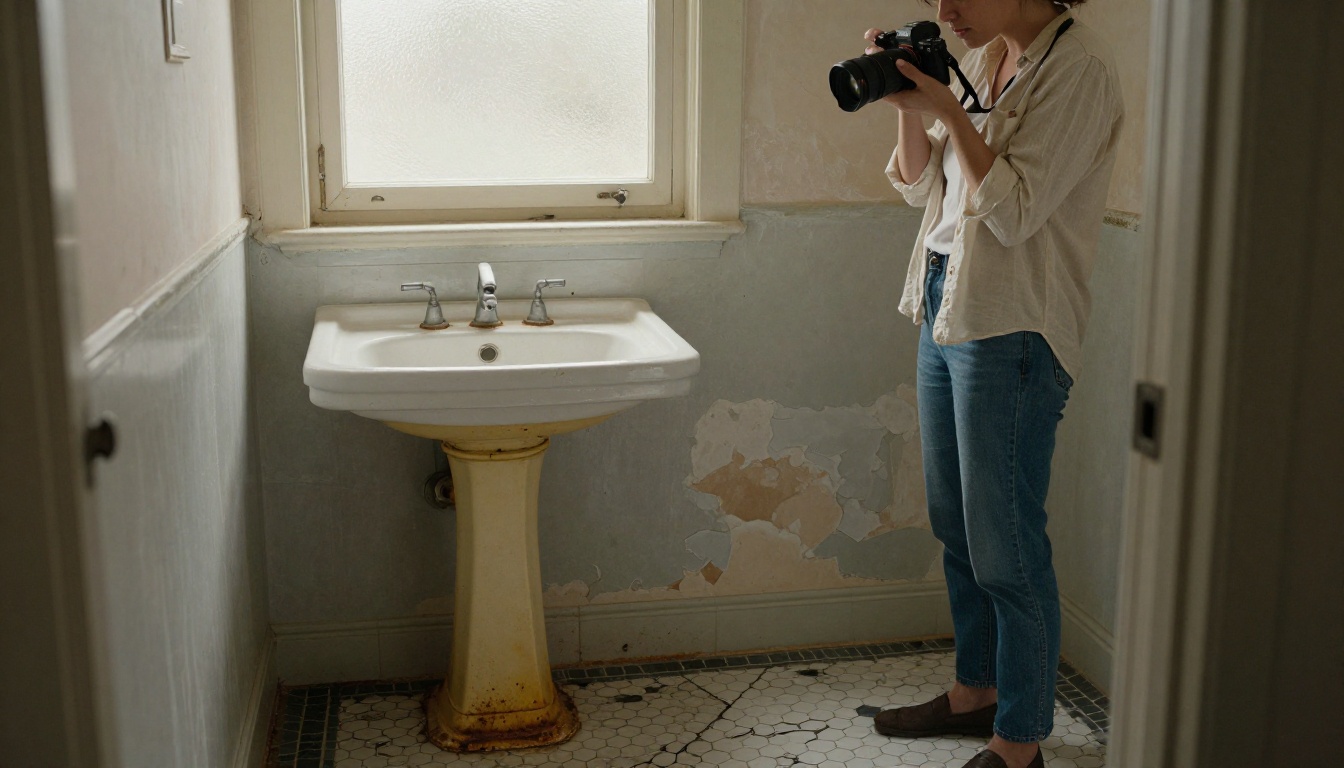
Before anything is touched, do a full photo walkthrough of every room you are renovating. Shoot from multiple angles. Get close-ups of problem areas: the cracked tile, the water-stained ceiling, the cabinet doors that no longer close properly. These images are not pretty, but they are essential. They are the "before" that makes the "after" meaningful.
💡 Shoot each room from the same four corners every time. It makes before-and-after comparisons clean and visually powerful when placed side by side in your flipbook.
Document anything that will be hidden by the renovation: the plumbing layout before new walls go up, the electrical panel before it is upgraded, the subfloor before tile goes down. You will want these records.
During Construction
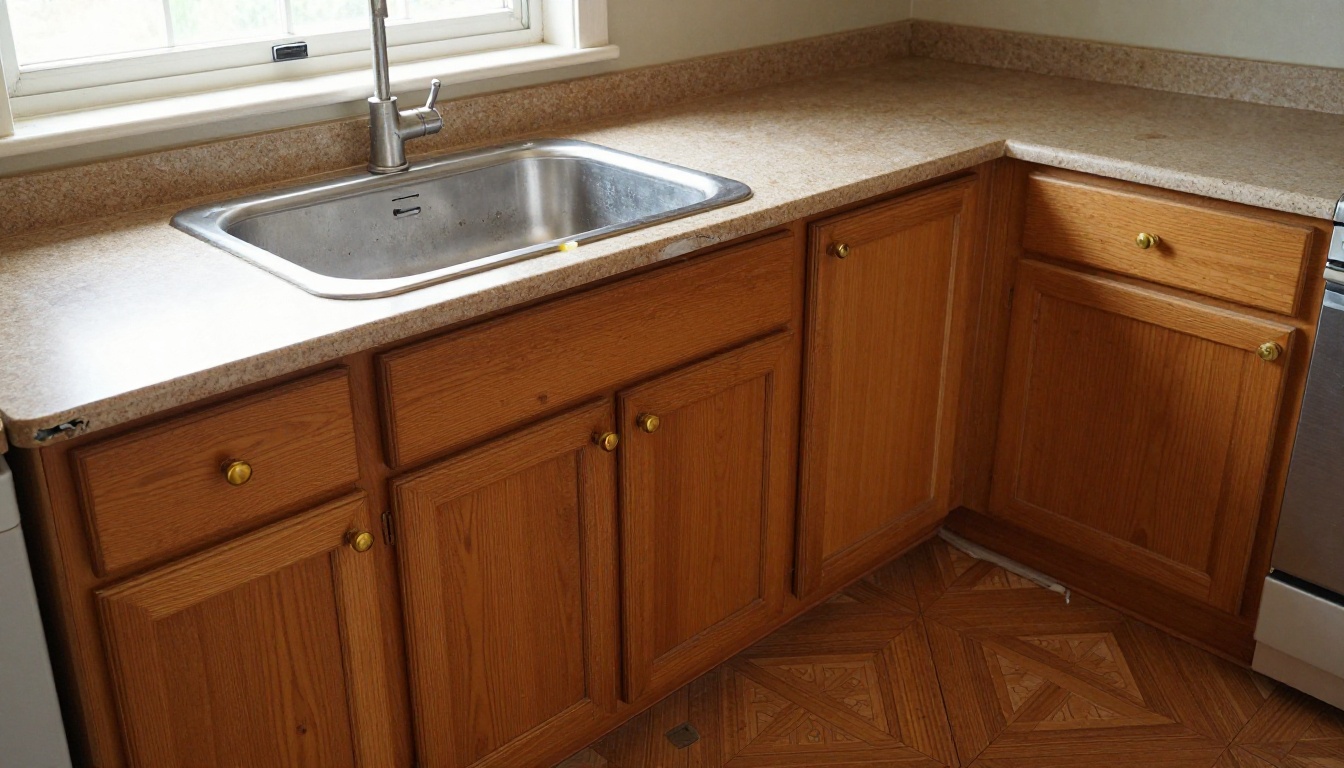
This is the phase most homeowners underphotograph. Construction is ugly and inconvenient and it is easy to think these images are not worth keeping. They are. A photo of exposed wall framing with new insulation, a shot of the rough plumbing before drywall covers it, a wide angle of the room stripped to studs before the transformation. These images add depth and credibility to your finished flipbook.
Track your materials as they arrive. Photograph tile boxes stacked in the garage, the cabinet delivery, the paint cans lined up on the porch. Document your contractor working. These candid process shots bring warmth and humanity to a renovation story that might otherwise feel clinical.
The Final Reveal
Spend real time photographing the finished spaces. Use natural light. Open all the curtains. Turn off artificial lighting where possible and let the room breathe. Shoot from low angles to capture floor reflections. Shoot from door frames to show full room depth. Get close-ups of the details you spent money on: the grout line in your herringbone tile, the brushed brass handle on your new cabinet, the way the trim meets the ceiling.
These are the images that go on the cover spreads and chapter openers of your renovation flipbook. Take your time with them.
Planning and Organizing Your Renovation Photos
Before you build your flipbook, you need to organize your materials. Trying to build a coherent narrative from 400 randomly named image files is a frustrating exercise. Spend an hour organizing before you start, and the assembly process takes a fraction of the time.

Sort by Phase, Not by Date
Most photo apps sort by date automatically, which puts your renovation in the right order but not the right structure. For a flipbook, phase-based organization works better.
| Organization Method | Best For | Flipbook Result |
|---|
| Chronological by date | Linear single-room projects | Good for simple renovations |
| By room | Multi-room whole-home projects | Best for full home renovations |
| By phase (demo, rough, finish) | Showing process depth | Ideal for contractor portfolios |
| By before/after pairs | Resale and buyer documentation | Most impactful for property sales |
| Hybrid (room + phase) | Complex whole-home renos | Most complete storytelling |
For most homeowners, a hybrid approach works best: organize by room, and within each room sequence photos chronologically through the phases.
File Naming That Saves Hours Later
Rename your key photos before uploading. A system like kitchen_before_01.jpg, kitchen_demo_01.jpg, kitchen_finish_01.jpg takes fifteen minutes but makes your flipbook assembly dramatically faster. You will thank yourself when you are building the PDF and need to locate the right image quickly.
⚠️ Do not rely on thumbnail previews when selecting images for your PDF. Open each photo full size and check for blur, poor exposure, or accidental duplicates before including it.
How to Build Your Renovation Flipbook
This is where it all comes together. Flipbooks AI converts your PDF into a fully interactive digital flipbook with realistic page-turn animations, mobile responsiveness, and customizable branding. No design experience is needed.
Step 1: Create Your Account
Go to flipbooksai.com/account and create an account. The free tier lets you get started and test the platform. For a complete renovation flipbook without watermarks, the Standard plan gives you unlimited flipbooks and full customization.
Step 2: Assemble Your PDF
Your flipbook is built from a PDF. You do not need design software to create one. Google Slides, Canva, Microsoft PowerPoint, or Apple Pages will all export directly to PDF. Lay out your renovation story with a cover page, section dividers for each room or phase, and your before-and-after photo spreads.
A practical structure for a room-by-room renovation flipbook:
- Cover page with the property address and renovation dates
- Table of contents organized by room
- Kitchen section: before, demo, progress, after spreads
- Bathroom section: before, demo, progress, after spreads
- Living areas section: before, progress, after spreads
- Materials and suppliers reference page
- Budget overview (optional, for personal or buyer use)
- Contractor contact page with trades and warranty info
Step 3: Upload and Convert
Once your PDF is ready, log into Flipbooks AI and upload it using the PDF to Flipbook Converter. The conversion happens in seconds. Your flat PDF becomes a 3D page-turning flipbook immediately, with no additional configuration required.
Step 4: Customize the Look
This is where your renovation flipbook goes from functional to beautiful. Inside the Flipbooks AI editor you can:
- Set custom background colors or textures behind the open flipbook
- Add your name or family branding to the cover and spine
- Choose between hard page or soft page animation styles
- Embed videos directly into specific pages (a time-lapse of demolition, a contractor walkthrough video)
- Add clickable links to supplier websites, contractor profiles, or product listings
✅ Match your flipbook's color scheme to the palette of your finished renovation. If you painted everything in warm sage and cream, carry those tones into the flipbook interface for a cohesive, intentional presentation.
Step 5: Share, Protect, and Publish
When your flipbook is ready, share it via a direct link, embed it on a website, or download it for offline viewing. For flipbooks containing personal information like budget details, your home address, or contractor invoices, use password protection to control exactly who can access it.


Before vs. After: The Most Powerful Pages
Nothing in a renovation flipbook hits harder than a well-executed before-and-after spread. Two images, same angle, same room, months apart. The contrast tells the entire story without a single word of explanation.
The key to making these spreads work is the consistency of your photography. Same corner of the room. Same height. Same lens if possible. When the framing matches, the transformation is undeniable.

Place these spreads on facing pages in your PDF layout so that when the flipbook opens to that page, both images appear simultaneously. The page-turn effect of a digital flipbook makes this reveal genuinely dramatic in a way that a static photo album never can.
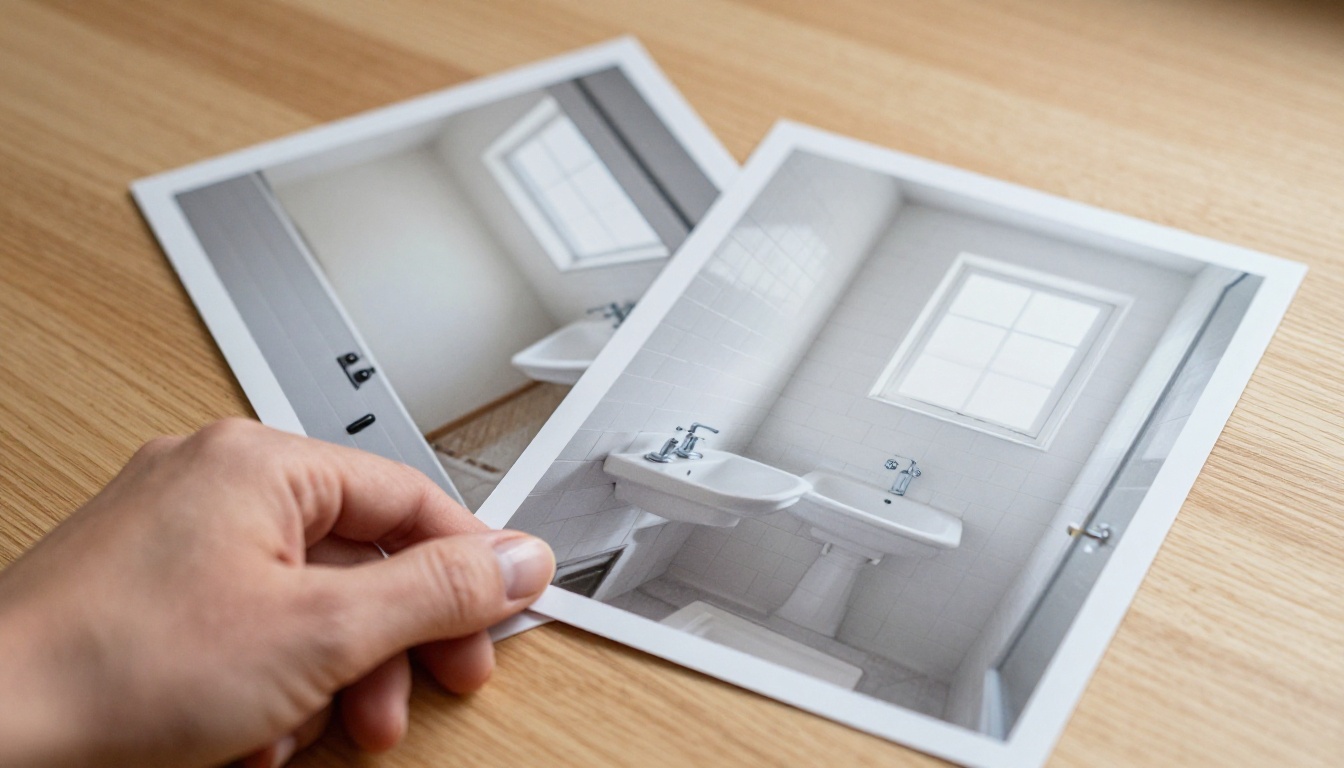
💡 Add a short caption below each before-and-after pair noting the date, what specifically changed, and the approximate cost. This context makes the flipbook more useful as a record and more interesting as a story.
What Else to Include Beyond Photos
A renovation flipbook becomes genuinely valuable when it contains more than photos. The materials, costs, and professional details are the data that make a house history meaningful to future owners and useful to you right now.
Budget Summaries and Material Lists
A one-page budget summary showing spend by category gives any reader an immediate sense of the investment scope. Below that, a materials reference page listing every tile, paint color, hardware finish, and appliance with supplier names and model numbers is the kind of practical documentation homeowners wish they had years later when they need to match a grout color or reorder a light fixture.
Contractor Notes and Floor Plans
Include a page for each major contractor: name, company, trade, contact information, and a brief description of scope. If your contractor provided floor plans showing layout changes, include these. They add professional depth and make the flipbook genuinely useful as a property record.

| Content Type | Why It Belongs in Your Flipbook | Most Useful To |
|---|
| Before photos | Establishes the baseline, makes the after more impactful | Everyone |
| Construction progress photos | Shows quality of work and process depth | Contractors, buyers |
| Material specs (tile codes, paint colors) | Reference for future maintenance and matching | You, future owners |
| Budget summary by category | Shows investment value clearly | Real estate agents, buyers |
| Contractor contact pages | Warranty and maintenance reference | You, future owners |
| Floor plans before and after | Documents layout changes officially | Buyers, building records |
| Warranty certificates | Proof of active coverage | You, buyers |
| Time-lapse videos (embedded) | Compelling storytelling, social sharing | Family, social media |
Who Sees Your Flipbook (and Why It Matters)
Your renovation flipbook is not a private document unless you choose it to be. The sharing options built into Flipbooks AI let you control exactly who sees it and how.
Sharing With Family and Friends
Send the link in a message and anyone with a smartphone can page through your entire renovation story. No app download. No account required. Just a link that opens a beautiful, page-turning flipbook in any browser. Family members who followed your renovation will appreciate seeing the full story laid out properly. Friends planning their own projects will use it as both inspiration and practical reference.
Impressing Future Buyers
A renovation flipbook shared with real estate agents and prospective buyers is a powerful sales tool. It answers the questions buyers always ask: what was done, who did it, when, and how well. A detailed flipbook documenting a full kitchen renovation, bathroom upgrade, and new flooring tells a buyer far more than a disclosure form and builds genuine confidence in the property.
✅ Create a buyer-specific version of your flipbook that includes all material specs, contractor information, and warranty details, but excludes personal budget figures. Password protect it and share the password through your real estate agent.
Using It as a Portfolio or Rental Record
If you renovate investment properties or vacation rentals, a flipbook serves as a professional portfolio of your work. Potential tenants trust a rental listing more when they can see exactly what was renovated and how recently. For a short-term rental, a renovation flipbook embedded on your direct booking site adds real credibility. The Digital Portfolio Creator and Photography Portfolio tools are particularly useful if you want a portfolio format rather than a narrative document.

Flipbooks AI Plan Comparison
Choosing the right plan depends on how many renovations you plan to document and whether you need features like analytics or offline downloads.
| Feature | Free | Standard | Professional |
|---|
| Number of flipbooks | 1 | Unlimited | Unlimited |
| Watermark-free | No | Yes | Yes |
| Password protection | No | Yes | Yes |
| Custom branding | No | Yes | Yes |
| Embed videos and audio | No | Yes | Yes |
| Analytics and lead generation | No | No | Yes |
| Offline downloads | No | No | Yes |
| Mobile responsive | Yes | Yes | Yes |
| Custom domain | No | No | Yes |
For a single home renovation flipbook, the Standard plan covers everything: no watermarks, unlimited pages, password protection for private sharing, and full customization options. The Professional plan makes sense if you are documenting multiple properties, running a contractor business, or want analytics showing who viewed your flipbook and how long they spent on each section.
Explore current pricing plans to see what each tier includes and pick what fits your project.
Make Your Renovation Story Last
Most renovation stories are told once in a flurry of post-completion excitement, then forgotten. The photos fade into camera roll obscurity. The contractor's number gets lost. The paint color code disappears. Years later, when you need to know what tile sealer was used on the bathroom floor or which electrician ran the new panel, that information is simply gone.
A renovation flipbook preserves all of it. It keeps the story structured, the data accessible, and the photos displayed in a format worth revisiting. It is the kind of documentation that adds real value to a property and real meaning to the work you put into it.
Ready to document your renovation properly? Create your flipbook on Flipbooks AI and start turning your project photos into something worth sharing. Browse all available tools to find the right format for your story, or compare pricing plans to get started today.



