Your resume competes with dozens, sometimes hundreds, of other applications for the same role. A static PDF that looks identical to every other document in a recruiter's inbox will not move the needle. Converting it into an interactive flipbook changes that picture immediately. With a realistic page-flip animation, clickable sections, and a shareable link that works on any device, your resume becomes something hiring managers actually want to open. Flipbooks AI makes this process straightforward, with no design software required.
Why a Static PDF Resume No Longer Cuts It
The average recruiter spends less than ten seconds on a first pass through any resume. That is not a myth. It is a well-documented behavior driven by volume. When you send a PDF, you are sending a file that requires downloading, opening in a separate app, and scrolling through pages that all look identical to the hundred resumes sitting before yours in the inbox.
The 6-Second Scan Problem
Eye-tracking research from recruiting firms consistently shows that recruiters follow a predictable F-shaped pattern across a resume. They scan the top, skim the left margin, and almost never reach the bottom of page two. A flipbook format disrupts this pattern in a productive way.
When a hiring manager opens an interactive flipbook resume, the page-turn animation creates a natural pause. It signals that this document is different. The visual presentation slows the scan and encourages a more deliberate read. You have not changed your qualifications, but you have changed the experience of reading them.

What Recruiters Actually Want to See
Recruiters want three things: relevance, clarity, and personality. A well-formatted flipbook resume delivers all three in a single shareable link.
- Relevance: Clear headings and sections that are immediately navigable without scrolling
- Clarity: Typography and spacing that makes information easy to absorb at speed
- Personality: A visual format that signals you take presentation seriously
In industries like design, marketing, media, product, and technology, a standard PDF is increasingly read as a signal of minimum effort. The bar is higher. Hiring managers in these fields notice and appreciate candidates who present their credentials in formats that demonstrate digital fluency.
💡 Recruiters at design, marketing, and technology companies respond specifically well to candidates who demonstrate digital literacy in their application materials. An interactive resume is a soft signal that you understand modern tools.
What an Interactive Resume Flipbook Actually Is
An interactive resume flipbook is a digital version of your resume that opens in a browser with a realistic page-turning effect. Instead of a flat PDF viewer, the reader sees pages that animate like a physical document being turned. It can be embedded on a website, shared via a direct link, or sent in an email. It works on mobile, tablet, and desktop without any plugins or downloads required.
Page-Flip Animation vs. PDF Viewer
| Feature | PDF Viewer | Interactive Flipbook |
|---|
| Page-turn animation | No | Yes |
| Mobile-responsive | Partial | Fully yes |
| Shareable via direct link | Download required | Opens in browser |
| Analytics on views | No | Yes (Pro plan) |
| Custom branding | No | Yes |
| Embed on website | No | Yes |
| Password protection | No | Yes |
| App or plugin required | PDF reader needed | None |
The difference is not just cosmetic. A direct browser link that opens instantly in a beautiful format removes friction for the hiring manager. They do not need to download anything, open a new app, or wait for a slow PDF to render on a mobile screen. That reduction in friction, small as it sounds, can be the difference between your resume being read carefully or being closed immediately.
Who Benefits Most
Interactive flipbook resumes work best for:
- Creative professionals: Designers, photographers, content creators, marketing specialists, and art directors
- Recent graduates: Standing out when work experience is still limited
- Career changers: Presenting a narrative arc visually rather than just chronologically
- Freelancers and consultants: Combining a resume and portfolio in one shareable document
- Remote job seekers: Applying to companies in other cities or countries where digital impressions carry more weight

How to Create Your Flipbook Resume with Flipbooks AI
Flipbooks AI is the fastest way to convert your resume PDF into a shareable interactive flipbook. The entire process takes under five minutes and requires no design or technical skills whatsoever.
Step 1: Prepare Your Resume PDF
Before uploading, make sure your resume PDF is ready:
- Well-formatted: Clean fonts, consistent spacing, and readable at standard screen sizes
- Finalized: All content proofread and accurate before conversion
- Reasonably sized: Under 50MB, though most resumes are well under 5MB
- Correctly paginated: Both pages should be included if it is a two-page resume
⚠️ Avoid resumes with heavy image backgrounds or unusual fonts that may not render cleanly on screen. Simple, clean typography always performs best in digital flipbook format.
If your resume was built in Word or Google Docs, export it as a PDF before uploading. Design tools like Canva and Adobe InDesign also export to PDF directly from their publish menu.
Step 2: Upload to Flipbooks AI
- Go to Flipbooks AI and create a free account or log in
- Click "New Flipbook" from your dashboard
- Select "Upload PDF" and choose your resume file from your device
- Wait for the automatic conversion, which typically completes in 15 to 30 seconds
- Preview your flipbook in the editor to confirm that every page has converted correctly
The platform's PDF to Flipbook Converter handles the entire conversion automatically. Your resume pages become interactive and animated the moment processing completes.
Step 3: Customize Your Branding
Customization is where your flipbook resume separates itself from every generic PDF submission. Inside the editor, you can:
- Set a custom background color that matches your personal brand palette
- Choose a page flip style: smooth, realistic, or fast
- Add your name or contact information to the flipbook metadata for easy identification in sharing previews
- Set a custom thumbnail for link previews when shared via social media or email
- Enable or disable the table of contents sidebar for multi-page resumes so readers can jump directly to sections
✅ Matching your flipbook color scheme to the accent colors already in your resume design creates a cohesive, polished impression that shows attention to detail, which matters in a job application context.
Step 4: Share Your Flipbook Resume
Once published, Flipbooks AI gives you multiple ways to share your interactive resume:
- Direct link: A clean URL you can paste into job applications, emails, or LinkedIn messages
- Embed code: Drop it directly onto your personal portfolio website using the Embed Flipbook on Website tool
- QR code: Print it on a business card or networking handout for in-person meetings
- Password protection: Share with specific employers while keeping it private from public search engines
💡 Paste your flipbook link into the LinkedIn "Featured" section directly beneath your headline. Recruiters who visit your profile can open your resume without ever leaving the LinkedIn interface.

Features That Make a Real Difference
The right platform features turn a simple PDF conversion into a genuine career advantage over other candidates.
No Watermarks, Ever
Many free flipbook tools plaster their branding across your document, making your professional application look like an advertisement for someone else's product. Flipbooks AI does not do this. From the Standard plan upward, your resume flipbook carries zero platform watermarks. The presentation is 100% yours, exactly as you designed it.
View Analytics on the Professional Plan
Knowing when a recruiter opened your resume, how many times they came back to it, and which pages they spent the most time on is genuinely actionable information. With Flipbooks AI's Professional plan, you get built-in analytics that track:
- Total number of views and unique visitors
- Time spent reading each individual page
- Geographic location of readers
- Device type used, mobile versus desktop
If you send your resume to ten companies and see that five opened it but none stayed past page one, you have direct feedback on what your resume's opening section is communicating. This kind of data changes how you iterate on your application materials in real time.
Password Protection for Discreet Searches
Not every job seeker wants their resume publicly indexed on the internet. Password protection lets you share your flipbook link with specific recruiters while keeping it inaccessible to anyone else who might find the URL. This is especially useful for candidates who are currently employed and conducting a confidential job search without wanting their employer to discover it.
Not all digital resume formats are equal. Here is how an interactive flipbook compares to the most common alternatives job seekers use today.
| Format | Visual Appeal | Mobile-Friendly | Analytics | Shareable Link | Interactive |
|---|
| PDF file | Low | Partial | No | Download only | No |
| Google Doc | Low | Yes | Basic | Yes | No |
| LinkedIn profile | Medium | Yes | Limited | Yes | No |
| Personal website | High | Yes | Yes (via GA) | Yes | Partial |
| Interactive flipbook | Very High | Yes | Yes | Yes | Yes |
| Video resume | High | Yes | No | Yes | No |
The interactive flipbook scores highest across every meaningful dimension for a job application context. It is worth noting that a personal website with Google Analytics provides comparable depth, but requires significantly more time and technical ability to build and maintain. A flipbook achieves nearly the same result in under five minutes.
Where to Use Your Interactive Resume
Job Applications via Email
Instead of attaching a PDF to your application email, include your flipbook link in the email body. Something like: "You can view my interactive resume here." It is harder to ignore a live link than an email attachment. It also signals confidence and technical awareness to the reader before they have even opened a single page.
LinkedIn Featured Section
The LinkedIn Featured section sits directly beneath your profile headline, making it one of the first things a recruiter sees when they visit your profile. Pinning your flipbook resume link here is more engaging than a static download link and keeps the recruiter inside a browser experience rather than pulling them into a downloaded file on their local machine.
Personal Portfolio Website
If you have a personal site or a project page, embedding your resume flipbook using the Portfolio Flipbook Builder creates a seamless visitor experience. People move directly from reading about your work to flipping through your professional experience without ever leaving the page.

Networking Events and Business Cards
Print a QR code linking to your flipbook resume on the back of your business card. At networking events, career fairs, and industry conferences, handing someone a card with a QR code that opens a beautifully formatted interactive resume is genuinely memorable. It stays with people far longer than a paper resume that gets folded into a pocket and forgotten.
Cold Outreach on Social Media
When reaching out to hiring managers or potential collaborators on LinkedIn or via direct email, sharing your flipbook resume link feels natural rather than pushy. It reads as a professional introduction, not a formal application, which lowers resistance in cold outreach situations where the other person has not asked for your resume.
Pricing Plans at a Glance
Flipbooks AI offers tiered pricing that scales cleanly with what a job seeker actually needs at each stage of their search.
| Plan | Flipbooks | Watermarks | Analytics | Password Protection | Offline Downloads |
|---|
| Free | Limited | Yes | No | No | No |
| Standard | Unlimited | No | No | Yes | No |
| Professional | Unlimited | No | Yes | Yes | Yes |
For most job seekers, the Standard plan provides everything needed: unlimited, watermark-free flipbook resumes with password protection for discreet sharing. The Professional plan is worth the investment specifically if view analytics are part of your search strategy.
Real-World Scenarios Where It Makes a Difference
The Recent Graduate: Maria just finished a marketing degree with limited formal work experience. Her flipbook resume uses color-coded sections for education, internships, and personal projects. The visual structure makes her experience feel more substantial than it would on a plain white PDF, and recruiters are spending longer on each individual page.
The Career Changer: David is moving from finance into UX design. His flipbook resume tells a visual story across four pages: finance background on pages one and two, then a clear pivot section with three UX case study summaries and project thumbnails on pages three and four. The page-flip format lets him control the narrative in a way a single-column document simply cannot replicate.
The Senior Professional: Sonia has 15 years of cross-industry experience and legitimately too much content for two pages. Her flipbook spans four pages, but the interactive table of contents sidebar lets readers jump directly to sections relevant to the specific role they are hiring for. Nobody has to scroll past credentials that do not apply to the position at hand.
The Freelancer: James uses his flipbook as a combined resume and portfolio. Clients receive one link that shows his credentials, rate information, and selected work samples in a single seamless document. He built it using the Digital Portfolio Creator tool alongside his resume PDF to combine both into one cohesive presentation.
✅ Think of your flipbook resume as a living career document. Update it when your experience grows, reshare the same link, and every previous recipient automatically sees the latest version when they revisit it. No need to re-send files.
Take Your Resume Off the Pile
The job market rewards people who stand out in the right ways. A flipbook resume is not a gimmick. It is a practical, professional format that gives hiring managers a better reading experience and gives you a measurable advantage over the stack of identical PDFs stacked beside yours in a recruiter's queue.
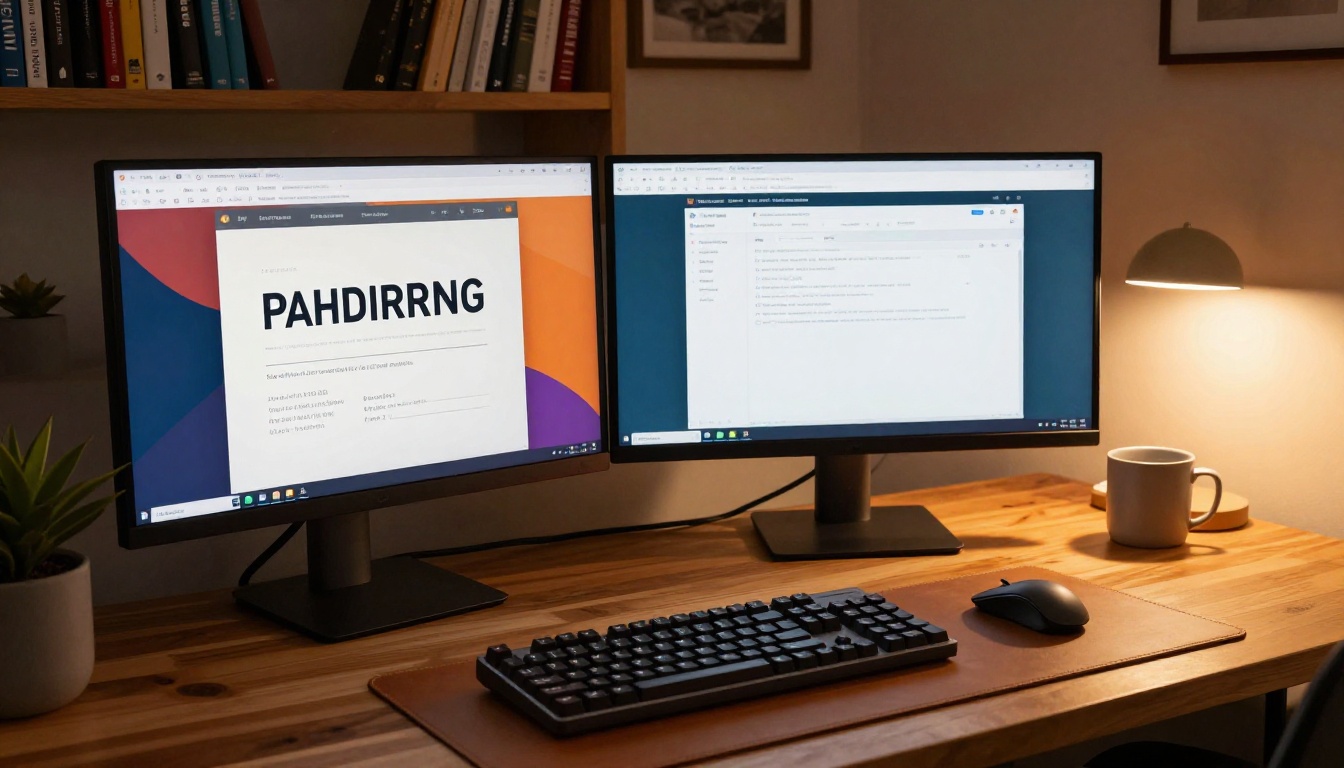
A dual-monitor home office setup with a professional portfolio open on the screen is the mental image you want your application to create in the hiring manager's mind before they even speak to you.
Ready to make the switch? Create your flipbook resume for free on Flipbooks AI right now. Browse all available tools if you want to pair your resume with a portfolio, press kit, or credential document. And if view analytics and advanced sharing features fit your search strategy, check the pricing page to pick the plan that works best for you.



