Travel itineraries deserve better than a Google Doc nobody wants to scroll through. Whether you're planning a solo adventure through Southeast Asia, a family road trip across the American Southwest, or a romantic European getaway, the way you present your plans matters as much as the plans themselves. Flipbooks AI gives you a dead-simple way to turn your travel itinerary into a visually rich, interactive flipbook that people actually enjoy reading, and one you'll be proud to share.
The idea is straightforward: take your existing itinerary (PDF, Word doc, or design file), upload it, and within minutes you have a page-turning digital publication that feels premium and polished. No coding, no design degree, no expensive software required.

Why Your Itinerary Looks Boring (And Why It Matters)
Most travel itineraries are functional, not beautiful. They live in spreadsheets, Google Docs, or endless email chains. The information is there, but nothing about the presentation creates excitement or anticipation. When you share a clunky PDF, you're asking people to work to feel excited about a trip.
A flipbook changes that dynamic completely. Pages flip with a satisfying animation. Photos pop. Text breathes. The experience of reading it feels like opening a travel magazine, not parsing a spreadsheet. And when you're coordinating with family, a group of friends, or even a tour client, that presentation difference is the gap between enthusiasm and indifference.
💡 The format of your itinerary signals how seriously you take the trip. A polished flipbook communicates care and preparation before anyone reads a single word.
The problem with standard itinerary formats:
- PDF files feel static and are difficult to navigate on mobile
- Google Docs require an account login to view properly
- Email text walls get skimmed, not read
- Spreadsheets intimidate anyone who didn't build them
- Printed paper gets lost, folded, or rained on
None of these formats match the visual excitement of the trip itself.
What a Travel Flipbook Actually Does
More Than Just a Pretty Document
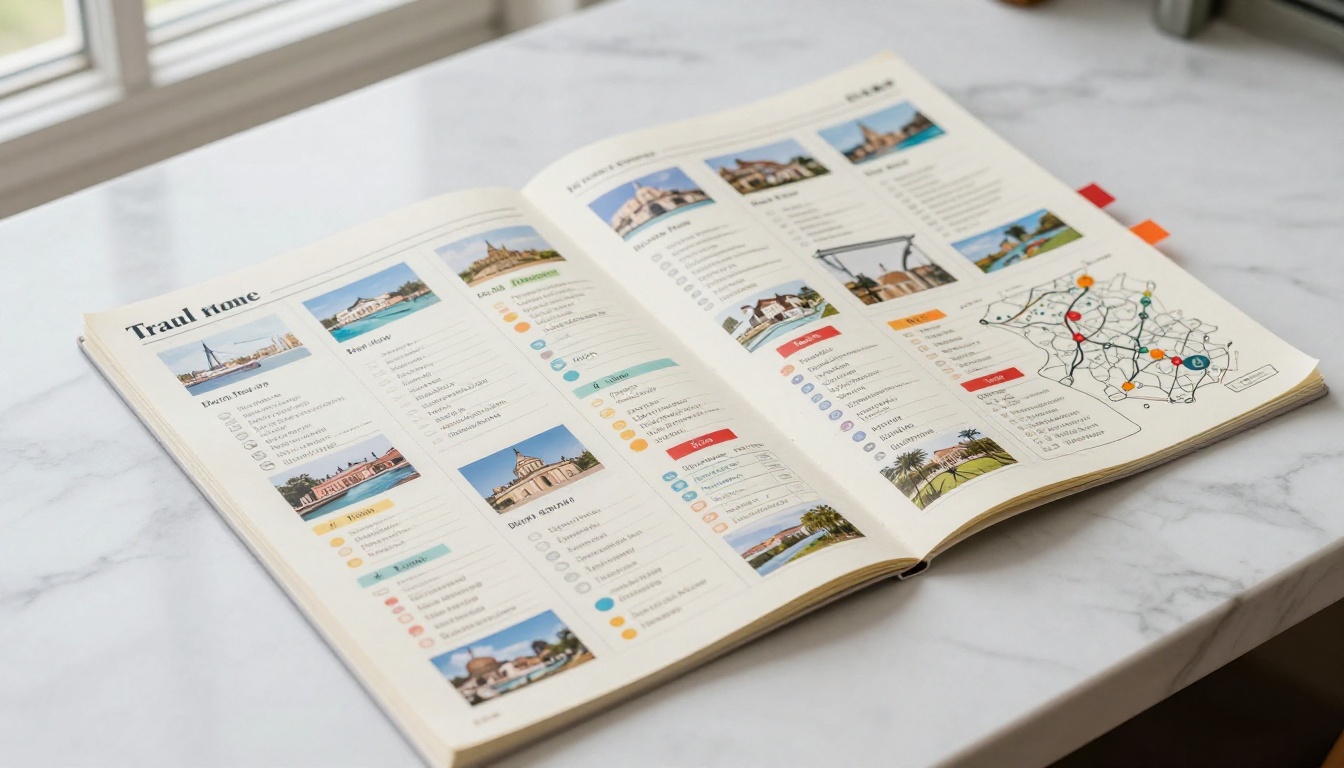
A travel flipbook is an interactive digital publication. Unlike a static PDF, it has a realistic page-turn effect, supports embedded media, works flawlessly on any device, and can be shared via a single link. The Travel Guide Flipbook tool on Flipbooks AI is specifically built for this use case, making the creation process quick and intuitive.
The functional advantages go well beyond looks:
- Single shareable link: Send one URL to everyone on the trip, no attachments, no version confusion
- Mobile-first experience: Pages resize perfectly for phones and tablets automatically
- Password protection: Keep private itinerary details like booking confirmation numbers secure
- Embeddable: Drop your flipbook directly into a travel blog, wedding website, or group planning page
- Offline access: Download for offline viewing when you're in a no-signal zone mid-trip
Who Uses Travel Flipbooks
Travel flipbooks are useful across a surprising range of scenarios. Here's a breakdown of the most common:
| User Type | Use Case | Benefit |
|---|
| Solo traveler | Personal digital travel diary | Easy to share with family back home |
| Friend group | Group trip planning document | Everyone has the same information |
| Family vacation | Day-by-day itinerary with photos | Kids actually want to look at it |
| Travel blogger | Content for readers | Embeddable in posts, keeps readers on page |
| Tour operator | Client itinerary packages | Professional presentation, premium feel |
| Destination wedding | Guest travel information | Shareable link for all attendees |
| Corporate retreat | Event travel brief | Branded, password-protected access |

Building Your Itinerary Before You Convert
The quality of your flipbook depends entirely on the quality of what goes into it. A flipbook won't fix a disorganized itinerary, but it will make a solid one look exceptional.
What to Include Day by Day
A well-structured travel itinerary has a consistent format for each day. Here's what every daily section should include:
- Date and location (city, region, country)
- Accommodation details (name, address, check-in time, confirmation number)
- Transportation (flights, trains, rental car pickups, local transit notes)
- Morning, afternoon, and evening activities (with addresses and booking notes)
- Meal recommendations (restaurants, local spots worth the detour)
- Emergency contacts (local embassy, travel insurance number, hotel front desk)
- Budget notes (estimated costs per activity)
- Photos or maps (destination images, walking route screenshots)
✅ Include at least one full-bleed photo per day of the trip. Visuals are what make the flipbook worth flipping through.
Choosing the Right Tools
Before converting to a flipbook, you need to build the itinerary in a format that exports cleanly as a PDF. Here are the most practical options:
| Tool | Best For | Export Quality |
|---|
| Canva | Visual-heavy itineraries with photos | Excellent |
| Google Docs | Simple text-based schedules | Good |
| Notion | Database-style trip planning | Good (PDF export) |
| Adobe InDesign | Professional, magazine-quality layouts | Excellent |
| Microsoft Word | Standard text formatting | Acceptable |
| Trello | Collaborative card-based planning | Limited |
Canva and Adobe InDesign produce the cleanest PDFs for flipbook conversion because they preserve layout fidelity, fonts, and image quality. For most travelers, Canva is the sweet spot between quality and ease.
⚠️ Avoid exporting from Google Slides or PowerPoint. These often produce PDFs with broken fonts and misaligned layouts that look poor once converted.

How to Turn Your Itinerary into a Flipbook
This is the part that surprises most people: it takes about five minutes once your PDF is ready. Here's exactly how to do it on Flipbooks AI.
Step 1: Design Your PDF Itinerary
Before anything else, build your itinerary in a design tool (Canva works great), set the page size to A4 or US Letter in landscape orientation for the best flipbook proportions, and export it as a high-resolution PDF. Include your destination photos, color-coded daily sections, and any maps or graphics you want visible.
Each page of your PDF becomes one page of the flipbook, so think in spreads: an opening page, a "Trip Overview" page, then daily spreads for each stop on the route.
Step 2: Upload to Flipbooks AI
- Go to flipbooksai.com and create your free account
- Click "New Flipbook" from your dashboard
- Select "Upload PDF" and choose your itinerary file
- Wait for the conversion, typically under 60 seconds for a 20-page document
- Preview the result in the built-in viewer
The PDF to Flipbook Converter handles the heavy lifting automatically. Page layouts, images, and fonts are preserved from your original PDF.
Step 3: Customize Your Flipbook
Once uploaded, you have a full set of customization tools:
- Page style: Choose from flip animation styles and presentation options
- Background color: Match the color palette of your destination, ocean blues for a beach trip, earthy terracotta for a Morocco itinerary
- Branding: Add your name or travel brand logo in the corner
- Page effects: Enable sound effects for the page-turn when sharing at a group dinner or presentation
- Table of contents: Auto-generated from your PDF's section headers for easy navigation
💡 For group trips, add a password under "Share Settings" so only your travel companions can access private details like booking confirmation numbers and hotel addresses.
Step 4: Share It Anywhere
When your flipbook is ready, you have several options:
- Direct link: Copy and paste a single URL into a group chat, email, or text message
- Embed code: Drop the flipbook into a travel blog post or personal website with the Embed Flipbook on Website tool
- QR code: Generate a QR code and print it on physical invitation cards or trip countdown postcards
- Download: Save an offline version for use during the trip in areas with no internet connection
Best Use Cases for Travel Flipbooks
Not all itineraries need the same treatment. Here's how different trip types benefit from the flipbook format:
Solo travel journal: After the trip, add photos directly to your itinerary and convert it into a personal travel memoir. Store it privately or share it with friends who want the real story of the trip.
Group adventures: When ten friends are going to the same place, keeping everyone on the same page is a logistical challenge. A single flipbook link in the group chat solves this instantly, and everyone can flip through it at their own pace before the trip.
Family vacations with kids: Kids don't read Google Docs. But they will flip through a colorful, photo-rich travel flipbook. Including destination photos and fun facts for each location turns the itinerary into something the whole family anticipates.
Destination weddings: Guests traveling from different cities or countries need detailed travel information. A flipbook works as a guest travel publication that you can embed on your wedding website and share via invitation QR codes.
Travel content creators: A well-designed itinerary flipbook embedded in a blog post increases time-on-page as readers browse destination by destination before deciding whether to book.
Tour operators and travel agents: For professionals, a polished itinerary flipbook signals premium service. Clients are far more likely to trust a tour plan that looks designed and intentional rather than text pasted into an email.

When choosing how to share your travel plans, format matters. Here's a direct comparison of the most common options:
| Format | Visual Quality | Mobile Experience | Shareable | Interactive | Offline Access |
|---|
| Flipbook | Excellent | Excellent | One link | Yes | Yes |
| PDF email attachment | Good | Poor (scroll-heavy) | Attachment | No | Yes |
| Google Doc | Basic | Acceptable | Requires login | No | Limited |
| Printed booklet | Excellent | Not applicable | Physical only | No | Yes |
| Travel app | Varies | Good | App required | Yes | Yes |
| Spreadsheet | Poor | Poor | Link | No | Limited |
The flipbook format wins on nearly every metric that matters for sharing: visual quality, mobile experience, and accessibility without requiring the recipient to install anything or sign into a service.

Features Worth Paying For
Flipbooks AI offers a free tier that covers the basics, but the paid plans add features that are genuinely useful for travel planning:
| Feature | Free | Standard | Professional |
|---|
| Flipbooks | 1 | Unlimited | Unlimited |
| Watermark | Yes | No | No |
| Password protection | No | Yes | Yes |
| Custom branding | No | Yes | Yes |
| Analytics | No | No | Yes |
| Lead generation | No | No | Yes |
| Offline downloads | No | No | Yes |
| Embed on website | No | Yes | Yes |
For personal trips, the Standard plan is the practical choice: no watermarks, unlimited flipbooks, and password protection for private itinerary details. For travel professionals and content creators, the Professional plan adds analytics so you know which pages readers spend the most time on, plus lead generation tools built into the flipbook itself. See the full breakdown on the pricing page.
💡 The Standard plan covers most travelers' needs. If you're sharing a group trip itinerary or a destination wedding travel document, the password protection feature alone is worth it.

Tips for a Flipbook That Wows
The difference between a good flipbook and a great one comes down to a few specific choices:
Use full-bleed photos. Photos that extend to the edge of the page create a more immersive feel than images boxed inside text containers. In Canva, set your background photo to fill the entire page before adding text overlays on top.
Keep text minimal per page. Your flipbook is a visual document first. If a page has more than 150 words, it probably needs to be split across two pages. Let the images carry the emotional weight.
Use a consistent color palette. Pick two or three colors that reflect your destination and use them consistently across headers, dividers, and accent elements. A Japan itinerary might use deep red, ink black, and cream. A Caribbean trip might use coral, turquoise, and white.
Add a strong opening page. The first page is what people see when the link opens. It should show a stunning destination photo, your trip name, and dates. Nothing else.
Number your pages. Simple page numbers in the corner make navigation easier, especially for longer itineraries with many destinations.
Test on mobile before sharing. Preview your flipbook on your phone before sending the link. What looks perfect on desktop sometimes needs small font-size adjustments for mobile readability.
✅ Run through the flipbook on a phone after you create it. A 30-second check saves you from sharing something that looks broken on the device most people will use to read it.

Your Next Trip Starts Here
Your travel plans are worth more than a PDF attachment buried in an inbox. A flipbook turns the same information into something worth looking at, worth sharing, and worth saving long after the trip ends. Whether you're coordinating a group of twenty or just sending your itinerary to a curious family member, the format makes the difference.
Get started for free on Flipbooks AI and convert your first itinerary in under five minutes. If you want password protection, custom branding, and unlimited flipbooks, check the pricing plans to find the right fit.
Browse all available travel and creative tools on Flipbooks AI, including the Travel Guide Flipbook tool built exactly for this use case.
The trip is the adventure. The flipbook is how you share it.



