Hosting your flipbook online used to mean paying for a premium tool, dealing with clunky embeds, or watching your content disappear behind a paywall others had to unlock. That's no longer the reality. Today, you have real options for where to host your flipbook online for free, and some of them are genuinely excellent. Whether you've created a product catalog, a digital magazine, a portfolio, or a school newsletter, the right free platform can make your content look polished and professional without costing a cent.
Flipbooks AI sits at the top of that list, and for good reason. But before we get into specific platforms, it's worth understanding what separates a genuinely useful free hosting solution from one that quietly frustrates you three weeks in.

Why Flipbook Hosting Actually Matters
Static PDF vs. Interactive Flipbook
Sending someone a PDF link is fine. It opens, they scroll, they close it. There's no friction, but there's also no experience. An interactive flipbook with page-turn animation, embedded links, and mobile-responsive design changes the dynamic entirely. Readers spend more time with the content, share it more readily, and perceive the publisher as more credible.
The hosting platform you choose determines how that flipbook is delivered. A bad host means slow load times, forced sign-ups for viewers, broken embeds, and watermarks that undercut your brand. A good one means seamless delivery, clean sharing links, and zero barriers for your audience.
What to Look for in a Free Host
Not all free tiers are built the same. Here's what actually matters when evaluating where to host your flipbook online for free:
- No viewer friction: Readers should open your flipbook without creating an account
- No forced watermarks: A watermark on free plans signals the platform's priorities (theirs, not yours)
- Embed support: Can you drop it into your website with a code snippet?
- Mobile responsiveness: Over 60% of content is consumed on phones
- Clean sharing link: A short, branded URL beats a string of random characters
- Storage and flipbook limits: How many can you host before hitting a wall?
- Customization options: Can you add your logo, choose colors, adjust the viewer?
Flipbooks AI
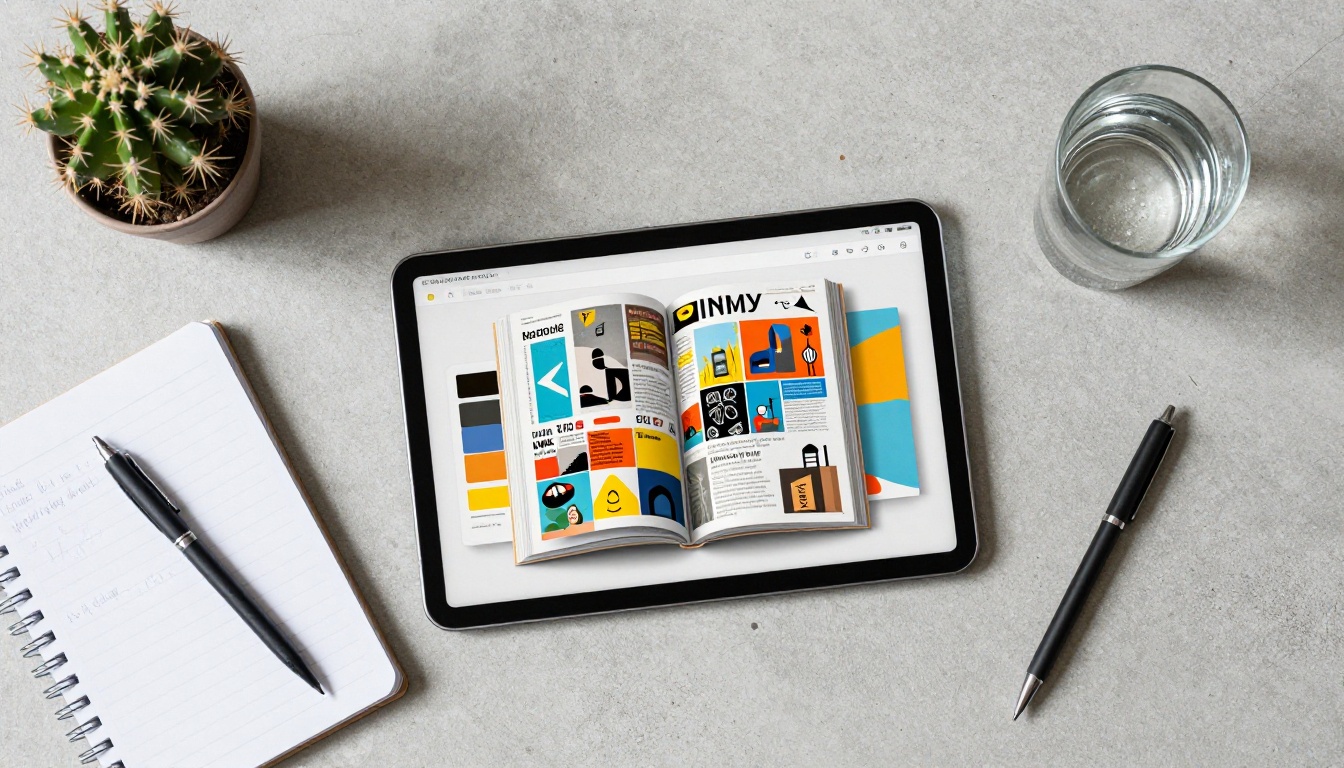
Flipbooks AI offers the cleanest free-to-start experience in the market. Upload a PDF and it converts instantly into a smooth, page-turning flipbook with no watermark, no viewer account required, and a shareable link that actually looks good. The platform's free entry point gives you real access, not a crippled trial.
The real strength is what's available even on standard plans: unlimited flipbooks, password protection for private content, embed codes for your site, and mobile-responsive delivery by default. If you need analytics and lead generation, those live on the Professional plan.
Best for: Businesses, educators, marketers, and anyone who wants a professional result without wrestling with the platform.
Issuu
Issuu is one of the oldest names in digital publishing. It offers free flipbook hosting with a reasonable feature set, though the free tier includes Issuu branding on your publication and limits on downloads. The platform has a large community and good discoverability if you want your content found organically.
Limitation: Free plan shows Issuu ads and branding on your publications.
Calameo
Calameo supports PDF, Word, and PowerPoint uploads and converts them to flipbooks automatically. The free tier allows up to 15 publications, which is reasonable for occasional use. The interface is functional, though it shows its age compared to newer platforms.
Limitation: 15 publication cap on free accounts, and viewer analytics are locked to paid tiers.
Yumpu
Yumpu focuses on digital magazines and catalogs. Free accounts get unlimited publications but with Yumpu branding visible on the viewer. The platform has decent SEO for public content, which helps if you want organic discovery.
Limitation: Branding appears prominently on the free viewer, which can undercut your professional look.
Joomag
Joomag offers an interactive flipbook creator with templates. The free tier is quite limited in features, with most customization locked behind paid plans. It's better suited for teams that plan to upgrade quickly rather than those looking to stay free long-term.
Limitation: Heavy feature restrictions on the free tier, and paid plans sit at a higher price point than competitors.

| Feature | Flipbooks AI | Issuu | Calameo | Yumpu | Joomag |
|---|
| Free Plan Available | ✅ | ✅ | ✅ | ✅ | ✅ |
| No Watermark (Free) | ✅ | ❌ | ✅ | ❌ | ❌ |
| Embed Code | ✅ | ✅ | ✅ | ✅ | ✅ |
| Password Protection | ✅ | ❌ | ❌ | ❌ | Paid only |
| Unlimited Flipbooks | ✅ Standard+ | Limited | 15 max | ✅ | Limited |
| Custom Branding | ✅ | Paid | Paid | Paid | Paid |
| Mobile Responsive | ✅ | ✅ | ✅ | ✅ | ✅ |
| Analytics | Professional | Paid | Paid | Paid | Paid |
| No Viewer Sign-up | ✅ | ✅ | ✅ | ✅ | ✅ |
| Offline Downloads | ✅ | Paid | Paid | Paid | Paid |
💡 If you're comparing platforms on a free tier, the watermark question is the fastest filter. A platform that plasters its brand on your content is monetizing your work, not supporting it.

How to Host Your Flipbook on Flipbooks AI for Free
This is the simplest path to a live, professional flipbook online. Here's exactly how it works:
Step 1: Create Your Account
Go to flipbooksai.com/account and sign up. The process takes under two minutes. No credit card required for the free tier. Once inside, you land in a clean dashboard showing your flipbooks with a prominent upload button ready to go.
Step 2: Upload Your PDF
Click Create Flipbook and select your PDF file. Flipbooks AI supports standard PDF files up to the plan limit. The conversion is automatic, taking your static pages and rendering them as a smooth, interactive page-turn format. Most conversions complete in under 30 seconds.
✅ Make sure your PDF has clear, high-resolution pages. Low-resolution source files produce blurry flipbooks regardless of which platform you use. Export at 150 DPI minimum, 300 DPI for print-quality content.
Step 3: Customize Your Flipbook
Once converted, you can adjust several elements directly in the editor:
- Cover: Set which page appears as the preview thumbnail
- Branding: Add your logo to the viewer chrome
- Colors: Match the flipbook viewer to your brand palette
- Page effects: Adjust the flip animation style and speed
- Multimedia: Embed clickable links, videos, or audio on specific pages
This level of customization is what separates the platform from simple converters that output a generic, unbranded viewer.
Step 4: Share or Embed
After customization, you have two main distribution paths:
- Direct link: Copy the flipbook URL and share it via email, social media, or messaging apps
- Embed code: Paste the provided HTML snippet into your website or blog using the Embed Flipbook on Website tool
💡 Use password protection if your flipbook contains pricing information, internal reports, or exclusive content for paying customers. This feature keeps your content private while maintaining the full interactive experience for authorized viewers.
For tracking which pages readers spend the most time on, or collecting leads directly through the flipbook viewer, the Professional plan adds analytics dashboards and lead generation forms that connect to your CRM.

Free vs. Paid: When to Upgrade
Free hosting is genuinely sufficient for many use cases. But there's a clear line between when free works and when it holds you back.
| Situation | Free Enough? | Recommendation |
|---|
| Sharing a school newsletter | ✅ Yes | Free plan works perfectly |
| Portfolio for job applications | ✅ Yes | Free with custom branding |
| Product catalog for a small business | ⚠️ Maybe | Standard for unlimited flipbooks |
| Marketing lead capture campaign | ❌ No | Professional for lead generation |
| Internal report with sensitive data | ❌ No | Standard for password protection |
| E-commerce catalog with page analytics | ❌ No | Professional for analytics |
| Event program for a one-time event | ✅ Yes | Free plan is ideal |
| Real estate listing brochure | ⚠️ Maybe | Standard for professional branding |
⚠️ If you're sharing flipbooks with clients or using them as sales tools, a watermarked viewer undercuts the professional impression you're trying to create. One upgraded plan typically pays for itself on the first client interaction.
Real-World Use Cases for Free Flipbook Hosting
Free hosting doesn't mean limited reach. Here's how real people use these platforms every day:
Retailers convert their seasonal lookbook or product catalog into a flipbook and share the link in their email newsletter. Readers interact with the pages, click through to products, and spend more time with the catalog than they would with a PDF attachment. The Digital Catalog Maker streamlines this entire workflow.
Educators publish course materials, school newsletters, and yearbooks so parents and students can access them from any device without downloading anything. The Course Material Publisher and School Newsletter Creator tools make the formatting straightforward.
Freelancers and photographers host their portfolio as a flipbook rather than sending a zip file of images. A Digital Portfolio Creator delivers a polished, interactive version of their work that opens instantly in any browser on any device.
Event organizers publish event programs as flipbooks and share the link or QR code at the venue. No printing costs, no logistics. The Event Program Maker handles the layout automatically from a PDF upload.
Non-profits distribute annual reports and fundraising materials to donors through flipbook links embedded in their email campaigns. The Non-Profit Annual Report tool provides the right document structure for transparency reporting.
Restaurants share their menu as a flipbook rather than relying on third-party delivery apps or emailing outdated PDF files. The Restaurant Menu Creator converts a menu design into a mobile-friendly interactive flipbook in under a minute.

4 Mistakes That Kill Your Flipbook's Reach
Getting your flipbook hosted is only half the job. These common mistakes undo the effort:
1. Using a low-resolution source PDF
A blurry flipbook signals unprofessionalism faster than almost anything else. Export your source document at 150 DPI minimum. For catalogs or magazines where image quality matters, 300 DPI is the right call.
2. Ignoring the mobile experience
Most of your audience will open your flipbook on a phone. Test the mobile view before you share it publicly. Every platform claims mobile responsiveness, but not all deliver it with the same quality. Pinch-to-zoom should never be required to read body text.
3. Sending the raw file instead of the flipbook link
Attaching a PDF to an email is the single biggest missed opportunity in digital publishing. The flipbook link loads faster, looks dramatically better, and gives you engagement data if you're on a plan with analytics.
4. Not using the embed option
If you have a website, embed the flipbook there. A PDF to Flipbook Converter creates the content, and the embed code puts it directly in front of your existing audience without requiring them to leave your site.

| Use Case | Best Platform | Primary Reason |
|---|
| Business catalog or brochure | Flipbooks AI | No watermark, custom branding, embed |
| Large public magazine archive | Issuu | Discoverability, established community |
| Occasional document hosting | Calameo | Decent free tier, multi-format support |
| High-volume public publishing | Yumpu | Unlimited publications on free tier |
| Team ready to invest in features | Joomag | Templates and interactive creation tools |
For the majority of use cases, the answer to where to host your flipbook online for free comes back to Flipbooks AI. It's the only platform in this comparison that combines a genuine no-watermark free experience with clean embedding, password protection, mobile delivery, and offline downloads without requiring an immediate upgrade.

Start Hosting Your Flipbook Today
The barrier to hosting a professional flipbook online is essentially zero. The tools exist, the free tiers are real, and the difference in how your content is perceived compared to a raw PDF attachment is significant from the first share.
The simplest path: create a free account on Flipbooks AI, upload your PDF, and have a live flipbook link in under two minutes. From there, decide whether you need password protection, analytics, or lead capture to determine if a paid plan makes sense for your specific situation.
Explore all available flipbook tools and templates to find the right format for your content type, from restaurant menus and product catalogs to portfolios and annual reports. Compare pricing plans when you're ready to scale beyond the free tier.
Your content deserves better than a static file attachment. A properly hosted flipbook gets read, shared, and remembered. Get started for free and see the difference in the first five minutes.



