You post a thread. Fifty screenshots of your products, beautifully sequenced, clear captions, even a hook in the first post. It picks up traction. Hundreds of likes, shares, saves. Your notifications blow up for two days. Then you check your Shopify dashboard. Nothing moved.
This is not a niche experience. It is one of the most consistent patterns in social commerce: screenshot threads generate noise, not revenue. Knowing why is the first step toward fixing your content strategy and replacing low-converting formats with assets that actually close sales. Flipbooks AI has helped thousands of brands make that shift, and this article shows you exactly why it matters.
The Screenshot Thread Myth
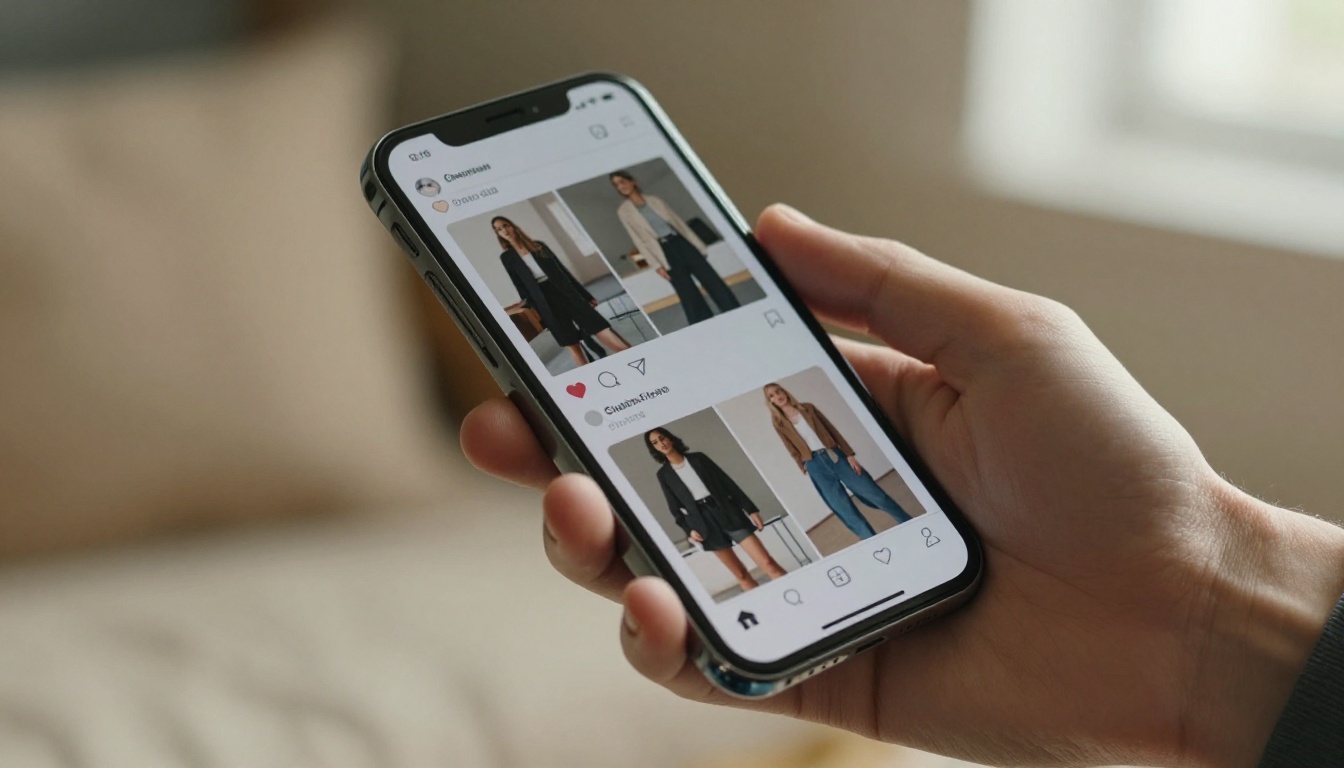
Social media has conditioned marketers to chase metrics that feel like wins but do not translate to revenue. Likes, shares, and saves are all forms of passive approval. They cost the viewer nothing and require zero commercial intent. When you see a screenshot thread going viral, what you are watching is entertainment performance, not purchase behavior.
The core problem is structural. A screenshot thread on X, Instagram, or Threads is a closed-loop format. It exists inside the platform. The viewer cannot click on a product. They cannot read the full spec sheet. They cannot compare variants. They cannot add to cart. They can only look.
Likes Are Not Buying Signals
This is worth repeating slowly: a like is not a buying signal. Research by the Baymard Institute consistently shows that even highly motivated shoppers abandon purchases when they cannot find information fast enough. A screenshot thread compresses your entire catalog into tiny image snippets with no way to get more detail without leaving the platform to search manually. Most viewers will not do that.
The friction between "I like this" and "I bought this" is enormous, and screenshot threads do nothing to reduce it.
The Copy-Paste Problem
When your product catalog lives as a stack of screenshots, you lose control completely. Anyone can screenshot your screenshots. Your carefully structured pricing, your branded layouts, your updated inventory are all frozen in time the moment someone saves that image. If you change a price or discontinue a product, those old screenshots keep circulating with no way to correct them.
⚠️ Warning: Outdated screenshot threads with incorrect pricing can create customer service problems and erode trust. Once an image is saved and reshared, you cannot update it.
Why Static Images Kill Buying Intent

There is a psychological concept called decision fatigue that applies directly here. When buyers are shown many products without a clear path to purchase, their mental load increases. Instead of moving toward a decision, they scroll past. The brain treats "interesting to look at" and "ready to buy" as completely separate cognitive states, and static screenshots almost never bridge that gap.
No Context, No Trust
A product on a white background with a caption tells a fraction of the story. Buyers want to see products in context. They want to know how a jacket fits on a real body, how a skincare product looks up close, how a furniture piece fills a room. Screenshots compress that story into a single frame with no room for nuance.
Compare what buyers actually need versus what screenshot threads provide:
| What Buyers Need | What Screenshot Threads Deliver |
|---|
| Clear pricing with variants | One static price with no options |
| Multiple product angles | One or two cropped images |
| Size and spec details | Caption text that gets cut off |
| Clickable purchase link | Nothing clickable |
| Updated inventory info | Frozen-in-time information |
| Comparison between products | Separate scrolling with no sync |
| Trust signals and reviews | Absent entirely |
Platform Algorithms Work Against You
This is the part most brands miss. Social platforms do not reward commercial intent in organic content. Their ranking algorithms prioritize content that keeps users on the platform. A post that drives people to click away is penalized. A post that generates comments and replies is rewarded.
Your screenshot thread might do well by platform metrics precisely because it does not send anyone anywhere. It is contained, frictionless entertainment that the algorithm loves. But the algorithm's goals and your revenue goals are not the same thing.
💡 Pro tip: If your social content never asks people to leave the platform, you are optimizing for the platform's metrics, not your own.
What Buyers Actually Need Before They Purchase

Conversion research is unambiguous on this. Before making a purchase decision, most buyers want at minimum: multiple images, clear pricing, a way to get answers, and a frictionless path to checkout. Screenshot threads provide none of these consistently.
The Trust Ladder
Think of the buying process as climbing a ladder. Each rung requires information and reassurance:
- Awareness: "This product exists"
- Interest: "This looks relevant to me"
- Consideration: "Let me compare it to alternatives"
- Intent: "I want to buy this"
- Purchase: "I am completing the transaction"
Screenshot threads are excellent at rungs one and two. They fall apart at rung three and above. At the consideration stage, buyers need depth, not snapshots. They need to browse, compare, and return to the content multiple times.
Mobile Behavior Adds Another Layer of Friction
Over 70% of social media browsing happens on mobile. Screenshots on mobile are small, hard to read, and impossible to interact with meaningfully. A 12-product screenshot thread becomes a sequence of thumbnails where key details like material, sizing, and price breakdown are either missing or barely legible.
✅ Best practice: Any product content you create should be fully functional and readable on a 375px mobile screen. If it requires pinching and zooming, buyers will not bother.

Every major social platform compresses images. Instagram, X, Facebook, and TikTok all reduce file size and resolution when you upload. Your carefully shot product photography, already compressed once when you saved it as a screenshot, gets compressed again by the platform. The result is often muddy colors, lost detail, and a product that looks worse than it does in real life.
This is particularly damaging for categories where visual quality drives purchase decisions: fashion, jewelry, cosmetics, home decor, and food. When your product cannot be seen clearly, it cannot be bought confidently.
Link Restrictions Make It Worse
Most platforms either restrict clickable links in posts or heavily penalize posts that include them. X lets you add links but algorithmically suppresses those posts. Instagram does not allow clickable links in captions at all. You are left telling buyers to "check the link in bio," which is one of the most friction-heavy CTAs in digital marketing.
Every step between "I want this" and "I can pay for this" costs you conversions. The link-in-bio journey is: see product, want product, find account, find bio, tap link, load external page, find same product again, add to cart, checkout. That is at minimum seven steps. Most buyers drop off before step three.
| Social Platform | Link in Posts | Image Compression | Shopping Features |
|---|
| Instagram | No (captions only) | Heavy | Instagram Shopping (limited) |
| X (Twitter) | Yes (penalized) | Moderate | No native shopping |
| Threads | No | Heavy | No native shopping |
| Facebook | Yes | Heavy | Facebook Shops |
| TikTok | Restricted | Moderate | TikTok Shop (separate tool) |
| Pinterest | Yes | Light | Product pins (catalog required) |
What Actually Converts: Interactive Digital Catalogs

The brands pulling ahead of screenshot threads are replacing them with formats that give buyers what they actually need: browsable, interactive, linkable, and shareable product experiences. The leading format for this is the interactive digital catalog, and platforms like Flipbooks AI have made this approach available to businesses of every size.
An interactive digital catalog is a flipbook-style publication that lives at its own URL. It is fully readable on any device, contains clickable links, can embed video, and can be updated at any time. The experience mirrors browsing a premium physical catalog, with the added advantages of digital interaction.
Why Interactive Formats Win at Conversion
The difference is not aesthetic. It is functional. An interactive catalog removes every piece of friction that a screenshot thread creates:
- Direct links: Every product page can link directly to a checkout or product listing
- Full-page layouts: Products shown in context with detailed copy, multiple angles, and size guides
- Shareable URL: One link shared anywhere drives directly to the full catalog experience
- Always current: Update the PDF, republish the flipbook, and every existing share now shows updated content
- Analytics: See which pages buyers spend time on, which products get attention, and where they drop off
💡 Pro tip: A single catalog link shared in your bio outperforms a "check link in bio for the thread" approach every time, because the destination is the full browsable catalog, not a homepage the buyer has to navigate.
How to Create a Product Catalog With Flipbooks AI

Flipbooks AI converts your PDF catalog into a fully interactive digital flipbook in minutes. The process is straightforward and the results are professional without requiring any design expertise.
Step 1: Prepare Your Catalog PDF
Before uploading, prepare your catalog in PDF format. Use Canva, Adobe InDesign, or any design tool to lay out your products with high-resolution photography, pricing, variant options, and brand colors. Landscape orientation at 16:9 ratio works best for viewing on both desktop and mobile.
Step 2: Upload and Convert
Visit Flipbooks AI and create your account. Once inside the dashboard:
- Click New Flipbook and select your PDF file
- The platform converts your PDF into an interactive page-turning flipbook automatically
- Review the page-by-page preview to confirm everything looks correct
- Adjust any page ordering or settings before publishing
Step 3: Customize Your Branding
This is where Flipbooks AI stands apart from basic PDF viewers. You can:
- Apply your brand colors to the flipbook interface frame
- Add your logo to the viewer
- Set custom page-turning animations
- Embed product videos directly into catalog pages
- Configure audio for immersive experiences
Step 4: Set Sharing and Access Options
Depending on your use case, configure how the catalog is accessed:
- Public link: Share openly on social media, by email, or in bio links
- Password protection: Restrict access to wholesale buyers, press, or VIP customers
- Embed code: Drop the catalog directly into your website or landing page using the Embed Flipbook on Website tool
Step 5: Share and Track Performance
With the Professional plan, you get full analytics showing page views, time-on-page, and drop-off points. Lead generation forms can capture buyer information before they browse, turning your catalog into an active sales asset that works around the clock.
✅ Best practice: Use the interactive catalog link as your single bio link and update the PDF whenever inventory changes. All existing shares automatically point to the updated version.
Flipbooks AI Features at a Glance:
| Feature | Standard | Professional |
|---|
| No watermarks | ✅ | ✅ |
| Unlimited flipbooks | ✅ | ✅ |
| Custom branding | ✅ | ✅ |
| Password protection | ✅ | ✅ |
| Mobile responsive design | ✅ | ✅ |
| Embed on website | ✅ | ✅ |
| Analytics dashboard | ❌ | ✅ |
| Lead generation forms | ❌ | ✅ |
| Offline downloads | ❌ | ✅ |
| Custom domain | ❌ | ✅ |
Screenshot Threads vs. Interactive Flipbooks: The Real Numbers

The format differences translate directly to business outcomes. Here is what the comparison actually looks like across every metric that matters for selling:
| Metric | Screenshot Thread | Interactive Digital Catalog |
|---|
| Clickability | None | Every product linkable |
| Mobile readability | Poor (double-compressed) | Fully optimized |
| Information depth | Minimal captions | Full specs, copy, and media |
| Shareability | Yes, but frozen | Yes, always current |
| Analytics | Platform stats only | Page-level behavior data |
| Update after sharing | Impossible | Instant, affects all shares |
| Brand control | None once shared | Full brand environment |
| Conversion path length | 7 or more steps | 2 to 3 steps |
| Cost to produce | Free | Subscription-based |
| Time to produce | Low | Low (PDF to flipbook in minutes) |
The only category where screenshot threads win is cost: they are free to make. Everything else favors an interactive catalog. And given that the purpose of product content is to generate revenue, the cost comparison shifts significantly when you factor in conversion rates. A free format that converts at 0.1% is far more expensive than a paid format that converts at 3%.
Real Use Cases Where Flipbooks Beat Screenshots

The interactive catalog format works across a wide range of industries and business types. Here are practical scenarios showing the difference:
Fashion and Apparel: A boutique clothing brand posts a screenshot thread of their new collection. Buyers like the looks but cannot find sizing or a way to purchase specific pieces. The same collection as a digital Interactive Lookbook links each garment directly to its product page with size guides, and the boutique can track which pieces got the most time-on-page before launch.
Food and Beverage: A restaurant shares food screenshots to announce a new seasonal menu. The images compress poorly and prices are hard to read. An interactive Restaurant Menu Creator produces a flipbook menu that can be embedded on the website and linked from every social post, always showing current pricing and specials.
Real Estate: An agent posts property photos as a screenshot thread. Buyers get a scattered view with no floor plan or neighborhood context. A Real Estate Brochure gives each property its own full-page spread with photos, specs, and a direct contact form.
Wholesale and B2B: A wholesale supplier sends screenshot catalogs via DM. There is no way to track interest and no professional impression. A password-protected Digital Catalog Maker flipbook gives each buyer a professional link with lead capture and analytics showing exactly what they browsed.
💡 Pro tip: For B2B sales, a password-protected flipbook catalog with lead generation enabled on the Professional plan is more effective than any cold email with attached screenshots or static images.
Product Launches: Brands teasing a new collection drop often post screenshot threads as a preview. The problem is that those screenshots circulate without context and without a purchase path. A pre-launch flipbook with a password that gets revealed at launch time creates anticipation and captures buyers the moment the gate opens.
Making the Switch Without Starting Over

The good news is that you do not need to rebuild your content from scratch. If you already have a product catalog, a lookbook, a menu, or any structured PDF, you are 90% of the way there. Flipbooks AI handles the conversion in minutes.
The content strategy shift is about changing what you share on social, not how much you produce. Instead of posting a 20-image screenshot thread, you post one or two high-impact preview images with a compelling caption and a single link to the full interactive catalog. The thread drove people in circles. The catalog link drives them forward through a clear purchase path.
Social media becomes the awareness channel it was always best suited for. The catalog becomes the consideration and conversion channel. Each format does what it does well, and you stop asking screenshots to do a job they were never built for.
How to start:
Screenshot threads will keep getting likes. That is not going to change. But the brands that win in e-commerce are the ones who measure success in sales, not in hearts. Every product worth selling deserves a home where buyers can actually buy it. Get started free and give your catalog the format it was always meant to have.



