You already have the hard part: a paying, loyal audience behind a login. Now the question is how to monetize that audience without making the magazine feel like a billboard. This is where ad formats for members area publishers make or break your revenue. Pick the wrong format and members skim past it. Pick the right one and advertisers renew every quarter. In this article we look at the formats that work inside a flipbook, what each one costs, and exactly where to put it. Every example assumes you publish on Flipbooks AI, where password protected flipbooks, embedded media and reader analytics sit in one place.
What Members Area Ads Look Like
A members area is a private space, usually behind a password or an account, where subscribers read premium issues. Ads there behave differently from ads on an open website.
Why Members Are Different
Members chose to be there. They read longer, they open every issue, and they trust the publication's taste. That trust is what advertisers pay for. A general website might serve a banner to a stranger who stays eleven seconds. A members flipbook delivers a full page to someone who sits with the issue for twenty minutes.
Three things set members audiences apart:
- Known identity. You know the segment, the industry or the hobby, so targeting is simple.
- Fewer ad slots. A flipbook has a finite number of pages, which creates real scarcity.
- Higher attention. Pages turn one at a time, so each ad gets a moment of full focus.
Ads vs Sponsorship
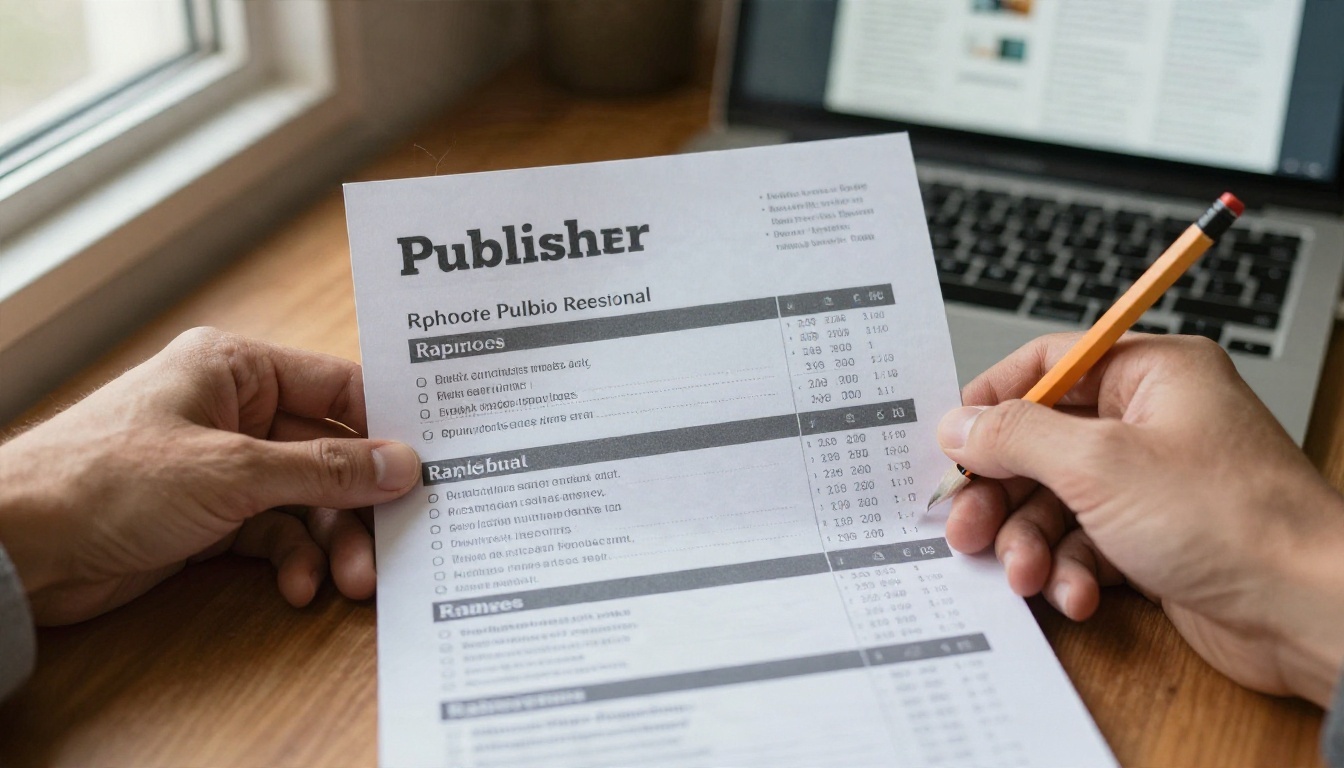
Not every paid placement is an ad. A display ad is a creative supplied by the brand. A sponsorship attaches the brand's name to a section, an issue or a series. Members tend to accept sponsorship more readily because it feels like support for the publication. Most successful publishers sell both, and the table below shows how they compare.
| Type | Who creates it | Reader reaction | Typical buyer |
|---|
| Display ad | Advertiser | Neutral to positive if relevant | Brands with a clear offer |
| Sponsored page | Publisher with brand input | Positive, feels editorial | Brands building credibility |
| Issue sponsorship | Shared | Very positive | Long term partners |
Print teaches us that formats matter, and digital flipbooks let you add motion and links on top. These six formats cover nearly every deal you will close.
Full Page Ads
The classic. One page, one message, no competition. In a flipbook, a full page ad can include a clickable button, a coupon code or an embedded video. Full pages command the highest rate because they own the reader's attention completely.
Best for: product launches, event promotion, premium brands.
Half Page and Banner Strips
A half page sits below or beside an article. A banner strip runs across the bottom of a page. These formats let smaller advertisers join without a full page budget, and they keep the editorial flowing.
💡 Pro tip: Offer a banner strip as the entry level slot. Many advertisers start there, see the click data, and upgrade to a full page the next issue.
Sponsored Editorial Pages
A sponsored page looks like a feature but is clearly labeled. A cooking membership might run a two page recipe story presented by a cookware brand. The reader gets something useful, the brand gets context. Always label these pages "Sponsored" or "Presented by" so trust stays intact.
Interactive Video Ads
Flipbooks can play embedded video and audio, so an ad can show a product in motion. A thirty second clip on a fashion lookbook page often beats a static image, as long as it does not play with sound by default. Members should choose to press play.
Advertorial Spreads
A spread is two facing pages treated as one canvas. Brands use spreads for storytelling: a founder interview on the left, product photography on the right. Spreads cost more than a single page but convert well because they feel like part of the magazine.
Cover Position Sponsorship
Brands pay for the "inside front" and "back" pages because every reader sees them. Treat these as premium inventory and sell them first. Reserve one slot per issue and price it above your standard full page.
Pricing is where many publishers hesitate. The honest answer is that your rate depends on audience size, niche and renewal rate. Still, you need a starting point.
Sample Rate Card
The numbers below are example ranges for a niche membership of 2,000 to 10,000 readers. Use them as a first draft and adjust once you have click data.
| Format | Example price per issue | Best placement | Typical click behavior |
|---|
| Inside front page | $900 to $2,500 | Page 2 | High visibility, steady clicks |
| Full page ad | $500 to $1,800 | Between articles | Strong for offers |
| Two page spread | $900 to $3,000 | Mid issue | Best for storytelling |
| Half page | $250 to $800 | Below article text | Moderate, good volume |
| Banner strip | $100 to $350 | Bottom of pages | Low per page, high repeat |
| Sponsored editorial | $700 to $2,500 | Feature section | Time on page is high |
| Video ad slot | $600 to $2,000 | Mid issue | Depends on play rate |
How to Set Your CPM
If you prefer cost per thousand views, divide the price by the number of readers who open the issue, then multiply by 1,000. A $600 full page in an issue opened by 3,000 members works out to a $200 CPM. That sounds enormous next to open web display, but it buys a full page, a known audience and no clutter. Advertisers who care about reach will push back. Advertisers who care about quality will not.
⚠️ Watch out: Never quote a price before you can show how many members open each issue. Opening numbers are your strongest sales asset.
Where to Place Each Ad
Placement decides whether your ads get seen or ignored. A flipbook is read in order, so position tells a story about importance.
Page Position Rules
Follow a simple rhythm: content, content, ad, content, content, ad. Readers should never turn more than two pages without something editorial.
- Put your best paying advertiser on page 2, right after the cover.
- Place the first full page ad after the first feature, not before it.
- Keep a spread ad near the middle, where attention peaks.
- Close the issue with a banner or sponsor thank you on the last page.
- Never place two competing brands on facing pages.
| Position | Why it works | Suggested format |
|---|
| Page 2 | Every reader sees it | Inside front page |
| After first feature | Reader is warmed up | Full page |
| Mid issue spread | Peak attention | Sponsored spread |
| Between sections | Natural pause | Half page |
| Last page | Final impression | Banner or video |
Mobile Placement
More than half of members read on a phone, so every ad must work on a small screen. Flipbooks AI builds mobile responsive flipbooks, but your creative still has to cooperate. Keep text large, put the call to action in the top half of the page and avoid tiny coupon codes.
How to Build Ad Flipbooks with Flipbooks AI
If your issues start as a PDF, the setup takes minutes. Here is the workflow, from upload to tracking.
Step by Step Setup
- Create an account. Sign up at Flipbooks AI and open your dashboard.
- Upload your PDF. Drop in the issue with the ad pages already placed. The PDF to Flipbook Converter turns it into a page turning flipbook with no watermark.
- Add interactive elements. Attach links to ad buttons, embed a video on the video ad page and add audio if a sponsor wants a voice message.
- Apply your branding. Set colors, a logo and page effects so the issue looks like your publication, not a template. The Magazine Flipbook Creator is a good starting point.
- Protect the issue. Turn on password protection so only paying members can open it.
- Share it. Send a direct link, or use the Embed Flipbook on Website option to place the issue inside your members page.
✅ Best practice: Build a master template with empty ad pages. When a sponsor signs, you drop the creative in and republish in minutes.

Pro Features for Advertisers
Advertisers want proof, and the Professional plan supplies it. You get analytics showing page views and time spent, plus lead generation forms that capture member details. Add offline downloads so members can read on a flight and you keep the sponsor's page in front of them.
| Feature | Why advertisers care | Plan |
|---|
| Page level analytics | Proof of views | Professional |
| Lead generation | Direct contact capture | Professional |
| Password protection | Audience exclusivity | Standard and above |
| Unlimited flipbooks | One flipbook per advertiser or issue | Standard and above |
| Embedded video and audio | Richer ad formats | All plans |
| Custom branding | Consistent look | All plans |
Compare all options on the pricing page before you decide which plan matches your sales goals.
Real Examples From Publishers
Theory helps, but numbers and stories sell. These three scenarios show how different publishers structure their ad inventory.
A Niche Hobby Magazine
A woodworking membership with 4,000 readers sells four slots per issue: an inside front page, two full pages and a banner strip on every page of the tools section. The tool brands love the banner strip because it follows readers through the section where they are already shopping. Revenue per issue averages around $3,200.

A Creator Newsletter Turned Flipbook
A newsletter writer with 1,500 paying subscribers moved from text only emails to a monthly newsletter flipbook. One sponsored editorial page and one video slot bring in two sponsors per month. The difference is visual: a branded page with a clear button outperforms a one line mention in plain text.
A Lifestyle Brand Magazine
A travel and wellness publication aimed at women in their thirties and forties uses lifestyle imagery and sponsored spreads for resorts, swimwear brands and skincare lines. Because the readers are members, advertisers pay for context. The spread feels like a travel story, so click through rates stay healthy. Our Travel Guide Flipbook tool suits this layout well.

How to Pitch Advertisers
Whatever your niche, a one page media kit closes more deals than a long email. Build it with the Press Kit Designer and include:
- Number of members and monthly opens
- Audience profile and buying interests
- The rate card from earlier, trimmed to your top four formats
- One screenshot of a past issue with an ad in place
- A clear renewal discount, such as 10 percent for three issues booked together
Mistakes That Cost You Advertisers
Most lost revenue comes from avoidable errors. Watch for these.
Too Many Ads Too Early
If the first five pages are all ads, members feel tricked. Keep the first ad after the first piece of real content, with the exception of the inside front page. A ratio of roughly one ad page to every four editorial pages is a safe starting point.
Ignoring Reader Data
Without numbers you guess. Check which pages members spend the longest on, then move your best slot there. Reprice slots that perform well. This is also where Flipbooks AI analytics pays for itself, because you can show advertisers exactly what happened.
Hiding Sponsored Content
Unlabeled sponsored pages damage trust, and members notice fast. A simple "Sponsored" tag keeps the relationship honest and rarely hurts results.
Selling Every Slot at the Same Price
A page 2 slot and a page 28 slot are not equal. Tier your pricing by position and watch your average revenue per issue rise.
| Mistake | What happens | Fix |
|---|
| Ads at the start | Members stop reading | Lead with content |
| No analytics | Weak renewals | Share page level data |
| Unlabeled sponsorship | Trust drops | Add a clear tag |
| Flat pricing | Money left on the table | Price by position |
| Heavy video autoplay | Members complain | Click to play only |
Ready to Sell Your First Slot?
Start small. Choose three formats from this article, one premium, one mid tier and one entry level, and write them into a rate card today. Then build your next issue with ad pages in place and send the media kit to five brands your members already buy from.
Your members are already paying to read. With the right ad formats, placed in the right spots, your advertisers will pay to be seen alongside them.



