When someone you love dies, the last thing you want is to fight with a website. Yet that is exactly what happens to many families who pick a "free" memorial page in a hurry, then hit a paywall, a photo cap or a stranger's comment a month later. This review of the best free memorial website options for 2027 shows what each type really gives you, what it quietly takes away, and when a different format, like a private tribute built with Flipbooks AI, is the calmer choice.
💡 Quick answer: For a public page that friends can write on, a dedicated memorial platform or the funeral home page works. For a private, permanent, watermark-free tribute you fully control, a memorial flipbook beats most free tiers.
What a Free Memorial Site Really Gives You
Free memorial websites are built to get you in the door. Many of them earn money later, through upgrades, printed products, flowers or ads. That is not a crime, but it shapes what the free version looks like.
The usual free tier
Most free plans share the same shape:
- A single page with a name, dates, a photo and a short biography
- A guestbook or comment wall for condolences
- A limited number of photos, often a few dozen
- Little or no video, audio or custom design
- A public link that search engines may index
Who it fits
A free page fits you if the tribute is short term, such as the week of a funeral, when relatives abroad need a place to leave messages. It fits less well if you want a lasting family archive with hundreds of photos, scanned letters and recorded stories.
⚠️ Warning: "Free" often means free for a limited period or free with limits on storage. Always read the current terms before uploading the only copy of a precious photo.
The Best Free Options Reviewed
Features and policies change often, so treat the notes below as a framework and confirm current terms on each site. The goal here is to compare types of free memorial websites, because the trade-offs inside each type are very similar.

Dedicated memorial platforms
Services such as ForeverMissed, GatheringUs and Remembered.com are built only for tributes. They usually offer a timeline, photo albums, a guestbook and sometimes a way to invite family by email.
Strengths: purpose-built layouts, guestbooks, simple invitations, an easy start without any design skills.
Weak spots: free plans tend to cap storage or features, and the nicest layouts or longer hosting often sit behind a paid plan. If the company changes its terms, your page changes with it.
Obituary and funeral home pages
Many funeral homes publish an online obituary with a guestbook at no extra charge, and national obituary networks such as Legacy.com do the same through newspapers.
Strengths: zero setup, familiar to older relatives, often includes service details and a donation link.
Weak spots: the page is shaped by the funeral home or publisher, design choices are minimal, and the page may be taken down or restricted after a period. You rarely get to export the content in a tidy format.
Social media memorial pages
A memorialized Facebook profile, a private group or a shared Instagram account can work as a living tribute. Everyone already has an account.
Strengths: instant reach, familiar tools, ongoing conversation.
Weak spots: feeds bury old posts, privacy settings are confusing, and the platform owns the rules. A tribute should not be one policy update away from disappearing.
DIY site builders
Free tiers of website builders, such as WordPress.com or Google Sites, let you design a memorial page from scratch.
Strengths: total design freedom, your own text, flexible layouts.
Weak spots: you do all the work, free plans may show ads or a platform subdomain, and privacy settings take care to configure correctly.
Side-by-side comparison
| Option | Typical cost | Privacy control | Photo and media room | Design freedom | Best for |
|---|
| Dedicated memorial platform | Free tier, paid upgrades | Medium | Limited on free plans | Medium | Guestbooks and condolences |
| Funeral home or obituary page | Usually free with service | Low | Very limited | Low | Service details, quick notice |
| Social media page or group | Free | Medium, depends on settings | Large but scattered | Low | Ongoing family conversation |
| DIY site builder | Free tier, paid domain | Medium to high | Moderate | High | Creative families with time |
| Memorial flipbook | Free to start, paid plans for more | High, with password option | Strong for photos, video, audio | High | A lasting, private tribute |
Real Examples That Work
Abstract features are easy to compare. Real families use these tools in very specific ways, and the examples below show what tends to succeed.
A shared photo timeline
A daughter sets up a dedicated memorial page for her father. She adds one photo per decade, a short caption for each, and invites siblings to add stories. Within a week the guestbook holds more than forty messages from old colleagues. The page works because it is specific: a timeline, not a pile of uploads.
A one-page tribute for a funeral
A family uses the funeral home page and adds a short biography, the service time and a link to a favorite charity. Nothing fancy. It is read by hundreds of people for ten days, and then it has done its job. For this use, free is perfect.
A printed-style memory book
Another family collects scans of letters, recipes in their grandmother's handwriting and snapshots from every summer holiday. A web page would flatten this material into a scrolling list. As a page-turning book, it feels like holding the real thing, which is why this family later moved the content into a flipbook.

Limits Nobody Mentions
The sales pages show the best parts. These are the limits that surface after the first emotional week.
Paywalls after the first year
Some platforms keep a page online free for a set time, then ask for a payment to keep it public or to keep adding content. Families often discover this when a reminder email lands months after the funeral. Ask three questions up front:
- How long does the free page stay online?
- What happens to the page if I stop paying or never pay?
- Can I download everything, in full resolution?
Ads, privacy, and public search
Public pages can be indexed by search engines. That is fine for an obituary, less fine for a child's tribute or a page with private family photos. Check whether the page can be set to "invited viewers only," and whether strangers can post comments without approval.
⚠️ Warning: Avoid putting full birth dates, home addresses or details that could help identity thieves on any public memorial page.

What happens if the site closes
Companies merge, change plans and shut down. A memorial that lives only on someone else's server is fragile. Keep a local backup of every photo and text, and prefer options that let you export or download the tribute as a file.
Limits at a glance
| Limit | Where it shows up | What to do |
|---|
| Photo and video caps | Dedicated platforms, free tiers | Choose the best 30 photos, keep the rest in a backup |
| Time-limited hosting | Funeral home and platform pages | Save a PDF copy of the page |
| Public indexing | Most free pages | Use invite-only or password options |
| Unmoderated comments | Guestbooks, social media | Turn on comment approval |
| No export | Almost every free tier | Keep originals, host a downloadable copy elsewhere |
A Different Route: Memorial Flipbooks
A website is a place people visit. A tribute book is something people hold. That difference matters for grief, where pace and tone are everything. A memorial flipbook turns a PDF of photos, stories and tributes into a page-turning online book that opens on any phone or laptop.
Why a flipbook can beat a free page
- No watermarks, ever, so the tribute looks the way you designed it
- Password protection keeps private memories among family
- Mobile-responsive pages read well on a phone at a funeral reception
- Video and audio can be embedded, so a voice recording sits next to the photo it belongs to
- Offline downloads let relatives keep a copy that no company can switch off
- Unlimited flipbooks on the Standard plan and above, handy when you want one book per family branch
Memorial website versus memorial flipbook
| Feature | Free memorial website | Memorial flipbook |
|---|
| Format | Scrolling page | Page-turning book |
| Guestbook and live comments | Usually yes | Not the main purpose, pair it with a shared link |
| Privacy | Varies, often public by default | Password protection available |
| Media | Limited on free plans | Photos, video and audio |
| Offline copy | Rarely | Yes, offline downloads |
| Watermark | Sometimes, or ads | None |
| Design source | Fixed templates | Your own PDF layout |
| Best moment | First days after a loss | Anniversaries, memory books, family archives |
💡 Pro tip: You do not have to pick one. Many families use a funeral home page for the first week and a flipbook as the permanent tribute that follows.
Ideas for memorial flipbooks
- A life story book with chapters by decade
- A recipe book of a grandparent's dishes, built with the Recipe Book Flipbook tool
- A photo album for the service, inspired by the Wedding Album Flipbook layout
- A condolence collection where friends' notes are compiled into one book
- A travel memories book, using the Travel Guide Flipbook format for trips the person loved
How to Build a Memorial Flipbook
Here is a simple route from a folder of photos to a shareable tribute book. If you can make a document and save it as a PDF, you can do this.
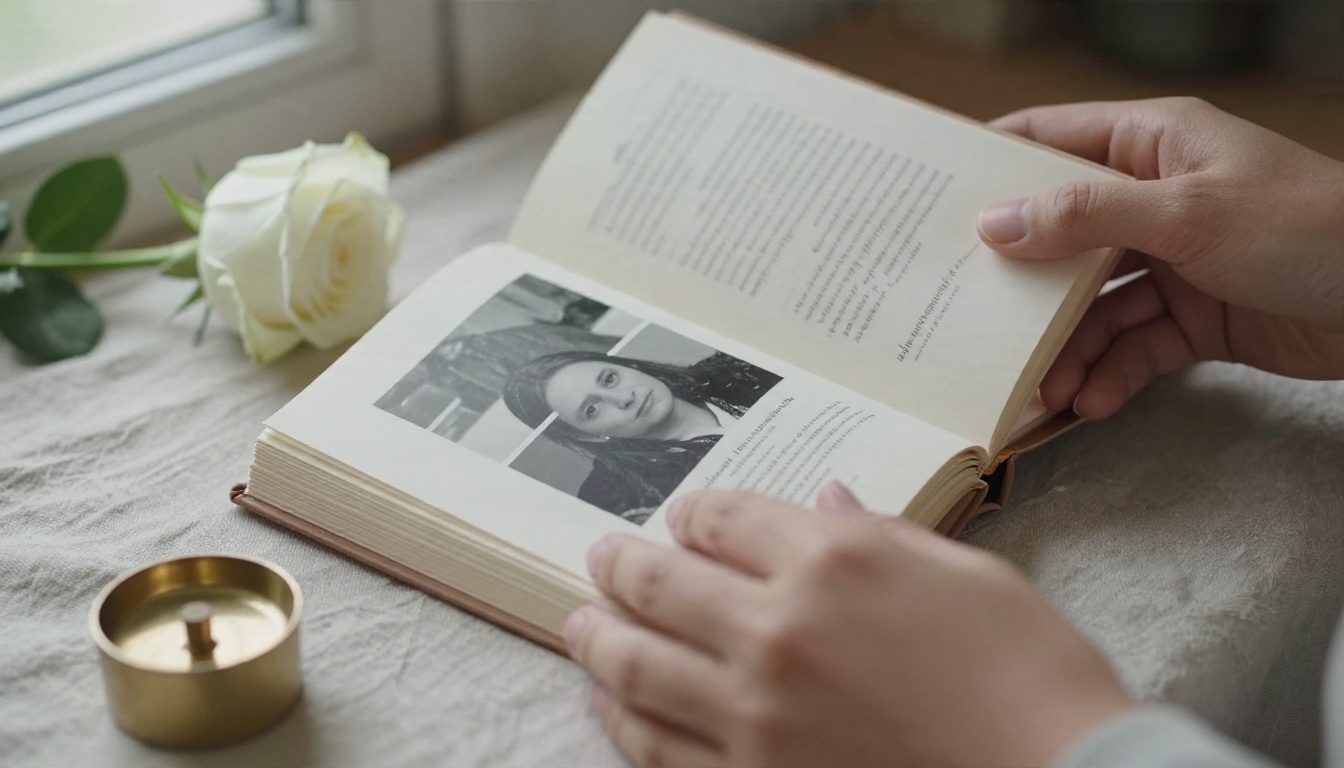
Step 1: Prepare your PDF
- Collect 20 to 40 of the best photos, plus any scanned letters or handwritten notes.
- Place them in a document editor, one idea per page: a portrait, a short caption, a favorite saying.
- Add a simple title page with the name and dates, and a closing page for a final message.
- Export the document as a PDF.
Step 2: Create your account and upload
Create a free account at Flipbooks AI, then upload your PDF with the PDF to Flipbook Converter. The conversion turns each PDF page into a flippable page in seconds. For a more book-like feel, the Interactive E-Book Publisher is a good fit.
Step 3: Customize the look
- Pick a soft background color that matches the mood, such as warm cream or muted gray
- Add custom branding if you want the family name on the book
- Choose a gentle page-turn effect rather than a flashy one
- Embed a short video or an audio clip, such as a favorite song or a recorded story
Step 4: Set sharing and privacy
- Use password protection so only invited family can open the book
- Copy the direct link and send it by email or messaging app
- Use an embed code if you want the tribute inside a family page, with the Embed Flipbook on Website tool
Step 5: Add pro features if needed
On the Professional plan, analytics show how many relatives opened the book, and lead generation tools help when a memorial supports a charity fundraiser. Offline downloads let you hand out a copy to those who prefer to keep one on their own device. Compare pricing plans to see which tier matches your plan.
✅ Best practice: Save your original PDF in two places, such as your computer and an external drive. The flipbook is the beautiful version, the PDF is the safety copy.
Picking the Right Option
Now that the options are on the table, a short decision process saves time and stress.
A simple checklist
Choose a free memorial website if:
- You need a public notice and a guestbook this week
- You have few photos and no video
- You do not mind the page changing or closing later
Choose a memorial flipbook if:
- You want a private, lasting tribute with many photos
- You want audio, video or scanned handwriting in the same place
- You want a downloadable copy for the family
- You care about design and a watermark-free look
Common mistakes
- Uploading the only copy. Keep originals offline.
- Leaving the page public by accident. Review privacy settings before you share the link.
- Skipping captions. A photo without a name, place and year loses meaning in ten years.
- Building alone. Invite two relatives to add stories while the memories are fresh.
- Waiting for perfect. A simple tribute posted this week is better than a perfect one that never appears.
Quick scorecard
| Need | Funeral home page | Dedicated platform | Social media | Flipbook |
|---|
| Live condolences | ✅ | ✅ | ✅ | ➖ |
| Strong privacy | ❌ | ➖ | ➖ | ✅ |
| Rich media | ❌ | ➖ | ✅ | ✅ |
| Offline copy | ❌ | ❌ | ❌ | ✅ |
| No watermark or ads | ➖ | ➖ | ❌ | ✅ |
Start Your Tribute Today
The best memorial is the one that your family can open, share and keep without worry. If you need a public notice fast, use a free memorial page or the funeral home option, and keep a backup of everything. If you want something lasting, private and beautiful, build a tribute book.
Ready to begin? Create a free account on Flipbooks AI, browse all flipbook tools for memory books, recipe collections and photo albums, or compare pricing plans to choose what works for your family. When you are ready for more room and features, upgrade through your account in a minute.


