You upload a PDF, the page-turn animation looks great, and then you spot it: a bright watermark stamped across every spread, or a banner telling you the free trial ends in seven days. Picking the best online flipbook maker in 2027 is mostly about avoiding that moment. Free plans, pricing tiers, watermark rules and export limits vary wildly, and the marketing pages rarely say it plainly. This ranking does. We will compare what free plans actually allow, what paid plans cost in practice, how to get rid of watermarks for good, and which alternatives are worth a look. Along the way we will use Flipbooks AI as a reference point, since it ships without watermarks on any plan.
💡 Quick answer: If you publish more than two or three documents a year, a plan with unlimited flipbooks and no watermark will almost always cost less than juggling free trials.
What to Check Before You Pick
Most people compare flipbook makers by looking at the demo page. That is the least useful thing to compare, because every tool can make a page curl. What separates them is the boring stuff underneath.
Free Plan Limits
A free plan is a sales funnel, and the limits tell you where the funnel narrows. Look for these before you upload anything:
- Number of flipbooks: many free tiers allow only one to three active publications.
- Page count per file: a 12 page cap kills catalogs and annual reports instantly.
- File size: some tools reject PDFs over 10 or 20 MB, which rules out image heavy lookbooks.
- Expiry: a few "free" plans delete your flipbook after 14 or 30 days.
- Monthly views: a viewer cap can take your link offline at the worst moment, like a product launch.
Watermarks and Branding
A watermark is not a small cosmetic issue. It sits on your brand, your customer's screen and your sales deck. Some tools put a small badge in a corner. Others overlay a logo on the page itself or add a splash screen before the first page loads. Ask whether the watermark can be removed on a paid plan, and whether it comes back if you downgrade.
Mobile and Embedding
Over half of flipbook views happen on phones, so the reader must reflow properly on small screens. Check that you get an embed code for your site, a direct link for email, and ideally a way to hide the "created with" footer. A flipbook that only works as a link on someone else's domain is half a product.
Free Plans Compared
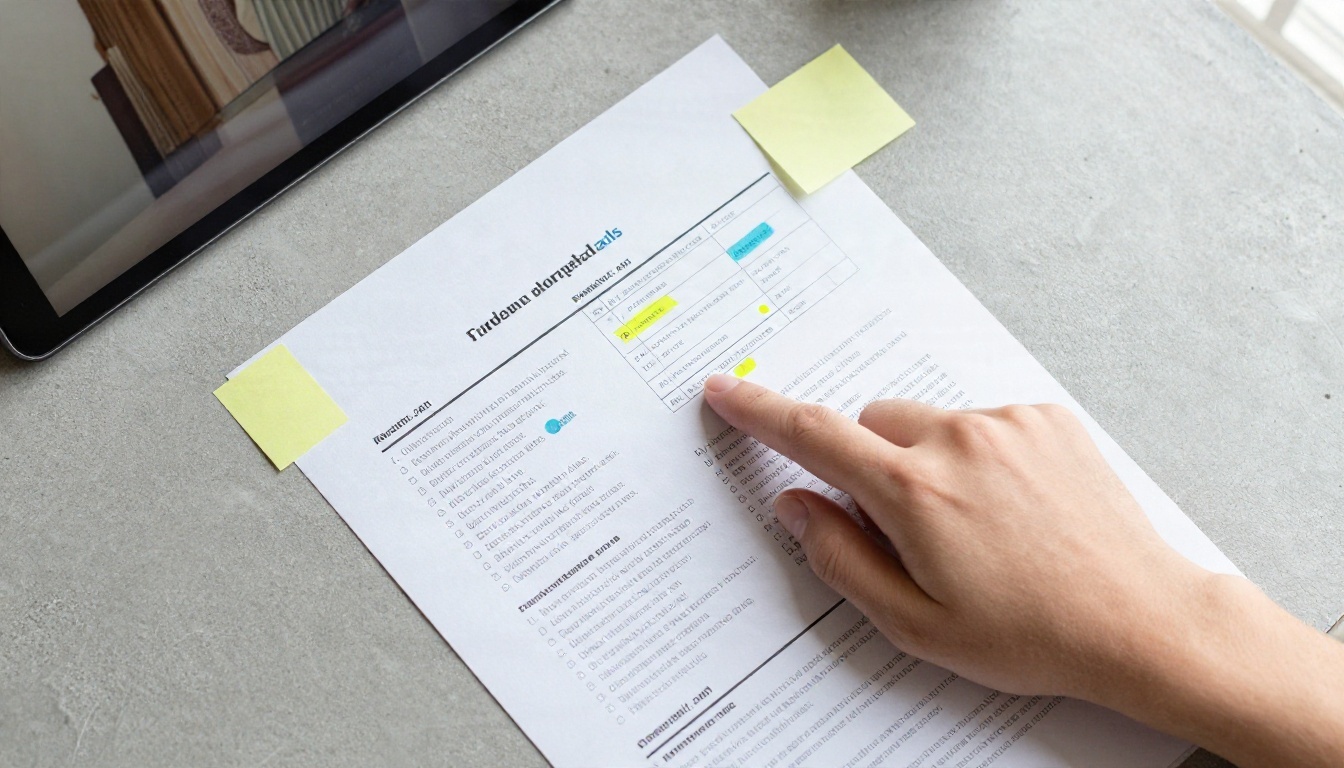
Free plans fall into a few predictable patterns. Rather than quote prices that change every quarter, here is how the main categories behave in 2027. Always confirm on the vendor's live page before you commit.
| Plan type | Watermark | Flipbook limit | Typical catch |
|---|
| Trial only | Usually none during trial | Unlimited while active | Content disappears or locks after 7 to 14 days |
| Freemium with badge | Logo on pages or footer | 1 to 5 | Badge cannot be removed without upgrading |
| Freemium with caps | Small or none | 3 to 10 | Page, size or view limits |
| Open source or self hosted | None | Unlimited | You handle hosting, updates and mobile fixes |
| Watermark free from day one | None | Depends on plan | Paid tiers needed for volume and analytics |
Typical Free Tier Rules
The "freemium with badge" model is the most common. You get a working flipbook, but every viewer sees someone else's logo. That is fine for a school project and a bad idea for a client proposal. The "trial only" model feels generous until day eight, when your embedded flipbook turns into a payment prompt on your own website.
When Free Is Enough
Free works when the audience is small and the stakes are low:
- A one off class handout shared with 30 students.
- A personal portfolio you are testing before a real launch.
- A family recipe collection sent by link.
- A prototype you want to show a boss before buying.
It stops working the moment a customer, investor or press contact sees it. If you are on the fence, create a test flipbook with the PDF to Flipbook Converter and judge the output yourself.
⚠️ Warning: Never embed a trial flipbook on a live page without a backup plan. When the trial lapses, your visitors see the error, not you.
Pricing Models in 2027
Pricing is where most comparisons get vague. In practice there are three models, and each one rewards a different type of publisher.
| Model | How you pay | Best for | Risk |
|---|
| Monthly subscription | Flat fee, limits by tier | Teams publishing every month | Paying during quiet months |
| Annual subscription | Discounted yearly fee | Steady publishers, agencies | Lock in before testing properly |
| Per flipbook or credits | Pay for each publication | Occasional users | Costs climb fast with volume |
Subscription vs Per Flipbook
If you publish once or twice a year, per flipbook pricing is cheaper. Once you reach four or five publications, a subscription usually wins. The break even point depends on the vendor, so do the maths with your own numbers: multiply flipbooks per year by the per file price, then compare it to twelve months of the plan you actually need.
Flipbooks AI keeps this simple: the Standard plan and above include unlimited flipbooks, and the Professional plan adds analytics and lead generation. You can see the current tiers on the pricing page.
Costs Nobody Mentions
Sticker price is only part of the bill. Watch for:
- Watermark removal fees sold as an add-on.
- Custom domain charges for branded links.
- Extra seats when a second teammate needs access.
- Analytics gated behind the top tier.
- Offline download limited to enterprise plans.
- View overages when a campaign performs better than expected.
💡 Pro tip: Write down the three features you cannot live without, then price only the plans that include all three. It removes half the options in two minutes.
Watermarks and Alternatives
The word "watermark" shows up in the title of this article for a reason: it is the single most searched complaint about flipbook software. People want a clean, professional reader and are tired of paying to remove someone else's logo.
Removing Watermarks Cleanly
There are only three honest ways to get a watermark free flipbook:
- Pay the vendor to remove it, and confirm it stays removed after renewal.
- Choose a tool with no watermark policy, so you never pay for it at all.
- Self host an open source reader and manage everything yourself.
Avoid screen recording tricks, cropping tools, or "remover" websites. They produce low quality output, break links and often violate the vendor's terms. Starting with a no watermark tool is cleaner and cheaper.
Alternatives to Consider
A flipbook maker is not always the right answer. Sometimes a different format fits better.
| Alternative | Strength | Weakness | Pick it when |
|---|
| Plain PDF link | Zero setup | No page turn, weak on mobile | The audience just needs the file |
| Slide deck viewer | Familiar format | Not designed for long reading | You are presenting live |
| Website landing page | Best for search traffic | More design work | The content should rank on Google |
| Self hosted reader | Full control | Maintenance and bugs | You have a developer on hand |
| Hosted flipbook maker | Fast, polished, mobile ready | Subscription cost | You publish brochures, catalogs or reports often |
For most marketing teams, a hosted tool wins because publishing takes minutes, not days.
Real-World Use Cases

The right plan depends on what you publish. Here is how different teams usually land.
A Cafe That Changes Prices Weekly
A small cafe updates its menu every Monday. With a hosted flipbook, the owner re-uploads the PDF, the link and the QR code on the tables stay the same, and customers always see the current version. A watermark here would look sloppy next to a printed table card, so a no watermark plan is the only sensible choice.
An Agency Sending Proposals
An agency sends twelve proposals a month. It needs password protection, a custom look that matches each client, and a way to see whether the decision maker opened the file. That points straight to a plan with analytics, because knowing which pages got attention shapes the follow-up call.
How to Create a Flipbook with Flipbooks AI

Here is the full workflow, from blank page to shared link. It takes about five minutes for a typical brochure.
Upload and Convert
- Go to Flipbooks AI and create an account.
- Click the upload button on your dashboard and select your PDF. Export it at 150 to 300 DPI for crisp text on retina screens.
- Wait a few seconds while the file converts into a page-turning flipbook. You will see a thumbnail strip of every page along the bottom of the editor.
- Check the page order. If a spread looks wrong, fix the PDF and re-upload before you customize anything.
Customize and Share
- Open the branding panel and add your logo, pick a background color that matches your site, and choose a page effect, from a soft curl to a flat slide.
- Add multimedia: drop in videos, audio or links on any page so your catalog or manual feels alive rather than static.
- Click Share and pick your method:
- Direct link for email and social posts.
- Embed code to paste into your website. The Embed Flipbook on Website tool shows exactly where it goes.
- Password protection for private documents like contracts and internal reports.
- Open the link on your phone before sending it. The reader is mobile responsive, but a quick check catches any layout surprise.
✅ Best practice: Name your PDF file clearly before uploading. A tidy file name becomes a tidier link and a tidier dashboard.
Professional Features
On the Professional plan you also get:
- Analytics showing views, time spent per page and where readers drop off.
- Lead generation forms that ask for an email before the flipbook opens.
- Offline downloads so readers can save the flipbook for places with weak signal.
- Custom branding across every publication.
See which plan fits on the pricing page, or browse the full set of flipbook tools if you want a template for a specific format.
Quick Verdict by Use Case

After comparing plan types, here is how we would rank the options for the most common situations.
| Situation | Best choice | Why |
|---|
| One test flipbook, no budget | Freemium with caps | Enough to see the reader in action |
| Client facing documents | Watermark free hosted tool | Clean look, no third party branding |
| High volume publishing | Unlimited plan | Per file pricing gets expensive fast |
| Lead capture and reporting | Plan with analytics | You need the data, not just views |
| Total control, technical team | Self hosted reader | Free software, but your time is the cost |
The pattern is simple. Free plans are for testing, subscriptions are for publishing, and watermarks are for tools you should skip if the audience matters.
Three Common Mistakes
- Choosing by demo only. The animation is never the problem. The limits are.
- Ignoring renewal pricing. Intro discounts often end after the first year.
- Forgetting mobile. Test every flipbook on a real phone before sharing.
Pick Your Plan Today
The best online flipbook maker in 2027 is the one that gives you a clean reader, honest limits and a price that does not jump when you publish more. For occasional use, a capped free plan is fine. For anything customers will see, go with a no watermark tool and a plan sized to your volume.
Ready to try it? Get started for free on Flipbooks AI and convert your first PDF in minutes. Compare every tier on the pricing page, or head to the account to pricing flow to sign up and pick a plan in one go. Still deciding on a format? Browse all tools and templates to find the right fit for your catalog, menu, report or portfolio.



