Picking the wrong digital publishing platform costs you more than money. It costs you time, credibility, and often your readers' patience. If you're weighing Calaméo against Flipbooks AI, this breakdown gives you the real numbers, the actual feature differences, and a clear picture of which tool fits your workflow before you commit to a plan.
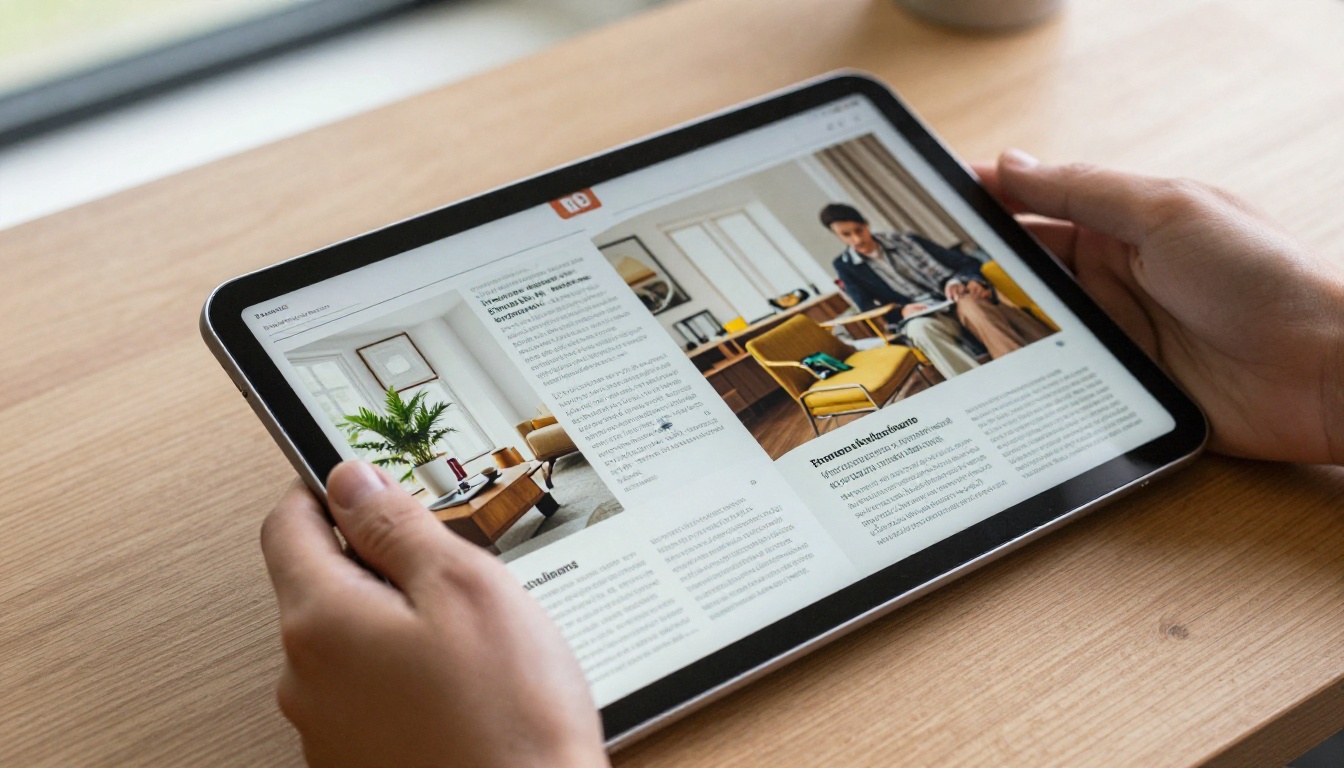
Both Calaméo and Flipbooks AI convert PDFs into interactive, page-flipping digital publications. That is where the similarity ends. Calaméo is a publishing-focused community platform with a long track record. Flipbooks AI is a lean, modern SaaS tool built around speed, branding control, and a zero-watermark philosophy that suits professional business use from day one.
Calaméo at a Glance
Calaméo launched in 2007 and built its name as an online publishing platform with a public catalog of user-uploaded documents. Its model centers on publication hosting with social discovery baked in. Readers can find your documents through Calaméo's internal search, and users can comment, follow, and subscribe to publishers. It accepts multiple file formats beyond PDF, including Word documents and PowerPoint presentations, which adds flexibility on the input side.
Flipbooks AI at a Glance
Flipbooks AI takes a more tool-centric approach. You upload a PDF, it converts instantly, and you get a clean, branded, embeddable flipbook with no community noise, no forced public discovery, and no watermarks. Everything from the conversion engine to the sharing options is built around practical business publishing. It also ships with purpose-built tools for specific content types, from product catalogs to annual reports to lookbooks, so you are not starting from scratch on each project.
Pricing: What You Actually Pay
This is where the two platforms diverge most dramatically. Calaméo operates a freemium model with paywalled features and a ceiling on what free users can do. Flipbooks AI offers tiered plans with clear, generous limits at every level and no surprise watermark penalties.

Calaméo Pricing Tiers
| Plan | Price | Publications | Pages per Publication | Storage |
|---|
| Free | $0/mo | 15 | 200 | 1 GB |
| Starter | ~$8/mo | 50 | Unlimited | 3 GB |
| Premium | ~$20/mo | Unlimited | Unlimited | 15 GB |
| Platinum | ~$45/mo | Unlimited | Unlimited | 50 GB |
Calaméo's free tier watermarks every publication and caps your library at 15 documents. The Starter plan removes the watermark but still limits your total library size. Uploading large catalogs or multi-chapter annual reports consumes storage faster than the numbers suggest.
Flipbooks AI Pricing Tiers
| Plan | Price | Flipbooks | Storage | Standout Features |
|---|
| Free | $0/mo | 3 | 50 MB | No watermark, basic flipbooks |
| Standard | $9/mo | Unlimited | 1 GB | Custom branding, password protection, embed |
| Professional | $29/mo | Unlimited | 10 GB | Analytics, lead generation, offline downloads, white label |
💡 Flipbooks AI never adds watermarks, even on its free plan. That alone changes the economics for any business testing the platform before committing to a paid tier.
At comparable price points, the value picture is clear. For anyone publishing branded business content, Flipbooks AI's Standard plan at $9 per month delivers unlimited flipbooks, full custom branding, and password protection. Calaméo's equivalent paid tier costs more and still does not match on branding control. Check the full pricing breakdown to see which plan fits your volume.
Feature Comparison: Side by Side

The real test of any platform is what happens after you upload your PDF and try to do something professional with it.
Core Publishing Features
| Feature | Calaméo | Flipbooks AI |
|---|
| PDF to Flipbook Conversion | Yes | Yes |
| HTML5 Page-Turn Effect | Yes | Yes |
| No Watermark on Free Plan | No | Yes |
| Custom Domain | Paid plans | Standard+ |
| Password Protection | Paid plans | Standard+ |
| Embed on Website | Yes | Yes |
| Mobile Responsive | Yes | Yes |
| Full Custom Branding | Limited | Standard+ |
| White Label | No | Professional |
| Advanced Analytics | No | Professional |
| Lead Generation Forms | No | Professional |
| Offline Downloads | No | Professional |
| Video and Audio Embeds | No | Yes |
The multimedia gap is significant. Calaméo treats your document as a static page-flip viewer. Flipbooks AI lets you embed video and audio directly into individual pages, which opens use cases like interactive product catalogs with demo videos, training manuals with embedded walkthroughs, and event programs with video highlights. That is a capability class Calaméo simply does not offer at any price point.
Branding Control
Calaméo's branding options are constrained by its community model. Your publications live on Calaméo's domain by default, with Calaméo's interface chrome around them. On free and starter tiers, their branding is prominently visible to your readers.
Flipbooks AI puts branding control in your hands from the Standard plan up. You can set custom colors, add your logo to the viewer, and present a flipbook that looks like it belongs to your brand rather than a third-party platform. At the Professional tier, white-label options remove all platform references entirely, leaving only your content and identity.
✅ Best practice: When embedding a flipbook on a client-facing website, the viewer should feel invisible. Visitors should see your content, not the tool behind it.
Ease of Use: The Real Workflow Test

Speed and clarity of the upload-to-publish process matters more than feature lists for most day-to-day users.
Calaméo Workflow
- Create an account and verify your email
- Upload your PDF or document file
- Wait for conversion, which can slow noticeably on larger files
- Configure publication settings across multiple tabs
- Publish to your Calaméo channel
The interface feels dated. Navigation menus are nested, settings are spread across separate tabs, and the publication editor requires more clicks than it should. New users typically spend 10 to 15 minutes navigating the dashboard before finding all the controls they need.
Flipbooks AI Workflow
- Create an account at flipbooksai.com/account
- Upload your PDF from the main dashboard
- Flipbook generates in seconds
- Customize branding, privacy, and sharing in one unified interface
- Copy your embed code or shareable link and publish
The difference is immediate. Flipbooks AI's dashboard is single-screen with no buried menus or multi-tab settings. A standard document goes from upload to shareable link in under two minutes. For teams handling multiple flipbooks across campaigns or client accounts, that speed compounds into hours of saved time each month.
💡 The onboarding experience on Flipbooks AI is genuinely faster. There is no learning curve for common tasks: uploading, customizing, and sharing are all surface-level actions on the main dashboard.
Real-World Use Cases

For Small Businesses
A boutique clothing shop needs a seasonal lookbook that embeds cleanly on their website and carries no competing brand's logo. Calaméo's free tier watermarks it. The Starter plan removes the watermark but adds cost without giving proper branding control. Flipbooks AI's Standard plan at $9 per month gives the shop unlimited flipbooks, full custom branding, and a clean embed in one affordable tier.
The Fashion Catalog Creator tool is specifically designed for this scenario, turning a PDF lookbook into an interactive, shareable digital experience in minutes. For furniture and home goods retailers, the Furniture Catalog Maker handles product-heavy layouts with the same ease.
For Publishers and Agencies
A marketing agency managing flipbooks for multiple clients needs speed, organization, and white-label delivery. Calaméo does not support multi-client management in any meaningful way. Flipbooks AI's Professional plan with white-label options lets the agency deliver fully branded flipbooks to each client without exposing the platform behind them.
Analytics add another layer of value. The Professional plan includes reader tracking so the agency can report on page-level engagement, read-through rates, and which content drove the most attention. Calaméo offers only basic view counts with no page-level insight.
For Educators and Non-Profits
Both platforms handle document sharing for basic educational materials. However, Flipbooks AI's Course Material Publisher and Training Manual Flipbook tools provide structured, interactive experiences better suited to learning contexts than a generic document viewer.
⚠️ Worth noting: Calaméo's community discovery model means your documents appear in public searches on their platform. For sensitive business documents or proprietary training materials, this is a real concern. Flipbooks AI's password protection on the Standard plan keeps content fully private and accessible only to intended recipients.
Analytics and Lead Generation

What Calaméo Tracks
Calaméo provides basic statistics: total views, publication reads, and subscriber counts. These are sufficient for personal publishers who want a rough sense of readership. For business use, they fall short. There is no page-level data, no reader behavior tracking, and no lead capture at any plan level.
What Flipbooks AI Tracks
The Professional plan on Flipbooks AI includes a full analytics suite:
- Page-by-page engagement: See exactly which pages readers spend the most time on
- Read-through rates: Know what percentage of readers reach each section of your document
- Lead generation forms: Capture name and email from readers inside the flipbook before they access the content
- Traffic sources: Track where your readers are coming from
- Offline download tracking: Know when readers save your content for offline viewing
For sales teams using digital catalogs or marketing teams running campaigns with interactive brochures, this data is the difference between guessing and knowing which content converts. A single lead captured through a gated flipbook can justify the Professional plan cost for an entire month.
Sharing and Distribution

Both platforms support direct links and embed codes. The quality of the embed experience differs considerably.
Embed Quality
Calaméo embeds carry the platform's visual identity unless you are on a paid plan. The embed widget includes Calaméo branding and navigation that can direct readers to other Calaméo content, away from your own pages. For brand-sensitive contexts, this is a meaningful problem.
Flipbooks AI embeds are clean by design. The viewer matches your brand colors, displays no platform references, and keeps readers focused entirely on your content. The Embed Flipbook on Website tool generates responsive embed codes that drop into any CMS, website builder, or email client with a single copy-paste and scale correctly on every screen size.
Privacy and Lead Gates
Calaméo's free tier offers no privacy controls. All documents are publicly discoverable. Paid plans add password protection, but it is a single shared password with no per-reader tracking.
Flipbooks AI's Standard plan includes per-flipbook password protection. The Professional plan adds lead generation gates: instead of a simple password, you can require readers to submit their name and email before accessing the content. Every shared flipbook becomes a potential lead source without needing any additional marketing tool.
Platform Stability and Content Ownership
One underrated factor in platform selection is what happens to your content if the platform changes terms, raises prices significantly, or shuts down.
Calaméo has operated since 2007, which is a genuine positive signal. However, your content lives on their servers and their domain. Migrating a large library is manual and time-consuming.
Flipbooks AI gives you direct download access to your original PDFs at every plan level. The platform architecture is built around clear file ownership, and exporting your content does not require contacting support or navigating a bureaucratic process.
How to Publish Your First Flipbook on Flipbooks AI

Publishing a professional flipbook on Flipbooks AI takes under five minutes. Here is the exact process:
-
Create your account: Go to flipbooksai.com/account and sign up. The free plan requires no credit card.
-
Upload your PDF: From the dashboard, click "New Flipbook" and drag your PDF into the upload area. Files up to 50 MB work on the free plan; larger files are supported on Standard and Professional plans.
-
Watch the conversion: The platform converts your PDF into an HTML5 flipbook with realistic page-turn animations in seconds. Documents with 100 or more pages typically convert in under 30 seconds.
-
Customize branding: In the flipbook editor, set your brand colors, add your logo to the viewer header, and choose your preferred page transition style. Standard plan users can also point a custom domain at their flipbooks.
-
Set privacy controls: Toggle password protection if the content is for a specific audience. Add a lead generation gate if you want to capture reader information before they access the content.
-
Embed or share: Copy the direct link for email or social sharing. Use the embed code for website integration. The Embed Flipbook on Website tool generates responsive embed codes for any screen size.
-
Add multimedia (optional): Click any page to insert a video or audio file. Product demo videos, client testimonials, and background music all embed cleanly without affecting the page layout.
-
Review analytics: Once your flipbook receives views, the dashboard shows real-time engagement data by page, read-through rates, and lead captures if the gate is enabled.
For specific content types, Flipbooks AI ships purpose-built tools across every category: the Product Catalog Generator for retail, the Annual Report Creator for corporate publishing, the Interactive Lookbook Designer for fashion and lifestyle brands. Each tool provides pre-configured settings optimized for that content type so you spend time on your content, not platform configuration.

Choose Calaméo if:
- You want your documents discoverable through a public community platform
- You are an individual publisher comfortable with third-party platform branding
- You publish infrequently and the free tier's 15-document limit is sufficient
- You need to upload Word or PowerPoint files directly without pre-converting to PDF
Choose Flipbooks AI if:
- You need clean, brand-controlled flipbooks with no watermarks from day one
- You are embedding flipbooks on client-facing or business websites
- You want page-level analytics beyond basic view counts
- You are managing multiple flipbooks across campaigns or client accounts
- You need password protection or lead capture for gated content
- You want offline download capability for your readers
- You need video and audio embedded inside your document pages
- You want to capture leads directly from within a shared flipbook
The choice comes down to purpose. Calaméo suits personal publishing in a community context where public discovery adds value. Flipbooks AI is built for business publishing where branding, data, and professional presentation are non-negotiable.
The Real Cost at Each Tier
| Use Case | Calaméo Cost | Flipbooks AI Cost | Winner |
|---|
| Free, no watermark | Not available | Free plan | Flipbooks AI |
| Unlimited flipbooks + branding | ~$20/mo (Premium) | $9/mo (Standard) | Flipbooks AI |
| Analytics + lead gen | Not available | $29/mo (Professional) | Flipbooks AI |
| White label | Not available | $29/mo (Professional) | Flipbooks AI |
| Large storage (15 GB+) | ~$20-45/mo | $29/mo | Comparable |
At every meaningful price point, Flipbooks AI delivers more per dollar. The gap is largest on the features that matter most to business publishers: branding control, privacy, analytics, and lead generation.
Ready to see the difference yourself? Start for free on Flipbooks AI and publish your first branded flipbook in minutes. Browse all available tools to find the right fit for your content type, or compare plans to choose the tier that fits your publishing volume and growth goals.



