Most employees delete the company newsletter before the subject line finishes loading. That is not a people problem. It is a format problem: long emails, buried headlines and stock photos nobody believes. The good news is that a newsletter people actually enjoy is very doable, and the best company newsletter examples all follow the same few patterns. This article walks through those patterns, gives you free template structures to copy, lists topics that keep staff curious, and shows how to publish each issue as a page-turning flipbook with Flipbooks AI.
Why Employees Skip Most Newsletters
Before picking a template, it helps to know why the old ones fail. Internal newsletters usually lose readers for three reasons, and none of them involve the quality of your writing.
The Inbox Problem
A typical employee gets dozens of internal messages a day. Your newsletter competes with calendar invites, chat pings and client emails. If it arrives as a wall of text with an attachment, it lands in the "read later" pile, which really means "never."
What Staff Actually Want
Ask your team and the answers are surprisingly consistent:
- Real people, not just announcements from the executive floor
- Useful information such as policy changes, benefits deadlines and tools they can use today
- Short reads they can finish in under five minutes
- Visuals that look like a magazine, not a memo
- A reason to come back, such as a recurring column, a quiz or a recognition section
💡 Pro tip: Run a three-question survey before your next issue: what did you read last time, what did you skip, and what do you wish we covered? Two minutes of feedback beats months of guessing.
7 Company Newsletter Examples That Work
These seven formats show up again and again in companies where staff genuinely look forward to the next issue. Borrow the one that fits your culture and adjust the tone.
The Monthly Culture Digest
A friendly roundup built around people. It opens with a short note from a leader, then moves into new hires, work anniversaries, a photo of the month and one longer story about a team. Best for: companies of 50 to 500 people where most colleagues do not know each other well.
The Frontline Weekly
Short, mobile-first and written for people who do not sit at a desk. Think retail floors, warehouses, clinics and field crews. It contains shift updates, safety reminders, one recognition shout-out and a single big photo. Best for: teams that read on their phones during breaks.
The Leadership Letter
A single-column letter from the CEO or a department head, paired with two or three data points explained in plain language. It works because it is honest about what is going well and what is not. Best for: growing companies where trust in leadership needs to be built gradually.
The Project Roundup
A visual status page for each major initiative: what shipped, what is next, who to ask. Use small tables and progress icons rather than paragraphs. Best for: product, engineering and operations teams that run many parallel projects.
The Learning Corner Edition
Each issue spotlights one skill, one internal expert and one training resource. It reads like a small magazine and gives people a practical reason to open it. Best for: companies investing in internal training, which can use the Training Manual Flipbook tool for longer resources.
The Recognition Edition
Entirely built on peer shout-outs, customer compliments and milestone photos. It is the easiest newsletter to write because employees send you the content. Best for: remote or hybrid teams that miss casual hallway praise.
The Benefits and Policy Brief
Not glamorous, but valuable. Open enrollment dates, holiday schedules, new tools and policy changes explained in short sections with clear headings and a one-line "what this means for you" under each. Best for: HR teams tired of answering the same question twenty times.
| Newsletter Type | Frequency | Typical Length | Tone | Best Audience |
|---|
| Monthly Culture Digest | Monthly | 6 to 10 pages | Warm, personal | All employees |
| Frontline Weekly | Weekly | 2 to 3 pages | Short, direct | Shift and field staff |
| Leadership Letter | Monthly or quarterly | 2 to 4 pages | Candid, calm | All employees |
| Project Roundup | Biweekly | 3 to 5 pages | Factual, visual | Cross-functional teams |
| Learning Corner | Monthly | 4 to 6 pages | Helpful, curious | Growth-minded staff |
| Recognition Edition | Monthly | 4 to 8 pages | Celebratory | Remote and hybrid teams |
| Benefits and Policy Brief | Quarterly | 2 to 4 pages | Clear, reassuring | New hires and HR contacts |
Topics Worth Putting in Every Issue
The hardest part of a newsletter is not the design. It is deciding what goes in it, over and over, without running dry by issue four. The fix is a simple split between sections that always appear and ideas that rotate.

Always-On Sections
Recurring sections build habit. Readers learn where to look for what they care about.
- Welcome and farewell: new faces and fond goodbyes, with a photo and one fun fact
- Wins of the month: two or three concrete results, with names attached
- Ask the expert: one question answered by someone inside the company
- Calendar: upcoming events, deadlines and holidays in a tidy list
- Question of the month: a light poll or trivia item with answers in the next issue
Seasonal and Rotating Ideas
Keep a list of rotating topics so you never start from a blank page. Here is a year of material:
| Month | Topic Idea | Format |
|---|
| January | Goals for the year, team roadmap | Leadership letter plus infographic |
| March | Women in our company, career stories | Photo essay |
| May | Wellbeing and mental health resources | Checklist and short interviews |
| July | Summer schedule, office photo contest | Gallery page |
| September | Back-to-routine tips, new tool rollouts | Step-by-step mini tutorial |
| November | Gratitude wall, customer thank-you notes | Quotes and portraits |
| December | Year in review, team awards | Photo-led story grid |
✅ Best practice: Plan twelve months of themes in one sitting. You can always swap a topic out, but you will never stare at an empty page again.
Free Template Layouts to Copy
You do not need a designer to produce a polished newsletter. You need a clear structure and the discipline to stick with it. These three layouts work for nearly every company, and you can rebuild them in any word processor, slide tool or design app before exporting to PDF.
Template 1: The Single-Column Briefing
Simple and fast to read on any screen.
- Page 1: masthead, issue date, short leadership note, one hero photo
- Page 2: three short news items, each under 80 words
- Page 3: people spotlight with a large portrait and a pull quote
- Page 4: calendar, links and one call to action
Template 2: The Two-Column Magazine
Ideal for larger companies with plenty of content.
- Cover page: big image, issue title and three teaser headlines
- Contents page: a short table of contents with page numbers
- Feature spread: a full two-page story with a photo and a sidebar
- Departments page: quick updates from each team in small boxes
- Back page: recognition wall and an upcoming events strip
Template 3: The Visual Story Grid
Great for culture-heavy newsletters and companies with strong photography.
- A grid of six to nine photos with one-line captions
- One long-form story broken into short blocks
- A quote strip pulled from employee comments
- A simple closing page with the next issue date and a contact email
| Layout | Setup Time | Design Skill Needed | Photo Dependence | Best For |
|---|
| Single-Column Briefing | 1 to 2 hours | Low | Low | Small teams, weekly updates |
| Two-Column Magazine | 3 to 5 hours | Medium | Medium | Mid-size and large companies |
| Visual Story Grid | 2 to 4 hours | Medium | High | Culture and recruiting stories |
⚠️ Warning: Do not cram everything into one page just to save space. White space is what makes a newsletter feel easy to read. If a page feels crowded, split it.
How to Create a Newsletter Flipbook with Flipbooks AI
A PDF attachment is fine. A flipbook is better. Readers get a realistic page-turn effect, the layout adjusts on phones, and you can track who opened it. With the Newsletter Flipbook Publisher, the whole process takes about ten minutes once your PDF is ready.
Step-by-Step Instructions
- Open the platform. Go to Flipbooks AI and create an account. Setup takes a minute.
- Upload your PDF. Drag your finished newsletter into the uploader. The PDF to Flipbook Converter turns each page into a flippable spread and keeps your fonts and images sharp.
- Add your branding. Pick your brand colors, upload your logo, choose a background that matches your intranet and select the page-turn effect you prefer. You will see a live preview as you adjust.
- Add multimedia. Drop a short welcome video from your CEO onto page one, add a podcast clip to the Learning Corner, or link a sign-up form directly from the events page. Embedded video and audio work on every device.
- Set privacy. Internal news should stay internal. Turn on password protection so only employees can open the issue.
- Share it. Copy the direct link into an email or chat message, or use the Embed Flipbook on Website option to place it on your intranet page.
- Review the results. On the Professional plan, analytics show how many people opened the issue, which pages held attention and where readers dropped off. Offline downloads let field teams save an issue for later.
💡 Pro tip: Publish every issue at the same link prefix and pin the latest one on your intranet. Staff learn exactly where to find it, and old issues become a searchable archive.
What You Get Without Extra Effort
- ✅ No watermarks, ever, so the issue looks like your brand
- ✅ Unlimited flipbooks on the Standard plan and above
- ✅ Mobile-responsive design that works on any phone
- ✅ Custom branding across every page
- ✅ Lead generation and analytics on the Professional plan
Check the pricing plans to see which tier matches your headcount and reporting needs. If your newsletter is aimed at a school community rather than employees, the School Newsletter Creator follows the same process.
| Format | Page-Turn Feel | Mobile Friendly | Tracking | Password Protection |
|---|
| Email body | No | Yes | Basic opens | No |
| PDF attachment | No | Mixed | None | Limited |
| Intranet post | No | Varies | Page views only | Via login |
| Flipbook | Yes | Yes | Page-level (Professional) | Yes |
Writing and Design Habits That Help
Great templates only work with consistent habits behind them. These small decisions separate newsletters that get read from newsletters that get ignored.

Write Like You Talk
Skip corporate language. "We are pleased to announce the commencement of" becomes "We start on Monday." Short sentences, active verbs, and the occasional joke go a long way. Read each paragraph out loud. If you stumble, rewrite it.
Use Real Photos
Photos of your actual colleagues, in your actual office, beat stock images every time. A thirty-minute portrait session in a bright hallway gives you a month of material. Ask people to bring a favorite mug or a project they are proud of. It makes pictures feel personal.
Keep Length Honest
A good rule is one idea per page and no article longer than 250 words unless it is a feature story. If something needs more room, link to a longer piece inside the flipbook rather than stretching the page.
Create a Consistent Rhythm
Pick a date and keep it. The second Tuesday of every month works better than "whenever it is ready." Consistency tells readers the newsletter is part of company life, not a side project.
✅ Best practice: Appoint two or three volunteer "newsletter ambassadors" from different departments. They send photos and story ideas, and they spread the word when the new issue lands.
How to Measure What Works
A newsletter without feedback is a guess. You do not need a full analytics department, only a handful of simple signals and a monthly habit of checking them.
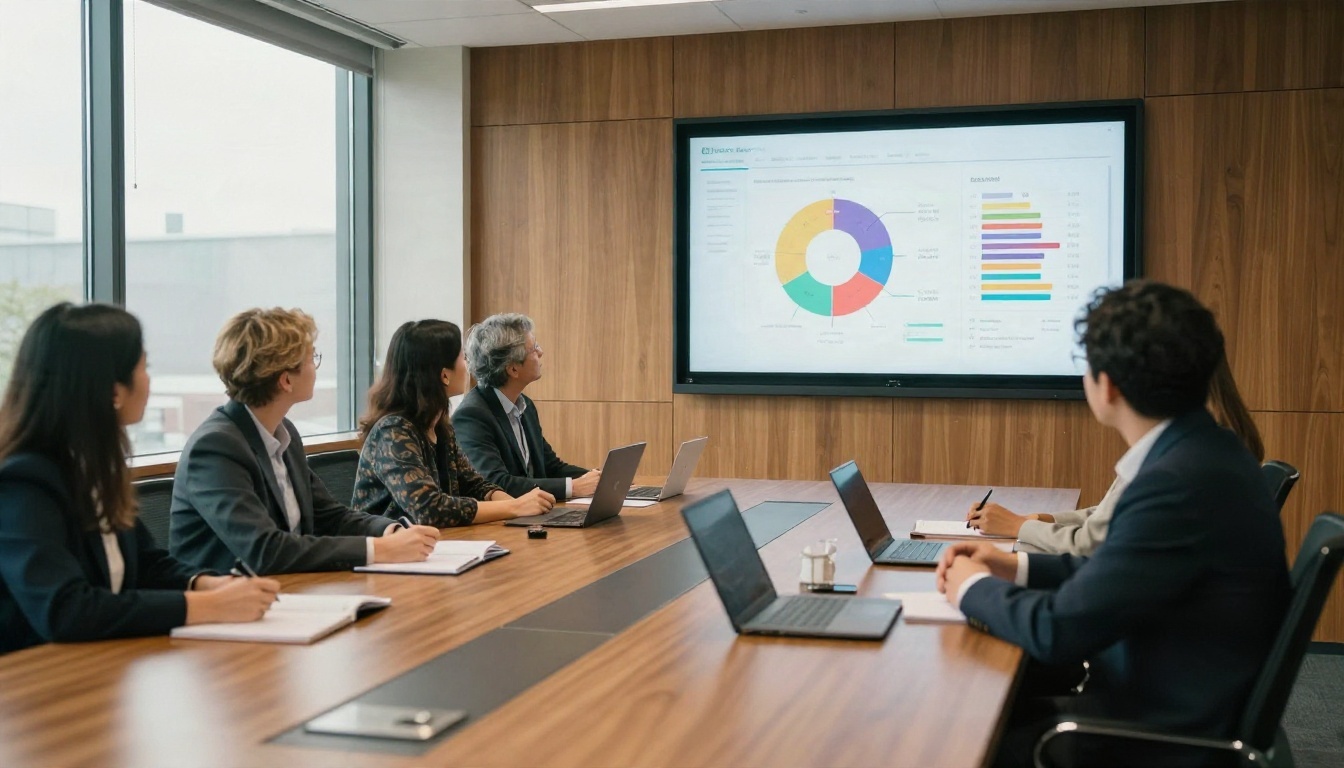
Numbers Worth Tracking
| Metric | What It Tells You | Healthy Target |
|---|
| Open rate | Whether the subject and timing work | 60% or higher for internal mail |
| Pages viewed per reader | How far people read | Half the issue or more |
| Drop-off page | Where content loses interest | Not before the midpoint |
| Link clicks | Whether calls to action are clear | 10% of readers or more |
| Reader replies | Whether people care enough to respond | A handful per issue |
Questions to Ask Your Team
Once a quarter, send a two-minute poll:
- Which section did you read first?
- What would you like more of?
- Is the length right?
- Did anything in the last issue help you do your job?
Use the answers to adjust a section or retire one that no longer earns its page. Professional plan users can also compare page-level data from each flipbook with survey comments to see what readers say against what they actually do.
Real-World Scenario
A 200-person logistics company moved from a long email to a ten-page flipbook with a photo-led cover, a recognition page and a short safety segment. Within three issues, the open rate climbed from roughly a third of staff to more than two thirds, and the safety page became the most viewed spread. The change was not clever writing. It was a clearer layout and a link people could tap on their phones.
Bring People Into the Story
The most effective company newsletters feel like they belong to employees, not to the communications department. Invite staff to nominate colleagues, submit photos and suggest topics. Celebrate small wins publicly. When people see their own faces and ideas on the page, they open the next issue.

A few quick ways to make that happen:
- Photo callouts: ask for one team photo per issue
- Peer nominations: a simple form for monthly shout-outs
- Guest columns: let a different employee write a short piece each issue
- Reader polls: let staff vote on the next theme

Start Your First Issue Today
You already have the material: a few wins, a few faces, a calendar and a question worth asking. Pick one of the seven formats above, copy a template structure, set your date and write the first draft this week. Then turn it into something people want to open.
Your colleagues are waiting for something worth reading. Give them an issue they will actually flip through.



