Most magazines die as PDF attachments. Someone spends three weeks on layout, exports a 40 MB file, emails it, and watches the open rate flatline. An interactive magazine fixes that: pages turn like paper, links work, videos play, and the whole issue opens in a browser with one click. With Flipbooks AI you can build one from a PDF you already have, and the free route is more capable than most people expect.
This article shows you which free online tools are worth your time, which templates match which niche, and which layout examples you can copy this afternoon. You will also get a step by step tutorial, three comparison tables, and a short list of mistakes that quietly ruin otherwise good issues.
Why Interactive Magazines Win Readers
A static PDF asks readers to pinch, zoom, and scroll. A flipbook asks them to do one thing: turn the page. That difference sounds small, yet it changes how long people stay with your content.
What Makes a Magazine Interactive
Interactivity is not a gimmick. It is a handful of practical features that remove friction:
- Page turning with realistic motion, so the reading rhythm feels like print
- Clickable links on products, authors, sponsors, and sources
- Embedded video and audio for interviews, behind the scenes clips, and playlists
- Table of contents jumps that take readers straight to the right spread
- Mobile responsive display, so a two page spread becomes a single page on a phone
- Search and zoom for dense text and fine photography
💡 Pro tip: If a feature does not help the reader reach the next page faster or understand the page better, leave it out. Restraint is what makes an interactive issue feel professional.
Print, PDF, or Flipbook?
Before you pick a tool, decide which format fits your goal. Here is how the three stack up.
| Feature | Printed Magazine | Plain PDF | Interactive Flipbook |
|---|
| Production cost per issue | High | Very low | Very low |
| Distribution speed | Days or weeks | Instant | Instant |
| Clickable links | No | Sometimes | Yes |
| Video and audio | No | Rarely works | Yes |
| Reader analytics | None | Basic downloads only | Page level data (Professional plan) |
| Mobile reading | Not applicable | Poor | Responsive |
| Updates after publishing | Impossible | Resend the file | Replace the file, keep the link |
The flipbook wins on almost every row except the tactile pleasure of paper. If you still want print, nothing stops you from running both: print a short run for events and send the digital version to everyone else.
Free tools come in three flavors, and mixing them up is the most common reason people end up frustrated halfway through an issue.
Design Tools for the Pages
You need somewhere to build the pages themselves. Free layout and design apps handle typography, grids, and image placement well. Export to PDF at print quality, since the flipbook converter will preserve whatever resolution you give it. Choose a page size before you start: A4 or US Letter portrait is the safest for both screen and print.
Converters That Make Pages Turn
This is where the magic happens. A converter takes your PDF and produces a page flipping viewer. The PDF to Flipbook Converter is the most direct route, and the Magazine Flipbook Creator is tuned for multi page editorial layouts with spreads.
What Free Plans Usually Lack
Free tiers are generous for testing, and they usually draw the line in predictable places. Check these before you commit your first real issue:
- Watermarks. Many free tools stamp their logo across your pages. Flipbooks AI never adds watermarks.
- Issue limits. Some caps are as low as one or two publications.
- Branding control. Custom colors, logos, and domains are often paywalled.
- Privacy. Password protection is rare on free plans.
- Data. Analytics and lead capture almost always sit on higher tiers.
Here is a quick comparison of tool categories so you can pick the right one for your situation.
| Tool Category | Best For | Strength | Common Limitation |
|---|
| Free design apps | Building page layouts | Templates and fonts | No page turning output |
| Generic PDF viewers | Quick internal sharing | Zero setup | No branding, no analytics |
| Free flipbook converters | One off tests | Fast conversion | Watermarks, issue caps |
| Flipbook platforms like Flipbooks AI | Ongoing publishing | No watermarks, branding, embeds | Advanced analytics need Professional |
Template Types That Actually Work
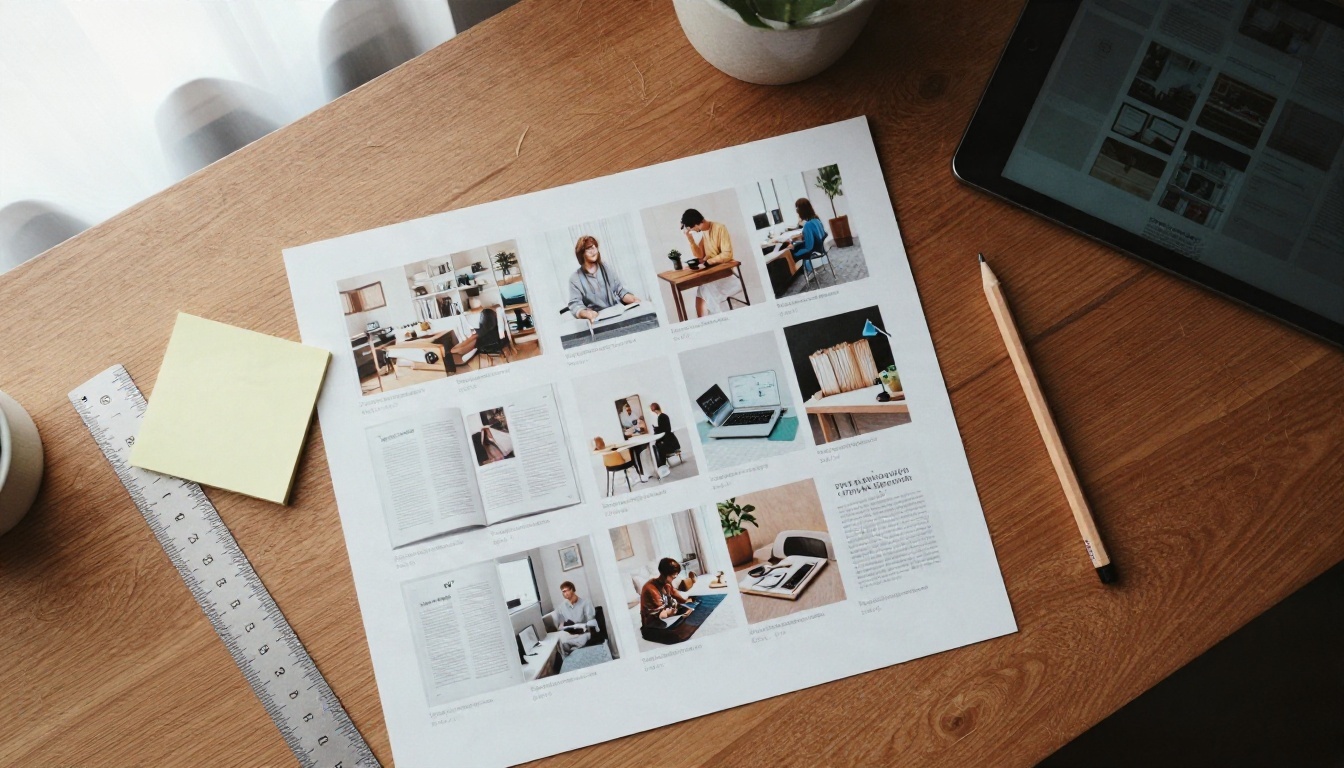
A template saves you the blank page problem. It does not save you from needing a point of view. Pick a template that matches your content density, not just your taste.
Lifestyle and Fashion Templates
These lean on big photography. Expect full bleed images, short captions, and generous white space. A fashion brand can pair this with the Interactive Lookbook Designer so each outfit links straight to a product page.
Business and Corporate Templates
Think quarterly magazines, customer stories, and investor updates. Columns are tighter, charts matter more, and consistency beats flair. A company newsletter can live inside the Newsletter Flipbook Publisher, and an annual issue works well in the Corporate Report Maker.
Community and Niche Templates
Schools, clubs, travel groups, and hobbyists often want something warmer. A school can publish a termly issue using the School Newsletter Creator, while a photographer might choose the Photography Portfolio format for a visual first issue.
| Template Style | Pages Typically | Text to Image Ratio | Best Use Case |
|---|
| Photo driven lifestyle | 24 to 48 | 20/80 | Fashion, travel, interiors |
| Editorial feature | 32 to 64 | 60/40 | Interviews, long reads |
| Corporate magazine | 16 to 40 | 50/50 | Customer stories, internal comms |
| Catalog magazine hybrid | 20 to 60 | 30/70 | Retail seasonal issues |
| Community newsletter | 8 to 24 | 50/50 | Schools, clubs, events |
✅ Best practice: Choose a template with an even number of pages in mind. Flipbooks display spreads, so an odd page count leaves a lonely blank page at the end.
Layout Examples You Can Copy
Good layout is mostly repetition with a few well placed surprises. These patterns show up in nearly every magazine you admire.
The Three Column Grid
A three column grid is the workhorse for text heavy issues. Body copy fills two columns, and a narrow third column holds pull quotes, captions, or a sidebar. It reads cleanly on desktop, and on mobile the flipbook viewer scales the whole page so nothing reflows awkwardly.
Example: A food magazine runs a recipe feature with ingredients in the narrow column and steps in the wide one. Readers can zoom into the method while keeping the ingredient list visible.
The Full Bleed Opener
Open each feature with one dominant photograph that runs to all four edges, a short headline, and a single line of deck text. This is your pacing tool. After two dense text pages, a full bleed spread gives the eye a rest and tells the reader a new story begins.
Pull Quote and Sidebar Spreads
Pull quotes break long text and double as scan points. Put one every second spread, set in a larger size and a contrasting weight. Sidebars work for facts, timelines, or a "where to buy" box that carries a clickable link.
Interactive Hotspot Pages
This is where digital beats print. Place links on product shots, speaker portraits, or map pins. A travel issue can turn each destination photograph into a link to a booking page, and a real estate magazine can connect every listing to a virtual tour. The Real Estate Brochure tool follows this exact pattern.

How to Create an Interactive Magazine with Flipbooks AI
Here is the full workflow from finished PDF to shareable link. Plan on about ten minutes for your first issue.
Step 1: Create Your Account
Head to Flipbooks AI and sign up. You can try it free before choosing a plan, and you will see the dashboard where every publication lives.
Step 2: Upload Your PDF
- Click the upload button on your dashboard.
- Drag your magazine PDF into the window, or select it from your computer.
- Wait for conversion. Each page is processed into a flipbook page, and a long issue usually finishes within a minute or two.
- Preview the result. Check that spreads pair correctly and fonts look sharp.
⚠️ Warning: Export your PDF with fonts embedded and images at 150 to 200 DPI. Lower resolution looks soft when readers zoom, and much higher only slows loading.
Step 3: Customize the Look
Open the settings panel and set up the experience so it feels like your brand, not a generic viewer:
- Branding: Add your logo and choose background colors that match your issue
- Page effects: Pick the page turn animation, speed, and shadow depth
- Multimedia: Attach videos, audio, and links to specific pages
- Table of contents: Add chapter markers so readers can jump to features
- Mobile view: Check the single page layout on a phone preview
Because Flipbooks AI ships with no watermarks, ever, the finished issue looks like yours from the first load.
Step 4: Share It Your Way
You have several options, and you can use more than one at once:
| Sharing Method | How It Works | Best For |
|---|
| Direct link | Copy a URL and paste it anywhere | Email, social posts, messaging |
| Embed code | Paste an iframe into your site | Blog posts, landing pages |
| Password protection | Require a code to open | Members only or client issues |
| Offline download | Let readers save a copy | Travel, events, low signal areas |
The Embed Flipbook on Website page walks through the embed step in detail, and it works with common site builders.

Step 5: Track and Grow
On the Professional plan, you get analytics and lead generation. See which pages hold attention, where readers drop off, and who opened the issue. Lead capture lets you place an email form before the content, which suits premium issues, sponsor reports, and gated editions.
| Plan Level | Unlimited Flipbooks | Custom Branding | Password Protection | Analytics and Lead Gen |
|---|
| Free trial | No | Basic | Limited | No |
| Standard | Yes | Yes | Yes | No |
| Professional | Yes | Yes | Yes | Yes |
Check the current pricing plans for exact limits, since they can change.
Mistakes That Hurt Your Magazine
Most weak issues fail for the same few reasons. Avoid these and you are ahead of most publishers.
Shrinking Print Layouts Onto Screens
A layout designed for a 9 point print font can be painful on a phone. Set body text at 10 to 11 points minimum, keep line lengths under 70 characters, and test on a real device before publishing.
Overloading Pages With Media
Ten videos in one issue is not interactive, it is chaotic. Choose two or three moments where motion adds real value, such as an interview clip or a product demo, and let the rest of the pages be quiet.
Ignoring File Size
A 200 MB PDF will convert, but readers on mobile data will leave before it loads. Compress images, remove hidden layers, and export with web friendly settings.
Publishing Without a Table of Contents
Readers skim. If they cannot jump to the feature they came for, they close the tab. A clickable contents page on spread two costs you five minutes and saves you readers.
💡 Pro tip: Treat the first two spreads as your landing page. Put the contents, a short editor's note, and one irresistible image there. Most readers decide in those few seconds whether to continue.
Real World Uses for Your Issue
A magazine is a flexible container. Here are practical scenarios where the same workflow produces very different results.
- A boutique hotel publishes a seasonal magazine with local tips, using the Hotel Brochure layout as a base and linking every restaurant mention to a reservation page.
- A nonprofit releases a quarterly impact issue with donor stories and a donation link on every spread, borrowing structure from the Non-Profit Annual Report.
- A freelance writer compiles a portfolio magazine of their best features and shares one link with editors.
- A retailer builds a seasonal catalog magazine and embeds it on the homepage, with each product photo linking to checkout.
- An events team creates a program magazine with schedules, speaker bios, and an offline download for attendees with weak signal, using the Event Program Maker.
For publishers who want a focused starting point, the E-Magazine Publishing Tool bundles settings tuned for periodicals.
Publish Your First Issue Today
You do not need a design team or a large budget. You need a finished PDF, a clear idea of who reads it, and ten minutes. Start with a short issue of eight to twelve pages, add one video and a handful of links, and send it to a small circle of readers for feedback. Then improve the next issue based on what they actually opened.
Ready to turn your PDF into something people want to flip through? Create your account on Flipbooks AI and publish your first issue without a watermark. Browse all flipbook tools and templates to find the one that fits your niche, and compare pricing plans when you are ready for unlimited issues, password protection, and Professional analytics.



