A customer calls at 8:05 on Monday morning. Their pump has failed, the line is down, and they need the right seal kit today. If your parts list lives in three spreadsheets, a PDF from 2019, and your own memory, that call turns into twenty minutes of guesswork. A proper spare parts catalog ends that. And you do not need a design agency to build one. With a clean spreadsheet, decent photos, and a tool like Flipbooks AI, you can publish a searchable, page-turning catalog in a single afternoon.
This article walks through the whole process: planning the scope, building part numbers that make sense, using free templates, taking photos, and sharing the finished catalog online. Every step is something you can do yourself.
Why a Spare Parts Catalog Pays Off
Most parts businesses lose money in small, invisible ways. A wrong part ships because two items look alike. A technician phones the counter because the diagram is outdated. A distributor orders from a competitor because your price list was a blurry scan. A catalog fixes these problems at the source.

What Buyers Actually Need
People who search for spare parts are rarely browsing for fun. They have a machine on the bench and a deadline. They want four things:
- The exact part number, so they can order without a phone call
- A clear photo or diagram, so they can confirm the match by eye
- Compatibility information, such as model, year, or serial range
- Availability and price, or at least a clear way to ask for them
If your catalog answers those four questions on every page, you have already beaten most competitors.
Print PDF or Online Catalog?
A static PDF is better than nothing, but it is slow on phones and impossible to track. An online flipbook keeps the familiar page-turn feel while loading fast and fitting any screen.
| Feature | Printed catalog | Plain PDF | Online flipbook |
|---|
| Update cost | High, full reprint | Medium, re-export and resend | Low, replace the file |
| Works on phones | No | Poorly | Yes, responsive |
| Shareable by link | No | Attachment only | Yes |
| Password protection | No | Limited | Yes |
| Reader analytics | No | No | Yes, on the Professional plan |
| Shipping cost | Yes | None | None |
💡 Pro tip: Keep a small printed version for trade shows and counter use, but treat the online version as your main source of truth.
Plan Your Catalog Before You Build
Rushing into layout is the most common mistake. Spend one hour on planning and you will save ten hours of rework.
Choose Your Scope
Decide what the catalog is for. A catalog for walk-in customers looks different from a catalog sent to distributors. Pick one primary audience, then add a second edition later if you need it.
| Scope | Best for | Typical size |
|---|
| Single machine family | Equipment makers, repair shops | 20 to 60 pages |
| Full product line | Distributors, wholesalers | 80 to 300 pages |
| Fast movers only | Small counters, mobile technicians | 10 to 30 pages |
| Seasonal or promo edition | Sales campaigns | 8 to 16 pages |
Starting with the fast movers is smart. Your top 50 parts probably account for most of your orders, and a short catalog is easier to keep accurate.
Gather Your Data
Before you open any design tool, collect the raw material in one place:
- Part numbers from your inventory or ERP export
- Descriptions written in plain language, not internal shorthand
- Dimensions and specs such as thread size, voltage, or material
- Compatibility lists by machine model
- Photos or drawings for every active part
- Prices or price tiers, if they will be public

Part Numbers That Hold Up
Part numbers are the backbone of the whole document. Bad numbering creates duplicates, mix-ups, and returns. Good numbering lets a stranger find the right item in seconds.
Build a Numbering Logic
If you assign your own numbers, make them readable and predictable. A simple structure works well:
Category code + family code + sequence + variant
For example, BRG-6204-01-2RS could mean a bearing, size 6204, first supplier, sealed on both sides. Anyone on your team can decode it after seeing a few examples.
Rules worth following:
- Use fixed-length segments so sorting works
- Avoid letters that look like numbers, such as O and 0 or I and 1
- Never reuse a number, even after a part is discontinued
- Keep the manufacturer's number in a separate column, never merged into yours
⚠️ Warning: Do not encode price, supplier cost, or stock level into a part number. Those change. The number should not.
OEM, Aftermarket, and Cross-References
Customers often search by the number printed on the old part, which may not be yours. A cross-reference column solves that.
| Number type | Where it comes from | How to show it |
|---|
| Your internal number | Your system | Bold, first column |
| OEM number | Original manufacturer | Second column |
| Aftermarket number | Alternate brands | Cross-reference column |
| Supplier number | Your vendor | Internal only, hide from the public version |
Handle Superseded Parts
Manufacturers replace parts constantly. Add a Supersedes and a Replaced by column. When a customer finds the old number, they land on the right page instead of a dead end. Mark discontinued items clearly rather than deleting them, because people will keep searching for them for years.
Free Templates You Can Copy Today
You do not need to start from a blank page. These two structures cover almost every parts catalog.
The Spreadsheet Template
Create a sheet with these columns. Fill one row per part and keep the header exactly as written so you can reuse the sheet for every edition.
| Column | Example | Required? |
|---|
| Part number | BRG-6204-01-2RS | Yes |
| OEM number | 6204-2RS | Yes |
| Description | Sealed ball bearing, 20 x 47 x 14 mm | Yes |
| Category | Bearings | Yes |
| Compatible models | Series A, B, and C pumps | Yes |
| Dimensions | 20 x 47 x 14 mm | Recommended |
| Weight | 0.11 kg | Optional |
| Image file | brg-6204.jpg | Yes |
| Price or tier | Tier 2 | Optional |
| Supersedes | BRG-6204-00 | Optional |
| Status | Active, Discontinued | Yes |
✅ Best practice: Name image files after the part number. It saves hours when you assemble pages later.
The Page Layout Template
Consistency is what makes a catalog feel professional. Use the same page types throughout:
| Page type | What goes on it |
|---|
| Front page | Logo, catalog title, edition date |
| Contents page | Categories with page numbers |
| How to order | Contact details, ordering steps, return policy |
| Category opener | One strong photo, short intro |
| Parts page | 6 to 12 parts, photo, number, description, specs |
| Diagram page | Exploded view with numbered callouts and a parts table |
| Index page | Alphabetical and numeric lookup of every part number |
A parts page with a grid of six items is a good starting point. It leaves enough white space for the eye to rest and enough room for specs.

Photos and Diagrams That Sell
Photos decide whether a buyer trusts the match. Blurry, cluttered, or inconsistent images make people call to double-check.
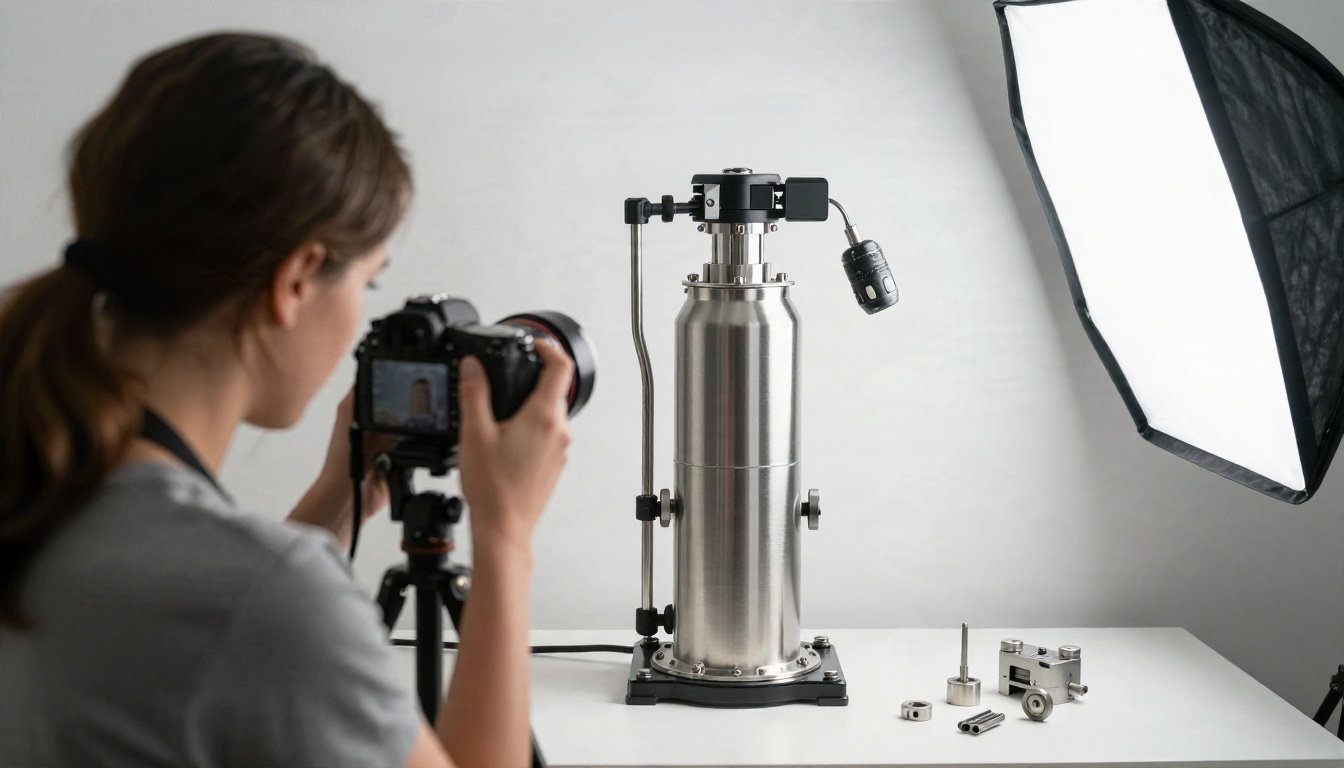
Shoot Parts Cleanly
You do not need a studio. A phone, a white sheet, and a window will do the job.
- Place the part on a plain white or light grey surface
- Position it near a window, with light coming from one side
- Hold the camera at the same height and distance for every shot
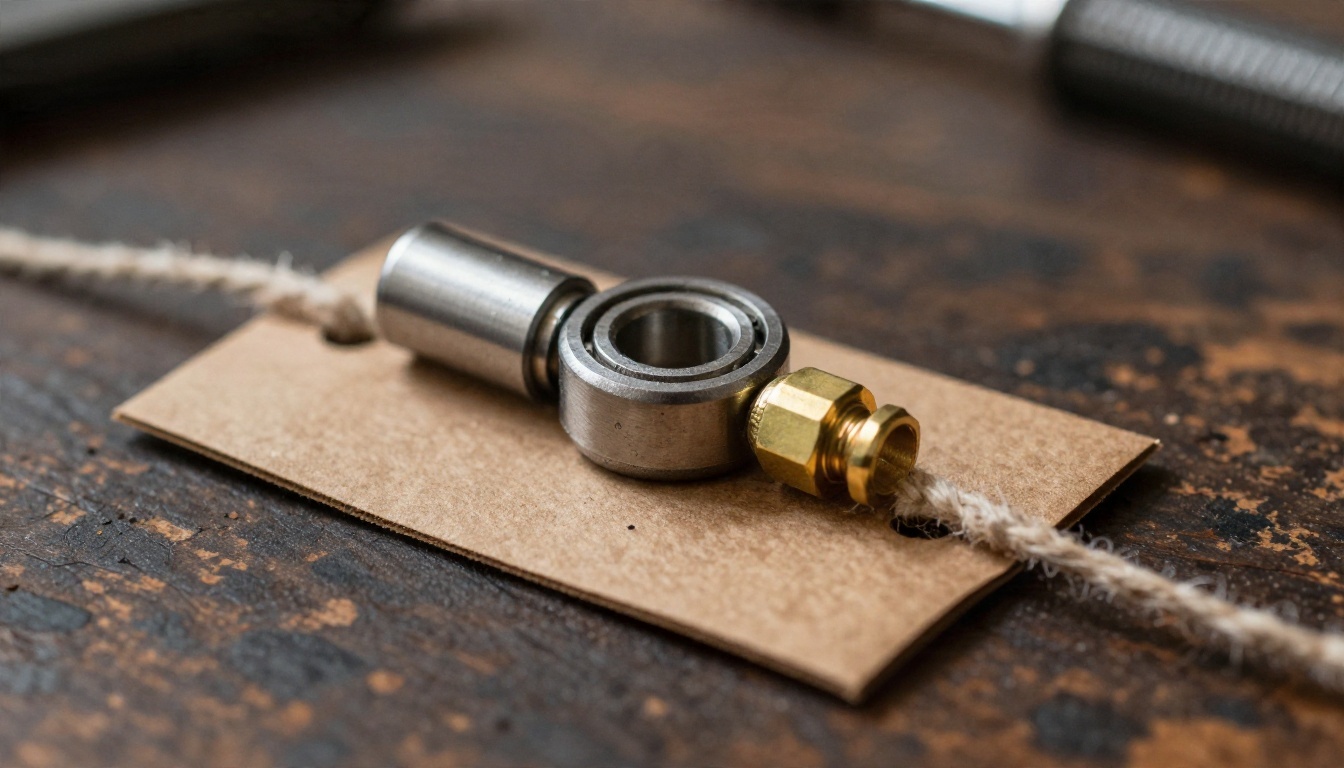
- Take one wide shot and one detail shot of any mounting points or markings
- Crop to the same ratio, such as square, for every image
A small ruler or coin in a secondary photo helps buyers judge scale. If the part has stamped numbers, photograph those up close, since they are often the fastest way to confirm a match.
Use Exploded Views
For assemblies, an exploded diagram is worth more than twenty photos. Number each component, then list the numbers in a table next to the drawing. Technicians can see where a part sits and order it in one motion. If you do not have manufacturer drawings, a simple sketch scanned at high resolution works, provided the callouts are legible.

How to Create a Spare Parts Catalog with Flipbooks AI
Once your pages are laid out, you need to turn them into something people can open and flip through. Here is the process using Flipbooks AI.
Step 1: Start Your Account
Go to Flipbooks AI and create an account. You can try the platform before choosing a plan, and you can compare options on the pricing page whenever you are ready.
Step 2: Upload and Convert Your PDF
Export your catalog from Word, Google Docs, Canva, or InDesign as a PDF. Then:
- Open the PDF to Flipbook Converter
- Drag your file into the upload area
- Wait while each page is converted into a flipbook page
- Preview the result and check that part numbers and diagrams are sharp
💡 Tip: Export at a resolution that keeps small part numbers readable when zoomed. Test on your own phone before publishing.
If you prefer to start from a product-focused layout, the Product Catalog Generator and the Digital Catalog Maker are built for exactly this kind of document. For a polished page-turn look, try the Catalog Flipbook Creator.
Step 3: Customize the Look
Make the flipbook feel like your company:
- Branding: add your logo and brand colors
- Background: choose a neutral tone so photos stand out
- Page effects: keep the page-turn animation and sound subtle
- Multimedia: embed a short installation video or audio note on pages where a demonstration helps
- No watermarks: published flipbooks stay clean, with no third-party branding

Step 4: Publish and Share
Click publish and you get a live link. From there, choose how people will reach it.
Share It Online
Sharing is where a catalog starts paying for itself. A single link can sit in email signatures, quotes, invoices, WhatsApp chats, and QR codes on packaging.
Pick the Right Sharing Method
| Method | Best for | Notes |
|---|
| Direct link | Email, chat, quotes | Fastest option, works everywhere |
| Embed code | Your website, product pages | Use the Embed Flipbook on Website tool |
| QR code | Packaging, counter signs, trade stands | Print it next to each machine or shelf |
| Password protection | Distributor price lists, dealer-only editions | Share the password separately |
| Offline download | Technicians in basements or remote sites | Lets people read without signal |
A good setup uses two editions. The public catalog shows part numbers, photos, and specs. A password-protected dealer edition adds wholesale pricing and stock notes.

Use Pro Features Wisely
The Professional plan adds reader analytics and lead generation. For a parts business, that means you can see which pages get opened most, and capture an email address or phone number before someone views a restricted edition. If you notice that a certain category gets hundreds of views but few orders, that is a sign the pricing or descriptions need work. See the plan comparison to decide which tier fits your catalog size. Unlimited flipbooks are available from the Standard plan upward, which is useful if you publish one catalog per brand or region.
| Need | Suggested plan level |
|---|
| One catalog, basic sharing | Entry plan |
| Several catalogs, brands, or languages | Standard plan or above |
| Analytics and lead capture | Professional plan |
Keep It Accurate Over Time
A catalog is only useful if it is right. Build a routine around updates.
Three Common Mistakes
- Never updating after supplier changes. Review superseded parts every quarter.
- Mixing units. Pick millimeters or inches, then state it on every page, or show both.
- Skipping the index. A numeric index at the back is how experienced buyers search. Do not skip it.
A Simple Update Routine
- Keep your spreadsheet as the single source of truth
- Add an edition date to the front page
- Re-export the PDF whenever more than a handful of rows change
- Replace the file in your flipbook so the same link stays alive
- Log what changed, so staff and customers can spot differences

✅ Best practice: Put one person in charge of the catalog. Shared ownership usually means nobody checks it.
Real-World Examples
- A small repair shop lists its 40 most requested filters, belts, and seals in a 16 page flipbook and sends the link with every quote.
- A machinery dealer publishes a password-protected edition per customer account with relevant models only.
- A fleet operator posts a QR code inside each vehicle so drivers can order replacement lamps and fuses without calling the office.
If your range includes vehicles, take a look at the Automotive Brochure Generator for supporting sales material, and the Digital Price List Generator when prices need their own document.
Build Yours This Week
You already have most of what you need: a parts list, a few photos, and customers who would rather click than call. Set up the spreadsheet template, assign clean part numbers, add a cross-reference column, and export your pages as a PDF.
Ready to publish? Get started for free on Flipbooks AI, browse all flipbook tools and templates, or compare pricing plans to find the right fit. Your first spare parts catalog can be live before the end of the week.



