Print a 40 page magazine and you pay for paper, shipping and weeks of waiting. Publish the same issue digitally and readers open it in seconds, on a phone, with pages turning under their thumb. The catch is choosing the right digital magazine software, because the market is split between heavy design suites, bare bones page flip widgets and a long list of "free" tools that quietly stamp a watermark on every page. This article sorts through makers, templates, online publishing workflows and free alternatives so you can decide with real numbers in hand. If you already have a PDF, you can test Flipbooks AI while you read.
What Digital Magazine Software Does
At its simplest, digital magazine software takes layout files and turns them into something people can read on a screen. But that one sentence hides three very different product types, and mixing them up is the most expensive mistake new publishers make.
Design Tools vs. Publishing Tools
A design tool is where you build pages: placing photos, setting type, adjusting columns. Think of layout apps and template editors. A publishing tool takes the finished pages and delivers them: hosting, page turn effects, links, sharing, analytics. Some products try to do both, and most do one of them well and the other badly.
| Product Type | What It Does | Output | Typical Weakness |
|---|
| Layout editor | Builds pages from scratch | PDF or image files | No hosting or tracking |
| Template platform | Fills ready made layouts | PDF plus basic web view | Limited branding control |
| Flipbook publisher | Converts PDFs into page turning issues | Hosted link and embed code | Needs a finished PDF |
| All in one suite | Design and publish together | Hosted issue | Higher price, steeper curve |
Who Actually Needs It
You do not need to run a newsstand title to benefit. In practice the buyers fall into a few groups:
- Independent publishers releasing a monthly or quarterly issue.
- Brands producing customer magazines, lookbooks and seasonal editions.
- Schools and clubs sending a newsletter that looks like a real publication.
- Photographers and writers packaging portfolios as a magazine style showcase.
- Associations and nonprofits replacing printed member magazines to cut mailing costs.
💡 Pro tip: Before comparing any software, write down who reads your magazine and on which device. A readership that opens everything on a phone changes your shortlist completely.
Choosing a Digital Magazine Maker
A good digital magazine maker is judged on what happens after you finish the layout, not on how many fonts it ships with. Readers never see your toolbar. They see load speed, page quality and whether the issue works on their phone.
Features That Matter Most
Here is a practical comparison of the features worth checking, with a note on why each one counts.
| Feature | Why It Matters | What to Look For |
|---|
| PDF import quality | Your layout must survive conversion | Sharp text, accurate fonts, correct spreads |
| Mobile responsiveness | Most readers arrive on phones | Single page view on small screens |
| Branding control | Your issue should look like yours | Custom colors, logo, background |
| Embedded media | Video and audio add depth | Support for clips, links, audio |
| Sharing options | Distribution drives readership | Direct link, embed code, password option |
| Reader analytics | Tells you what pages work | Views, time on page, lead capture |
| Watermark policy | Affects how professional it looks | No forced logo on pages |
Platforms like Flipbooks AI focus on the publishing side: you bring the PDF, and the platform handles page turn effects, hosting, sharing and tracking. That separation is useful, because it lets you keep designing in whatever tool you already know.
Three Common Mistakes
- Buying for design features you will never use. If a designer already builds your pages, you need a publisher, not another layout editor.
- Ignoring the watermark. A forced badge on every page undermines client work and brand magazines.
- Skipping the mobile test. A spread that looks wonderful on a desktop can be unreadable on a small screen if the reader does not switch to single page mode.
⚠️ Warning: Some free tools delete your issue after a set period or lock exports behind a paywall. Check retention terms before you publish your first edition.
Magazine Templates That Save Hours
Templates are where most people start, and for good reason. A solid template gives you grid, hierarchy and pacing, three things that take years of practice to get right on a blank page.
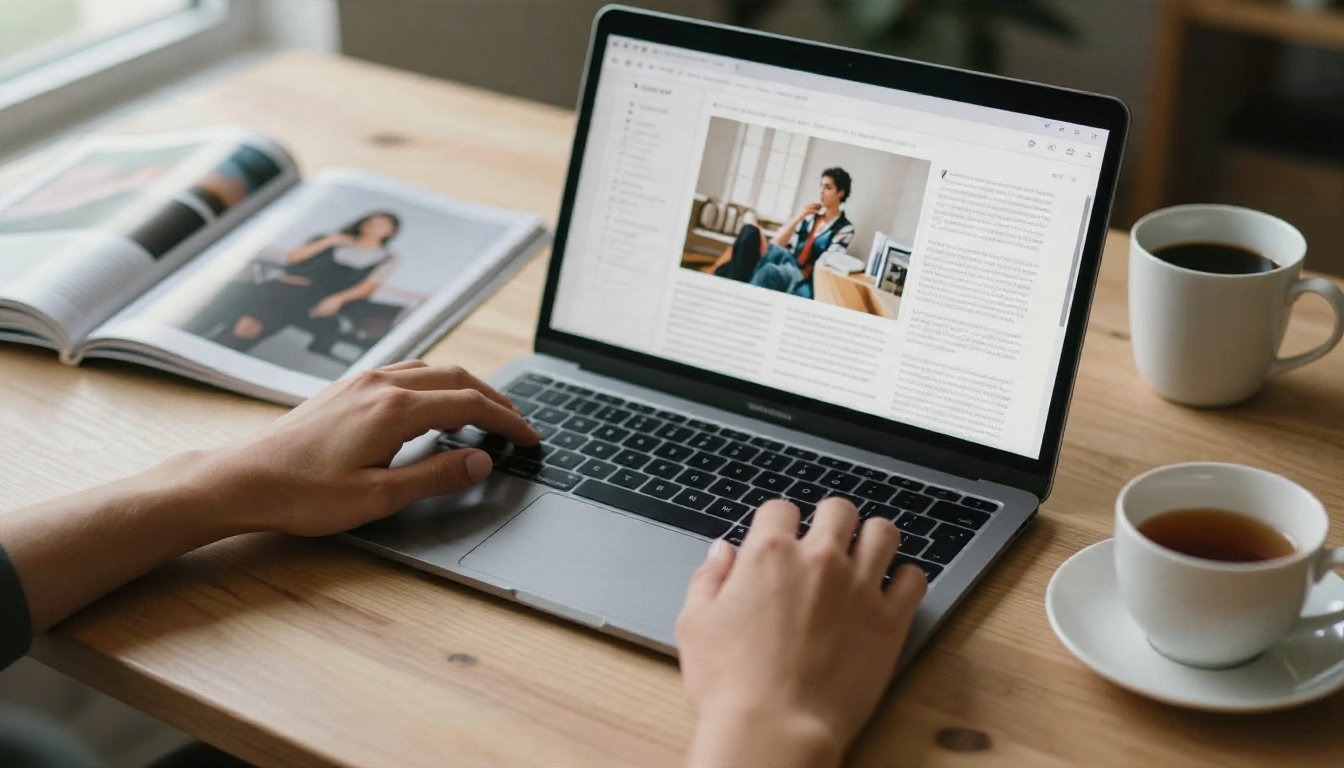
Template Types by Use Case
Not every magazine needs the same structure. Match the template to the job:
| Magazine Type | Template Traits | Best For |
|---|
| Lifestyle and fashion | Large photos, minimal text, wide margins | Lookbooks, seasonal editions |
| News and features | Multi column text, pull quotes, sidebars | Long reads, interviews |
| Corporate and member | Structured sections, charts, callouts | Associations, internal publications |
| Travel and food | Full bleed images, short captions | Destination features, recipe issues |
| Newsletter style | Compact, scannable, repeating modules | Monthly updates for schools or clubs |
If your content leans toward visuals, the Interactive Lookbook Designer suits fashion and product stories. For a recurring update, the Newsletter Flipbook Publisher keeps each issue consistent.
Customizing Without Breaking the Layout
A template stays good only if you respect its rules. A few habits keep it that way:
- Change colors first, fonts second. Swapping a palette gives you a brand feel without disturbing spacing.
- Keep two typefaces at most. One for headings, one for body text.
- Protect white space. Resist filling every gap. Empty margins are what make a page feel like a magazine.
- Repeat structure. Use the same position for page numbers, section labels and credits across the issue.
✅ Best practice: Build one master spread, duplicate it, and adjust. Consistency across 30 pages reads as professional design.
How to Publish a Magazine with Flipbooks AI
If you have a finished PDF, the fastest route online is a flipbook. The platform's Magazine Flipbook Creator and E-Magazine Publishing Tool are built for exactly this. Here is the full workflow, from file to shareable issue.

Create Your Account
Head to Flipbooks AI and create an account. Setup takes a couple of minutes, and you can review the pricing plans at any time to see which tier matches your publishing schedule.
Upload and Convert Your PDF
- Export your magazine from your design tool as a high quality PDF, with spreads in the correct order.
- In your dashboard, choose to create a new flipbook and upload the file. The PDF to Flipbook Converter turns each page into a turnable, mobile friendly page.
- Wait for processing. Longer issues take a little more time, but you can preview as soon as it finishes.
- Flip through every page. Check that text is crisp, images are not cropped and the page order is right.
Customize the Look
This is where an ordinary PDF starts to feel like a branded publication:
- Branding: add your logo and pick background colors that match your identity.
- Page effects: choose the page turn style and speed that suit your tone.
- Multimedia: embed video and audio so a feature story can include an interview clip or a soundtrack.
- Links: make advertisers, social profiles and sources clickable inside the pages.
No watermarks appear on your pages, which matters when the issue represents a client or a brand.
Share and Protect
Once the design looks right, choose how people reach it:
- Direct link for email, social posts and messaging apps.
- Embed code to place the magazine on your own site. See the guide on how to embed a flipbook on a website.
- Password protection for subscriber only or private issues.
- Offline downloads for readers on trains, flights or weak connections.
Track Results and Capture Leads
On the Professional plan you can see which pages hold attention and where readers drop off, and you can collect lead details inside the issue. Compare plans if you plan to monetize the magazine through sponsors or subscriptions. Unlimited flipbooks are available on the Standard plan and above, which suits monthly publishers.
💡 Pro tip: Publish a test issue with a password before launch. Send it to three people on different devices and ask what looked off.
Free Alternatives Worth Trying
Free options are a fair place to begin, especially for a first issue or a hobby project. The trick is knowing exactly what you give up, so there are no surprises on launch day.
What Free Plans Usually Limit
| Limitation | How It Shows Up | Impact on Your Magazine |
|---|
| Watermark or badge | Logo on every page or on the viewer | Looks less professional, hurts brand work |
| Issue cap | One to three flipbooks only | Blocks a monthly schedule |
| Page cap | Limit on pages per issue | Long features get cut |
| No analytics | Zero reader data | You cannot tell what works |
| Forced ads | Third party ads around the viewer | Distracts readers from content |
| Content expiry | Issues deleted after inactivity | Back issues disappear |
Free design apps and plain PDF sharing also work. A PDF attached to an email costs nothing, though readers must download it, zoom around on a phone and get no page turn experience. For a small circle of known readers, that may be enough. For anyone you hope will share the issue, a hosted viewer performs far better.
When Free Is Enough
- You are testing a concept before committing to a schedule.
- The magazine is a one time project, such as an event program or a class yearbook.
- Your audience is small and personal, and watermarks do not matter.
- You are comparing viewers and want to see how your own PDF behaves in each.
When to Move to Paid
Upgrade the moment one of these is true: you need to remove branding from another company, you publish on a regular schedule, you want analytics for sponsors, or you need private distribution. At that point a paid plan costs less than the time you spend working around free limits.
Online Publishing Workflow That Works
Software is only half of the picture. A magazine succeeds when the whole routine, from pitch to link, runs without drama.

A Simple Production Calendar
For a monthly title, a four week rhythm keeps things moving:
- Week one: plan content, assign stories, collect photos.
- Week two: write and edit, then request any missing images.
- Week three: lay out the issue, proof it and fix typos.
- Week four: export the PDF, convert it to a flipbook, test, then publish and promote.
Real World Examples
- A boutique hotel publishes a seasonal magazine with local recommendations. Guests receive the link by email before arrival, and the embedded version on the website doubles as a brochure. The Hotel Brochure Designer fits this setup.
- A fashion label releases a lookbook each season. Clickable product links in the pages send readers straight to the shop.
- A school sends a termly newsletter that parents open on their phones, with photos from events and a password to keep student images private.
- A photographer compiles a yearly series as a magazine style portfolio, shared as one link with potential clients. The Photography Portfolio tool is made for this.
Promotion Checklist
- Share the direct link with a strong cover page preview image.
- Embed the issue on your website and a landing page.
- Send the link by email with one standout story named in the subject.
- Post short page snippets on social channels, linking back to the full issue.
- Review analytics a week later and note which pages held readers longest.
Real Cost of Digital Magazine Software
Pricing varies widely, so compare the total cost of getting an issue to readers, not just the monthly fee.
| Option | Upfront Cost | Ongoing Cost | Best Fit |
|---|
| Free tool with watermark | None | None, but limited | Tests and hobby issues |
| PDF by email | None | Staff time | Small known audience |
| Flipbook publisher on a paid plan | Low | Monthly or yearly plan | Regular publishers and brands |
| Full design and publishing suite | Medium to high | Subscription plus training | Teams building from scratch |
| Print run | High | Printing, shipping, storage | Premium collectibles |
A useful rule: if a paid plan saves you two hours per issue, or wins you one sponsor, it has already paid for itself. Check the current Flipbooks AI pricing to see what each tier includes, including analytics, lead generation and unlimited flipbooks.
✅ Best practice: Pick the tool that fits your next six issues, not your first one. Moving a back catalogue later is more work than choosing well now.
Publish Your First Issue
You do not need a large team or a design degree to put out a good digital magazine. You need a clear audience, a template that respects your content, a tidy PDF and a publisher that does not get in the way of the reading experience.
Ready to publish? Create your account on Flipbooks AI and upload your first PDF today. Browse the full list of flipbook tools and templates to find the format that suits your project, or compare pricing plans to pick the tier that matches your publishing schedule.



