You have a PDF that took weeks to make, and now it sits in an inbox as a flat attachment that nobody opens. That is the exact problem digital publishing tools solve. They turn static files into page-turning publications that load in a browser, work on a phone, and can be tracked, shared and updated. The hard part is choosing among hundreds of options, many of them "free" in name only. Platforms like Flipbooks AI sit at the simple end of the market, while enterprise suites sit at the other. This article compares free plans, real price tiers and practical examples so you can pick a tool without paying for features you will never use.
Before comparing prices, it helps to be clear about the job. A digital publishing tool takes content you already have, usually a PDF, and delivers it as an interactive reading experience.
The Core Job
Every tool in this category does some version of the same four things:
- Converts a PDF or design file into a flipbook with realistic page turns
- Hosts the result on a link you can share or on your own site
- Customizes the look with logos, colors and backgrounds
- Reports on who opened it and what they read, on better plans
Everything else, from video embeds to lead forms, is an extra layered on top. If you only need to send a catalog to ten clients, the first two items are enough. If you run a marketing team, the last two decide whether the tool earns its fee.
Who Uses Them
The audience is wider than most people expect. The typical users fall into a few groups:
- Small retailers who publish seasonal catalogs and price lists
- Restaurants and spas that replace printed menus with a link or QR code
- Real estate agents who send property brochures to buyers
- Photographers and designers who present portfolios
- Schools and nonprofits who publish newsletters and annual reports
- Authors who distribute e-books and sample chapters

💡 Pro tip: Write down your single most common publication before you compare tools. A restaurant menu and a 120-page annual report have very different needs, and the right tool for one can be the wrong tool for the other.
Free Options and Their Limits
Free plans are the entry point for most buyers, and they are useful. They are also where marketing language is thickest, so read the fine print.
What Free Usually Means
Most free tiers trade something for the price of zero. The trade is almost always one of these:
- A watermark or badge placed on every page or in the viewer
- A cap on the number of publications, pages or monthly views
- Expiry, where files are deleted after a set period of inactivity
- Locked features, such as password protection, analytics or custom domains
- Ads or promotional links shown to your readers
The watermark is the one that hurts most. If a client opens your proposal and sees another company's logo stamped across it, the free plan just cost you credibility. This is why no watermarks, ever is worth checking for before you commit to any platform.
Here is how common free-tier restrictions compare in practice:
| Restriction | Typical Free Plan | Paid Plan | Impact on You |
|---|
| Watermark | Often present | Removed | High for client-facing files |
| Publication limit | 1 to 3 items | Higher or unlimited | High for catalogs and menus |
| Analytics | None or basic | Detailed reports | Medium to high |
| Password protection | Usually locked | Included | High for private documents |
| Custom branding | Limited | Full control | Medium |
| Offline download | Rare | Available | Low to medium |
| Support | Community only | Email or priority | Medium |
When Free Is Enough
A free plan is the right call in a handful of situations:
- You are testing whether flipbooks suit your audience at all
- You publish one document a year, such as a class handout
- The audience is internal, so a badge does not matter
- You need a quick proof before presenting the idea to a manager
It is the wrong call when the document represents your brand to customers, when you publish regularly, or when you need to know who read it. In those cases the paid tier pays for itself in the first client interaction.
⚠️ Watch out: Some tools let you build on a free plan and then hide the export or share button behind a paywall. Test the full path from upload to a shareable link before you invest hours in design.
Pricing: The Real Cost
Sticker price is only part of the picture. Two tools that cost the same per month can differ enormously in what you get at that price.
Typical Price Tiers
Across the market, pricing tends to fall into four bands. The figures below are general ranges seen across the category, not quotes from any single vendor, so always check the current page of the tool you are considering.
| Tier | Typical Monthly Range | Who It Fits | What You Usually Get |
|---|
| Free | $0 | Testers, students | 1 to 3 items, badge or limits |
| Starter | $10 to $25 | Freelancers, small shops | A handful of items, branding, no badge |
| Business | $30 to $80 | Teams, agencies | Many or unlimited items, analytics, passwords |
| Enterprise | $100 and up | Large organizations | SSO, API access, dedicated support |
Many mid-market tools charge per publication or per page. That model punishes anyone who updates often. An approach that gives you unlimited flipbooks on the Standard plan and above keeps the cost predictable when you publish weekly menus, monthly newsletters or a growing catalog library.
Hidden Costs
The monthly fee is rarely the whole bill. Look for these before signing up:
- Per-view charges once you pass a traffic threshold
- Add-on fees for custom domains or removal of branding
- Annual-only billing that locks in a full year up front
- Export fees for offline copies of your own files
- Seat charges for each teammate who needs access
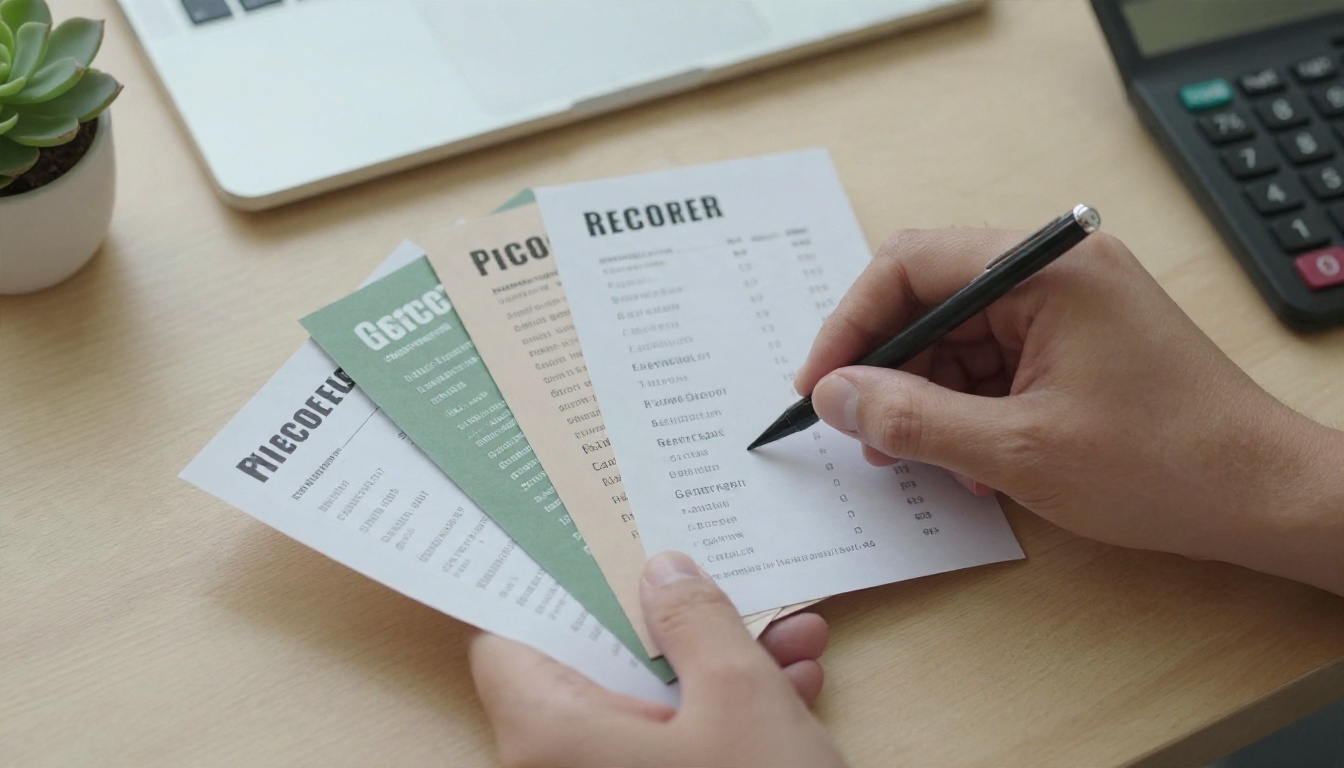
A quick test: add up what you would pay in a year for your realistic usage, including every add-on, then divide by the number of publications you expect to produce. That cost per publication is the number to compare, not the headline monthly price.
Examples by Use Case
Abstract feature lists only go so far. Seeing how real businesses use these tools makes the choice easier.
Restaurant Menus
A bistro changes its menu with the seasons and sometimes with the day. Reprinting is slow and wasteful. With a flipbook menu, the owner uploads a revised PDF, keeps the same link and QR code, and tables see the update immediately. The Restaurant Menu Creator is built for this, and wellness venues can use the Spa and Wellness Menu tool for treatment lists.

What matters here: fast load on mobile, large readable text, and the ability to replace the file without changing the link.
Real Estate Brochures
An agent sends a brochure with floor plans, photos and neighborhood details to twelve buyers. A flat PDF often gets lost. A flipbook link can be opened in two taps, and on a plan with analytics the agent sees which buyers opened it and how long they stayed on the floor plan page. That is a far better signal for follow-up calls. The Real Estate Brochure Creator handles this format.

What matters here: image quality, link tracking, and password protection for off-market listings.
Portfolios
Photographers and designers need their work to look as good online as it does in print. Large images, clean page turns and a branded viewer make the difference. A tool such as the Digital Portfolio Creator lets you send one link instead of a heavy zip file, and the Photography Portfolio option is tuned for image-heavy layouts.

What matters here: high-resolution rendering, custom branding, and no third-party badge.
Product Catalogs
A small craft business ships a printed catalog twice a year at real cost. Moving to a digital catalog means customers can browse before ordering, and the owner can fix a wrong price without a reprint. Use the Product Catalog Generator or the Digital Catalog Maker to get started. Many shops still keep a short printed run for trade shows and send everyone else the link.

Here is how the four examples compare on what they need most:
| Use Case | Top Priority | Nice to Have | Recommended Plan Level |
|---|
| Restaurant menu | Mobile speed, link stability | QR code, audio | Standard |
| Real estate brochure | Tracking, password | Video tour embed | Professional |
| Portfolio | Image quality, branding | Offline download | Standard |
| Product catalog | Unlimited updates | Lead capture | Standard or Professional |
What to Look For
Once you know your use case, a short checklist keeps you from being swayed by flashy demos.
Output Quality and Mobile
More than half of readers will open your link on a phone. Test every candidate tool on a real phone, not a desktop browser resized to look small. Check that text stays readable, that pages turn smoothly, and that the viewer does not demand a pinch-and-zoom for every paragraph. A mobile-responsive design is no longer a bonus, it is the baseline.

Analytics and Lead Capture
If the publication exists to sell something, you need to know what happens after you send it. Look for these data points:
- Opens and unique visitors
- Time spent on each page
- Drop-off pages where readers stop
- Lead forms that collect an email before or inside the document
On Flipbooks AI, analytics and lead generation belong to the Professional plan. If you are a casual publisher these will not matter. If you run campaigns, they are the main reason to pay.

Privacy and Branding
Some documents should not be public. Price lists for wholesale buyers, internal training manuals and draft reports all need access control. Check that the tool offers password protection and that your branding, not the vendor's, is on every page. Also check whether you can embed the flipbook directly on your website with a simple snippet, which matters for SEO and for keeping visitors on your own domain. The Embed Flipbook on Website page shows how that works.
Use this checklist when you compare any two tools side by side:
| Feature | Why It Matters | Must Have? |
|---|
| No watermark | Protects brand credibility | Yes |
| Mobile responsive | Most readers use phones | Yes |
| Password protection | Safe sharing of private files | For private content |
| Custom branding | Consistent look | Yes for business use |
| Embed code | Keeps traffic on your site | Yes for websites |
| Video and audio embeds | Richer pages | Optional |
| Offline download | Reading without internet | Optional |
| Analytics | Measures results | For marketing use |
| Lead generation | Captures contacts | For sales use |
How to Create a Flipbook with Flipbooks AI
If your goal is a clean, branded flipbook without a steep ramp-up, the process on Flipbooks AI takes a few minutes. Here is the full path from file to shareable link.
- Open your account. Create an account to open the dashboard. You can try the platform before choosing a plan.
- Upload your PDF. Drag the file into the upload area. The platform converts each page into a flipbook spread automatically. You can start from the PDF to Flipbook Converter if that is the only job you need.
- Check the preview. Flip through the pages on desktop and on your phone. Look for text that is too small or images that crop badly.
- Apply your branding. Add your logo, pick colors and a background that match your brand, and choose the page effects you like. Every flipbook stays free of watermarks.
- Add multimedia. Embed videos and audio where they help, such as a product demo on a catalog page or a welcome message in a newsletter.
- Set access rules. Turn on password protection for private content, or leave the link public for marketing material.
- Share it. Copy the direct link, generate an embed code for your site, or print the link as a QR code on packaging and table cards.
- Track results. On the Professional plan, open analytics to see visits and page-level behavior, and switch on lead generation to collect contacts. Offline downloads are also available for readers who want a saved copy.
✅ Best practice: Export your PDF at a moderate resolution before uploading. Oversized image files slow loading on mobile, and a fast flipbook is read more often than a slow, beautiful one.
You can also browse the full set of flipbook tools to start from a format that matches your document, whether that is a Magazine Flipbook Creator, a Training Manual or an Annual Report Creator.
Common Mistakes
Most regrets in this category come from the same few choices.
- Choosing on price alone. The cheapest plan with a watermark and publication cap often costs more in lost credibility than a mid-tier plan.
- Skipping the phone test. A flipbook that looks great on a laptop and awkward on a phone fails most of your audience.
- Ignoring the exit path. Check how you export your files before you build fifty publications in a tool you may later leave.
- Buying features you will not use. Lead generation is excellent for sales teams and pointless for a school newsletter.
- Forgetting updates. If changing a price means a new link and a new QR code, the tool is working against you.

💡 Pro tip: Run a one-week pilot. Publish one real document with your top two tools, send both links to a few colleagues, and ask which one they preferred reading. Actual reader feedback beats any feature chart.
The right digital publishing tool is the one that fits your document, your audience and your budget at the same time. Start free if you need to test, move to a paid tier once the document represents your brand, and check the watermark, mobile and access-control basics before anything else.
Ready to turn your first PDF into a flipbook? Get started for free on Flipbooks AI, browse the tools and templates to find your format, or compare pricing plans to see which tier matches your needs. When you are ready to commit, create your account and go straight to pricing.



