A birthday disappears in about four hours. The photos stay on your phone for years, buried between screenshots and receipts, and nobody ever scrolls back to them. A digital scrapbook fixes that by putting the best moments on real pages with captions, stickers and a bit of story. This article gives you a working digital scrapbook example for birthdays: page ideas you can copy, a side by side look at free makers, layouts that actually look good, and a way to publish the result as a flipbook with Flipbooks AI so relatives can flip through it on any screen.
💡 Quick answer: Pick one free maker, build 8 to 12 pages around a single story (the morning, the cake, the guests, the gifts), export to PDF, then convert the PDF into a flipbook you can share with one link.
What a Birthday Digital Scrapbook Looks Like
A digital scrapbook is a set of designed pages made on a screen instead of with paper and glue. You drop in photos, add paper textures, tape, stickers, handwritten fonts and short captions. The finished pages export as images or a PDF.
A good birthday example has three things: a clear order, a consistent look, and room to breathe. Most people skip the second and third. They paste twelve photos on one page and wonder why it feels messy.
Why Birthdays Suit This Format
Birthdays come with a built in storyline. There is a start (waking up, decorations), a peak (candles, singing) and an ending (sleepy kids, leftover cake). That arc gives you page order for free.
They also produce a lot of small details worth keeping: a handwritten card, a sign taped to a door, the age on a balloon. Those details are what make a scrapbook feel personal and not like a photo dump.
Who Makes These Pages
The people who build birthday scrapbooks are usually one of these:
- Parents documenting a first birthday or a yearly milestone
- Friends assembling a surprise gift for a 30th, 40th or 50th
- Grandchildren making a tribute for an older relative
- Couples keeping a record of a partner's birthday trips
- Teachers and clubs collecting messages for a colleague
Birthday Page Ideas That Work
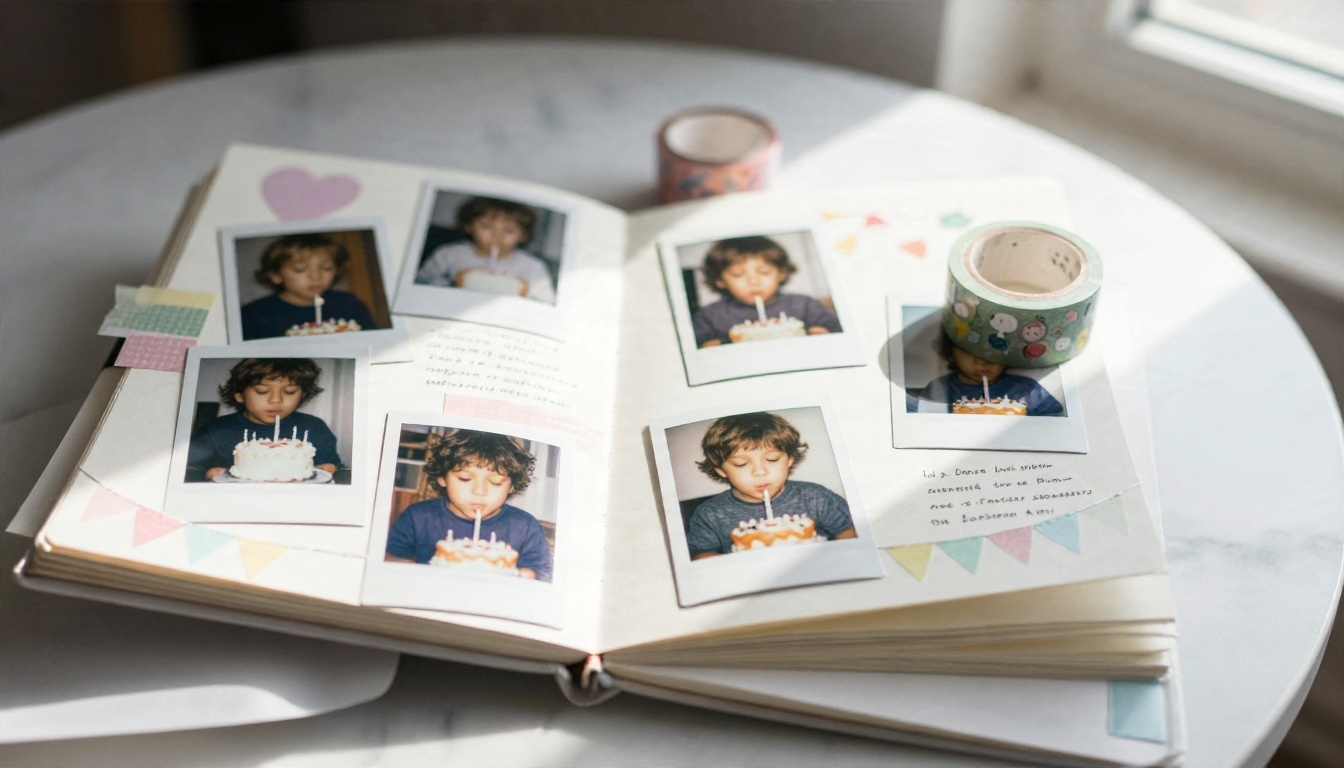
These are the pages I would put in a first birthday scrapbook. Each one works alone, and together they read like a short story.
The Cake and Candles Spread
This is the hero page. Use one large photo of the moment before the candles go out, and place two or three smaller photos around it: the singing, the wish, the first slice. Add a caption in a handwritten font with the age and the flavor of the cake.
Small detail that helps: write down who baked it. In ten years that is the line people will smile at.
A Year in Review Timeline
Draw a horizontal line across the page and add six to twelve small photos, one for each month between birthdays. Label each with a single word. For a child this shows how much changed. For an adult it becomes a nice recap of trips, projects and dinners.
The Guest Message Wall
Ask each guest to write a sentence on a card or send a text. Screenshot or type the messages and place them as sticky notes, paper tags or speech bubbles. This page is the one older relatives reread most, and it costs nothing.
The Surprise Party Story Page
If it was a surprise, tell it in four frames: the setup, the hiding, the reveal, the reaction. Keep the photos the same size and line them up in a row so the sequence reads left to right, like a comic strip.
| Page idea | Photos needed | Best for | Time to build |
|---|
| Cake and candles | 3 to 4 | All ages | 10 minutes |
| Year in review | 6 to 12 | Kids and milestones | 25 minutes |
| Guest message wall | 0 to 2 | Surprise gifts | 15 minutes |
| Surprise story strip | 4 | Adult parties | 10 minutes |
| Gifts and cards | 3 to 5 | Kids' parties | 15 minutes |
| Party table detail | 2 to 3 | Themed parties | 10 minutes |
Free Maker Options Compared

You do not need special scrapbook software. Several free tools have everything a birthday project needs. Free plans and limits change often, so check the current terms before you commit to one.
| Maker type | Examples | Strength | Watch out for |
|---|
| Browser design tools | Canva, Adobe Express | Huge template and sticker libraries | Some assets sit behind a paid tier |
| Slide software | Google Slides, PowerPoint, Keynote | Total layout control, easy PDF export | You build textures and frames yourself |
| Photo book apps | Phone gallery apps | Fast, uses your camera roll | Limited page styling |
| Dedicated scrapbook apps | Free tiers of digital scrapbooking apps | Realistic paper and tape effects | Exports may include a watermark |
What Free Usually Costs You
Free almost always means a trade. Either the best stickers are locked, the export has a small logo in a corner, or the resolution is capped. For a birthday page you will read on a phone, none of that matters much. For a printed gift, it does.
⚠️ Check the export first. Make one test page, export it, and look at the corners and the resolution before you spend an evening building twenty more pages.
Which One Should You Pick?
- Want speed? Use a browser design tool with a birthday template.
- Want control? Use slide software with a blank 16:9 or square page.
- Want to stay on your phone? Use a photo book app, then export the pages as images and combine them into one PDF.
Layouts You Can Copy Today
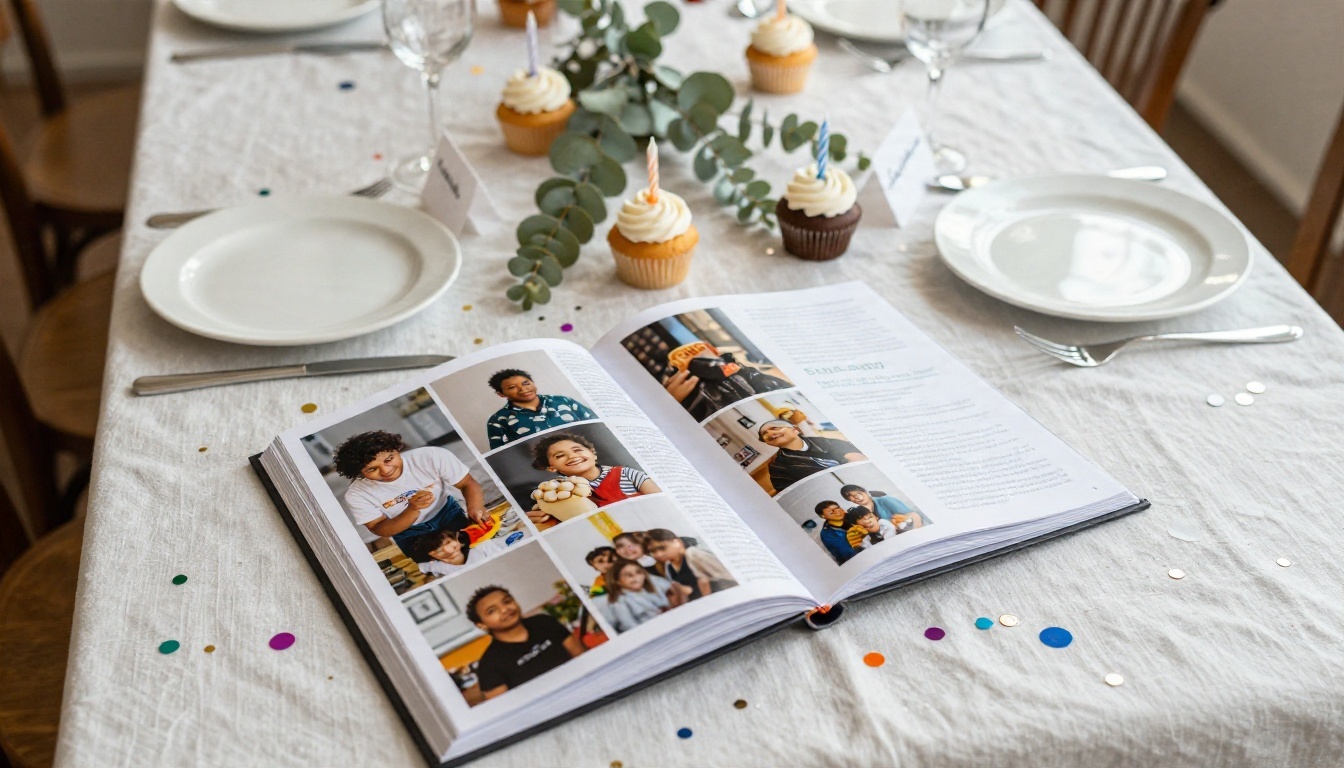
A layout is just a decision about where the eyes go first. Here are three that never fail.
The Single Hero Photo
One large photo takes up two thirds of the page. A narrow strip of text and one small sticker sit beside it. Use this for the cake, the first steps, or a great portrait of the birthday person.
The Grid Collage
Three columns and two rows of equal squares, with a thin white gap between them. It is clean, quick to build, and works well for a gift opening or a group of guests. Add a banner of paper bunting across the top and you are done.
The Scattered Polaroids
Place four to six photos with white borders at slight angles, overlap the corners a little, and add tape on two of them. This is the classic scrapbook look and it suits relaxed backyard parties.
| Layout | Mood | Difficulty | Best photo count |
|---|
| Single hero | Calm, elegant | Easy | 1 to 2 |
| Grid collage | Tidy, modern | Easy | 6 |
| Scattered polaroids | Playful, nostalgic | Medium | 4 to 6 |
| Timeline strip | Story driven | Medium | 6 to 12 |
| Message wall | Warm, personal | Easy | 0 to 2 plus text |
Build Your Pages Step by Step
Here is a workflow that takes about two hours for a ten page book.
- Pick the story. Decide on one thread: the day, the year, or the person.
- Select 30 photos, then cut to 15. Keep the sharpest ones and delete near duplicates.
- Choose a palette of three colors. Pull them from the party itself, such as the balloons, the tablecloth or the cake frosting.
- Set one font for titles and one for captions. More than two fonts looks chaotic.
- Build the hero page first. The rest of the book will follow its look.
- Add small details. Scan a card, photograph the invitation, or add the menu.
- Write short captions. One sentence is enough. Names, ages and one funny line.
- Export as PDF at the highest quality. Keep the page size identical on every page.
- Check every page on your phone. If you cannot read the caption at arm's length, make it bigger.
✅ Best practice: leave about 10 percent empty space around the edges of every page. Flipbook page curls and phone screens crop more than you expect.
Create a Birthday Flipbook with Flipbooks AI

A PDF is fine on your laptop. Sent to a grandmother on a phone, it is a pinch and zoom headache. Turning it into a page turning flipbook solves that. The PDF to Flipbook Converter on Flipbooks AI does the job in a few minutes, and you can also look at the Recipe Book Flipbook and Wedding Album Flipbook tools if your project leans toward a family cookbook or an event album.
Upload and Convert
- Go to Flipbooks AI and create an account.
- Click the upload button and select the PDF you exported from your scrapbook maker.
- Wait while the pages are converted. Each page becomes a flippable sheet with a realistic page curl.
- Preview the book and confirm the page order matches your story.
Customize the Look
Once the book is open in the editor, you can shape how it feels:
- Branding and colors: set a background color that matches your palette, or add a logo or name for a gift.
- Page effects: choose the page turn style and speed.
- Multimedia: embed a video of the candle moment or an audio clip of everyone singing. Videos and audio play right inside the pages.
- Mobile layout: the flipbook is responsive, so it adapts to phones and tablets without extra work.
- No watermarks: the pages stay clean, with nothing stamped on your photos.
💡 Pro tip: record a twenty second audio message for the birthday person and place it on the last page. People replay it more than anything else in the book.
Share It Safely
Birthday photos often include children, so privacy matters. Pick the option that fits:
| Sharing option | How it works | Good for |
|---|
| Direct link | Copy one URL and send it in a chat | Close family |
| Password protection | Visitors need a password to open the book | Photos of kids |
| Embed code | Paste into a blog or family website | Public memory pages |
| Offline download | Save a copy to view without internet | Travel and gifts |
If you want a private link for a surprise gift, switch on password protection and send the password separately.
Professional Plan Extras
If you are making a book for a business event, a school class or a fundraiser, the Professional plan adds analytics and lead generation, so you can see who opened the book and collect contact details. Unlimited flipbooks come with the Standard plan and above. Compare pricing plans to see which one fits, and browse all the flipbook tools for more formats.
Mistakes That Ruin Birthday Pages
Most weak scrapbooks fail for the same few reasons.
Too Many Photos Per Page
Seven photos on one spread means none of them gets noticed. Stick to one to four photos per page and let the others go to a bonus gallery page at the end.
Mixed Page Sizes
If you build some pages in square and others in landscape, the flipbook will look uneven. Pick one size in your maker before you add a single photo, and keep it for the entire book.
Other common slips worth avoiding:
- Tiny captions that vanish on a phone
- Low resolution photos pulled from a chat app
- Five different fonts on one page
- Filters that make skin tones look orange
- No page for the people who attended
| Mistake | Quick fix |
|---|
| Blurry exports | Export at the highest quality and use original photos |
| Cluttered pages | Cut to four photos maximum |
| Unreadable text | Use 24 pt or larger for captions |
| Mismatched colors | Pick three colors and reuse them |
| Missing context | Add names and the age on every page |
Make Your First Birthday Flipbook
You now have a clear order, a handful of page ideas, a free maker to build in, and a layout for every kind of photo. The last step is the one most people skip: sharing it.
Ready to make your first one? Get started for free on Flipbooks AI and upload your PDF. Try the PDF to Flipbook Converter for a quick result, look at the pricing plans when you want unlimited books, and send your birthday scrapbook to the people who would have loved to be at the party. If you want more formats to try, see the full list of tools and templates.



