Every October, the same thing happens to gifting businesses across India. Customers ask for "the Diwali catalogue", you attach a 40 MB PDF to a WhatsApp message, and half of them never open it because it downloads slowly, looks tiny on a phone, or gets buried under a hundred festive forwards. A Diwali gifting catalogue PDF is still the right starting asset. The problem is how it travels. With Flipbooks AI, you can turn that same PDF into a page-turning flipbook with one short link, send it on WhatsApp, and embed it on your site without touching code.
This article gives you a free page-by-page template to build the PDF, then shows how to convert it, share it, and track what happens next. If you sell dry fruit boxes, sweets, diyas, corporate hampers or festive fashion, you can follow it end to end this week.
Why Diwali Catalogues Need a Link
Diwali compresses a year of gifting into roughly three weeks. Buyers compare quickly, forward options to family, and decide in a single evening. Your catalogue has to load instantly and look good on a small screen.
The PDF Attachment Problem
A raw PDF has real weaknesses during festive season:
- Heavy files stall on mobile data, especially when image-rich pages run past 20 MB.
- Pinch and zoom is the default experience, so prices and SKUs are hard to read.
- No updates: once sent, an old PDF with a sold-out hamper stays in circulation forever.
- Zero visibility: you never learn who opened it or which page they stopped on.
What a Flipbook Link Fixes
A flipbook keeps the layout you designed and wraps it in a fast, mobile-responsive viewer. Readers swipe through pages like a printed brochure. You share a URL instead of a file, so the message stays light and the preview stays clean.
| Feature | Plain PDF attachment | Flipbook link | Printed catalogue |
|---|
| Opens quickly on mobile | Often slow | Yes | Not applicable |
| Readable without zooming | No | Yes | Yes |
| Can be updated after sending | No | Yes (replace the file) | No |
| Tracks opens and pages | No | Yes (Professional plan) | No |
| Embeds on a website | Awkward | Yes | No |
| Cost per copy | Free | Free | High |
| Works for bulk corporate sends | Heavy | Light | Expensive |
💡 Pro tip: Keep the PDF as your master file. The flipbook is just the delivery layer, so you can fix a price or swap a hamper photo and republish without redoing the design.
The Free Diwali Catalogue Template
You do not need a designer to start. Build this layout in Canva, Google Slides, Word or any design tool you already use, then export it as a PDF. The structure below is tuned for gifting buyers who skim fast.

Page-by-Page Structure
Aim for 12 to 20 pages. Longer than that and phone readers drop off.
| Page | Content | Purpose |
|---|
| 1 | Hero photo of your best hamper, brand logo, "Happy Diwali" line | Set the festive mood |
| 2 | Short welcome note and order deadline | Create urgency |
| 3 | Budget index: Under ₹500, ₹500 to ₹1,500, ₹1,500 to ₹5,000, Premium | Let buyers jump to their range |
| 4 to 9 | Product pages: one hamper per half page, with photo, contents, price | Core selling pages |
| 10 | Corporate and bulk orders with quantity slabs | Capture B2B demand |
| 11 | Customisation options: logo printing, greeting cards, packaging | Raise order value |
| 12 | Delivery areas, lead times, last order date | Remove doubt |
| 13 | How to order: WhatsApp number, phone, website | Make the next step obvious |
| 14 | Terms, payment methods, return policy | Build trust |
Pricing and Tier Layout
Group hampers into three or four tiers instead of listing 60 items in a random order. Festive buyers think in budgets first and products second. For each hamper, show:
- A single sharp photo on a clean background.
- A name that sounds like a gift ("Royal Kesar Box", not "Item 14").
- A bullet list of contents, ideally five lines or fewer.
- One clear price, with GST noted if it applies.
- A product code so customers can quote it on WhatsApp.
Copy You Can Borrow
Short lines work better than long festive poetry. Try these:
- "Order by 28 October for delivery before Diwali."
- "Add your company logo to any hamper above 25 pieces."
- "Message us the product code and your pin code. We will confirm in minutes."
- "Free greeting card with every box."
⚠️ Warning: Do not promise a delivery date you cannot hold. Festive courier delays are normal, so build in a buffer and say so on page 12.
How to Create the Flipbook
Once your PDF is ready, the conversion takes a few minutes. The steps below use the PDF to Flipbook Converter, and you can also use the Catalog Flipbook Creator or the Digital Catalog Maker if you prefer a catalogue-first workflow.

Step 1: Create Your Account
Head to Flipbooks AI and create an account. Your flipbooks live in one dashboard, so you can keep a separate version for retail, corporate and wholesale customers.
Step 2: Upload the PDF
- Click the upload button in your dashboard.
- Select your Diwali catalogue PDF.
- Wait while the platform converts each page into a flipbook spread.
- Check the preview on both desktop and your phone.
💡 If your PDF is very large, compress the images to around 150 dpi before exporting. Product photos still look sharp on phones, and the flipbook loads faster.
Step 3: Customise the Look
Make the viewer feel like part of your brand rather than a generic document:
- Custom branding: add your logo and choose background colours that match your Diwali palette, such as deep maroon, saffron or emerald.
- Page effects: keep the page-turn animation on for a festive, catalogue-in-hand feel.
- Multimedia: embed a short video of a hamper being unwrapped, or soft instrumental audio on the welcome page.
- Links: make product pages open your order form or a pre-filled WhatsApp message.
There are no watermarks on your flipbook, so the catalogue looks like yours alone.
Step 4: Pick Your Sharing Settings
You can share through a direct link, an embed code, or a downloadable file. For private corporate price lists, turn on password protection so only invited buyers can open the page. For public retail catalogues, leave it open so the link is easy to forward.
Step 5: Turn On Tracking and Lead Capture
On the Professional plan, you get analytics and lead generation. You can see how many people opened the catalogue, which pages held attention, and collect contact details before a reader gets past page one. Check the pricing plans to see what each tier includes. Offline downloads are also available, which helps buyers who want the catalogue saved for a family discussion later.
WhatsApp Sharing That Works
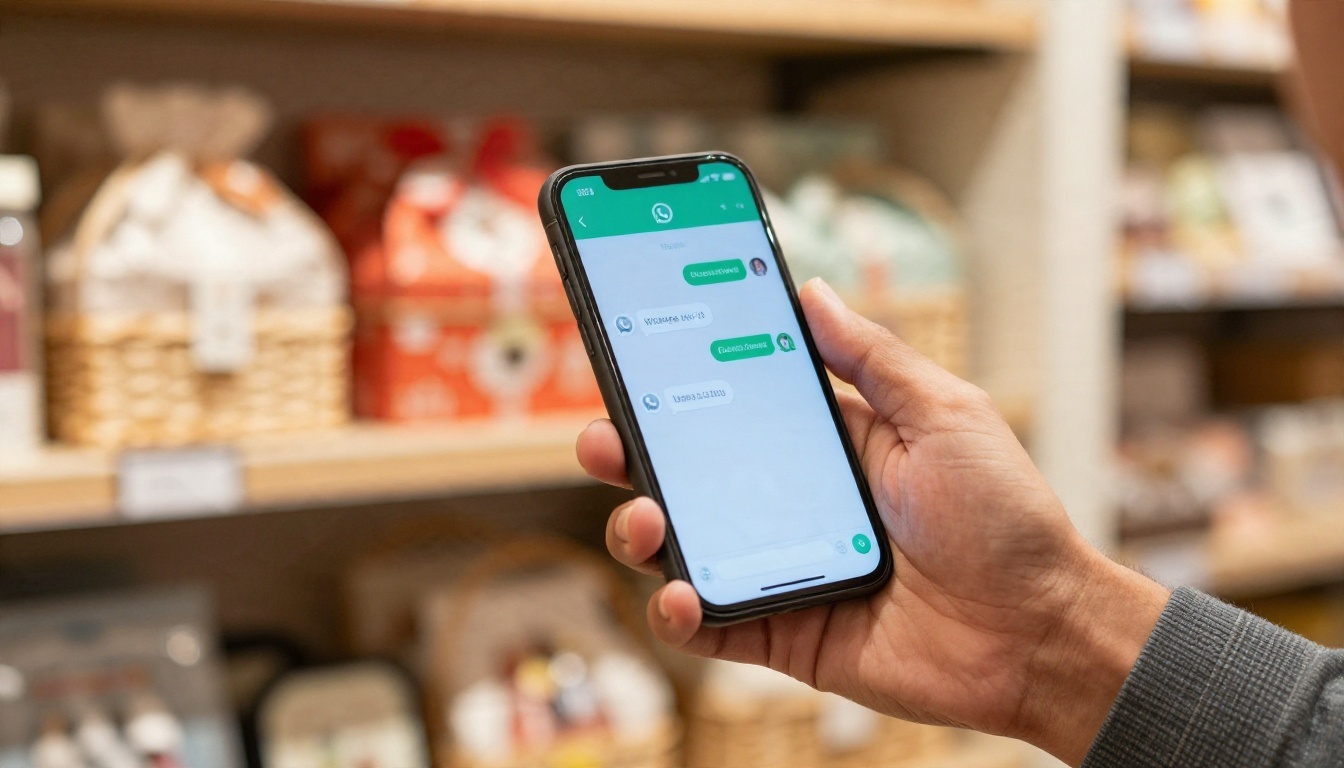
In India, WhatsApp is the real storefront during Diwali. Most gifting orders start with a forward, so the way your link looks inside a chat matters.
Message Format That Gets Opened
Send the link as the main part of the message, with a short line above it. A lengthy paragraph pushes the preview card out of view. A format that works well:
- A warm greeting using the customer's name.
- One line about what is inside ("12 hampers from ₹399, delivery across the city").
- The flipbook link on its own line.
- A closing line with the order deadline.
Example: "Hi Meera, our 2026 Diwali hamper catalogue is ready. Browse the boxes here: [link]. Orders close on 28 October."
Broadcast Lists and Status
- Broadcast lists: send the link to saved customers, up to the limit WhatsApp allows per list. Customers receive it as a personal message, which usually feels warmer than a group post.
- Status updates: post a photo of your best seller and paste the catalogue link in a caption.
- Groups: use sparingly. Housing society and office groups often forbid promotion, so ask permission first.
- Click-to-chat links: inside the flipbook, add a "Order on WhatsApp" link that opens a chat with your number and a pre-written message.
WhatsApp Catalogue vs Flipbook Link
WhatsApp Business has its own built-in catalogue feature. It works well for a few items, but it behaves differently from a designed flipbook.
| Factor | WhatsApp Business catalogue | Flipbook link |
|---|
| Layout control | Fixed grid | Fully custom design |
| Number of items | Limited, one by one | Unlimited pages |
| Storytelling and branding | Minimal | Full festive theme |
| Works outside WhatsApp | No | Yes, any browser |
| Embeds on website | No | Yes |
| Page-level tracking | No | Yes (Professional plan) |
| Best for | Quick single-item orders | Full seasonal collections |
Many sellers use both. The WhatsApp catalogue handles quick reorders, while the flipbook acts as the festive showcase.
✅ Best practice: Always test the link on an Android phone and an iPhone before you broadcast it. Check that the preview card, first page and order button all work.
Embed It on Your Website
Not every customer starts on WhatsApp. Some arrive from Instagram, Google or an email. An embedded catalogue keeps them on your site, where they can browse and order without downloading anything. The Embed Flipbook on Website tool handles this directly.
Steps to Add the Embed Code
- Open your finished flipbook in the dashboard.
- Copy the embed code from the sharing options.
- In your website editor (Shopify, WordPress, Wix, Webflow or plain HTML), add a custom HTML block.
- Paste the code and save.
- Open the live page on your phone and check that it fits the screen.
Where to Place It
| Placement | Best use | Why it works |
|---|
| Homepage banner section | Retail visitors | Seen instantly during festive traffic |
| Dedicated "Diwali Catalogue" page | Paid ads and Instagram bio link | Clean landing page with one purpose |
| Corporate gifting page | B2B buyers | Pair with password protection if prices are private |
| Product category page | Shoppers comparing items | Adds browsing depth without extra pages |
| Email footer or signature | Existing customers | One link, reused all season |
💡 Create a single page URL such as yourstore.com/diwali and use it in your Instagram bio, Google Business profile and printed packaging inserts. Update the flipbook behind it and every link stays current.
Real Examples by Business Type
Different gifting businesses need different catalogue structures. Here is how a few of them can set up theirs.

A Mithai and Dry Fruit Shop
A neighbourhood sweet shop can build a 14-page catalogue sorted by price. The owner broadcasts the link to saved customers in the first week of October and posts the same link on the shop's Status. Orders come in through the click-to-chat button, and the owner swaps out sold-out boxes by replacing the file.
A Corporate Gifting Supplier
A B2B seller can make a password-protected flipbook with quantity slabs, logo options and sample photos. HR managers receive the link by email, flip through on a laptop, and forward it internally. With analytics on the Professional plan, the supplier sees which pages were read the longest and follows up on those hampers first.
A Home Decor and Diya Brand
Small decor brands can use the Product Catalog tool to show diyas, torans, candles and rangoli sets. A short embedded video on the first page can show a decorated living room, which sells the whole set rather than single items.
A Boutique with Festive Wear
Fashion stores can combine gifting with wardrobe pieces, such as silk stoles, dupattas or kurta sets. The Fashion Catalog tool suits this style, with large photos and short descriptions.
| Business type | Ideal page count | Best sharing method | Special feature to use |
|---|
| Mithai and dry fruit shop | 12 to 16 | WhatsApp broadcast | Click-to-chat order links |
| Corporate gifting supplier | 16 to 24 | Email and private link | Password protection and analytics |
| Home decor and diya brand | 10 to 16 | Website embed and Instagram | Embedded video |
| Festive wear boutique | 14 to 20 | Instagram bio and WhatsApp Status | Large photos and lookbook layout |
| Wholesale hamper maker | 20 to 30 | Direct link to retailers | Lead capture form |
Mistakes That Cost Orders
Most catalogue problems are small and avoidable. Check this list before you send the link.
- Too many products on one page. Phone readers cannot compare 12 hampers on a single screen. Keep it to two or three.
- No order deadline. Without a date, customers delay, and then miss delivery.
- Hidden contact details. Put your WhatsApp number on at least three pages.
- Heavy, unoptimised photos. Slow pages make buyers leave before they see your best product.
- Stale information. If you sell out of a hamper, update the file the same day.
- Sending the file instead of the link. The link is lighter, trackable and can be changed later.
⚠️ Review every price once more after your final export. A typo on a bulk hamper can cost far more than the time it takes to proofread.
Ready to Publish Your Catalogue
You have the structure, the copy and the sharing plan. What remains is the actual build. Get started for free on Flipbooks AI, upload your Diwali gifting catalogue PDF, and have a shareable flipbook link ready before your next customer message arrives.
If you want more control, browse all flipbook tools to find a layout that suits your products, or use the Digital Price List Generator for a simple festive rate card. When you are ready for analytics, lead capture and unlimited flipbooks, compare the pricing plans or go directly to your account and plan options.
Diwali only comes once a year. Make sure your catalogue loads fast, looks festive, and is one tap away from a confirmed order.


