It is 9:40 pm the night before the meeting, and a trustee emails to say the packet will not open. Another cannot find page 47. A third printed all 180 pages and left them on a train. If that sounds familiar, an electronic board packet is the fix. It puts every report, minute and financial statement in one tidy, searchable place that opens on any device. This article shows real electronic board packet examples, the free tools worth trying, templates you can copy today, and the safest ways to share the finished packet. You can also turn any PDF into a page-turning packet in minutes with Flipbooks AI.
What Is an Electronic Board Packet?
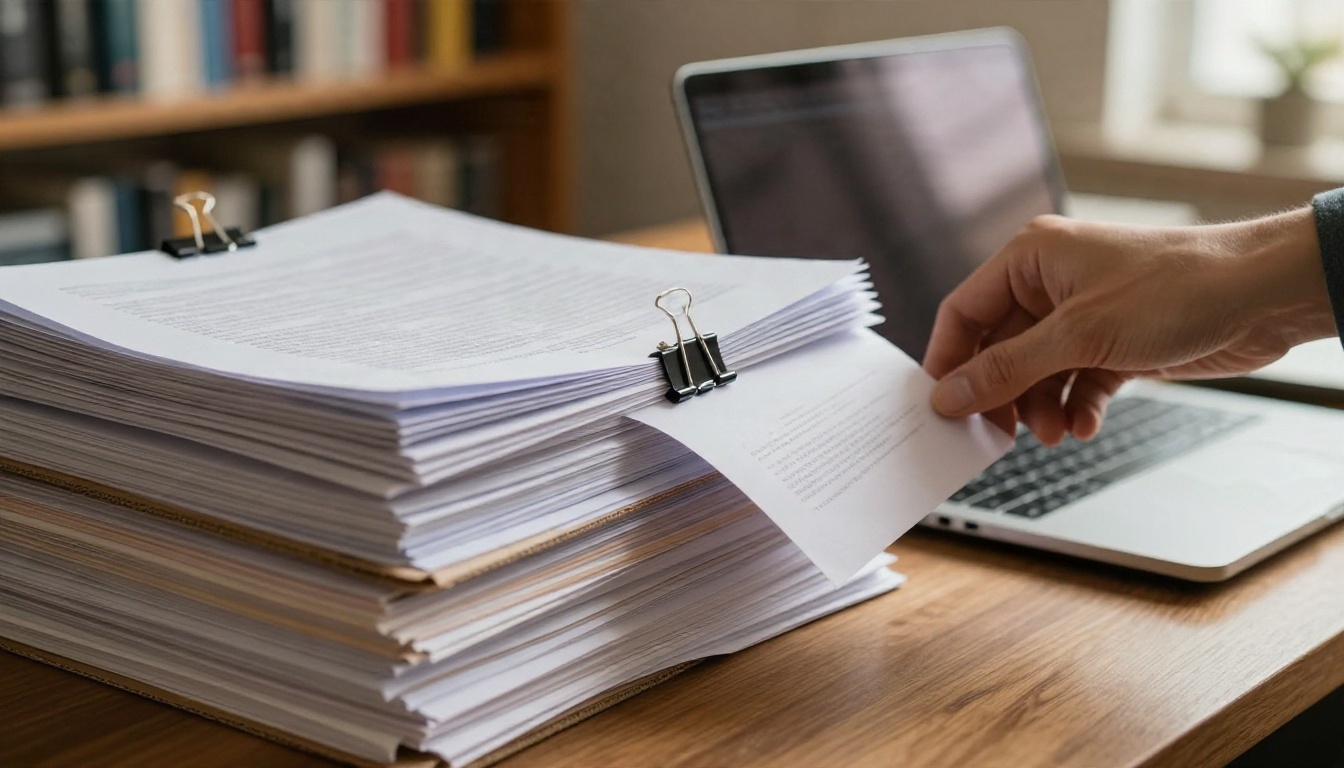
An electronic board packet (also called a digital board book or board pack) is the collection of documents directors review before a meeting, delivered in a digital format instead of paper. It usually arrives as a single PDF, a shared folder, a board portal, or an online flipbook.
What Goes Inside
Most packets follow the same backbone, whether you run a small nonprofit or a mid-size company:
- Agenda with time estimates for each item
- Minutes from the previous meeting, ready for approval
- Executive director or CEO report
- Financial statements, budget versus actual, and cash position
- Committee reports (governance, fundraising, audit)
- Action items that need a vote
- Supporting attachments such as contracts, policies and grant summaries
Why Paper Packets Fall Short
Printing and couriering a packet is slow and costly. Worse, paper cannot be corrected after it leaves the building. If the treasurer spots an error at 6 pm, every printed copy is already wrong.
| Problem | Paper Packet | Electronic Packet |
|---|
| Delivery time | Hours to days | Seconds |
| Fixing a last-minute error | Reprint and redeliver | Replace one file, same link |
| Searching for a topic | Flip through pages | Instant text search |
| Cost per meeting | Printing, binding, courier | Close to zero |
| Security if lost | Anyone can read it | Password and access control |
| Reading on the go | Heavy binder | Phone, tablet or laptop |
💡 Pro tip: Count what you spend on printing and shipping for one year. Most small nonprofits are surprised that the number is higher than a year of software.
Electronic Board Packet Examples
Seeing a finished packet makes the structure obvious. Here are three examples you can adapt.
Nonprofit Monthly Packet
A community food bank with nine volunteer directors sends a 22-page packet five days before each meeting. The order is simple: one-page agenda, last month's minutes, a two-page director report with three headline numbers, a one-page finance dashboard, a short program update with photos, and a closing page that lists every vote needed.
The trick is the consent agenda. Routine items such as approving minutes or renewing an insurance policy sit on one page, so directors approve them in a single vote and save meeting time for real discussion.
Quarterly Finance Packet

A company board that meets quarterly needs more depth. Its packet might run 60 pages and include the profit and loss statement, balance sheet, cash flow forecast, a variance explanation page, KPI trends and the risk register. A good treasurer writes a half-page summary at the top stating what changed and why, so directors know where to look first.
Annual Retreat Packet
Retreat packets are longer because they set strategy. They bundle the annual report, a three-year plan draft, donor or customer data, and pre-reading articles. A flipbook works especially well here because directors can read on a plane without fighting a clunky file. For this type, the Non-Profit Annual Report and Corporate Report Maker tools give you a polished starting layout.
| Packet Type | Typical Length | Sent How Early | Best Format |
|---|
| Monthly nonprofit | 15 to 30 pages | 5 days | Single flipbook with links |
| Quarterly corporate | 50 to 80 pages | 7 days | Flipbook plus download |
| Annual retreat | 80 to 150 pages | 10 to 14 days | Flipbook with embedded video |
| Special committee | 5 to 15 pages | 3 days | Short PDF or flipbook |
You do not need a five-figure portal contract to send a good packet. Many boards start with tools they already own.

| Tool | Cost | Strength | Weak Spot |
|---|
| Google Drive or Docs | Free tier | Easy sharing, comments | Many files, no single "book" feel |
| Dropbox | Free tier | Simple folders, previews | Limited tracking on free plans |
| Microsoft OneDrive or SharePoint | Often included with nonprofit plans | Works with Office files | Setup can be confusing |
| Email with one merged PDF | Free | Everyone understands it | Large files bounce, no control after sending |
| Notion or shared wiki | Free tier | Living documents | Not designed for formal board books |
| Flipbooks AI | Free to start | Page-turning packet, password, no watermarks | Best for finished PDFs, not live editing |
When Free Is Enough
If your board has fewer than ten members, meets monthly, and the packet is under 30 pages, a merged PDF in a shared folder is a perfectly good start. Keep it simple and consistent.
Where Free Tools Break Down
Trouble begins when you need to know who actually opened the packet, when a director insists on reading on a phone, or when a file is too large to attach. A shared folder also exposes old versions, so someone inevitably opens last quarter's budget by mistake.
⚠️ Watch out: Sending a sensitive packet as an open Google Drive link set to "anyone with the link" is the most common leak. Always restrict access or add a password.
Board Packet Templates You Can Copy
A template saves hours because directors learn where to find things. Use the same order every time.
The 10-Section Template
- Cover page with the organization name, meeting date, time and location
- Agenda with a time block per item
- Conflict of interest reminder (one line)
- Consent agenda (minutes, routine approvals)
- Executive director or CEO report
- Financial summary with a one-page dashboard
- Committee reports
- Items for decision with a short recommendation for each
- Attachments and appendices
- Calendar of upcoming meetings and events
Naming and Page Order

Name your file the same way every month, for example Board Packet 2026-11. Put the decisions near the front and the background detail at the back. Directors read the first ten pages carefully and skim the rest, so lead with what needs a vote.
Add a One-Page Summary
Every packet should open with a half-page "what you need to decide" note. Three bullet points are enough. It respects volunteer time and raises the quality of the discussion.
✅ Best practice: Add bookmarks or a clickable table of contents. Directors should reach the finance section with one tap, not twenty swipes.
How to Create an Electronic Board Packet with Flipbooks AI
If you already assemble your packet as a PDF, you are ten minutes from a polished, shareable version. Flipbooks AI converts PDFs into mobile-friendly flipbooks with no watermarks, ever.

Step-by-Step Instructions
- Open your account. Create an account in under a minute. No design skills needed.
- Merge your documents. Combine the agenda, minutes and reports into one PDF, in the template order above.
- Upload the PDF. Use the PDF to Flipbook Converter. Conversion takes seconds, and each page keeps its sharp text.
- Customize the look. Add your logo, pick brand colors, choose a page-turn effect and set a background. For finance-heavy packets, the Report Flipbook Creator offers a clean, professional layout.
- Add multimedia. Embed a short video message from the chair, an audio summary for a long report, or links to supporting documents.
- Protect it. Turn on password protection so only directors can open the book.
- Share it. Copy the direct link, or use an embed code to place the packet on a private board page. The Embed Flipbook on Website tool shows exactly how.
- Track and download. On the Professional plan, analytics and lead generation show who opened the packet and how long they read. Enable offline downloads for directors who travel.
| Feature | Why Boards Care |
|---|
| Mobile-responsive reading | Directors read on phones in taxis and waiting rooms |
| Password protection | Keeps financials and personnel items private |
| No watermarks | The packet looks like it came from your organization |
| Custom branding | Consistent identity every month |
| Offline downloads | Reading on planes with no signal |
| Unlimited flipbooks (Standard plan and above) | One new packet every month with no cap |
| Analytics (Professional plan) | Know who has reviewed before the meeting |
💡 Pro tip: Reuse the same link each month and replace the file. Directors bookmark one address and never hunt through email.
How to Share Board Packets Safely

Sharing is where good packets go wrong. Choose the method that matches your risk level.
Link, Embed or Email Attachment
| Method | Speed | Security | Best For |
|---|
| Password-protected link | Fast | High | Most boards |
| Embed on a private page | Medium | High | Boards with a members area |
| Email attachment | Fast | Low | Tiny, non-sensitive packets |
| Printed copy | Slow | Low once lost | Directors who insist on paper |
Password and Access Rules
Set a few simple rules and write them in your board policy:
- Change the password every quarter or whenever a director leaves.
- Never put the password in the same email as the link. Send it by text message or announce it at the meeting.
- Remove access to old packets after the minutes are approved.
- Ask directors not to forward the packet to personal accounts.
Follow Up on Who Read What
Nothing is more frustrating than a vote delayed because half the board has not read the proposal. With view analytics, the chair can send a gentle nudge two days before the meeting: "Only four of nine have opened the packet." It is polite, factual and works.
⚠️ Legal note: Some jurisdictions treat board materials as confidential records. Check with your attorney about retention and what can be shared with outside parties.
Real-World Use Cases

- A neighborhood arts nonprofit replaced a 90-page printed packet with a flipbook. Directors voted on the budget faster because they could jump straight to the financial summary.
- A school foundation shares its annual report as a public flipbook and keeps the confidential board book behind a password. Same tool, two audiences.
- A small startup board embeds a short investor update video as the first page of the packet. Directors arrive already aligned.
- A hospital auxiliary sends a mobile-friendly packet because many members only use a phone.
If your board also needs an outward-facing report, the Annual Report Creator turns the same content into a donor-ready publication.
Mistakes That Sink a Good Packet

Even with the right tools, packets fail for predictable reasons. Watch for these:
- Sending too late. Five to seven days is the sweet spot. Anything under 48 hours guarantees unread material.
- No summary. Without a one-page overview, directors skim and ask questions that the packet already answers.
- Huge, unsearchable scans. Scanned images of text cannot be searched. Export from the original software whenever possible.
- Too many attachments. If everything is important, nothing is. Move reference material to an appendix.
- Ignoring mobile. A packet that needs pinching and zooming on a phone will not be read on a phone.
- Forgetting version control. Label the date on the first page and replace the file, never add "FINAL_v7" copies.
| Mistake | Quick Fix |
|---|
| Late delivery | Set a recurring internal deadline 8 days out |
| No summary | Add a half-page decision note |
| Poor mobile reading | Use a responsive flipbook |
| Old versions floating around | Keep one link and replace the file |
| Leaks | Use password protection and rotate it |
Ready to Send Your Next Packet?

A great packet does one thing: it lets directors walk into the room prepared. Start with the template above, send it five days early, and protect it with a password.
Here is your next move:
Your volunteers give their time freely. Give them a packet worth reading.



