A PDF is a flat, silent file that people open, skim for three seconds and close. A flip book is the same content wearing a much better outfit: pages that curl under your thumb, links that jump somewhere useful, a search box that finds the exact paragraph you wanted, and a share link that works on any phone. If you are weighing up the features of a flip book: page turning, links, search, sharing and free options, this article walks through each one, shows where it earns its place, and points out where free plans quietly run out. Tools like Flipbooks AI bundle all of these into a single browser-based workflow, so we will use it for the practical examples.
What a Flip Book Actually Is
From PDF to Page Curl
A flip book (also called a digital flipbook, page-turn publication or interactive e-book) is an online document that imitates the behavior of a printed book or magazine. You upload a source file, usually a PDF, and the software converts every page into a web-ready image layer with text, links and media sitting on top.
The result opens in any modern browser. No app download, no plugin, no login wall unless you add one. That is the main reason catalogs, lookbooks, menus and reports have moved from attachments to flip books: the reader gets a smoother experience, and the publisher gets a link that is easy to track and update.
Who Uses Them
Anyone who publishes multi-page content benefits. A few real-world examples:
- Restaurants turn a printed menu into a tappable one with a Restaurant Menu Creator.
- Real estate agents send listing brochures that show floor plans and open a booking form from inside the page.
- Fashion brands publish seasonal lookbooks where each outfit links straight to a product page.
- Teachers and trainers share manuals that students can search instead of scrolling through 80 pages.
- Photographers present work in a photography portfolio flipbook that feels like a printed monograph.
💡 Pro tip: If your PDF is already well designed, a flip book will not replace the design. It adds behavior on top of it. Start with the best PDF you have.
Page Turning That Feels Real
Animation and Sound
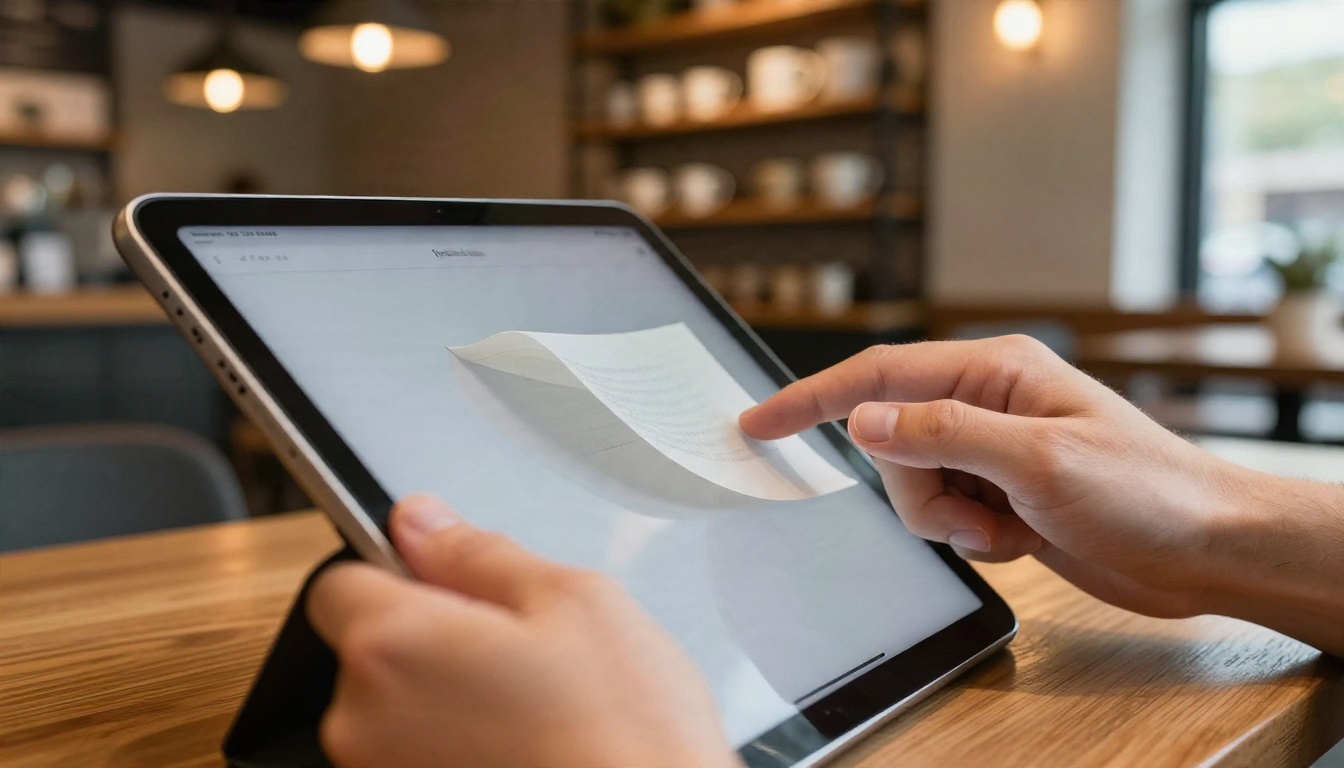
Page turning is the feature that gives flip books their name, and it matters more than it sounds. A well-made page curl follows your finger, casts a soft shadow beneath the bending paper and settles with a slight ease. Some viewers also add a quiet paper rustle sound.
Why does this detail matter? Because it signals "this is a publication" rather than "this is a file." People tend to read further when the interface feels familiar. A catalog that turns like a catalog gets browsed like a catalog.
Most platforms let you adjust:
- Page effect: realistic curl, simple slide or fade.
- Speed: slow for luxury brands, quick for dense manuals.
- Sound: on or off (off is the safer default for public links).
- Spread mode: two-page spread on desktop, single page on mobile.
Touch, Click and Swipe
A good flip book responds to every input people actually use:
- Swipe on phones and tablets.
- Click and drag a page corner on a laptop.
- Arrow buttons at the edges for people who prefer precision.
- Arrow keys on a physical keyboard, plus a page slider at the bottom.
- Pinch and double-tap zoom for reading small print.
Zoom deserves special mention. Fashion lookbooks and technical drawings only work if the reader can get close to the fabric weave or the part number. If a platform renders pages as low-resolution images, zoom becomes blurry and the whole illusion collapses.
⚠️ Watch out: Heavy page-turn animations on very large files can feel sluggish on older phones. Compress images before conversion and test on a mid-range device, not just your laptop.
Links That Do the Work
A printed brochure can only point to a URL that the reader has to type. A flip book can make any word, image or rectangle on the page clickable. This is where flip books stop being a nicer way to read and start being a tool that produces results.
Internal Jumps
Internal links move the reader inside the same publication. Typical uses:
- A table of contents where each line jumps to its chapter.
- A "Back to start" button in the footer of every page.
- Cross-references such as "see the size chart on page 42."
- An index of products that opens the right page instantly.
In a 120-page catalog, internal links save people from flipping through pages one at a time. That alone can be the difference between someone finding the product and someone giving up.
External and Product Links
External links send readers to a shop page, a booking calendar, a contact form, a map or a video. For retailers, this is the most valuable feature on the list. Each product photo becomes a direct path to checkout.
| Link Type | Where It Points | Best Use Case |
|---|
| Internal page link | Another page in the flip book | Table of contents, cross-references |
| External URL | Website, shop, form | Product catalogs, lead forms |
| Email link | Opens a pre-filled message | Quote requests, support |
| Phone link | Starts a call on mobile | Restaurants, local services |
| Media link | Opens a video or audio player | Tutorials, brand stories |
| Download link | Fetches a file | Spec sheets, price lists |
A fashion brand, for instance, can use an interactive lookbook designer to place a small tag on each garment. The reader taps the tag and lands on that exact item, not on a general homepage.
✅ Best practice: Make links obvious. Use buttons, underlines or a consistent hotspot style so readers know what is tappable. Hidden links get ignored.
Search Inside the Pages
Full Text Search
Search is the most underrated feature on this list. In a printed document, finding "warranty terms" means flipping and squinting. In a flip book with text search, it takes two seconds: type the phrase, see every match highlighted, and jump to each one.
For this to work, the source PDF must contain real, selectable text. If the file was exported as flattened images or scanned pages, search has nothing to read. Run OCR on scanned documents before uploading, or export again from the original design file.

Where search pays off the most:
- Training manuals and employee handbooks.
- Annual reports with dozens of tables and figures.
- Product catalogs with part numbers and SKUs.
- Recipe books where someone wants every dish with "lemon."
- Course material that students revisit before exams.
Table of Contents and Thumbnails
Search answers "I know what I want." A table of contents and a thumbnail strip answer "show me what is here." Together they make long publications feel manageable.
| Feature | Helps When The Reader... | Works Best For |
|---|
| Text search | Knows a word or phrase | Manuals, reports, catalogs |
| Table of contents | Wants a chapter overview | Books, courses, guides for staff |
| Thumbnail strip | Wants to scan visually | Lookbooks, portfolios, magazines |
| Page slider | Wants to jump to roughly page 60 | Long documents |
| Bookmarks | Wants to return later | Study material, research |
Sharing Without Friction
Links, Embeds and QR Codes
A flip book is only useful if people can open it in one step. Every serious platform offers at least three ways to share:
- Direct link: paste it in an email, WhatsApp message, social post or invoice footer.
- Embed code: drop the viewer into a page on your own site. The Embed Flipbook on Website tool covers exactly this scenario.
- QR code: print it on a poster, table tent or product box so people jump from paper to screen.
- Social sharing buttons: let readers pass it along without leaving the viewer.
Embedding is especially useful for businesses that want visitors to stay on their site. The flip book lives inside a normal page, inherits the site's layout and loads without a redirect.

Password Protection and Privacy
Not everything should be public. Internal price lists, investor reports and client proposals need access control. Look for these options:
- Password protection for a single flip book.
- Hidden or unlisted links that search engines will not index.
- Download control, so readers can view but not save the file.
- Expiry dates for time-limited offers.
A wholesaler might share a digital price list only with approved buyers, protected by a password that changes every quarter. The same file, a different level of access.
⚠️ Watch out: A hidden link is not a secure link. If the content is confidential, use a password and not just an obscure URL.
Free Options Worth Using
What Free Plans Usually Include
Free flip book tools are not all the same. Some are genuinely useful. Others are a demo with a countdown. Here is what you will typically find across the market:
| Capability | Typical Free Tier | Typical Paid Tier |
|---|
| Page-turn effect | Included | Included, more styles |
| Number of flip books | 1 to 3 | Unlimited on higher plans |
| Watermark | Often present | Removed |
| Custom branding | Rarely | Logo, colors, domain |
| Password protection | Rarely | Included |
| Analytics | None | Views, time on page, clicks |
| Lead capture | None | Forms before or inside the book |
| Offline download | Sometimes | Included |
Notice the watermark row. A visible third-party logo on your catalog might be fine for a school project and unacceptable for a client proposal. Flipbooks AI never adds watermarks, which is worth checking against every alternative you compare.
Where Free Plans Stop
Free tools usually hit one of four walls:
- Page limits: a 60-page limit rules out most annual reports.
- File size caps: image-heavy catalogs exceed them quickly.
- No branding: you cannot match your colors or logo.
- No measurement: you cannot tell if anyone actually read it.

A neighborhood bakery with a single seasonal menu can live happily on a basic plan. A furniture retailer publishing four catalogs a year, each with 100 pages, will outgrow it fast. Check the pricing plans before you commit so you know exactly where the line sits.
💡 Pro tip: Test any free tool with your real file, not a sample. A short, simple PDF will convert beautifully almost everywhere. Your 90-page catalog with embedded fonts is the true test.
How to Create a Flip Book with Flipbooks AI
Here is the full process, from file to shareable link. It takes about five minutes for a typical document.
- Open your account. Go to Flipbooks AI and sign up. You can start free and upgrade later.
- Upload your PDF. Drag the file into the uploader. The PDF to Flipbook Converter turns every page into a crisp, zoomable layer and keeps your text searchable.
- Check the preview. Flip through the pages. Confirm that fonts, images and spreads look right. If a page is off, fix the source PDF and re-upload.
- Add links and media. Draw hotspots over products, buttons or headings. Attach a URL, an email address, a video or an audio file. Embedded video and audio play inside the page.
- Customize the look. Choose your logo, colors, background and page effect. Turn sound on or off. Set the reading layout for desktop and mobile; the viewer is mobile-responsive by default.
- Set the privacy level. Make the flip book public, unlisted or password protected.
- Publish and share. Copy the direct link, grab the embed code or generate a QR code. Paste it where your audience already is.
- Update when needed. Replace the file, and the same link shows the new version. Nobody needs a fresh URL.
✅ Best practice: Name your flip book clearly (for example "Spring Lookbook 2027" rather than "Final v3") so the title in browser tabs and shared previews looks professional.
For specific formats, there are dedicated starting points in the tools directory: a Digital Catalog Maker, a Brochure Flipbook Maker and an Interactive E-Book Publisher, to name a few.
Analytics and Lead Capture
Once a flip book is live, the next question is "is anyone reading it?" On the Professional plan, you get analytics and lead generation:
- Views and unique readers over time.
- Time spent on each page, so you see where attention drops.
- Link clicks, which tells you which products drew interest.
- Lead forms that ask for a name and email before or inside the publication.
- Offline downloads for readers who want a copy for a flight or a site visit.
Imagine a real estate agency sending a listing brochure to 200 prospects. With page-level data, the agent sees that most people stop at the floor plan, and that three readers opened the pricing page twice. Those three get a phone call the next morning.
| Plan Level | Best For | Notable Features |
|---|
| Free | Trying the editor, one-off projects | Page turning, sharing links |
| Standard | Regular publishers | Unlimited flip books, custom branding, password protection |
| Professional | Marketing and sales teams | Analytics, lead generation, offline downloads |
Ready to Publish Yours?
Page turning gives your content a familiar, tactile feel. Links turn pages into paths. Search saves readers time. Sharing options put the publication in front of the right people, and free plans let you test it all without risk. The combination is what makes a flip book more useful than a PDF, not any single feature on its own.
Here is a simple way to move forward:
Your next catalog, menu or report does not have to be a flat attachment. Give it pages that turn, links that lead somewhere and a search box that answers questions before anyone has to ask them.



