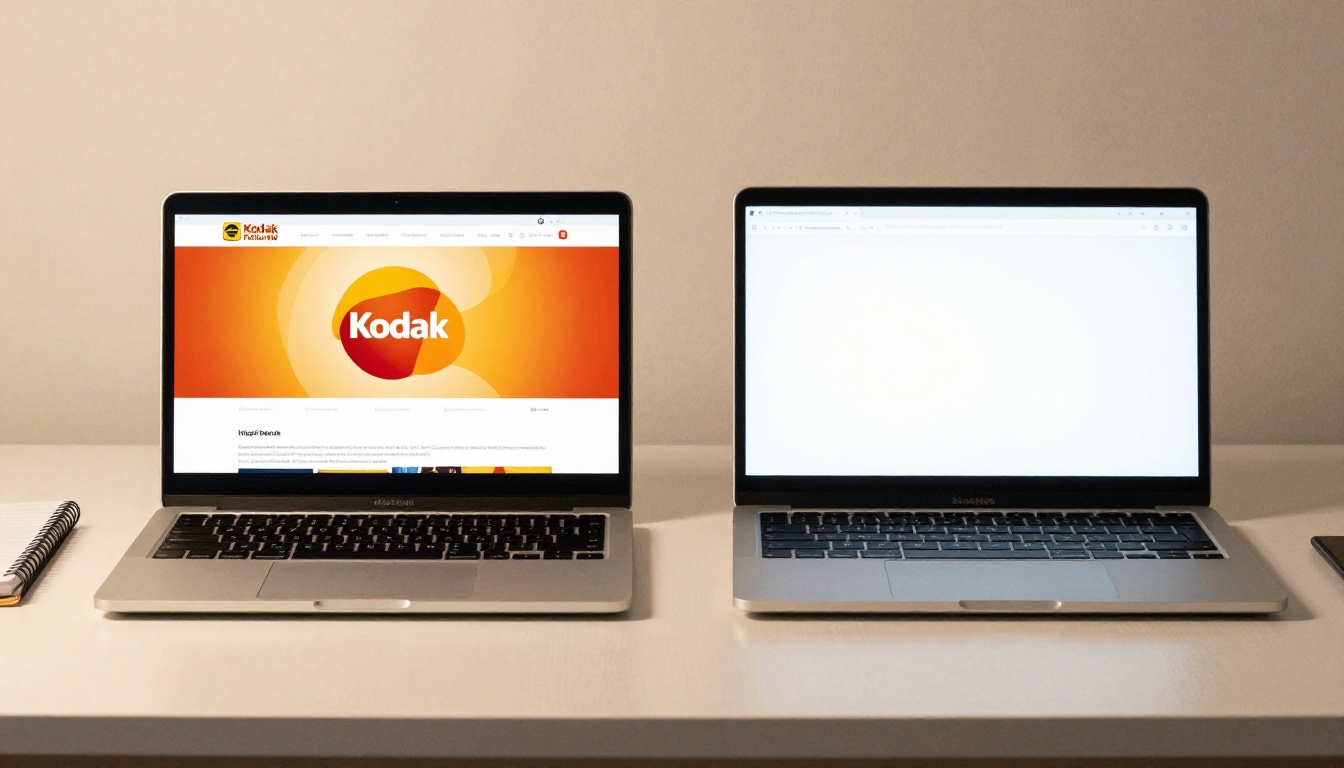
Choosing between two solid tools is never as simple as reading a feature list. Both Flipbooks AI and Publuu convert PDFs into interactive digital flipbooks, but the similarities get thin once you dig into pricing, customization depth, and what each platform actually lets you do without forcing an upgrade. This breakdown skips the sales pitch and gives you a direct, honest comparison across the factors that matter most when you're putting real money on the table.

Both tools share a core promise: upload a PDF, get a flipbook with a realistic page-turn effect, then share it online. That part works on both platforms. What separates them is how much control you have over the final result and what you can actually do with it after publishing.
Flipbooks AI in a Nutshell
Flipbooks AI is a PDF-to-flipbook platform built with businesses, marketers, and content creators in mind. It converts any PDF into a mobile-responsive interactive flipbook with smooth page-turn animation. The Standard plan removes watermarks entirely and lets you create unlimited flipbooks. Higher plans add analytics, lead generation forms, offline downloads, and advanced embedding options. Every paid plan gets full custom branding with no "powered by" banner cluttering your publications.
Beyond the core converter, the platform offers a wide library of specialized tools purpose-built for specific content types: product catalogs, restaurant menus, real estate brochures, digital magazines, portfolios, and more. These tools go beyond templates; each is designed around how that content type is actually used and distributed in the real world.
Publuu in a Nutshell
Publuu is a Poland-based flipbook platform operating since 2019. It handles the basics well: PDF upload, page-flip viewer, embed codes, and custom subdomain links. Its free plan is functional but tightly limited, and most advanced features such as analytics, lead capture, and branding removal require paid tiers that sit at a noticeably higher price point. The interface is clean and beginner-friendly, which helps new users get started quickly. The main friction shows up when you realize how fast you hit the plan limits.

Pricing: What You Pay vs. What You Get
Price is where most users feel the gap most sharply. Here is a direct comparison of what each platform offers at each tier.
Flipbooks AI Plans
| Plan | Monthly Price | Flipbooks | Watermark | Custom Branding | Analytics |
|---|
| Free | $0 | 3 | Yes | No | No |
| Standard | $9/mo | Unlimited | No | Yes | Basic |
| Professional | $19/mo | Unlimited | No | Yes | Full + Lead Gen |
💡 The Standard plan at $9/month already removes watermarks and allows unlimited flipbooks. Most small business owners and individual creators never need to go higher.
Publuu Plans
| Plan | Monthly Price | Flipbooks | Watermark | Custom Branding | Analytics |
|---|
| Free | $0 | 1 | Yes | No | No |
| Starter | ~$7/mo | 10 | Yes | Limited | Basic |
| Business | ~$29/mo | 50 | No | Yes | Full |
| Enterprise | Custom | Unlimited | No | Full | Advanced |
⚠️ On Publuu, watermark removal only starts at the Business plan at approximately $29/month. That is more than three times what Flipbooks AI charges for the same capability.
The pricing gap is significant and compounds quickly. A marketing team creating 20 flipbooks per month would need Publuu's Business plan at $29/month versus Flipbooks AI's Standard plan at $9/month. Over a year, that's a $240 difference for equivalent core functionality. For teams creating more than 50 flipbooks, Publuu requires an Enterprise quote while Flipbooks AI covers it at $9 or $19/month depending on whether you need advanced analytics.

Core Features Head-to-Head
The table below focuses on what each platform actually delivers versus what requires an upgrade.
| Feature | Flipbooks AI | Publuu |
|---|
| PDF to flipbook conversion | ✅ All plans | ✅ All plans |
| Unlimited flipbooks | ✅ Standard ($9) | ❌ Business only (50 max) |
| No watermark | ✅ Standard ($9) | ✅ Business (~$29) |
| Custom branding | ✅ Standard ($9) | ✅ Business (~$29) |
| Mobile responsive viewer | ✅ All plans | ✅ All plans |
| Embed on website | ✅ All plans | ✅ All plans |
| Password protection | ✅ Standard ($9) | ✅ Business (~$29) |
| Full analytics | ✅ Professional ($19) | ✅ Business (~$29) |
| Lead generation forms | ✅ Professional ($19) | ✅ Enterprise (custom) |
| Offline download | ✅ Professional ($19) | ✅ Business (~$29) |
| Embed video and audio | ✅ Standard ($9) | ✅ Business (~$29) |
| Specialized tools library | ✅ 30+ tools | ❌ Not available |
| Custom domain | ✅ Professional ($19) | ✅ Business (~$29) |
PDF Conversion and Quality
Both platforms handle standard PDFs reliably. Flipbooks AI maintains image fidelity well even with high-resolution files, and the page-turn animation is smooth on both desktop and mobile. Publuu's viewer is equally polished and performs consistently across major browsers. The visual quality of the output is comparable at this level.
Where Flipbooks AI tends to have an edge is with larger documents. PDFs with 100 or more pages upload and render noticeably faster. Publuu can be slower at the conversion stage for longer documents, particularly those with heavy image content on each page.
Branding and Customization
Flipbooks AI lets you apply your logo, choose brand colors, and customize the viewer interface starting at the Standard plan. There are no "powered by" watermarks on any paid plan. You can set a custom background color or texture, adjust the spine and shadow style, and modify button colors to match your brand identity.
Publuu's customization options are solid at the Business level. They offer similar branding controls including logo placement and color themes. The key difference is that all of this is locked behind the $29/month tier. For a freelancer or small business on a budget, that's a substantial barrier compared to getting equivalent results on Flipbooks AI at $9/month.

Sharing, Embedding, and Distribution
Embed Codes and Direct Links
Both platforms generate iframe embed codes and shareable direct links. The embed codes work on any website, CMS, or landing page without technical dependencies. Flipbooks AI also provides a dedicated Embed Flipbook on Website tool that simplifies setup with step-by-step guidance for WordPress, Squarespace, and other common platforms.
Publuu's viewer URLs use their subdomain structure by default. Custom domains are available on higher plans on both platforms, letting you present flipbooks at something like catalog.yourbrand.com rather than a third-party URL.
Password Protection and Privacy
Password-protected flipbooks are essential for internal company reports, confidential client proposals, or premium content gating. Flipbooks AI includes this capability at the Standard plan ($9/month). Publuu requires the Business plan (~$29/month) for the same feature.
✅ If password protection is a requirement and budget matters, Flipbooks AI saves you $20/month versus Publuu for identical functionality.
Both platforms also offer unlisted links, where the flipbook is accessible only to those with the direct URL and is not indexed publicly. This works well for distributing documents to specific recipients without full password enforcement.
Analytics and Lead Generation
Tracking Your Audience
Flipbooks AI's Professional plan includes page-level analytics: total views, time spent on each page, read completion rates, and geographic distribution of your audience. For marketing teams distributing digital catalogs or product brochures, knowing which pages actually hold attention and where readers drop off is actionable data that improves future publications.
Publuu's analytics on the Business plan offer comparable page-level tracking. The depth of data is similar, but the price to access it is higher. If analytics are your primary reason for upgrading, Flipbooks AI's Professional plan at $19/month is cheaper than Publuu's Business plan at approximately $29/month for equivalent reporting capability.
Lead Capture Forms
This is where Flipbooks AI's Professional plan creates a clear separation. You can embed lead generation forms directly inside the flipbook viewer. A reader browsing a product catalog can submit their name and email without leaving the document, and that data flows directly into your contact records. This feature removes the extra step of asking readers to click out to a separate form and dramatically increases conversion rates for lead-focused publications.
Practical use cases for in-flipbook lead capture:
- Real estate agents using a digital property brochure to collect buyer contact details while they browse listings
- B2B companies sharing product documentation and capturing trial signup requests inline
- Event organizers distributing event programs and collecting RSVP responses in the same interaction
- Educators publishing course materials and gathering enrollment interest from readers
Publuu places lead capture on its Enterprise tier, which is priced above the standard Business plan on a custom basis. For most mid-sized teams, that pricing conversation creates unnecessary friction when the same feature is available on Flipbooks AI at $19/month.

Best for Small Business Owners
If you run a small business and need professional digital catalogs, menus, or brochures without a significant monthly subscription, Flipbooks AI's Standard plan is the practical choice. The Digital Catalog Maker, Restaurant Menu Creator, and Brochure Flipbook Maker are purpose-built for exactly this use case. No watermarks, unlimited flipbooks, and custom branding at $9/month is a value equation that is hard to argue with.
Publuu works for small businesses with low volume needs and tolerance for the Publuu logo on documents. Once you need branded, watermark-free publications in any meaningful volume, the math no longer works in Publuu's favor.
Best for Marketing Teams
Marketing departments with consistent content output need unlimited volume and reliable analytics. Flipbooks AI's Professional plan at $19/month covers both, and adds lead generation on top. Tools like the Annual Report Creator, Sales Presentation Flipbook, E-Magazine Publishing Tool, and Newsletter Flipbook Publisher slot naturally into a content marketing workflow.
Publuu's Business plan is competitive on features at this level, but the higher price point and flipbook volume cap (50 per plan) can become friction points for active teams.
Best for Individual Creators
Photographers, designers, educators, and freelancers building portfolios, distributing course content, or publishing personal projects often have tighter budgets and sporadic output. Flipbooks AI's Standard plan fits this use case with room to spare. The Digital Portfolio Creator, Photography Portfolio Flipbook, Interactive E-Book Publisher, and Wedding Album Flipbook are all accessible without a premium tier.
Publuu works for individual creators at the Starter level for basic needs, but the persistent watermark and 10-flipbook limit make it less suitable for ongoing professional publishing.

How to Build a Flipbook with Flipbooks AI
If you want to see what the platform actually looks like in practice, here is a full walkthrough from upload to a published, shareable flipbook.
Step 1: Create Your Account
Go to flipbooksai.com/account and sign up. The free plan allows up to 3 flipbooks, which is enough to test the converter and customization interface before committing. No credit card is required to start.
Step 2: Upload Your PDF
Click Create New Flipbook from the dashboard and upload your PDF file. The converter processes most standard documents in under 30 seconds. High-resolution PDFs with heavy image content may take slightly longer. Page order, fonts, images, and layout from your original file are preserved in the converted output.
Step 3: Customize the Viewer
After conversion, open the customization panel to adjust:
- Logo: Upload your brand logo and position it on the viewer toolbar
- Colors: Set the viewer background, button colors, and book spine to match your brand palette
- Page Flip Style: Choose between a hard-cover book style or a soft-page magazine feel
- Multimedia: On the Standard plan and above, embed video clips or audio on specific pages directly within the viewer
💡 For product catalogs specifically, the Catalog Flipbook Creator pre-configures the viewer settings optimized for product browsing so you skip the manual setup.
Step 4: Configure Privacy
Under the Privacy settings, choose one of three access modes:
- Public: Indexed and discoverable, best for marketing content
- Unlisted: Accessible via direct link only, not indexed publicly
- Password Protected: Requires a password to open (Standard plan and above)
Password protection is useful for client proposals, internal documents, HR materials, and any publication where you need to control who sees the content.
Step 5: Share and Embed
Copy the direct link for sharing via email campaigns, social media, or messaging platforms. Use the embed code to add the flipbook inline on your website, landing page, or blog post. The Embed Flipbook on Website tool walks you through the process for different CMS platforms including WordPress, Squarespace, and Webflow.
Step 6: Track Performance
On the Professional plan, open the Analytics section to review page-level engagement data: total reads, time spent per page, geographic distribution, and completion rates. This data tells you which sections of a catalog or brochure hold attention and which sections lose readers, letting you improve the next version with real evidence.

Different industries and business types use flipbooks differently. Here is how the two platforms compare across the most common scenarios:
| Use Case | Better Platform | Reason |
|---|
| Restaurant digital menu | Flipbooks AI | Dedicated menu tool, no watermark at $9 |
| Real estate property brochure | Flipbooks AI | Lead forms, brochure creator, password option |
| Corporate annual report | Flipbooks AI | Analytics, report tool, unlimited volume at $19 |
| Fashion or retail lookbook | Flipbooks AI | Lookbook builder, branded viewer at $9 |
| School newsletter | Flipbooks AI | Newsletter creator tool, Standard plan covers it |
| Client-facing proposals | Flipbooks AI | No watermark at $9, password protection included |
| Personal portfolio | Either | Both work; Flipbooks AI is cheaper for unlimited |
| Simple one-off document | Either | Publuu free tier works for single documents |
The pattern across use cases is consistent: any scenario requiring professional branding, volume, or access control favors Flipbooks AI on cost. The only exception is truly one-off, low-stakes document sharing where Publuu's single free flipbook is sufficient.

Both platforms deliver a reliable PDF-to-flipbook conversion experience with clean viewers and solid mobile performance. Publuu is a capable tool with a polished interface that serves users who need basic flipbook creation and are comfortable with its pricing structure.
The problem for most users is the cost curve. Publuu requires ~$29/month to access watermark-free, branded, unlimited flipbooks with password protection. Flipbooks AI provides all of that at $9/month. To get lead generation on Publuu, you're talking Enterprise-tier pricing. On Flipbooks AI, it's $19/month. The feature set at each comparable price point is not close.
Beyond pricing, Flipbooks AI's library of specialized tools for catalogs, menus, brochures, portfolios, reports, and publications creates a layer of purpose-built value that Publuu simply does not offer. If you're regularly creating content for a specific use case, those tools reduce production time and improve consistency without additional configuration work.
For anyone running a business, building a content marketing operation, or producing professional publications on a recurring basis, the decision is straightforward. Get started for free on Flipbooks AI and run your first conversion to see how the platform performs with your actual documents. When you're ready to go watermark-free and unlimited, compare the pricing plans to find the tier that fits your volume and feature needs. If you want to browse tools for a specific content type before starting, the full tools directory has dedicated options for nearly every business use case.



